
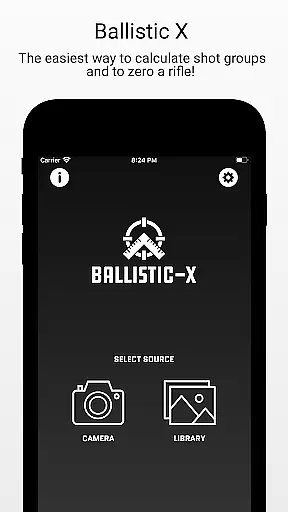
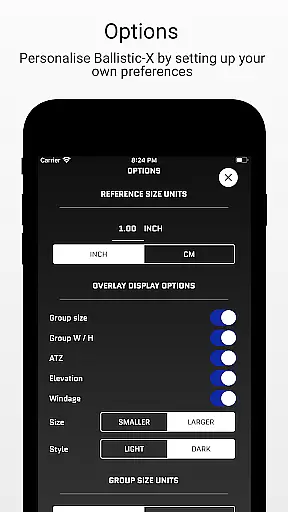
Ballistic X is a specialized mobile application designed for shooting enthusiasts who want to improve their precision and streamline their workflow. The app offers advanced tools for calculating shot groups and zeroing rifles, making it an essential companion for both amateur and professional shooters. With its intuitive interface, users can easily customize settings such as MOA/MIL or INCH/CM preferences, ensuring compatibility with various targets including steel ones.
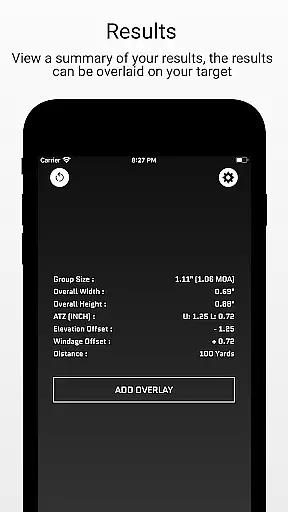
One of the standout features of Ballistic X is its ATZ (Adjustment To Zero) functionality, which dynamically assists in adjusting turrets at any range. This saves both time and ammunition during the zeroing process. Additionally, the app supports syncing settings across multiple devices through an optional sign-in feature. Whether you're conducting load development or analyzing groupings, Ballistic X provides all necessary tools within a seamless user experience.
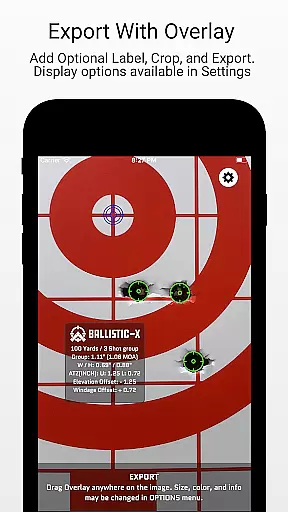
The app is particularly useful for those engaged in long-range shooting or competitive marksmanship. By offering detailed data overlays and export options, it allows users to refine their techniques based on accurate feedback. Its community-driven approach ensures regular updates and responsive customer service, making Ballistic X a reliable choice for elevating your shooting performance.
Ballistic X stands out with its comprehensive set of features tailored specifically for shooters. The app includes core functionalities accessible after a one-time purchase, eliminating the need for subscriptions. Users can sync settings across devices by signing in, although this step is optional. The app's ability to work seamlessly with different measurement systems and target types makes it versatile for various shooting scenarios.
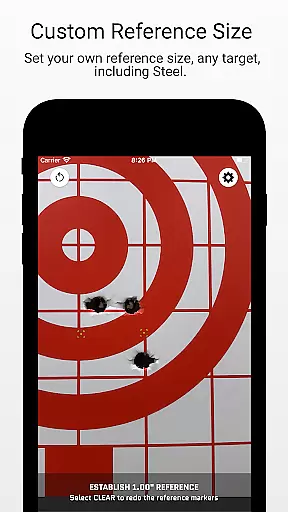
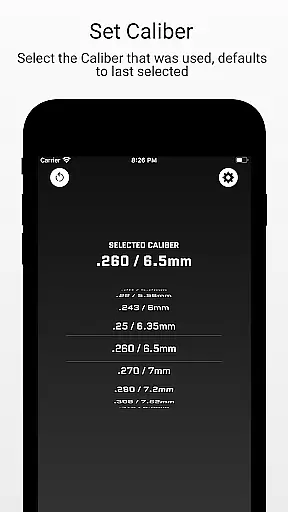
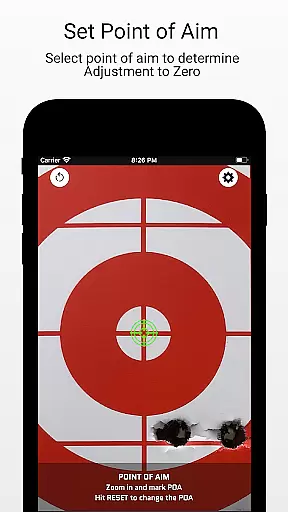
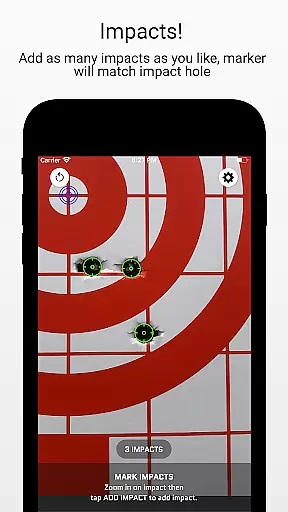
A key highlight is the ATZ feature, which helps adjust rifle turrets precisely to achieve zero at any distance. This feature supports all turret options and significantly reduces the number of rounds needed for zeroing. Additionally, users can take images of targets directly within the app or import them from their library. They then designate reference sizes, mark points, input distances, select calibers, and analyze impacts—all within a straightforward workflow.
For advanced users, Ballistic X offers an optional Advanced Toolkit via in-app purchase. This toolkit includes pro-level features like Mean Radius, Circular Error Probable (CEP), Radial Standard Deviation (SD), Vertical SD, Horizontal SD, Mean Windage, Mean Elevation, Impact Selector, and CSV export capabilities. These features provide deeper insights into shooting performance and facilitate further data analysis, enhancing overall precision and effectiveness.
Ballistic X offers an unparalleled level of gameplay realism and physics accuracy tailored specifically for shooting enthusiasts. The app's meticulous attention to detail ensures that every calculation, from shot groups to zeroing your rifle, mirrors real-world ballistics with precision.
The ATZ feature exemplifies this commitment by dynamically adjusting at any range, providing accurate turret adjustments that save both time and ammunition. Whether you're working with MOA/MIL or INCH/CM measurements, Ballistic X seamlessly integrates these options into its system.
Users benefit from a highly realistic simulation of shooting conditions, allowing them to develop loads and fine-tune their rifles based on reliable data. This enhances the overall experience, making it not just a tool but a comprehensive training companion.
The control scheme of Ballistic X is designed to be intuitive and user-friendly, ensuring shooters can focus on their targets rather than navigating complex interfaces. With customizable settings through the Options Menu, users have the flexibility to tailor the app according to their preferences.
Marking points on targets, selecting calibers, and inputting distances are streamlined processes within the app. Its ability to sync settings across multiple devices adds another layer of convenience, allowing for a seamless transition between different setups without losing personalized configurations.
This intuitive design extends to advanced features like overlay display options in the Advanced Toolkit, which include Mean Radius, CEP, and SD calculations. These tools provide clear visual feedback and precise control over every aspect of the shooting process, enhancing both accuracy and efficiency.
Intuitive interface
No subscription required
ATZ feature saves time
Versatile measurement options
Active community support
Premium toolkit costs extra
Limited free features
Requires manual input
Steep learning curve
Device syncing optional

Social casino meets sportsbook - more than a bet app for social sports betting!
 4.60
4.60
Score stunning goals and outsmart defenders on your path to football glory!
4.40
NBA-licensed Streetball Game
4.70
A classic reborn, now into Season 3!
4.00
Play fun baseball with doodle-style characters and hit massive home runs!
4.2
Build and play your own team! Baseball at your fingertips! BASEBALL NINE!
4.60
Be a wrestling Superstar
4.40
Master your shots and climb the ranks in the ultimate golf game!
4.30
Mobile Team Manager: Team Chat | Schedule Team Games | Build Player Roster
4.50
Ride, flip, and perform crazy stunts in an open BMX freestyle playground!
4.80
Feel combo thrills in Challenge! Aim, strategize, and master your billiard skill
4.60
Very fun billiards game.
4.60
Coach a franchise of NFL PA licensed pro football players to gridiron glory
4.60
Play with friends and join millions of players in the king of bowling games!
4.60
Create your own gym, train boxers, and aim for the championship!
4.50
Build a soccer club from scratch and see if you can conquer the World!
4.50
Feel the thrill of American football: guide a team to triumph through touchdowns
4.40
Run the ball into the endzone in AR.
4.2
Play T20 Cricket World Cup 2025. Real matches, offline & tournament mode!
4.5


User Reviews