
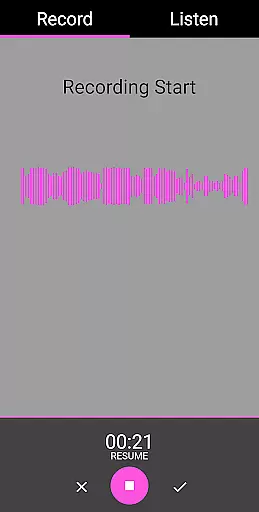
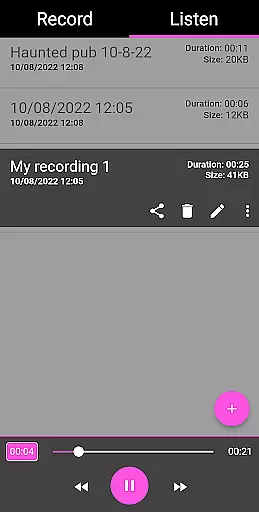
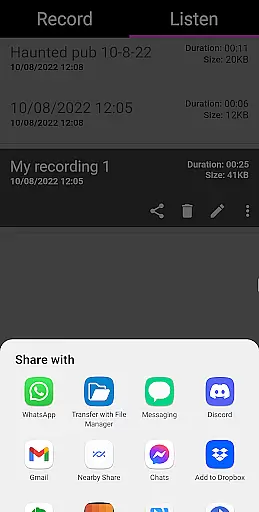
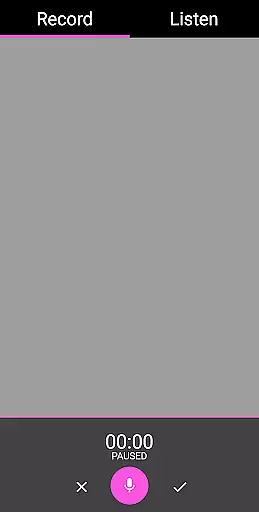
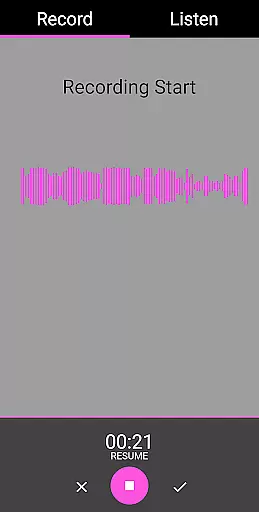
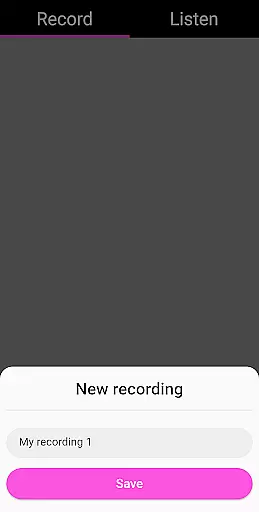
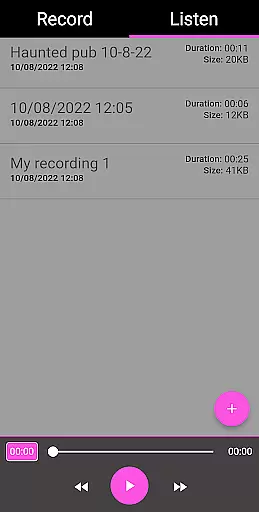
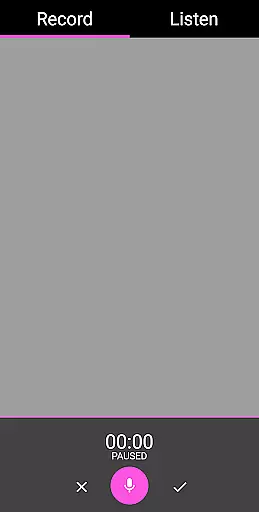
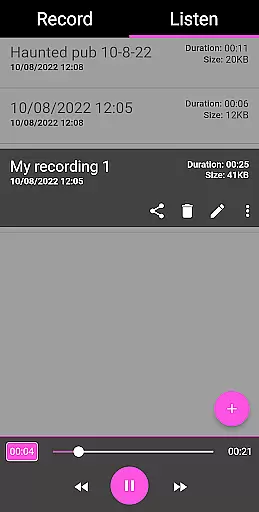
EVP Recorder is a specialized application designed for paranormal enthusiasts and ghost hunters. This app transforms your mobile device into a powerful tool for capturing Electronic Voice Phenomena (EVP), which are believed to be responses from spirits. With its user-friendly interface, the app allows users to record, save, and playback audio sessions while hunting for ghosts.
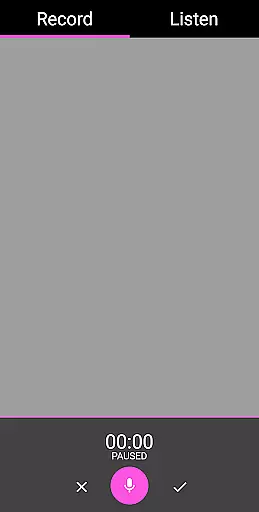
The EVP Recorder stands out with its comprehensive set of features tailored specifically for this unique purpose. It includes advanced functionalities such as pause during recording, audio visualization, and the ability to rename or delete recordings. Users can also import existing audio files for analysis within the app. Whether you're an amateur ghost hunter or part of an experienced team, this app provides all the essential tools needed for effective spirit communication.
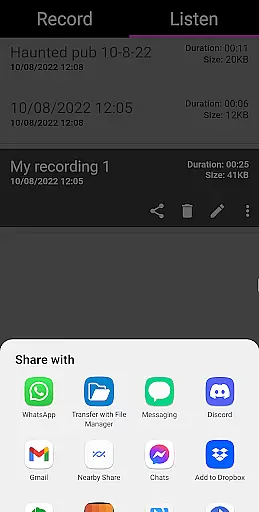
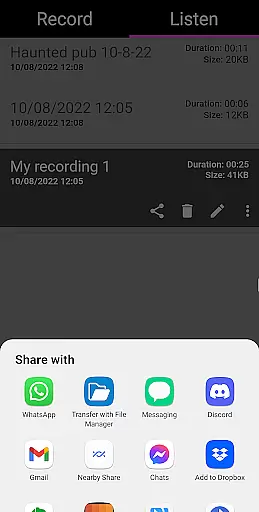
One practical use case involves visiting reputedly haunted locations where spirits are more likely to be present. By asking questions and carefully listening to the recorded gaps, users may capture intriguing EVPs that reveal otherworldly responses. The app's ability to share these findings on social media platforms further enhances collaborative exploration in the paranormal community.
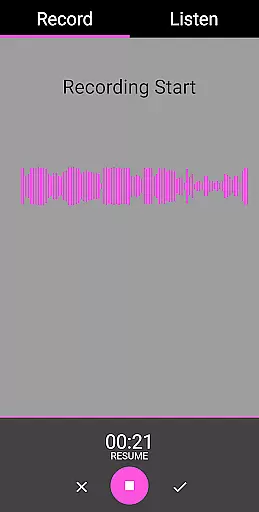
The EVP Recorder app boasts an impressive array of features that cater specifically to ghost hunting enthusiasts. At its core, the app provides robust recording capabilities with options to pause, save, and manage multiple audio sessions. The built-in audio visualization feature allows users to observe potential responses in real-time, adding another dimension to their investigations.
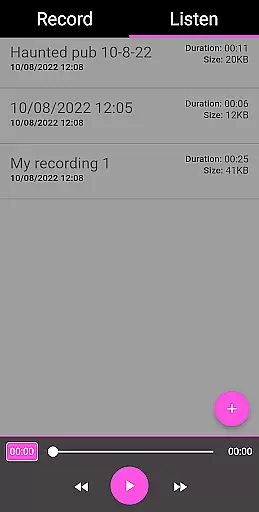
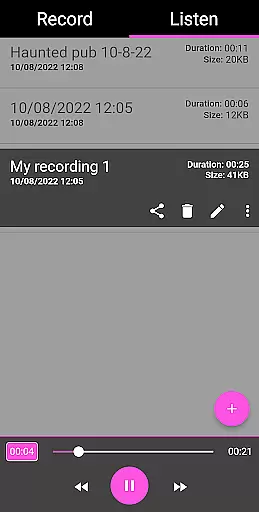
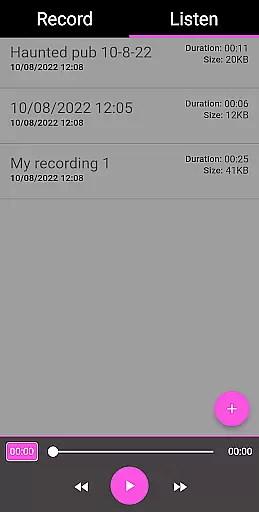
Advanced functionality includes the ability to import existing recordings for analysis within the app. Users can manipulate audio files through fast forward and reverse options during playback. The app maintains detailed recording information such as duration, file size, and timestamps, which proves invaluable during serious paranormal research. Additionally, the clean interface ensures that even beginners can navigate and utilize these features effectively.
What sets this app apart is its commitment to user experience without compromising on essential features. The developers have eliminated annoying ads and in-app purchases, providing all premium features for free. Regular updates ensure the app remains compatible with new devices and operating systems, making it a reliable long-term tool for both casual explorers and professional paranormal investigators.
In the realm of ghost hunting, content variety and freshness are crucial for maintaining user engagement. The EVP Recorder app offers a diverse range of features that cater to both novice and experienced paranormal investigators. With functionalities such as EVP recording, pause function during recording, and share options, users can capture electronic voice phenomena and instantly share their findings on social platforms like Facebook and WhatsApp.
The app's ability to load existing recordings provides flexibility in managing past sessions, while fast forward and reverse options during playback allow for efficient analysis of lengthy recordings. This diversity in features ensures that every session remains unique and engaging, encouraging users to return frequently to explore new possibilities in their investigations.
Moreover, the app's commitment to regular updates guarantees that users always have access to the latest tools and improvements without any additional cost. This promise of free lifetime updates ensures that the EVP Recorder stays at the forefront of paranormal investigation technology, offering fresh experiences with each update.
User engagement duration and retention are vital metrics for any entertainment app, especially one designed for specialized activities like ghost hunting. The EVP Recorder app excels in this area by providing an intuitive interface combined with powerful features that keep users invested in their exploration. The inclusion of audio visualization allows users to not only hear but also see potential responses from spirits, creating a multi-sensory experience that enhances engagement.
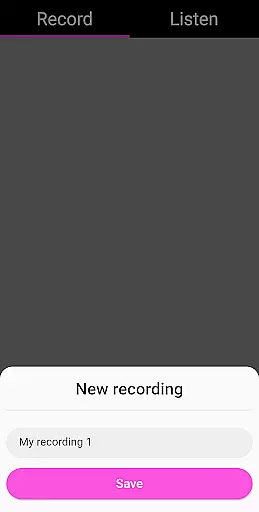
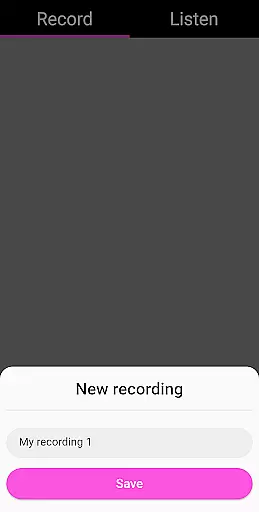
Retention is further bolstered by practical features such as the ability to save, delete, and rename recordings. These functions empower users to manage their sessions effectively, ensuring they can easily revisit and analyze past recordings. Additionally, the absence of ads or in-app purchases creates a seamless experience that keeps users focused on their investigations without interruptions.
By combining these elements with comprehensive ghost hunting tips and analytical guidance, the EVP Recorder app fosters a dedicated community of users who are committed to uncovering the mysteries of the paranormal world. This holistic approach to user experience significantly boosts both engagement duration and long-term retention.
User-friendly interface
Comprehensive EVP tools
No in-app advertisements
Free lifetime updates
Advanced audio features
Limited scientific validation
Potential battery drain
Storage space intensive
Learning curve for beginners
Occasional audio glitches

Exclusive creator communities
 4.70
4.70
Stream over 80 hours of exclusive mashups and remixes by DJ Rehab.
4.3
Browser for Chromecast to stream webvideos, online movies, IPTV & HD livestreams
4.40
Stream videos to VIDAA & VEWD TVs from Hisense, Sharp, Skyworth, Vestel & TiVo
3.00
Underrated short-drama gems that hit hard and keep your heart hooked.
4.50
Watch New Episodes & Live TV
3.80
Your Avatar, Endless Fun
4.60
Pop Drama is a premier app crafted for short drama lovers
4.60
An app made just for kids
4.20
Premium version to enjoy your favorite anime
4.60
Triple A is a highly complex, kinetic, and interactive visualizer.
4.50
Just play games to earn gift cards. Keep playing, keep earning.
4.50
Everything FOX in one place. Watch FOX News, NFL, MLB, TV shows and more.
4.50
Create melty bead designs by numbers, photos or your imagination
4.40
Start EVP/Spirit Box tonight: real EMF, offline, recording. One-time purchase.
4.10
Alice Box is an Instrumental Trans Communication app.
3.80
Watch whatever you want, whenever you want, wherever you want.
3.30
Explore the unknown!
3.00
Journey to the world’s oldest rainforest and meet its Indigenous Custodians.
4.5


User Reviews