
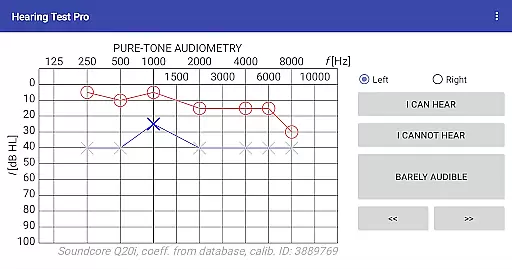
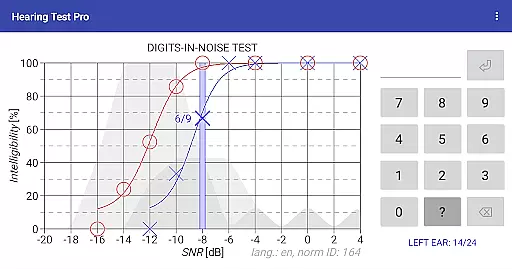
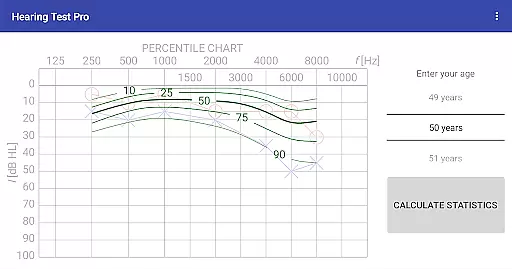
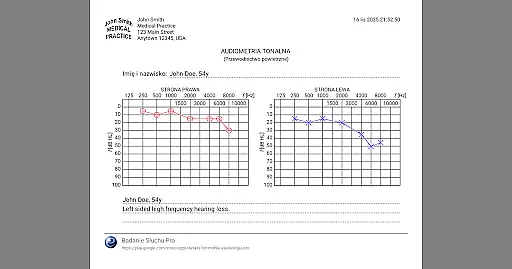
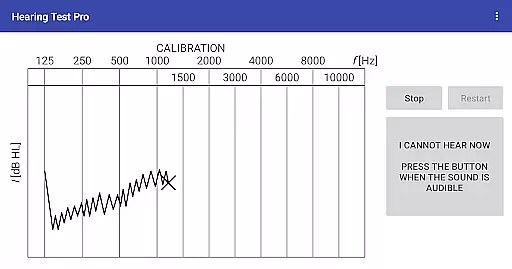
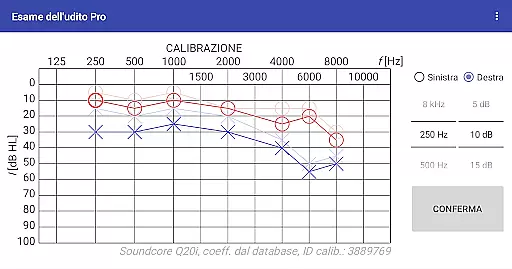
Hearing Test Pro is a professional-grade mobile application designed for users to conduct detailed hearing assessments. The app offers two primary testing methods: pure-tone audiometry and the digits-in-noise test (digit triplet test). Pure-tone audiometry evaluates the degree of hearing loss across different sound frequencies, helping users determine their hearing threshold. The digits-in-noise test assesses speech intelligibility by having users recognize spoken digits amidst background noise. These scientifically-backed tests provide an accurate evaluation of hearing health.
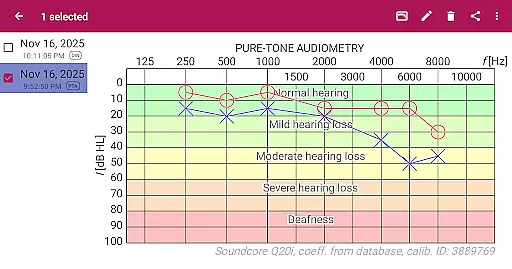
In addition to its core testing features, the app includes advanced functionalities such as high-frequency audiometry, classification of hearing loss, and comparison with age-related norms. Users can also calibrate their devices, measure background noise levels, and adjust calibration coefficients based on clinical audiometer results. With its comprehensive suite of tools, Hearing Test Pro serves as an essential resource for individuals monitoring their hearing health or professionals conducting hearing evaluations.
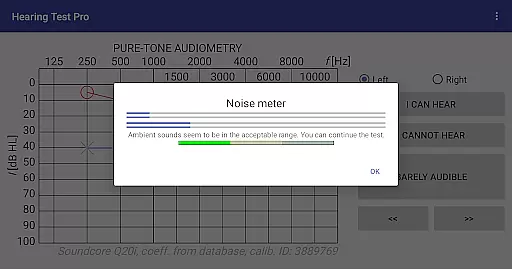
Hearing Test Pro stands out with its diverse range of specialized features tailored for both personal and professional use. The app provides pure-tone audiometry using bundled headphones and predefined calibration coefficients, ensuring reliable results. For those requiring more flexibility, manual device calibration is available, allowing users to adjust settings based on their specific equipment. The inclusion of a noise meter ensures that environmental factors do not compromise test accuracy.
Additional features enhance the user experience further. High-frequency audiometry allows for more nuanced testing, while classification of hearing loss and comparison with age-related norms offer valuable context for interpreting results. Users can print test outcomes, add notes, and even verify calibration coefficients. The Pro version unlocks advanced capabilities such as offline access to test results via a local database, cloud synchronization for easy data recovery and transfer between devices, and manual stimulus control during pure-tone audiometry.
When it comes to medical applications, the credibility of content and expert review is paramount. Hearing Test Pro demonstrates a strong commitment to accuracy by offering scientifically-validated tests such as pure-tone audiometry and the digits-in-noise test. These assessments are widely recognized in audiological practices, ensuring users receive professional-grade evaluations.
The app provides additional features like high-frequency audiometry and classification of hearing loss, which are essential tools used by audiologists for comprehensive hearing assessments. By including functionalities that compare results with age-related norms and allow calibration adjustments based on clinical audiometers, the application ensures its processes align closely with those used in clinical settings.
Furthermore, the availability of expert-reviewed content within the app reassures users about the reliability of their hearing test outcomes. With options to print test results and add notes, individuals can maintain detailed records of their auditory health, which can be shared with healthcare professionals for further consultation.
While Hearing Test Pro does not offer teleconsultation services directly, it enhances the quality of potential remote consultations through precise diagnostic capabilities. The app's pure-tone audiometry feature, coupled with device calibration options, allows users to obtain accurate hearing assessments from home, which they can then discuss with their healthcare provider during a teleconsultation session.
Additionally, the inclusion of a local database in the Pro version means users have offline access to their test results. This functionality ensures that even without an internet connection, patients can review their historical data and share it securely with medical experts when needed. Such accessibility supports informed discussions during virtual appointments.
Synchronization features available in the Pro version further enhance teleconsultation experiences by enabling seamless data transfer between devices. Users can easily access their cloud-stored information across multiple platforms, ensuring they always have up-to-date records for consultations. This continuity supports better patient-doctor interactions and contributes to improved overall teleconsultation quality.
Comprehensive hearing tests
Accurate calibration options
Offline result storage
Cloud synchronization
Professional-grade tools
Complex for beginners
Premium features costly
Limited free version
Requires calibration
Dependent on headphone quality

Identify pills, search different drugs, get drug information and much more!
 4.50
4.50
Blue Cross and Blue Shield of Texas member information
4.60
Secure video visits with your VA care team from anywhere
4.50
MHealth is the mobile version of MEDITECH’s Patient and Consumer Health Portal.
3.10
Save up to 80% on your pharmacy prescriptions & medications with free Rx coupons
4.70
Remote, medical-grade heart care at your fingertips
4.70
Use the phone microphone or headset mic as sound amplifier for louder hearing.
4.30
Coaches you through labour using hypnobirthing techniques & tracks contractions
4.70
ASCCP Management Guidelines- There’s an app for that!
4.60
Manage your prescriptions and pharmacy care anytime, anywhere.
4.80
Leafly is a weed app for finding dispensaries, cannabis strains, & more.
4.70
Hear far away sounds, conversations, TV and surrounding sounds more clearly.
4.70
Take on apraxia and aphasia with a powerful video-driven speech therapy app.
4.60
Voice pitch monitor for speech therapy, LSVT, Parkinson's, singing & trans
4.30
Hearing aid app for Android solves your hearing problems.
4.00
Update medical records, view upcoming appointments, message your provider & more
3.80
Conveniently receive lab results, schedule lab appointment and pay your bills
3.70
Easy access to benefits and rewards
3.70
A scientifically-proven method to help people with dementia or memory impairment
4.0


User Reviews