
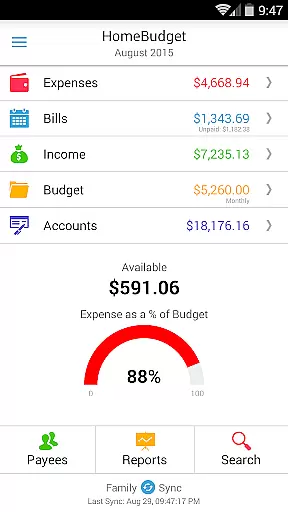
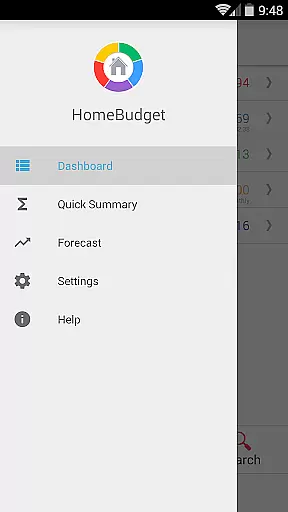
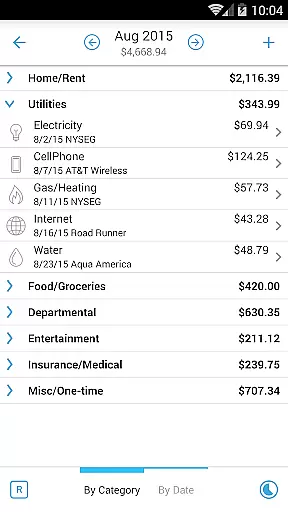
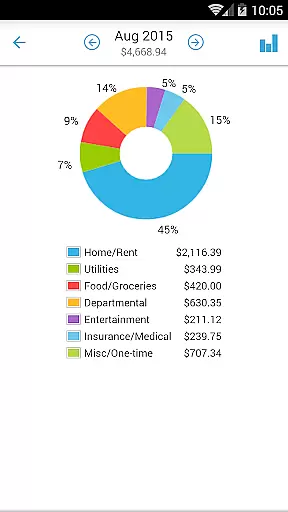
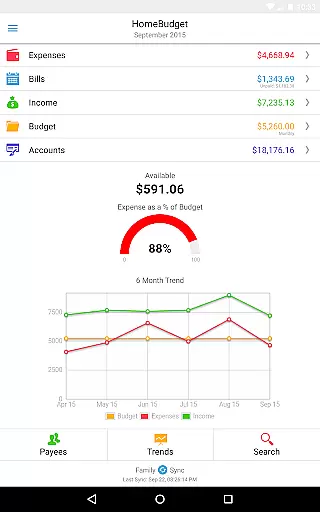
Home Budget with Sync is a comprehensive financial management application designed to help users track expenses, income, bills, and account balances across multiple platforms. Available on Android, iPhone/iPad, Windows, and Mac OS, this app offers instant data synchronization between devices, ensuring that your financial information is always up-to-date. The app stands out with its integrated feature set, allowing bills to be converted into expenses while adjusting account balances simultaneously. Additionally, the Family Sync feature enables household members to collaborate within a single budget, exchanging expense and income information seamlessly.
This app is particularly useful for families or individuals who manage shared expenses and require real-time updates across different devices. By providing detailed reports, budget tracking, and visual charts, Home Budget with Sync empowers users to make informed financial decisions and maintain better control over their finances.
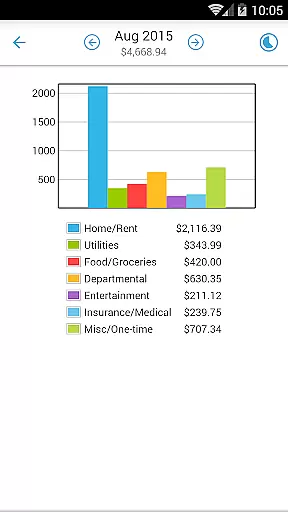
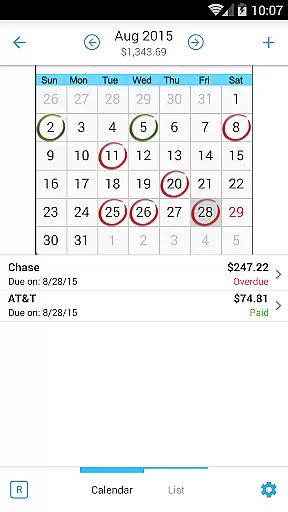
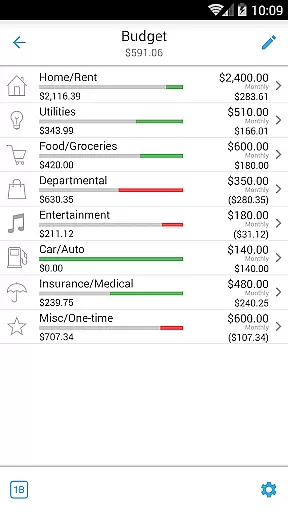
Home Budget with Sync boasts an array of features tailored to simplify personal finance management. Users can create, edit, and delete expenses, income, and recurring bills, with the option to associate them with specific accounts and payees. The app supports attaching photo images of receipts, which can be resized and dragged on the screen for easy reference. With calendar views, bill reminders, and the ability to classify expenses into fixed, variable, and discretionary categories, users gain a holistic view of their financial health.
One of the standout features is Family Sync, which allows multiple devices within a household to sync data automatically over the air. This ensures that all family members have access to the same financial information, facilitating collaborative budgeting. Moreover, the app provides trend charts, pie/bar graphs for expense breakdowns, and export options for data and reports via email or WiFi. These tools enable users to analyze their spending patterns and adjust their budgets accordingly, making Home Budget with Sync an indispensable tool for effective financial planning.
Account and fund security is a critical aspect of any financial management application. Home Budget with Sync ensures the safety of your financial data through multiple layers of protection.
The app provides password protection to prevent unauthorized access to your budgeting information. This feature allows users to set a secure password that must be entered each time the app is launched, ensuring that sensitive financial details remain private.
Additionally, Home Budget offers automatic backup and restore functionality for complete application data, including all receipt images. This ensures that your financial records are safely stored and can be recovered in case of device loss or damage.
All transactions and account balances are accurately tracked and updated in real-time, providing users with peace of mind knowing their financial status is always up-to-date and protected from unauthorized modifications.
A seamless transaction experience is essential for effective personal finance management. Home Budget with Sync excels in providing users with an integrated and intuitive system for managing their financial transactions.
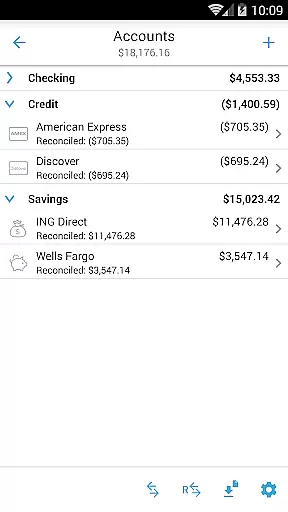
The application supports various account types including checking, savings, credit, debit, and cash accounts. Users can associate their expense and income entries with these accounts, enabling accurate tracking of account balances across all their financial activities.
Home Budget simplifies bill payments by allowing users to mark bills as paid either as an expense or as a transfer between accounts. This feature prevents double accounting of expenses while maintaining precise records of all financial movements.
Furthermore, the app provides instant data synchronization between mobile and desktop versions across different operating systems. This ensures that users have access to their most recent transactions regardless of which device they use, creating a truly unified and efficient transaction management experience.
User-friendly interface
Real-time data sync
Comprehensive budgeting tools
Family collaboration features
Detailed financial reports
Separate purchase for each OS
No free full version
Limited cross-platform integration
Occasional sync issues
Subscription fees apply

Bitcoin gpu app helps you remote mine using your cell phone easily .
 3.60
3.60
Need help before payday? Get cash advances with no interest or credit checks.
4.60
The simplest way to budget, bank, save and invest.
4.50
BTC, Crypto, Stocks & Options.
4.20
Get up to 500, get paid early, earn interest and find work with no hidden fees.
4.40
Manage your credit card account with the Credit One Bank mobile app.
4.70
All expenses at a glance.
4.80
Real-time tracking: Stocks, Indices, Futures, Commodities, ETF, & Funds prices.
4.60
The US Debt Clock .org App gives you a Real-Time glimpse of US Financial Stats
4.60
PayMe helps you claim money from settlements on companies that harmed you.
4.80
Currency Converter (200+ currencies) with live exchange rates and offline mode.
4.70
Get a cash advance instantly. File taxes & cover unexpected bills in minutes.
4.60
Manage your prepaid cards and add to Google or Samsung Wallet.
4.60
Manage and cancel subscriptions, lower bills, track expenses, create budgets.
4.60
Save, spend & get paid faster²
4.50
Trade NFL, NBA, Crypto, Tech
4.50
All your crypto & stocks in one secure and trusted app.
4.40
Get, Earn, and Save Money
4.30
View BSC Transactions for multiple accounts
3.90


User Reviews