











Huckleberry is a comprehensive parenting app designed to support families through every stage of their child's development. Trusted by over 5 million families globally, this award-winning application offers tools for baby tracking, personalized sleep guidance, and expert-vetted parenting advice. The app helps parents manage feeding schedules, monitor developmental milestones, and establish restful sleep routines.
With features like SweetSpot® for predicting ideal nap times and Berry, the AI-powered 24/7 parenting assistant, Huckleberry adapts to each family's unique needs. The app provides both free and premium membership options, ensuring accessibility to essential parenting tools while offering advanced features for more tailored support. Backed by pediatric experts, Huckleberry combines evidence-based approaches with user-friendly technology to create a seamless parenting experience.
Huckleberry stands out with its robust set of features designed to simplify parenting tasks. The app includes a simple one-touch baby tracker that monitors sleep patterns, diaper changes, feedings, and growth metrics. Its SweetSpot® feature uses smart algorithms to predict optimal sleep times, helping parents establish consistent nap and bedtime routines without guesswork.
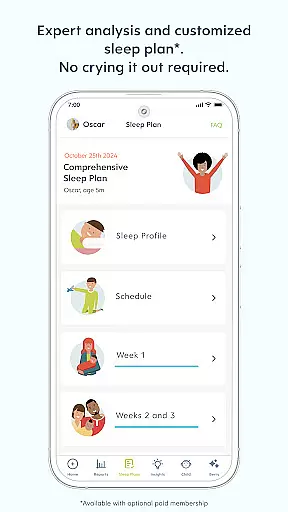
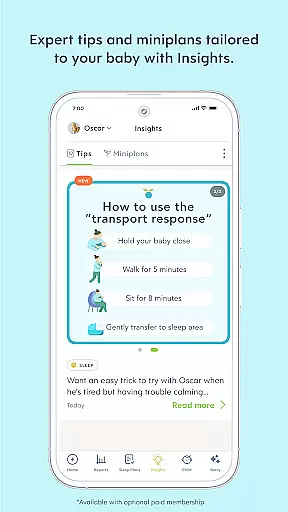
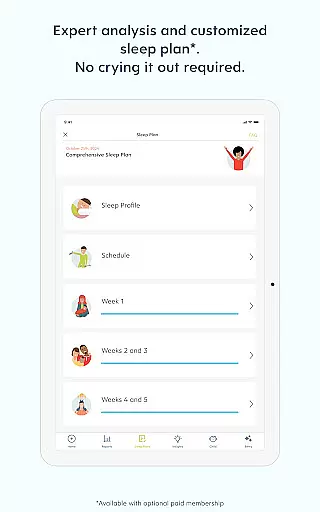
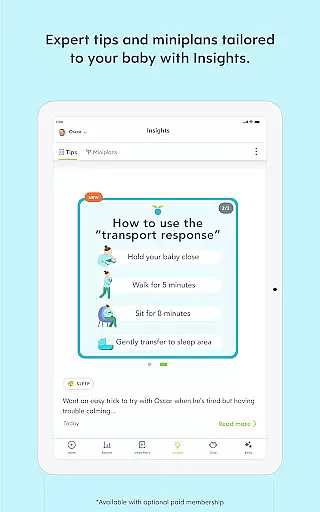
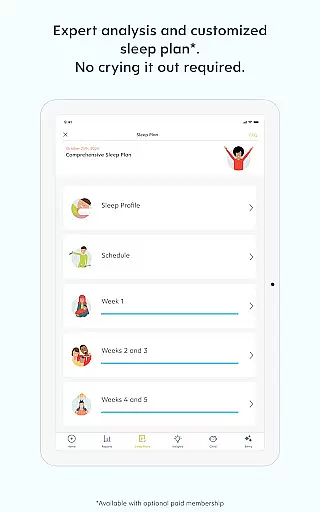
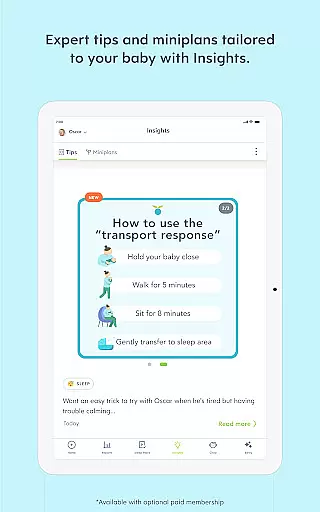
For comprehensive support, Huckleberry offers Berry, an AI chat assistant providing instant, expert-vetted guidance on various parenting challenges. The Plus and Premium memberships unlock advanced functionalities such as Schedule Creator for planning age-appropriate sleep schedules, Insights for data-driven tips, and Custom Sleep Plans with weekly progress check-ins. These features ensure that parents receive personalized recommendations that evolve with their child's growth.
The app also emphasizes a gentle, evidence-based approach to sleep training, avoiding methods like "crying it out." Instead, it blends trusted sleep science with family-centered solutions, respecting individual parenting styles. With multi-child tracking, caregiver syncing, and reminders for medication or feedings, Huckleberry equips modern parents with everything they need in one intuitive platform.
When it comes to parenting apps, the credibility of content and expert validation are paramount for user trust. Huckleberry stands out by offering a comprehensive suite of tools that are not only user-friendly but also backed by pediatric experts. This ensures that every piece of advice or data-driven insight provided by the app is reliable and beneficial for family use.
The app's features like SweetSpotu00ae and Berry leverage advanced algorithms and AI-powered guidance, which are vetted by professionals in child care. These tools help predict ideal nap times and offer 24/7 parenting support respectively, ensuring parents have scientifically-backed solutions at their fingertips.
Huckleberry's personalized approach extends to its sleep guidance and milestone tracking, blending trusted sleep science with gentle, family-centered solutions. This dual focus on evidence-based methods and personalized care reassures parents that they are receiving top-tier advice tailored to their unique family dynamics.
With millions of families worldwide relying on Huckleberry, the app has proven its value through improved sleep patterns reported by up to 93% of users. Such results underscore the app's commitment to providing credible, expert-validated content that truly supports each familyu2019s journey.
Accurate growth tracking is essential for monitoring a child's development and ensuring they are meeting critical milestones. Huckleberry excels in this area by providing precise tools that allow parents to track various aspects of their child's growth with confidence.
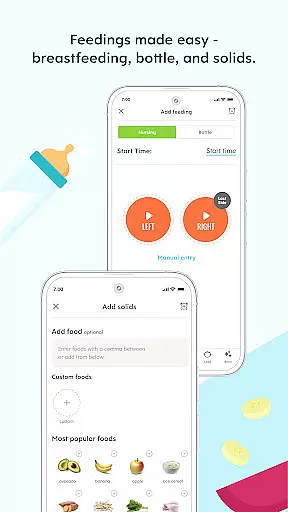
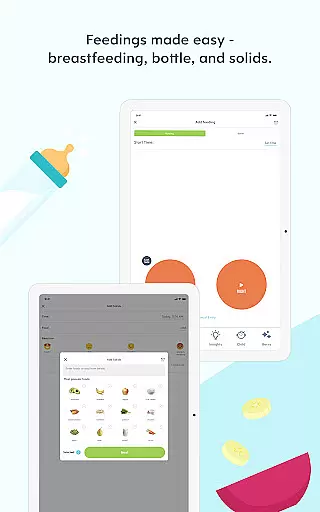
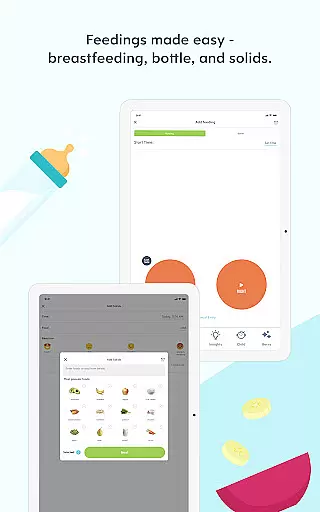
The app includes a simple, one-touch baby tracker that monitors sleep, diaper changes, feedings, and more. This feature provides peace of mind to parents, especially during the early days of infancy when every small change can be significant. The detailed tracking helps in maintaining accurate records which can be shared with pediatricians if needed.
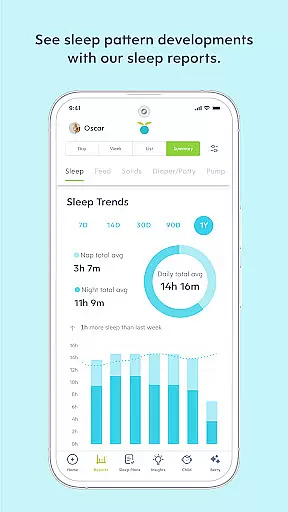
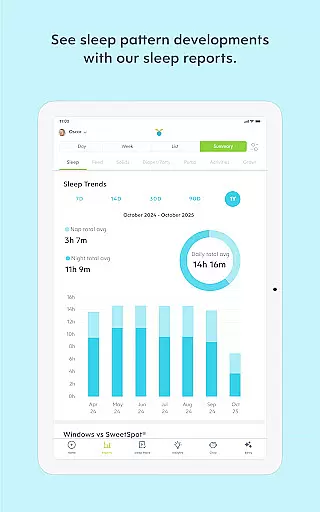
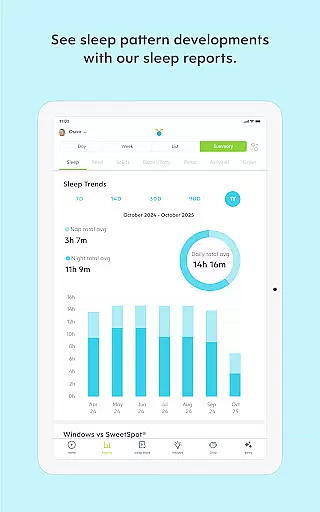
Huckleberry further enhances its growth tracking capabilities with Insights and Enhanced Reports available through Plus and Premium memberships. These features offer data-driven tips and mini-plans for sleep, feedings, and milestones, allowing parents to discover trends and receive timely recommendations as their baby grows.
By combining these sophisticated tracking mechanisms with expert-vetted AI chat support from Berry, Huckleberry ensures that parents have all the necessary tools to accurately monitor and support their child's developmental journey. This holistic approach makes Huckleberry an invaluable resource for modern parenting.
User-friendly interface
Comprehensive tracking tools
AI-powered personalized guidance
Pediatrician-approved content
Flexible membership options
Premium features come at a cost
Some users may find AI less intuitive
Limited offline functionality
Occasional syncing issues reported
Steep learning curve for new users

Free symptom & med tracker with expert-reviewed tips.
 4.30
4.30
All-In-One Pregnancy Tracker, Your Baby's Milestones, Growth Stages & Parenting
4.70
Cherish every beat - capture your baby's heart sounds with our app
4.30
A Coloring for the Whole Family! Discover the Joy of Family Love Through Colors!
3.60
Magic chalkboard coloring and drawing!
4.20
Real-time family location with consent, check-ins & SOS—private by default.
4.40
Affirmations | Stories | Bible
4.10
It is a screen time management tool for games and mobile applications
4.50
Track baby’s development & growth week by week with BabyCenter’s pregnancy app!
4.90
Pinardin - Smart Parental Control, Online Safety & GPS Tracking!
4.80
Daily Routine & Timer for kids, ADHD, & Autism
4.80
Parental control App for Location, Remote Camera, Screen Mirroring, Block Apps.
4.60
The Most Trusted Co-Parenting App.
4.60
Block apps, set screen time limits, and customize usage schedules
4.50
Reliable phone tracker by number & locate phone app. Protect your family.
4.50
Find unique + popular baby names for your little peanut.
4.30
Keep Your Family Safe with Pollog Family Assistants
4.10
Educational resource for parents to inspire creativity in their children.
4.00
Happiest Baby App replaces the SNOO App (the mobile companion to SNOO & SNOObie)
3.20


User Reviews