


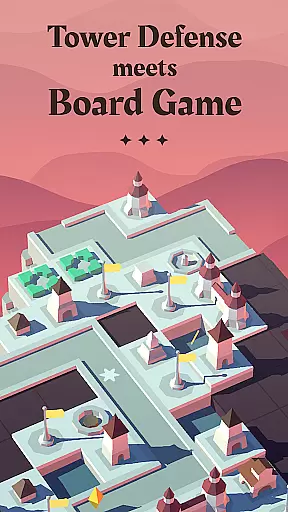
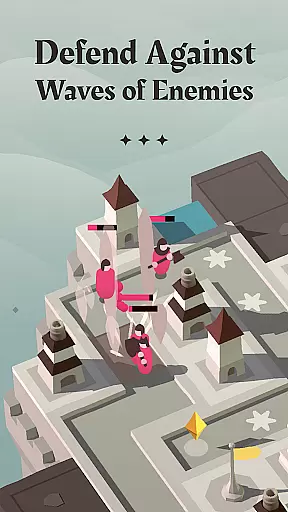



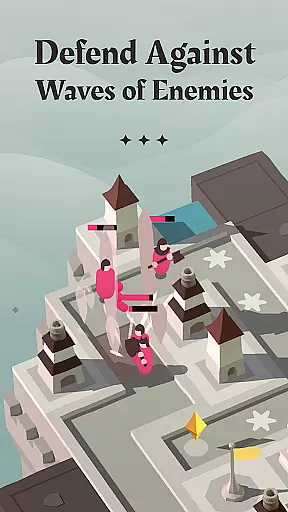



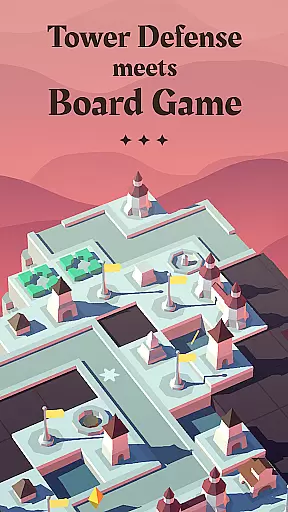
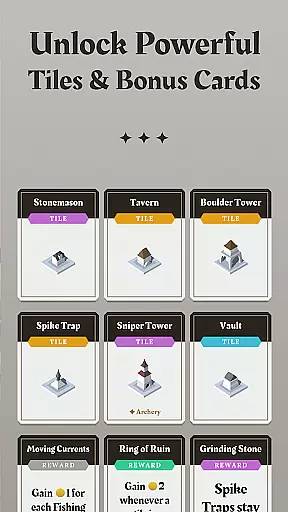

Isle of Arrows is a unique strategy game that combines the mechanics of board games with classic tower defense gameplay. In this game, players strategically place randomly generated tiles to construct defenses on an expanding island terrain. The roguelike structure ensures each playthrough is different, with procedurally generated tiles, enemies, and rewards. Players can enjoy multiple game modes, modifiers, and challenges that keep the experience fresh and engaging.
The core gameplay revolves around placing tiles to build effective defenses while managing resources. With over 70 different tiles, including towers, roads, flags, gardens, and taverns, players must think critically about how each tile affects their defensive capabilities. As the island grows, so does the complexity of your strategy. This makes Isle of Arrows not just a test of reflexes but also a deep strategic puzzle that rewards careful planning and foresight.
Perfect for fans of both board games and tower defense games, Isle of Arrows offers a rich, replayable experience that evolves as you unlock new elements through campaigns. Its blend of genres creates a refreshing take on traditional strategy games, making it ideal for players seeking a thoughtful challenge.
Isle of Arrows stands out with its innovative combination of tile-placement mechanics and tower defense action. The game features three distinct modes: Campaign, Gauntlet, and Daily Defense, each offering unique challenges and objectives. The Campaign mode includes three themed campaigns, each with its own set of exclusive tiles, ensuring diverse strategies across playthroughs.
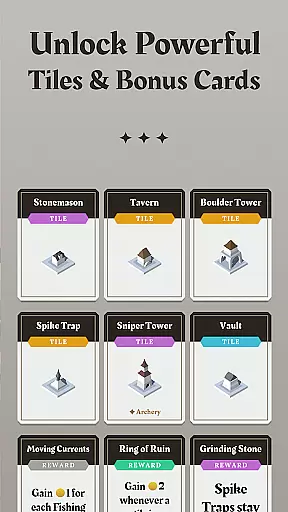
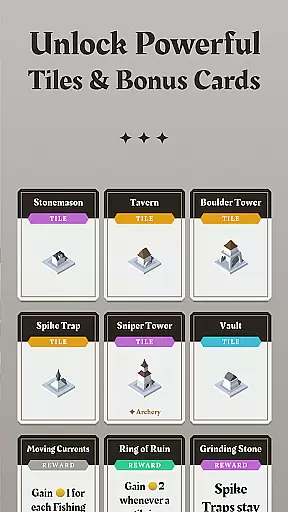
With over 70 tiles and 75 bonus cards, the game provides extensive customization options for building defenses. These tiles include functional structures like towers for attacking enemies, roads to extend enemy paths, flags to expand the playing area, and support buildings such as taverns that boost nearby towers. Additionally, more than 10 random events can either aid or hinder your progress, adding another layer of unpredictability.
Modifiers and challenges further enhance replay value by altering gameplay rules in creative ways. Whether you're strategizing through a campaign or testing your skills in Daily Defense, Isle of Arrows delivers a complex yet accessible experience that continually evolves, keeping even seasoned strategy enthusiasts engaged.
In the realm of strategy games, the depth of gameplay and the intricacy of decision-making are paramount. Isle of Arrows u2013 Tower Defense exemplifies this with its unique blend of board game mechanics and tower defense strategy. The game challenges players to think critically about tile placement, which directly impacts their defensive capabilities against waves of enemies.
Players must navigate through a roguelike structure where each run presents randomly generated elements such as tiles, enemies, rewards, and events. This randomness ensures that no two playthroughs are the same, offering a rich tapestry of strategic possibilities. As players progress through campaigns, they unlock additional elements that further diversify the gameplay experience.
The true beauty of Isle of Arrows lies in its ability to weave complex decision chains into every move. With over 70 different tiles at their disposal, players must consider how each piece affects not only immediate defenses but also long-term strategies. Whether it's extending paths with roads or boosting adjacent towers with taverns, every choice has lasting consequences.
A hallmark of any great strategy game is the balance between factions or units, ensuring fair competition and diverse tactical options. In Isle of Arrows u2013 Tower Defense, this balance is achieved through a variety of game modes, guilds, modifiers, and challenges that make each playthrough unique. Players can explore three distinct game modesu2014Campaign, Gauntlet, and Daily Defenseu2014each offering its own set of strategic nuances.
The game features three themed campaigns, each with a unique set of tiles that cater to different playstyles. These campaigns introduce players to a wide array of defensive structures, from basic towers to specialized buildings like taverns that enhance nearby archery towers. Additionally, over 75 bonus cards provide further customization options, allowing players to tailor their strategies to specific scenarios.
With more than 10 events that can either aid or hinder progress, maintaining faction/unit balance becomes crucial. These events introduce unpredictable variables that require adaptive strategies, keeping players engaged and invested in the outcome of each battle. By carefully balancing these elements, Isle of Arrows ensures that every match offers a fresh and challenging experience.
Unique genre fusion
High replayability
Variety of game modes
Strategic depth
Engaging gameplay mechanics
No cloud saves
Steep learning curve
Limited social features
Occasional bugs
Ads between sessions

Lead your forces to victory in Korea and Vietnam in this Cold War strategy game.
 4.70
4.70
Star Trek: Fleet Command. Strategy MMO set in the official Star Trek universe.
4.10
Select Monkey Warriors! Win This Brutal Banana War!
4.60
The original version of Baldi's Basics® - A horror, edutainment parody game
4.20
Serve delicious cookie sundaes on the go in Papa's Scooperia To Go!
4.60
Epic Tower Defense Strategy Game with exciting chapters and tactical TD battles!
4.10
Build gourmet grilled cheese sandwiches in Papa's Cheeseria To Go!
4.60
Reclaim Earth and lead the resistance in turn-based, tactical action.
3.80
Lead grand campaigns and massive battles in the Napoleonic Wars.
3.80
Set your td battle strategy at the frontiers. Lead epic towers & mighty heroes
4.80
Build bases, extract resources and create your army in this real RTS.
4.70
Slice and serve delicious sushi in Papa's Sushiria To Go!
4.60
PvP duels in real-time with merge fighting and card battle royale strategy games
4.50
Have a flavor fiesta with seasonal tacos and specials in Papa's Taco Mia HD!
4.40
Lead epic space marines in a rts galaxy full of sci fi offline strategy games!
4.40
Protect your planet in an epic cosmic battle!
4.40
It's a flavor fiesta in Papa's Taco Mia To Go!
4.40
The unforgiving, award winning SWAT-command quick tactics game.
4.20
Play the classic strategy board game on the go! Team up with friends or go solo!
3.10


User Reviews