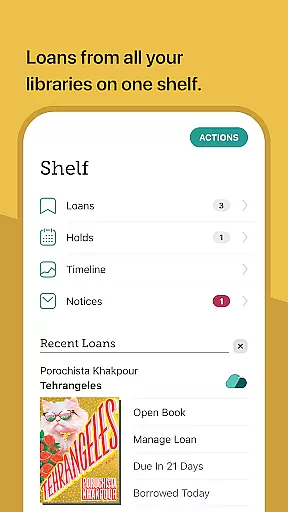
Libby is an award-winning app that provides free access to millions of ebooks, audiobooks, and magazines from local libraries worldwide. With a library card, users can instantly borrow and enjoy digital content across various genres, from classics to best-sellers. The app supports offline downloads, streaming, and even sending ebooks to Kindle for U.S. library users.
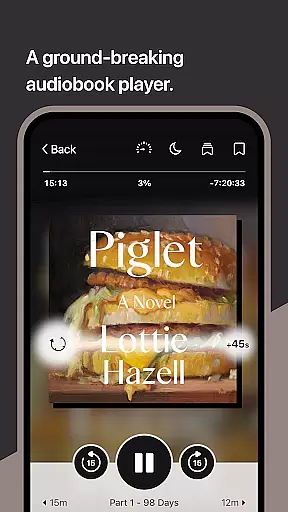
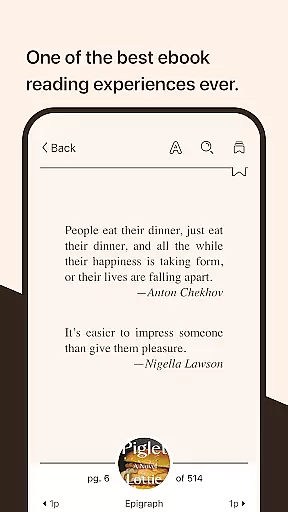
The intuitive interface offers advanced reading features like customizable text settings, zoom functionality for magazines, and automatic syncing of reading positions across devices. Its audio player allows playback speed adjustment and sleep timer functionality, making it versatile for different reading and listening preferences. Libby is perfect for avid readers who want seamless access to library resources on their mobile devices.
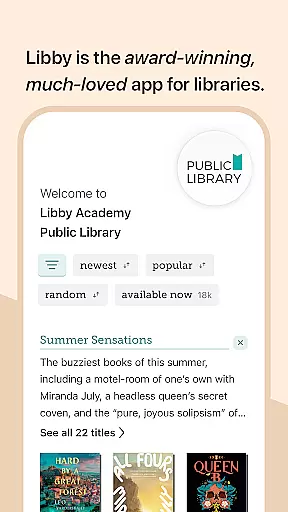
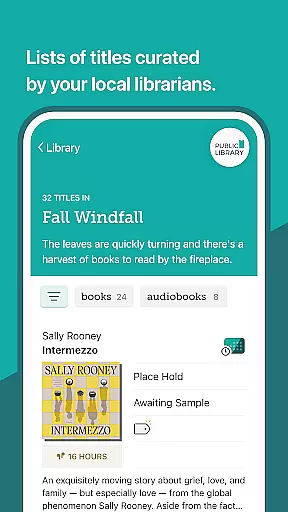
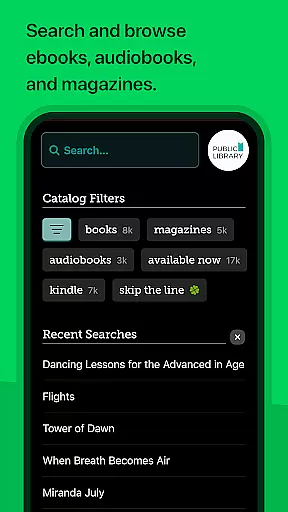
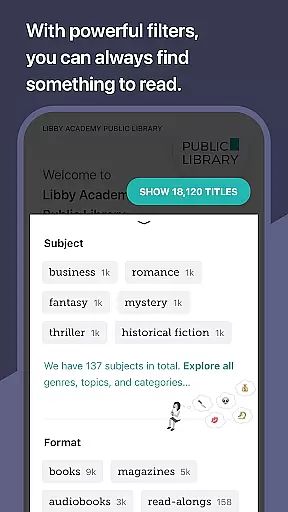
Libby stands out with its comprehensive set of features tailored for book lovers. Users can browse their library's digital catalog, filter books by genre, and create personalized reading lists using tags. The app supports multiple formats including ebooks, audiobooks, and magazines, with options to download or stream content based on storage needs.
Advanced functionalities include Android Auto support for audiobooks, automatic syncing of reading progress across devices, and compatibility with Kindle for U.S. libraries. The built-in ebook reader allows customization of text size, background color, and layout while offering tools like dictionary lookup and note-taking. Similarly, the audio player provides adjustable playback speeds, bookmarks, and easy navigation controls.
These features make Libby an indispensable tool for anyone looking to maximize their library experience through a single, user-friendly platform.
Libby offers an extensive e-book library that includes millions of titles from classics to New York Times best-sellers. This vast collection is made available through local libraries worldwide, ensuring users have access to a diverse range of reading materials.
The app guarantees copyright authenticity by partnering directly with libraries and publishers. This collaboration ensures that all the digital content available for borrowing is legally obtained and distributed, providing peace of mind for users concerned about copyright compliance.
With Libby, readers can enjoy instant access to this rich library of resources for free, simply by using their library card. The ease of access to such a wide array of authentic content makes it an invaluable tool for avid readers and students alike.
One of Libby's strengths is its broad format compatibility, supporting various types of digital media including ebooks, audiobooks, and magazines. This versatility allows users to explore different forms of content within a single application, enhancing their overall reading experience.
In addition to standard ebook formats, Libby also supports sending ebooks directly to Kindle devices for users in the U.S., further expanding its format reach. Audiobook lovers benefit from features like Android Auto support and adjustable playback speeds, making it adaptable to individual preferences.
By offering comprehensive format options, Libby caters to diverse user needs, whether they prefer reading on-the-go or listening during commutes. Such flexibility not only simplifies accessing content but also encourages more frequent use of library resources.
User-friendly interface
Wide selection of genres
Offline reading mode
Cross-device syncing
Customizable reading settings
Limited to library availability
Requires library card
No video content
Regional restrictions apply
Dependent on library partnerships

“There was one last piece of cake. My little sister said ‘Me too!’”
 4.00
4.00
Pretty Moon information App with Complications and Tile
4.30
Discover Stars and Planets: Live Map Shows Current Constellations in Full Detail
4.70
Personalized Chat with Bible
4.80
KJV Bible works offline with Audio, Hebrew & Greek lexicon (concordance) & more!
4.20
Unlock more features in Lithium and show your support. Expand for details.
4.00
Full text, sheet music, and recordings of the print edition
4.60
Watch real short episodes in just minutes— addictive, you won't be able to stop!
4.70
Read the Quran in Arabic alongside its translation, with color coded Tajweed.
4.50
Read and study the Bible and other content in over 1,000 languages.
4.80
“I am the Lorax. I speak for the trees.”
4.80
Read the KJV Bible with Strong’s offline: reading plans, audio Bibles, and more.
4.70
Research your family history to explore ancestors and search for your heritage
4.50
Learn Electricians' Handbook PRO complete guide beginners to advance.
4.40
Read the romance stories on the go. Take my breath away, The Spoiled Girl
4.30
Improve your vocabulary and grammar with the 15 biggest Oxford Dictionaries.
4.30
Holy Bible with verses and audio for studying and prayer
4.30
WebNovel - Read Solo Leveling novel and comic
4.10
Novels, audiobooks, ebooks & fanfiction. Read anytime, anywhere!
3.40


User Reviews