
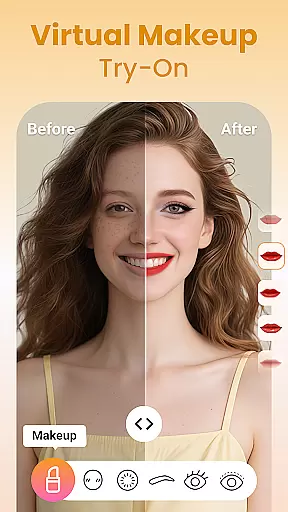
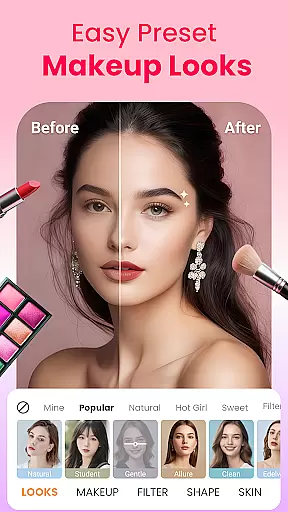
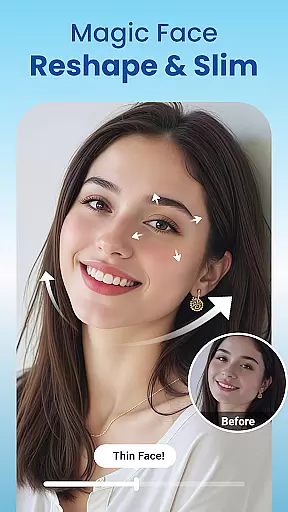
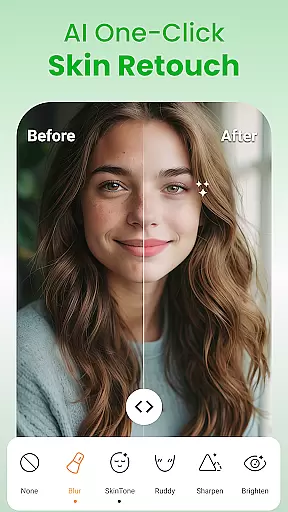
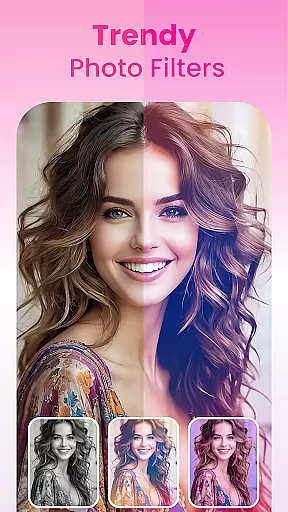
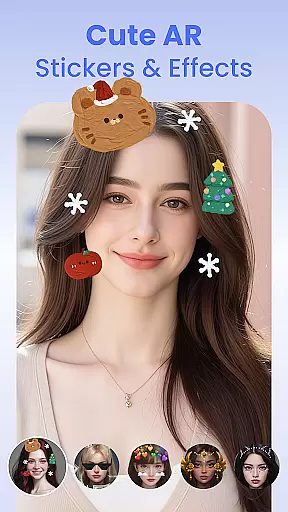
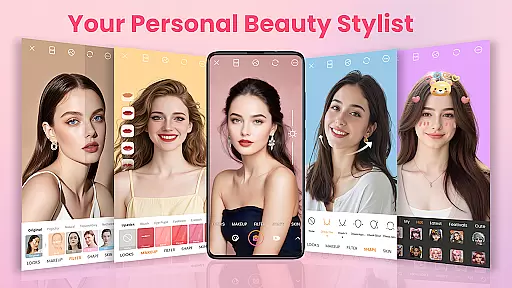
Blushify is a comprehensive beauty camera app designed to help users achieve flawless and stunning selfies with ease. This all-in-one solution offers powerful makeup tools, face editing features, trendy filters, and fun AR effects. With options like lipstick, blush, foundation, and eyebrow shaping, users can create personalized looks ranging from natural to bold. The app also provides advanced photo editing capabilities including skin smoothing, face reshaping, and eye enhancement.
Whether you're aiming for a polished professional look or playful experimentation, Blushify caters to all your beauty needs. Its intuitive interface allows for one-tap application of full-face makeup styles, making it perfect for both beginners and experienced users. From enhancing facial features to adding creative touches with AR stickers, this app ensures every selfie stands out while maintaining a natural appearance.
Blushify is ideal for anyone looking to express their unique style through photography. Whether capturing daily moments or preparing profile pictures, the app empowers users to look and feel their best anytime, anywhere. By combining practical beauty tools with artistic flair, Blushify transforms ordinary photos into extraordinary expressions of personal beauty.
Blushify boasts an impressive array of features that set it apart in the beauty app category. One of its standout capabilities is the extensive collection of makeup tools. Users can experiment with different shades of lipstick, blush, eyeshadow, and more to craft their desired look. The app's real-time foundation application smooths skin tone instantly, while contouring and highlighting options enhance facial structure naturally.
In addition to makeup tools, Blushify offers sophisticated photo editing functions. The selfie editor includes options for skin smoothing, blemish removal, and facial reshaping, allowing users to refine their features with precision. Eye enhancement tools help enlarge eyes and remove dark circles, ensuring a refreshed appearance. Furthermore, teeth whitening and eye reshaping features contribute to a polished overall look.
The app also excels in providing creative elements such as AR stickers and stylish filters. With over 100 filters ranging from soft pastels to dramatic effects, users can easily change the mood of their photos. Interactive AR stickers add playful elements like animal ears or seasonal decorations, making each selfie unique. These combined features make Blushify not just a beauty app but a complete style statement tool.
Blushify offers an extensive product database that caters to a wide array of beauty needs, ensuring users have access to a comprehensive selection of makeup tools right at their fingertips.
The app includes detailed options for lipsticks, blushes, eyeliners, and more, each with varying shades and styles to match different skin tones and personal preferences. This depth allows users to experiment with looks that suit their unique style.
Each product in the database is designed with precision, providing realistic effects that mimic actual makeup application. Users can achieve professional-level results without needing physical products.
This extensive database not only enhances user experience but also educates them on various makeup techniques, empowering users to express themselves confidently through their digital avatars.
Personalization is at the core of Blushify's design, allowing users to tailor their virtual makeup with remarkable accuracy. The app uses advanced algorithms to ensure that every feature, from foundation shades to eyelash length, aligns perfectly with individual facial structures.
With one-tap presets for full-face makeup styles, users can quickly apply complete looks that are specifically curated to enhance natural beauty while maintaining authenticity. These presets adapt dynamically based on facial recognition technology.
Moreover, customization extends beyond just makeup; it includes reshaping facial features, enhancing eyes, whitening teeth, and smoothing skinu2014all adjustable according to user preference. Such precise control ensures a flawless yet natural appearance.
By prioritizing personalization precision, Blushify empowers users to create selfies that reflect their true selves or explore entirely new personas, making every photo uniquely theirs.
User-friendly interface
Wide range of makeup tools
Real-time beauty effects
Advanced photo editing
Variety of filters and AR effects
May require premium purchase
Some features are complex
Occasional performance issues
Limited tutorial support
High storage requirements

This application is for the Luvme Hair official website: shop.luvmehair.com .
 4.30
4.30
Professional HD Camera App: Capture Bright HD Selfie & Record Stunning Moments
4.40
Healthier, more beautiful with Medicube Digital Clinic AGE-R!
4.10
Salon appointment booking and scheduling software for beauty pros and barbers.
4.80
Hair style app, Face shape finder, Face shape, Hair style, Face shape detector
4.30
HD Camera, Selfie Camera, Camera filters, is a fully featured 4K camera
4.60
Try On Style with AI: Virtual Dressing Room & Personal Fashion Stylist App
4.00
This barber game allows you to create and design hair styles on diverse people
3.80
Unleash your (Pro)tential with the hottest hair, nails and beauty brands!
4.60
Selfiechat Filters for amazing photos with Funny face filters
4.60
The mirror app you were looking for, simple and easy to use. Try Mirror now.
4.60
For businesses, Booksy Biz allows you to manage your schedule & more on the go.
4.60
Beauty Mirror - True mirror app with light, shaving mirror, makeup mirror app
4.50
DSLR Hd camera capture high quality 4k hd picture with filters and blur editor
4.50
Snap stunning selfies with AI from the Sweet Beauty Camera editor
4.10
Make beautiful Hairstyles for girls with your own hands in little bit of time
4.00
Intelligent Beauty calculator tool! Face scale and face symmetry in one app!
3.80
Color haircut changer style on
3.30
Design unique tattoos and preview them on your body image using Tattoo Maker App
3.30


User Reviews