
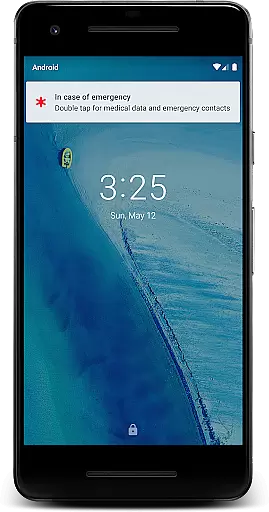
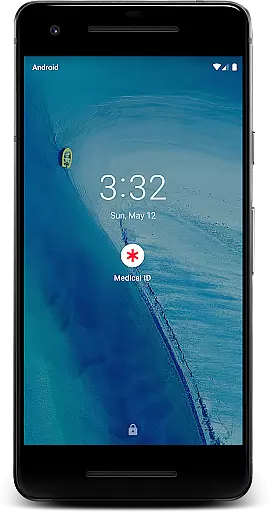
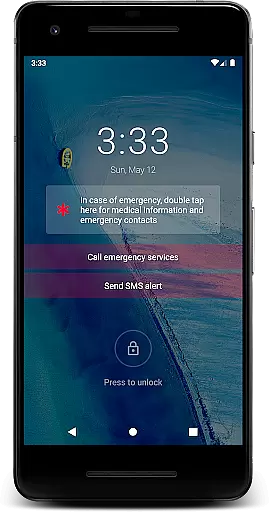
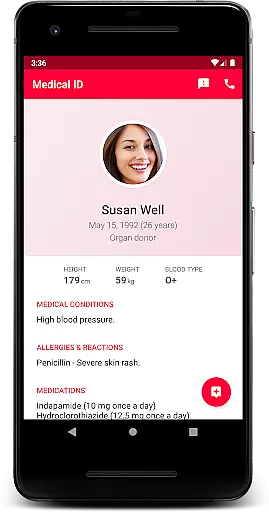
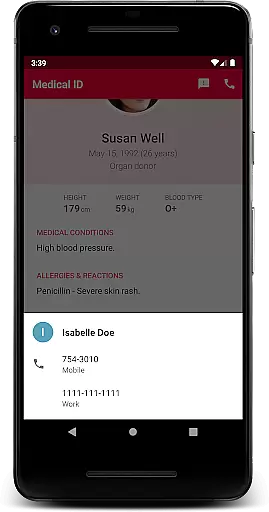
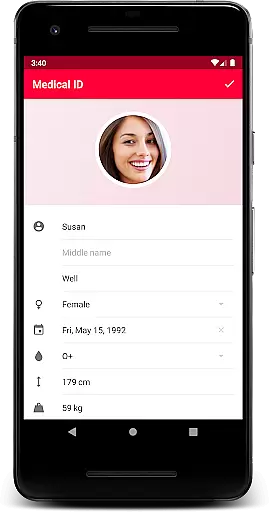
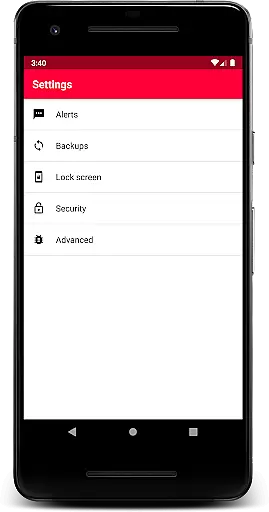
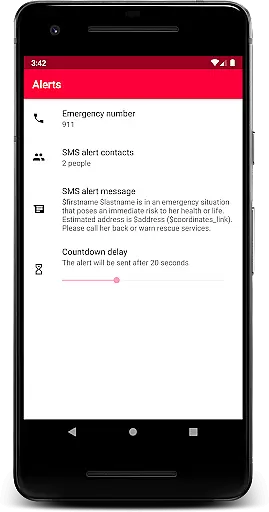
Medical ID (premium) is a vital application that allows users to create comprehensive medical profiles accessible directly from their device's lock screen. This feature ensures that first responders and medical personnel can quickly obtain critical information such as allergies, blood type, and emergency contacts in case of an emergency. The premium version offers advanced functionalities including one-click emergency SMS alerts with location data, continuous location sharing with emergency contacts for up to 24 hours, and direct calling to emergency contacts without unlocking the device.
In addition to its core features, Medical ID provides valuable tools like Body Mass Index (BMI) calculation, current location tracking via GPS coordinates, and a built-in compass. These features are designed to turn any Android device into a life-saving tool during emergencies. By enabling an accessibility service, the app displays a widget over the lock screen, facilitating access for individuals with disabilities or medical professionals who need immediate access to medical data.
This application is invaluable in emergency situations where quick access to medical information can significantly impact treatment outcomes. It empowers users to take control of their health information while ensuring privacy and security. With terms of use and privacy policies clearly outlined, users can trust that their data remains on their device unless they choose to share it. Medical ID (premium) is an essential app for anyone looking to enhance their personal safety and ensure peace of mind.
Medical ID (premium) stands out due to its robust set of features tailored for emergency situations. One of its primary capabilities is the quick access to medical information right from the lock screen, which is facilitated by an accessibility service. This service displays a widget over the lock screen, allowing first responders to view crucial details such as allergies, blood type, and emergency contacts without needing to unlock the device. This feature alone can be life-saving in critical moments.
Beyond the lock screen access, the app includes an emergency alert feature that sends an SMS with the user's estimated location at the press of a button. Additionally, it supports continuous location sharing with designated emergency contacts for up to 24 hours, even when the app is closed. Users can also make direct calls to their emergency contacts from the lock screen. Other notable features include a backup function that can be triggered manually, BMI calculation, current location tracking, and a built-in compass.
Each feature within Medical ID (premium) is designed to provide practical benefits to users. For instance, the ability to send an emergency SMS with location data ensures help can reach the user faster. Continuous location sharing keeps loved ones informed of the user's whereabouts during emergencies. The inclusion of health-related tools like BMI calculation adds further utility, making this app not just an emergency tool but also a daily health companion. Overall, Medical ID (premium) combines essential emergency functions with useful health utilities to offer a comprehensive solution for personal safety and health management.
Medical ID (premium) ensures the highest level of medical content credibility by allowing users to input vital health information directly into their profiles. This includes essential details such as allergies, blood type, and emergency contacts.
The app's design reflects a deep understanding of emergency medical needs, with features reviewed and recommended by first responders and medical professionals. Its lock screen accessibility service is a core feature that allows quick access to critical data in emergencies.
Users benefit from peace of mind knowing that their medical information is both accurate and easily accessible to attending medics or medical personnel during urgent situations. The app's intuitive interface ensures that even those with disabilities can navigate and utilize its features effectively.
While Medical ID (premium) does not provide teleconsultation services directly, it enhances the quality of remote consultations by ensuring that healthcare providers have immediate access to the user's medical profile. This includes crucial data like medical conditions, medications, and emergency contacts.
The app's emergency alert feature enables users to send an SMS with their estimated location to designated contacts with a single click. This functionality proves invaluable during teleconsultations when location sharing becomes necessary for effective medical guidance.
By maintaining all medical information locally on the device, the app guarantees privacy while offering tools like BMI calculation and current location tracking. These features help medical professionals make informed decisions during remote consultations, ultimately improving patient outcomes.
Quick medical info access
Emergency SMS alerts
Continuous location sharing
Direct emergency calls
BMI calculation tool
Premium version cost
Device compatibility issues
Requires accessibility service
Limited customization options
No automatic backups

Adaptive-learning flashcards and quizzes for the Top 250 Drugs
 4.60
4.60
The NightOwl Companion app allows you to interact with the NightOwl sensor.
4.70
A fantastic 3d reference that includes over 300 structures and a quiz function.
3.00
Modivcare members can book and manage trips.
4.50
3rd trimester? Counting Kicks is what moms should do-It’s important & easy too!
4.30
The MDLIVE app makes connecting with a doctor fast, easy, and convenient.
4.60
Master AEMT with 1,400+ study items, TEIs, practice tests, and scoring.
4.10
Assess and treat left neglect more effectively in stroke and brain injury rehab.
4.30
Secure video appointments
4.50
A comprehensive medical disease app.
5.00
Pelvic Floor Muscle Exercises
4.80
Amplify surrounding sounds, conversations, TV or lectures for louder hearing.
4.70
Your donation experience just got smoother; Donor Hub is your go-to place.
4.70
The doctor will see you now
4.70
PPP provides quick offline access to over 350 field treatment protocols.
4.60
Beat alcohol and drug addiction with a revolutionary treatment program in an app
4.50
The Client Portal app empowers you to manage care from one secure place
4.10
700 questions, 2 full exams, Predictive Scoring—your key to NREMT success!
3.90
Easy access to benefits and rewards
3.70


User Reviews