
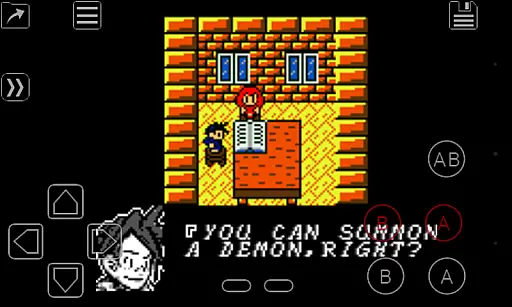
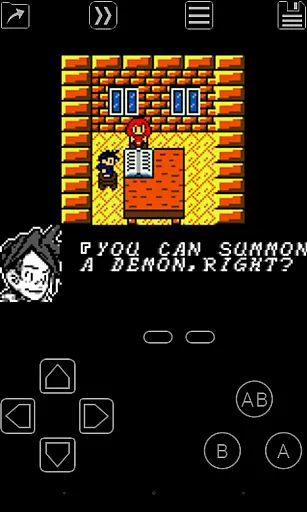
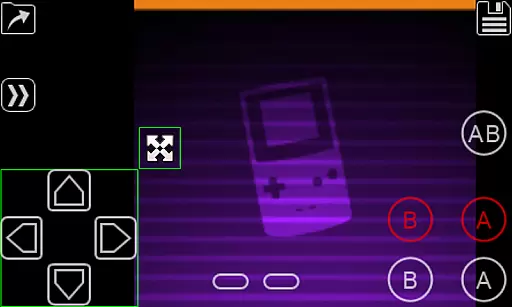
My OldBoy! is a high-performance Game Boy and Game Boy Color emulator designed for Android devices, offering an authentic retro gaming experience. It supports a wide range of hardware, from low-end phones to modern tablets, ensuring compatibility across devices. The app accurately emulates nearly every aspect of the original console, including advanced features like link cable, rumble, and tilt sensor support.
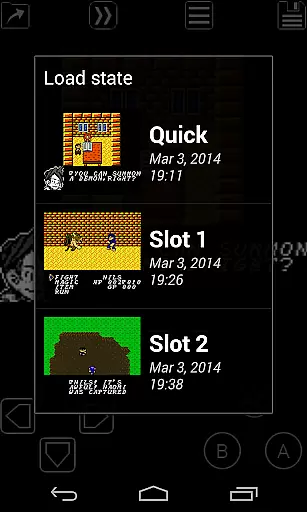
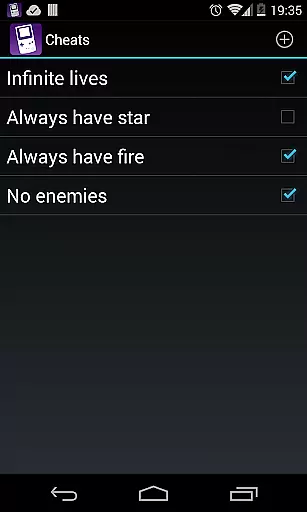
One standout feature is its ability to enhance classic monochrome games with custom color palettes, breathing new life into timeless titles. Additionally, My OldBoy! provides tools such as save states, fast-forward, and cheat code functionality, allowing users to tailor their gaming sessions to their preferences. Whether reliving childhood memories or exploring retro games for the first time, this emulator delivers both performance and versatility.
My OldBoy! stands out with its robust feature set tailored for retro gaming enthusiasts. The emulator leverages ARM assembly code to deliver blazing-fast performance, achieving 60 FPS even on low-end devices without frame skips. Its broad game compatibility ensures that most Game Boy and Game Boy Color titles run smoothly, while advanced functionalities like link cable emulation over Bluetooth or Wi-Fi enable multiplayer experiences.
The app also integrates modern Android features, such as hardware sensor support for tilt and rumble effects, customizable screen layouts, and external controller compatibility. Users can apply video filters, experiment with cheat codes, and sync their save files with Google Drive for convenience. With OpenGL rendering and GLSL shader support, it offers visually enhanced gameplay while maintaining accuracy. These features collectively create a seamless blend of nostalgia and innovation.
Arcade authenticity is crucial for users seeking a genuine retro gaming experience. My OldBoy! delivers this by accurately emulating the original Game Boy and Game Boy Color hardware, ensuring that classic games run as they did decades ago.
The emulator supports special features like link cable connections, rumble effects, and tilt sensors, which were integral to many beloved titles. These authentic touches recreate the full arcade experience on modern Android devices.
For users who appreciate nostalgia, the ability to apply custom palettes to monochrome games adds a personal touch while maintaining the vintage feel. This feature allows gamers to relive fond memories with enhanced visuals without compromising the original gameplay.
Ultimately, My OldBoy! offers an immersive journey back to the golden age of handheld gaming, making it an ideal choice for enthusiasts looking to relive or discover classic arcade experiences on contemporary platforms.
Control responsiveness is vital in any gaming setup, particularly in arcade emulators where precision can significantly impact gameplay. My OldBoy! ensures responsive controls through its optimized ARM assembly code, enabling smooth performance even on low-end devices.
The emulator supports external controllers via Android's native methods or alternative input techniques, providing flexibility and enhancing control accuracy. This adaptability caters to various user preferences and setups, ensuring optimal interaction with games.
Additionally, the powerful screen layout editor allows users to customize the position and size of on-screen controls. This customization capability ensures that buttons and game video are optimally placed for comfortable and precise control during gameplay sessions.
With these features, My OldBoy! guarantees a seamless and responsive gaming experience, allowing players to fully immerse themselves in their favorite arcade classics without being hindered by sluggish or unresponsive controls.
High performance
Wide device support
Customizable controls
Save state functionality
Retro game enhancement
No included games
Complex setup
Battery intensive
Paid version only
Requires technical knowledge

Mine & Craft Block Mini World! Survival Crafting and Building & Creative Online.
 4.30
4.30
Challenge your friends across the world to see who can jump the farthest!
4.50
Infinite Arcade
4.2
Relax and catch fish for your aquarium while earning rewards in these tank games
4.40
Restore peace and order in the city
3.20
Venture into the galaxy to fight against the invasion of space invaders.
4.60
NES Emulator
4.40
Jump and fly your way through danger in this rythm-based action platformer!
4.50
Save the galaxy from alien shooter in classic galaxy shooter-classic arcade game
4.80
Full featured version of Pizza Boy A (GBA emulator)
4.80
This is an emulator for a certain 64 bit console with online cloud backup.
4.80
Use superpower in your magic hands. Defeat the enemies in a fun elemental game.
4.50
GBA Emulator
4.40
Nostalgia.GBA Pro is a high quality GBA emulator.
4.40
Join the art challenge: Guess the word and draw fast before the timer runs out!
4.20
Dad doesn’t let you go out, can you outwit your parents and escape?
4.00
Dig yourself a way to gold, diamonds and success with this addictive mining game
3.90
A fast, full-featured GBA emulator with link cable emulation.
3.90
This app is a very fast emulator
3.40


User Reviews