
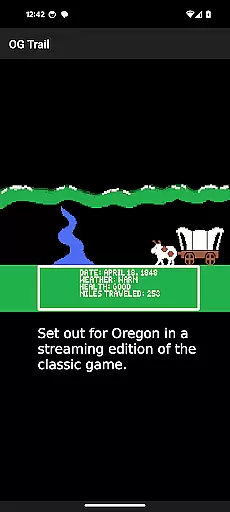
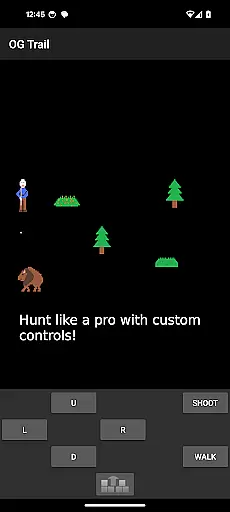
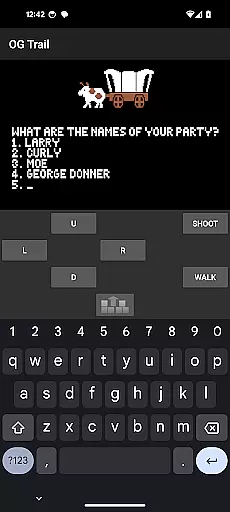

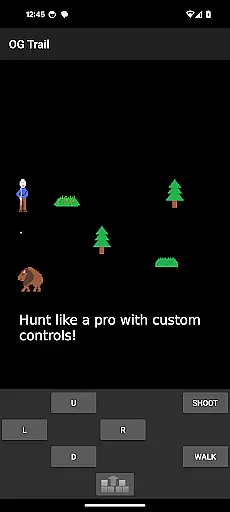
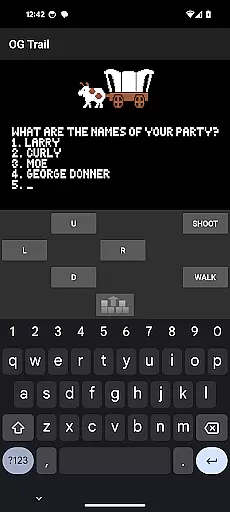

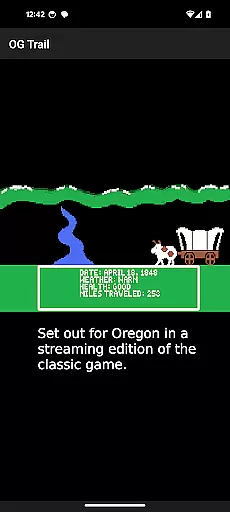
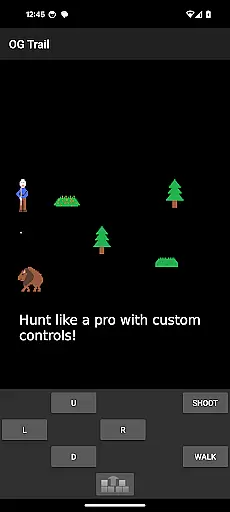
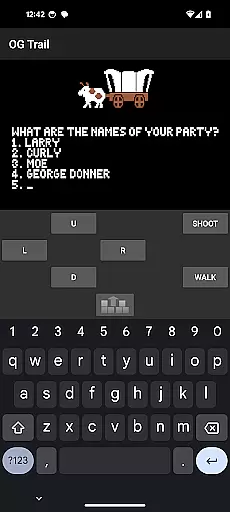

OG Trail is an educational app that brings the classic Oregon Trail simulation to Android devices. This app provides a seamless interface for users to access and play the original game directly from the Internet Archive. The platform requires internet connectivity only during the initial load, ensuring minimal data usage thereafter. OG Trail preserves the authenticity of the original game while adapting it for modern touchscreen devices through an intuitive onscreen keyboard and control pad.
The app is particularly useful in educational settings, allowing students to experience this historically significant game that teaches decision-making, resource management, and American pioneer history. Its faithful recreation of the original MS-DOS version makes it valuable for both classroom learning and nostalgic gamers seeking to revisit a classic. The app's straightforward implementation maintains the integrity of the original gameplay while making it accessible to a new generation of learners.
OG Trail offers several distinctive features that enhance the classic gaming experience. The app provides an unmodified version of The Oregon Trail (TM) game, maintaining its original mechanics and educational value. Through its innovative interface design, users can interact with the game using either an onscreen keyboard or control pad, accommodating different play styles and preferences.
A key feature is its adaptive input system, which allows players to respond to game prompts using numbers, letters, or symbols corresponding to their choices. The app also includes visual confirmation buttons for yes/no questions, streamlining the decision-making process. By sourcing the game directly from the Internet Archive, OG Trail ensures users have access to the authentic version while providing necessary modern adaptations for touchscreens. This combination of historical accuracy and contemporary usability creates a unique educational gaming experience.
In the realm of educational gaming, content authority and curriculum alignment are crucial for ensuring that learning is both accurate and relevant. OG Trail - Travel to Oregon offers an authentic experience by providing access to an unmodified version of The Oregon Trail (TM) game, which has been a staple in educational settings for decades.
This application leverages the publicly available Internet Archive posting of the streaming version of the game, ensuring that the content remains true to its original form. By doing so, it maintains the integrity of the historical simulation, allowing users to engage with a piece of educational history while learning about pioneer life and decision-making skills.
For educators and learners, this means that OG Trail can be used as a supplementary tool that aligns with history curricula focused on American westward expansion. It provides a hands-on approach to understanding the challenges faced by pioneers, making it a valuable resource for classrooms and homeschooling environments alike.
Gamification-learning integration represents the fusion of game mechanics with educational content, creating an engaging and interactive learning environment. OG Trail - Travel to Oregon excels in this area by transforming the classic Oregon Trail simulation into an accessible mobile format, complete with onscreen controls tailored for Android devices.
The app's interface includes an onscreen keyboard and control pad, which allows players to interact with the game as if they were using the original input methods. This design choice preserves the game's educational intent while adapting to modern touchscreen technology, thus enhancing the user experience without compromising the learning objectives.
By integrating these features, OG Trail not only makes learning enjoyable but also supports the development of critical thinking and problem-solving skills. Players must make decisions that affect their virtual journey, such as managing resources and responding to various scenarios, all of which contribute to a deeper understanding of the subject matter through play.
User-friendly interface
Authentic gameplay experience
Minimal data usage
Educational value maintained
Touchscreen adaptation
Requires internet connection
No offline functionality
Limited to original game features
Interface may feel dated
Dependent on external source

Learn and practice multiplication and division
 4.2
4.2
Spark your little ones’ imagination!
3.80
Play the fun healthy habits game for kids with Cocobi the little dinosaurs.
3.40
Clean the messy house & play with cute kitty in this fun cleaning game for kids!
3.70
A cube building game for small (and large) builders.
4.40
Master your phonics letters and sounds with the Alphablocks!
3.80
Companion app for Cozmo, the educational toy robot who’s got a mind of his own.
3.30
Design dreamhouses and dress up creatively in the ultimate role-playing game!
4.70
Play and build with Bluey & friends in this fun LEGO® game!
4.40
Preschool learning games: 123 numbers game for kids, abc learning for toddlers
4.70
Tons of kids safety games, cartoons, and stories are included in one kids app!
4.70
Cute coloring games for girls! Draw, paint & decorate with endless colors.
4.70
Amazing learning and educational games for children of all ages.
4.70
Fun phonics & alphabet tracing game for toddlers, preschool & kindergarten kids!
4.60
Tracing, phonics & spelling games for toddlers, preschool & kindergarten kids!
4.50
Fun baby games for kids. Play baby piano, musical instruments & nursery rhymes.
4.50
A must-have sequel to our Learn Letter Sounds with Carnival Kids app
4.30
Fun dentist game with Cocobi friends!
4.10
Animal games! Adopt virtual pet dog, cat & rabbit to create your pet world!
4.10


User Reviews