
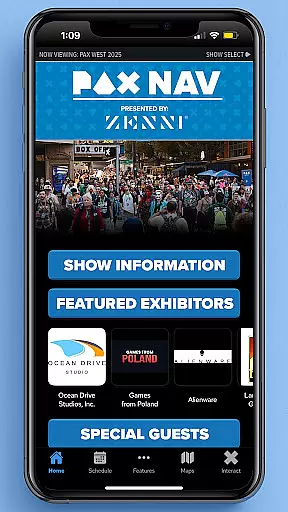
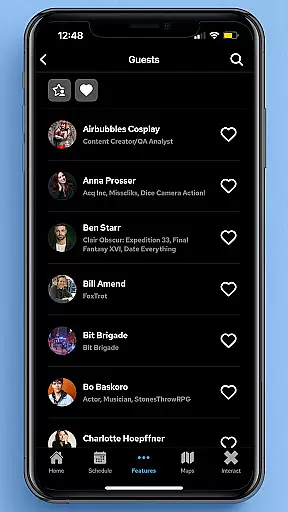
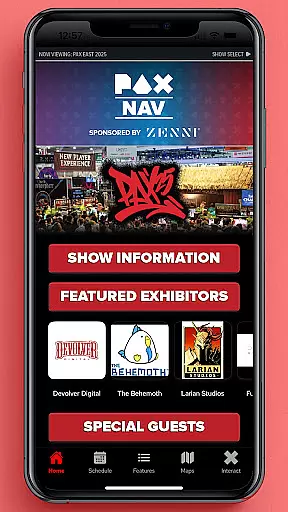
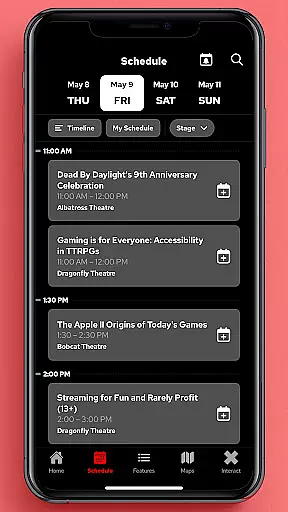
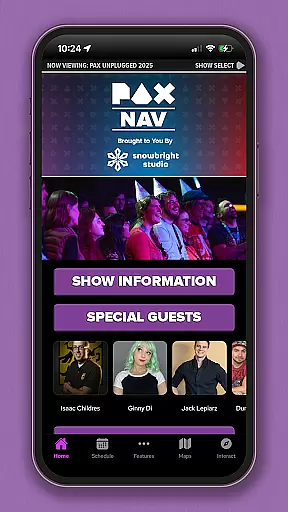
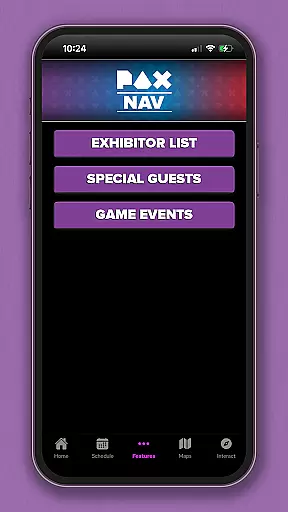
PAX Nav is the official mobile application designed specifically for attendees of PAX West, PAX East, and PAX Unplugged events. This comprehensive app provides users with essential tools to enhance their convention experience. Users can access the full event schedule, browse exhibitor lists, and explore interactive maps to navigate the venue effortlessly.
One of the standout features of PAX Nav is its integration with PAX XP, an exclusive platform that offers additional content and personalized experiences for event-goers. Whether you're planning your day or looking for special show deals, this app ensures you stay informed and engaged throughout the event.
PAX Nav offers a rich set of features tailored to meet the needs of PAX event attendees. The app's scheduling feature allows users to view the complete event timetable and create personalized itineraries. With detailed exhibitor listings, attendees can easily locate their favorite vendors and discover new ones.
In addition to practical tools, PAX Nav includes interactive maps that provide precise directions within the venue, ensuring users can find their way around large exhibition halls with ease. The app also grants access to PAX XP, where users can unlock exclusive content and participate in unique activities, enhancing their overall event experience.
Task creation and detail customization are essential features for event management applications like PAX Nav. This functionality allows users to create personalized schedules by selecting specific panels, workshops, or exhibitors they want to see at the event.
PAX Nav takes this a step further by providing detailed information about each session or exhibitor. Users can view descriptions, speaker bios, room locations, and special requirements, ensuring they make informed decisions when planning their day.
The benefits of this feature are significant. Attendees can optimize their time at PAX events, never missing out on must-see panels or exhibitors. The ability to customize details also enhances user engagement, as attendees feel more connected to the event schedule tailored specifically for them.
This level of personalization not only improves the overall event experience but also encourages users to return to the app frequently, increasing its utility and value during the event days.
Reminder settings in event apps like PAX Nav play a crucial role in keeping attendees on track with their schedules. These settings allow users to set up notifications for upcoming sessions, ensuring they arrive on time and don't miss important events.
PAX Nav offers flexible reminder options. Users can choose how far in advance they want to be notifiedu2014whether it's 10 minutes, 30 minutes, or an hour before the scheduled activity. This flexibility ensures that reminders fit into individual preferences and schedules.
The practical advantages of reminder settings are numerous. They help reduce stress by eliminating the need to constantly check the schedule manually. Instead, timely alerts keep users informed and prepared to move to their next destination within the event venue.
Ultimately, these reminder features enhance user satisfaction by providing a seamless way to manage time effectively during busy convention days, making PAX Nav an indispensable tool for any attendee looking to maximize their event experience.
User-friendly interface
Comprehensive event schedule
Interactive venue maps
Exclusive PAX XP access
Regular updates
Limited to PAX events
Occasional bugs
Requires internet
No offline mode
Heavy on battery

Manage all your events, leads, ticketing, payments and check-ins.
 4.30
4.30
Browse events, find transportation, keep up with the latest news from your team
4.3
Fantasy of Lights Event App
5.00
Create Wedding Invitation and Wedding Anniversary Cards using our app
4.60
Fast Scans. Happy Fans. For Every Hometown!
4.60
TV Garden - World Live TV : Play & cast your videos seamlessly!
3.20
TodayTix is the easiest way to get tickets to the best shows in your city.
4.90
Save money on concert, sport, and theater tickets, and discover upcoming events.
4.80
Discover events & experiences in NYC, LA, Chicago, DC, Miami and more!
4.70
Buy and Sell Tickets for Concerts, Sports, and Theater.
4.70
Find tickets to upcoming concerts, sports events, festivals, shows, attractions
4.70
For weddings, parties & events
4.60
PheedLoop Go! is the mobile event app for events powered by PheedLoop.
4.40
Everything you need for the Best Thursday Ever.
4.40
Freebie Games for Epic Games, Steam, Amazon, Rockstar etc.
4.40
Buy tickets for any event!
3.90
An App for Bhutanese
4.5
The Official App
4.1
Thanksgiving Wishes, Thanksgiving Stickers & Animated GIF for Whatsapp Stickers
4.2


User Reviews