
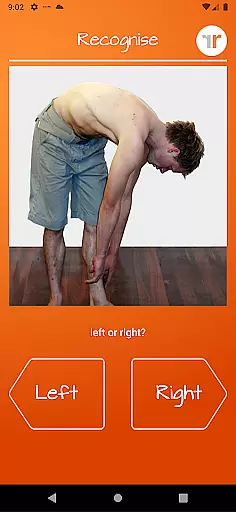
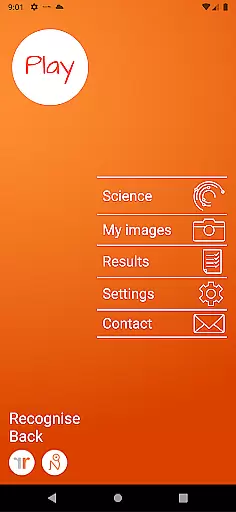
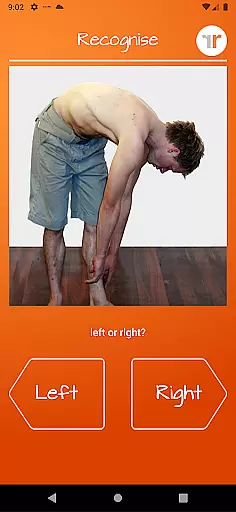
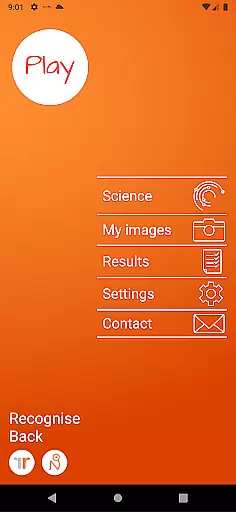
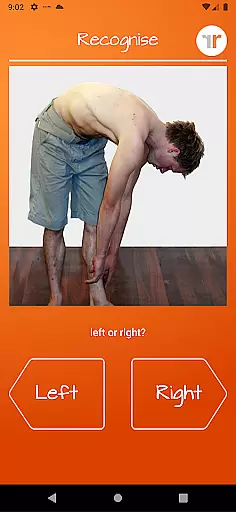
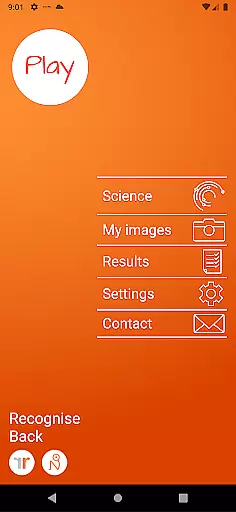
Recognise Back is a specialized health and fitness application designed to assist users in managing pain, enhancing performance, and supporting rehabilitation through a structured Graded Motor Imagery (GMI) program. The app focuses on improving the user's ability to discriminate between left and right body parts, which is crucial for recovery from various pain conditions and injuries.
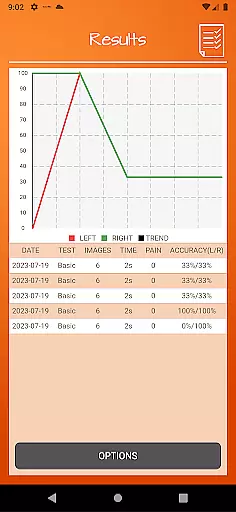
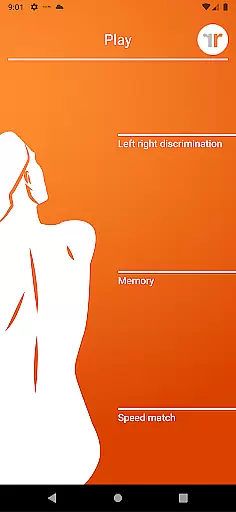
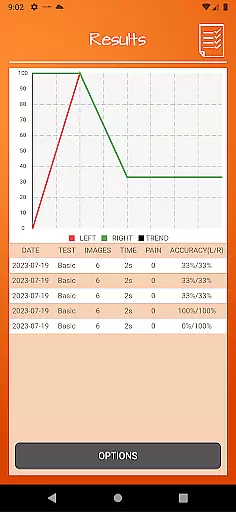
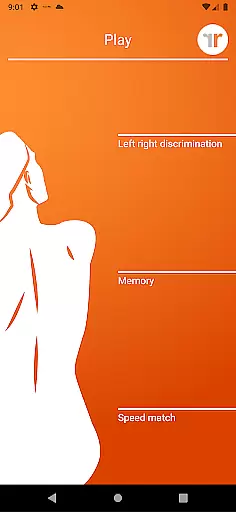
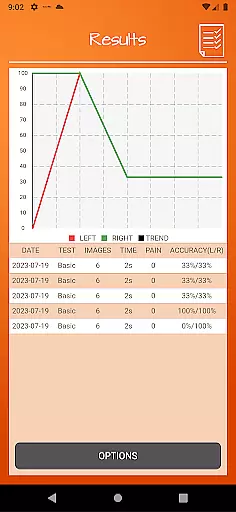
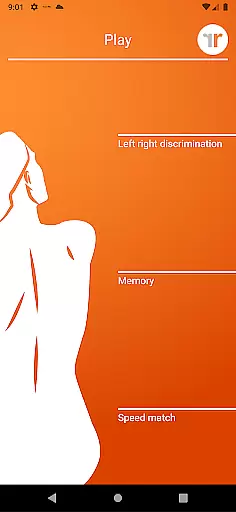
The app offers two main modes - TEST and TRAIN. In TEST mode, users can evaluate their proficiency in recognizing images of body areas as either left or right. TRAIN mode helps harness the brain's neuroplasticity using advanced tools like 'Memory' and 'Speed match', graded difficulty levels, and personal best challenges. Recognise Back also provides detailed progress tracking through onscreen results and graphs, making it an essential tool for both patients and clinicians.
Recognise Back stands out with its comprehensive set of features tailored to enhance motor imagery training. The app includes 'Memory' and 'Speed match' tools that elevate the training experience by challenging the user's cognitive abilities. These tools are complemented by graded difficulty levels and personal best challenges, ensuring continuous improvement and engagement.
One of the key highlights is the powerful clinical integration feature, allowing users to export and email their results directly to healthcare providers. This seamless communication aids in better monitoring and personalized care plans. Additionally, users can capture their own images and incorporate them into their training routines, providing a customized experience. Detailed explanations of the science behind Left/Right Discrimination and GMI further enrich the user's understanding and utilization of the app.
Recognise Back offers a personalized approach to pain management and rehabilitation through its specialized training tools. The app's Graded Motor Imagery program is designed to retrain the brain using a series of exercises tailored to individual needs.
Users can test their ability to recognize left or right body images, which is crucial for recovery from certain injuries. With graded difficulty levels and personal best challenges, the app adapts to each user's progress, ensuring that the training remains effective and engaging.
The app also allows users to capture their own images for training, making the experience more relevant to their specific situation. This customization enhances the neuroplasticity process, leading to improved performance and reduced pain over time.
Tracking progress is essential in any rehabilitation program, and Recognise Back excels in visualizing user advancement. The app provides detailed onscreen results and graphs that map out the user's journey through the Graded Motor Imagery program.
With comprehensive data visualization, users can easily monitor their improvement in Left/Right Discrimination tasks. These visual aids not only motivate but also guide users by highlighting areas that need more focus and practice.
Furthermore, the powerful clinical integration tools allow users to export and email their results directly to healthcare providers. This feature facilitates better communication between patients and clinicians, ensuring that the rehabilitation process is on the right track.
User-friendly interface
Comprehensive progress tracking
Customizable training options
Powerful clinical integration
Science-backed methodology
Requires consistent use
Premium pricing model
Limited to specific rehabilitation needs
Dependent on device camera quality
Steep learning curve for beginners

Live Heart Rate Pro - Real Time Heart & Workout Data For Wear OS & Bluetooth BLE
 3.20
3.20
“Overcoming pain based on EMDR” helps you to alleviate chronic pain and stress.
4.10
Binaural Beats - Fully Customizable Waves - Pure Sound - No Loops
4.50
The OFFICIAL Couch to 5K® running training app! A 9 week walk-run workout plan.
4.50
Pupillary distance PD with camera quick and easy, checking glasses frames on you
3.70
Memory, mind & logic exercises. Puzzle games, IQ & brain test for kids & adults
4.50
Track heart rate & HRV in 30s! Get live health insights and anomaly alerts
4.40
Monitor, analyze, track, and convert blood sugar & help you control diabetes.
4.10
Focus on BP & Health
3.80
Beauty Care, Makeup & Skin Care Scanner | Pregnancy App For A Mom | Healthy Baby
5.00
Power-lifting, weightlifting and Wendler 531 app to track your workout program.
4.90
sobriety counter app to help and motivate people to stop drinking alcohol.
4.90
Step Counter, track steps when you walk or run
4.70
Histamine intolerance, low FODMAP diet and irritable bowel syndrome (IBS)
4.00
beat yesterday.
4.00
Make sense of your health data.
3.80
Enjoy the Gluten Free living with the best app. SCAN the barcodes & SEARCH.
3.60
The Sleep Miracle Sound Machine: Soothes baby to sleep with a gentle "Shhh"
3.00
Using Recognise™ has been shown to reduce pain and improve performance.
4.5


User Reviews