
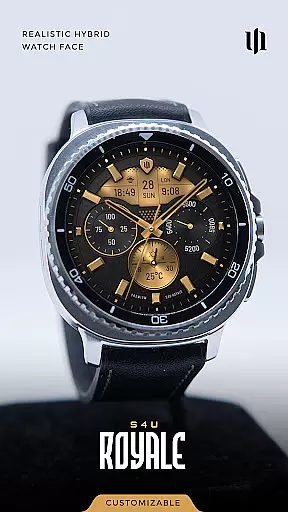
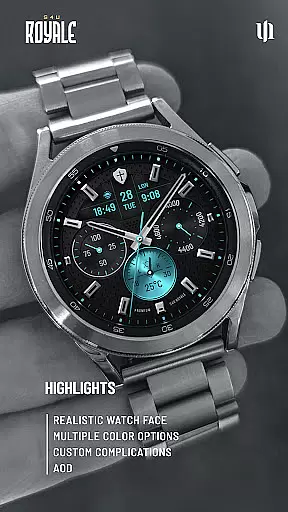
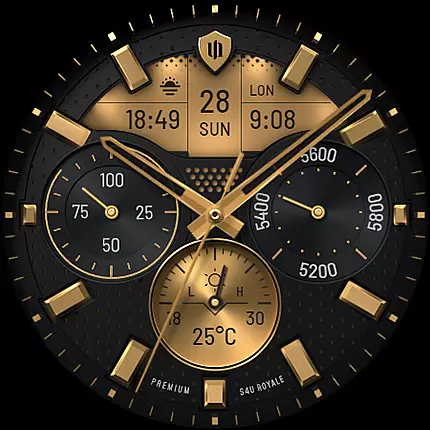
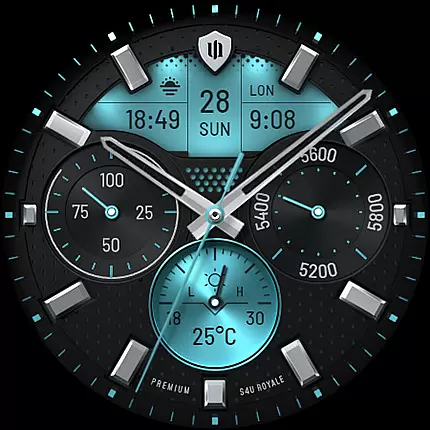
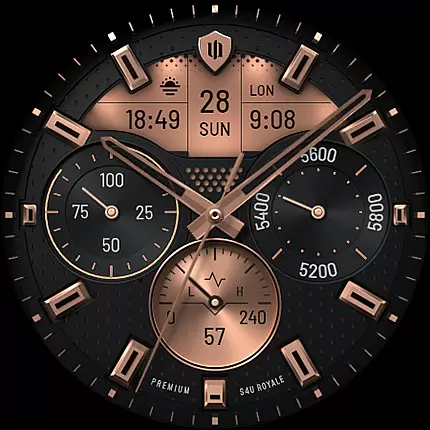
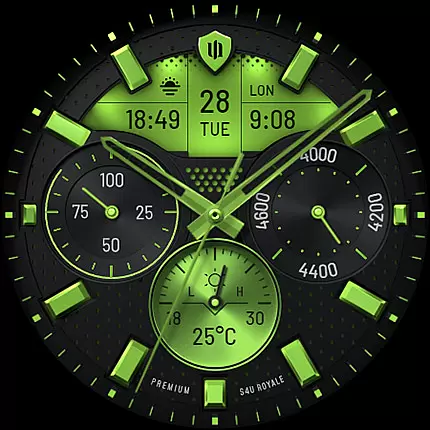
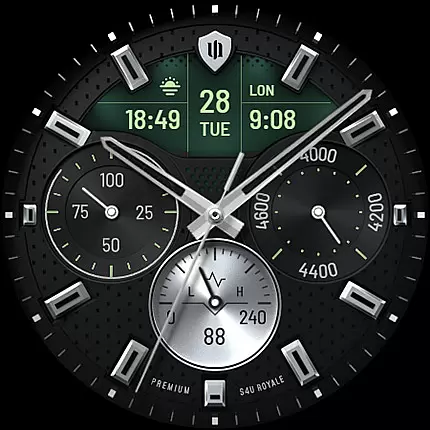
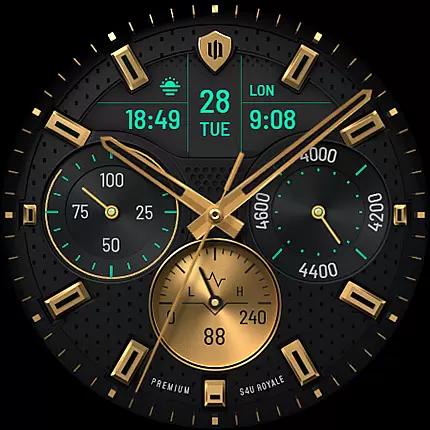
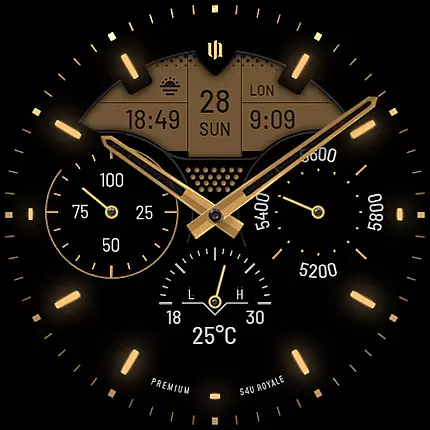
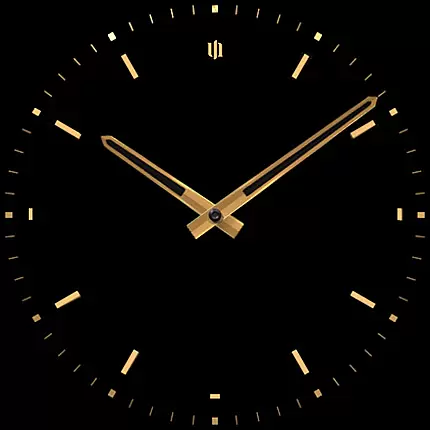
S4U Royale is a premium hybrid watch face designed for Wear OS smartwatches, offering users an elegant and highly customizable timekeeping experience. Compatible with devices like Samsung Galaxy Watch series and Google Pixel Watch, this app provides advanced features such as editable complications, shortcuts, and Always-On Display (AOD) functionality.
With its realistic design and numerous customization options, S4U Royale allows users to personalize their watch faces to suit their preferences. The app supports various color schemes, layout adjustments, and data display settings, making it versatile for different user needs. Whether you want to track daily steps, monitor weather conditions, or access favorite widgets quickly, S4U Royale delivers both style and functionality.
This app is ideal for tech-savvy individuals who value aesthetics and practicality in their wearable devices. By combining beautiful design with customizable features, S4U Royale enhances the overall smartwatch experience while maintaining ease of use.
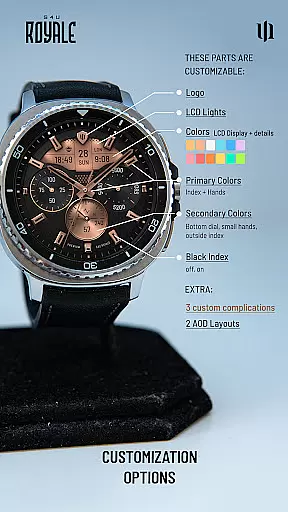
S4U Royale stands out with its extensive range of features tailored to enhance user interaction and personalization. One of its key highlights is the ability to customize multiple elements of the watch face, including dial colors, index marks, and LCD light settings. Users can choose from 9 primary color options and 8 secondary colors, ensuring a unique look that matches individual styles.
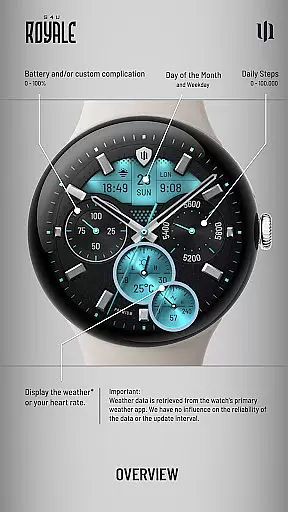
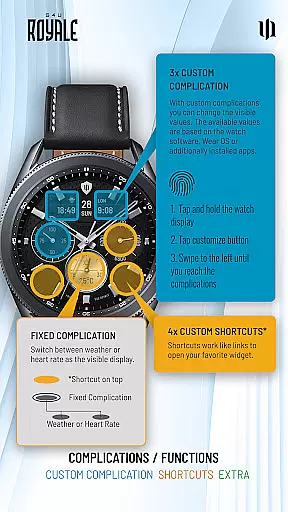
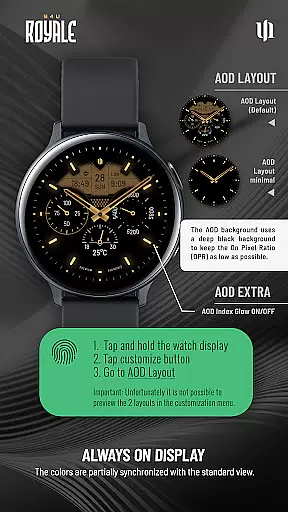
The app also includes 3 editable complications and 4 app shortcuts, allowing users to display relevant data and access frequently used functions effortlessly. These complications can show analog time, daily step counts, battery levels, and even heart rate or weather updates. Additionally, the Always-On Display (AOD) feature offers two distinctive layouts, providing continuous time visibility without compromising battery life significantly.
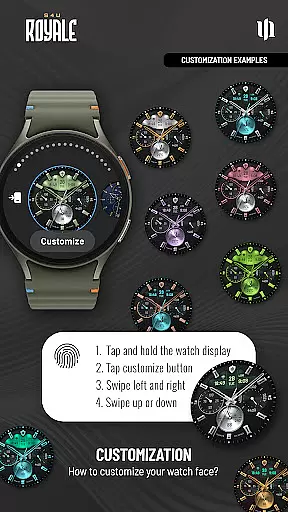
Another notable aspect is the intuitive setup process for customizations. By simply pressing and holding the watch display, users can navigate through various customization options using straightforward gestures. This seamless integration of advanced features with user-friendly controls makes S4U Royale a top choice for those seeking a personalized smartwatch experience.
Customization is at the heart of S4U Royale, offering users a rich variety of options to personalize their hybrid watch face. With multiple dial color choices, users can tailor the appearance to match their style or mood. The ability to choose between different logo styles and toggle black index marks on or off adds another layer of personal touch.
The app provides an extensive range of color options, including 9 primary and 8 secondary colors, allowing for a unique look. Users can also customize the LCD light and Always-On Display (AOD) layout with 2 distinct choices each, ensuring their watch face remains functional and visually appealing even when not in active use. The AOD feature smartly adapts its colors to complement the standard watch face design.
Further enhancing personalization, S4U Royale includes weather or heart rate display options on the bottom dial and complications that are editable by the user. This level of customization ensures that every user can create a watch face that not only looks good but also displays the most relevant information for their daily needs.
S4U Royale stands out in theme compatibility, ensuring that its beautiful hybrid watch face works seamlessly across a wide range of Wear OS devices. Compatible with Samsung Galaxy Watch series and Google Pixel Watch models, this app supports smartwatches running Wear OS 5 or higher, providing a consistent and optimized experience regardless of the device.
Ensuring cross-device functionality involves meticulous design and testing. S4U Royale achieves this by adapting its graphical elements and interactive features to maintain visual consistency and performance. Whether it's through the Always-On Display feature or customizable complications, users enjoy a cohesive experience that respects the original design intent.
Moreover, the app's support extends beyond just compatibility. It offers resources like a companion app and dedicated customer support for troubleshooting, ensuring users have a smooth experience while setting up or customizing their watch faces. This comprehensive approach to compatibility underscores S4U Royale's commitment to quality and user satisfaction.
Highly customizable
Realistic design
User-friendly interface
Wide device compatibility
Advanced AOD options
Wear OS only
Battery consumption
Weather data dependency
Limited free options
Complex for beginners

Stunningly Different look with Line Icons and Neon Colors
 4.60
4.60
Ultra realistic gold analog watch face with lots of customization options.
4.50
Transform your phone with Launcher iOS 26 - Smooth & elegant iOS experience
4.50
Sparkle your screen with Glitter Wallpapers For Girls and Cute Backgrounds!
4.80
AI-powered Copilot. Personalized keyboard with gifs, stickers & themes
4.40
Customize your home screen with stunning themes, blur, widgets & icons.
4.60
300+ widgets inspired by Material You and Material 3 expressive design.
4.60
Your home screen, just the way you like it.
4.30
Transform your phone with stylish zipper lock themes and 4D live wallpaper
4.10
Customizable Glass widgets. Over 360+ stunning widgets and more!
4.70
400+ Beautifully crafted widgets inspired by NOTHING.
4.70
Classic analogue watch face. For wear os devices.
4.60
Want to make your phone more special than ever?
4.60
Ultimate Gallery Lock App - Hide Pictures, Videos and Lock Apps Instantly!
4.60
Ninja Turtles Cowabunga SE watch face for Wear OS
4.50
Color phone with cool effects for call screen, flash alert & ringtones music
4.50
Wear Os Watch Face - Seasonal - Animated Snow Effect - 9 Animals
4.20
Customizable flower power digital watch face for Wear OS watches.
4.00
Turn your lock screen into fun with smile live wallpapers & animated wallpapers!
2.50


User Reviews