
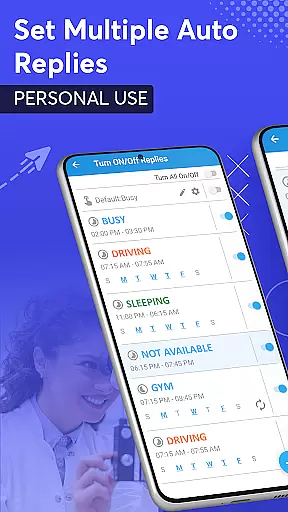
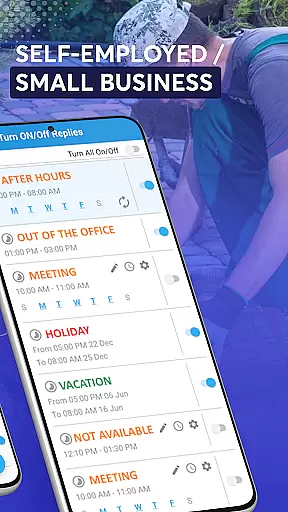
SMS Auto Reply is a powerful communication tool designed to streamline your messaging experience. This app allows users to automatically respond to incoming texts, SMS, and messages from various platforms such as WhatsApp, Facebook, Telegram, and more. Whether you're busy, driving, in a meeting, or simply need some undisturbed time, SMS Auto Reply has got you covered.
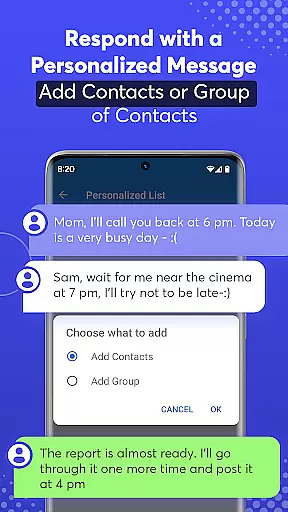
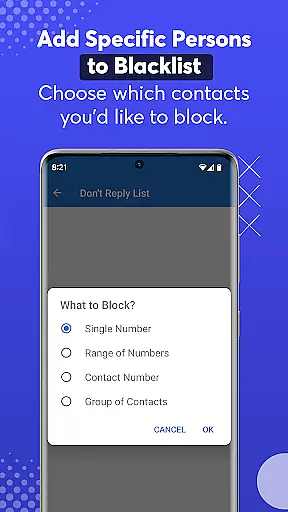
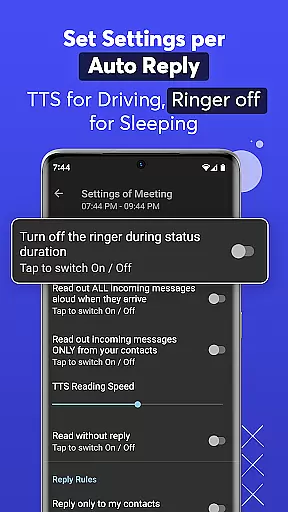
With its customizable auto-reply options, the app caters to different scenarios like driving, sleeping, or attending a class. It also supports personalized lists for tailored responses and includes a do-not-reply list to block unwanted messages. The app's Smart Drive Mode ensures safety by activating hands-free operation when you're driving, reading out messages via Text-to-Speech, and sending automated replies.
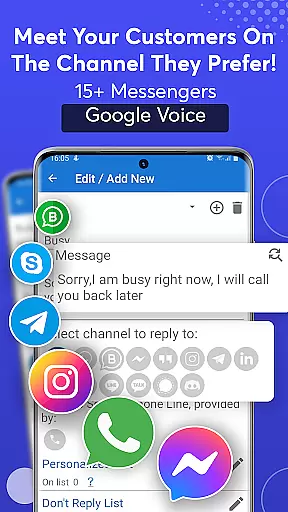
The standout feature of SMS Auto Reply is its ability to integrate with multiple messaging platforms including WhatsApp, Facebook, Instagram, and others. This makes it versatile for both personal and professional use. Users can set up recurring auto-replies based on specific days and times, ensuring timely responses even when they are unavailable.
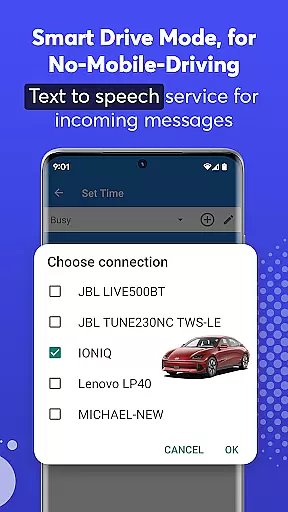
Another remarkable aspect is the Smart Drive Mode, which activates when your phone connects to your car's Bluetooth. This mode not only turns on auto-reply but also reads incoming messages aloud using Text-to-Speech technology. Additionally, the app offers an archive of sent messages, uses minimal battery power, and provides a silent mode during auto-response sessions. These features collectively enhance user convenience and safety while driving.
Real-time messaging speed and reliability are crucial for any communication app. SMS Auto Reply ensures that your messages are sent instantly when specific conditions are met, such as driving or being in a meeting. This immediacy is vital for maintaining effective communication without manual intervention.
The app achieves this reliability through smart automation that detects your status and responds accordingly. Whether you're using WhatsApp, Facebook Messenger, or traditional SMS, the app's robust system guarantees timely responses. This feature not only enhances user convenience but also significantly improves safety by minimizing distractions.
Moreover, the app uses advanced algorithms to ensure that each automated response is sent only once per contact during a specified period. This prevents message flooding and maintains the natural flow of conversation. Users can trust that their contacts will receive appropriate and timely replies, thus preserving relationships and ensuring important communications are acknowledged.
Media sharing support is an essential feature for modern communication apps, allowing users to exchange various types of content seamlessly. SMS Auto Reply extends its functionality beyond text by supporting media-rich messages, including images, videos, and audio files. This versatility enables users to maintain comprehensive communication even when they cannot respond personally.
The app integrates with multiple platforms like WhatsApp, Facebook, and Telegram, ensuring compatibility across different messaging services. By leveraging these platforms' native capabilities, it provides a cohesive experience where media files are shared effortlessly. Users benefit from the ability to automate responses that include multimedia elements, enhancing the richness of interactions.
Additionally, the app optimizes media handling to consume minimal system resources, ensuring smooth performance without draining battery life or consuming excessive data. This optimization allows users to enjoy uninterrupted service while relying on the app to manage their communications effectively. With SMS Auto Reply, staying connected with diverse content has never been easier or more efficient.
Customizable auto replies
Multi-platform support
Smart Drive Mode
Text-to-Speech functionality
Minimal resource usage
Premium version costs
Limited free features
Occasional bugs
Complex setup
Bluetooth dependency

A web browser that respects your privacy.
 4.30
4.30
SMS & MMS Messaging App to easily send messages or schedule SMS on Chat
4.10
Message and video call your family and friends in HD!
3.80
Fun, free app that lets kids video call and message family and close friends.
3.80
Watchgram for Telegram: Experience seamless Telegram messaging on your watch
1.80
TeamSpeak - Secure Chat for Gaming & Business
3.10
Measure BHP, Torque & 0-60 Clear car OBD faults View engine data in Google Earth
4.00
Enhance browsing with AI-powered features and Copilot.
4.70
Caller ID, Spam Call & SMS Blocker
3.80
FolderSync enables easy sync of files between cloud storage and Android devices.
4.60
Connect and browse the internet with a fast VPN proxy server and IP blocker.
4.50
Caller ID App! Add names & photos to unknown calls & Call Recording
4.40
Manage your data, talk & text - affordable phone plans & data usage made simple
4.30
HD Video Meeting app is a fast & unlimited video conferencing app across world.
4.30
Use this SMS app standalone or as a TREK: Total Interface companion.
4.30
Send SMS and chat messages easily with a fast text messaging app for Android.
4.10
Telegram is a messaging app with a focus on speed and security.
4.00
This app enables the phone to receive and send FT8 traffic!
3.80
An app dedicated solely to marriage, not dating, and supported by a rigorous verification mechanism to ensure seriousness.
4.5


User Reviews