





Spruce is a comprehensive medical communication platform designed specifically for healthcare professionals and their patients. This HIPAA-compliant app enables secure communication through various channels including calls, texts, faxes, video chats, and more, all integrated into a unified team inbox. The platform supports clinical operations by offering tools for telehealth, team collaboration, panel management, and automated custom communications.
Healthcare professionals can take advantage of advanced phone systems, secure messaging, and adaptive clinical questionnaires for patient intake and screening. Patients benefit from free access to the app, allowing them to securely message their care teams and participate in telehealth consultations. With robust security features like two-factor authentication and HITRUST certification, Spruce ensures that sensitive medical information remains protected while enhancing the efficiency of healthcare delivery.
Spruce offers an array of powerful features tailored for healthcare environments. The app provides healthcare professionals with new or transferable phone and fax numbers, ensuring continuity of service. Its robust mobile and desktop applications come equipped with built-in compliance measures such as automatic HIPAA BAA, SOC 2 auditing, and automatic audit logging for all communications.
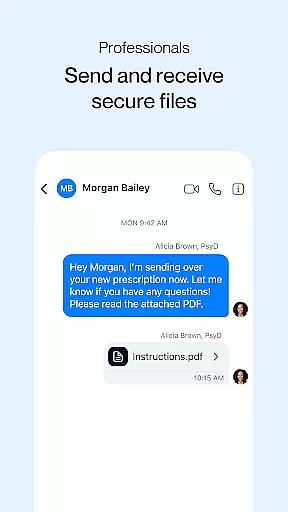
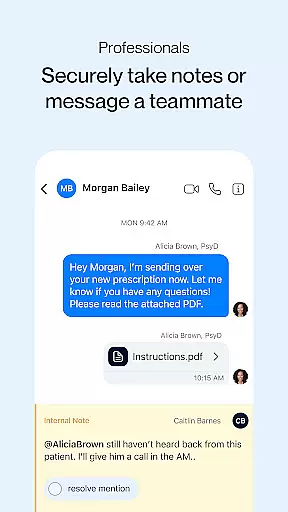
Advanced functionalities include an adaptable phone system with phone trees, multiple lines, secure voicemail, and automated transcription services. Secure messaging and fax capabilities allow for individual and group conversations, two-way SMS texting, and secure eFax exchanges. Telehealth services are supported through secure video calling and adaptive clinical questionnaires for patient intake. Additionally, automation tools help streamline workflows by saving messages for reuse, scheduling future deliveries, and setting up automatic responses. Panel management features facilitate efficient patient list uploads, advanced search options, bulk messaging, and customized communication routing.
In the realm of digital health communication, Spruce stands out by offering a platform that ensures medical content credibility. This is crucial for healthcare professionals and patients who rely on accurate information for decision-making. The app is designed with input from healthcare experts and aligns with HIPAA compliance standards, guaranteeing that all shared medical information is not only secure but also authoritative.
Spruce incorporates features such as adaptive clinical questionnaires for patient intake and screening, which are crafted under the guidance of medical professionals to ensure relevancy and accuracy. Furthermore, the platform's HITRUST certification and automatic HIPAA Business Associate Agreement (BAA) signify its dedication to maintaining high standards of medical content integrity.
For users, this means peace of mind when it comes to the reliability of telehealth services, including video calls and secure messaging. Healthcare teams can confidently send and receive sensitive patient data, knowing that the platform upholds rigorous expert-reviewed protocols. Patients benefit from receiving clinically sound advice and care remotely, enhancing both safety and convenience in managing their health.
Teleconsultation has become an integral part of modern healthcare delivery, and Spruce excels in providing high-quality teleconsultation services. The essence of teleconsultation quality lies in replicating the personal interaction between healthcare providers and patients through a digital medium, ensuring that the standard of care remains uncompromised.
The application supports secure video calling, allowing healthcare professionals to conduct virtual visits with clarity and privacy. With robust mobile and desktop apps, both parties can engage seamlessly regardless of location. Advanced functionalities like phone trees and automated transcription further streamline the teleconsultation process, making it efficient and user-friendly.
Moreover, Spruce enhances the teleconsultation experience with tools for team collaboration and panel management. These features enable healthcare teams to coordinate effectively, leading to improved patient outcomes. As a result, users can expect a level of service that mirrors traditional in-person consultations while enjoying the flexibility and accessibility that digital solutions provide.
User-friendly interface
Comprehensive security features
Efficient team collaboration tools
Robust telehealth capabilities
Customizable communication options
Limited integrations with non-healthcare systems
Premium features require subscription
Occasional connectivity issues reported
Steep learning curve for new users
High cost for small practices

Modivcare members can book and manage trips.
 4.50
4.50
World's largest contact lens store
4.60
HealtheLife lets you easily manage your health online.
3.20
The official DSM-5-TR® app
4.50
OKN Strips, OptoDrum, OKN
4.1
MHealth is the mobile version of MEDITECH’s Patient and Consumer Health Portal.
3.10
Boost reading, writing, speaking and listening with a scientifically proven app.
4.70
Discover the source of pain with Muscle Trigger Point Anatomy.
4.70
A rapid reference for healthcare professionals caring for pediatric patients.
4.30
A comprehensive medical disease app.
5.00
Pelvic Floor Muscle Exercises
4.80
Manage your prescriptions anytime, anywhere with the Publix Pharmacy mobile app.
4.80
Search by insurance, see real-time openings & verified reviews, get care fast.
4.80
Manage your healthcare through the FollowMyHealth® Universal Health Record.
4.80
Easy telehealth appointments + urgent care
4.70
Coaches you through labour using hypnobirthing techniques & tracks contractions
4.70
Log your symptoms in the MyZio app — the perfect companion to the Zio monitor!
4.60
Anthem/Wellpoint and other health insurance plans
4.60
Secure video visits with your VA care team from anywhere
4.50


User Reviews