
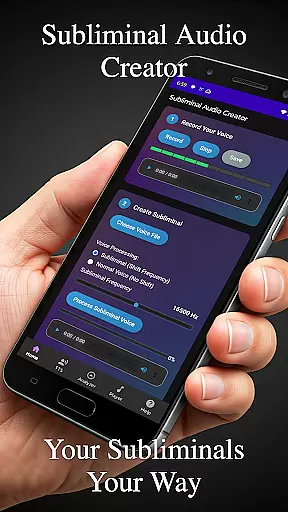
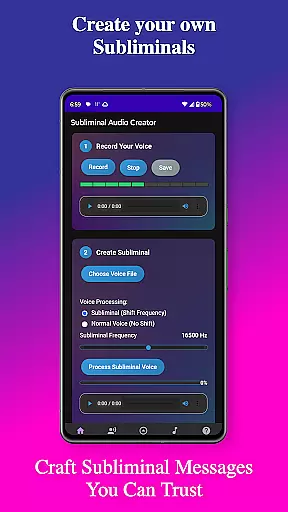
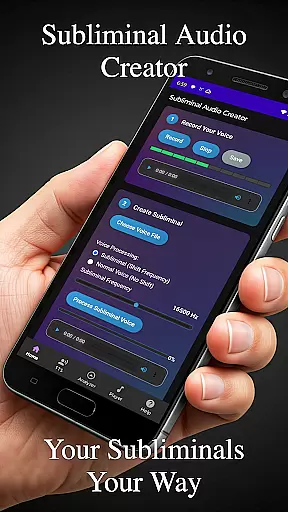
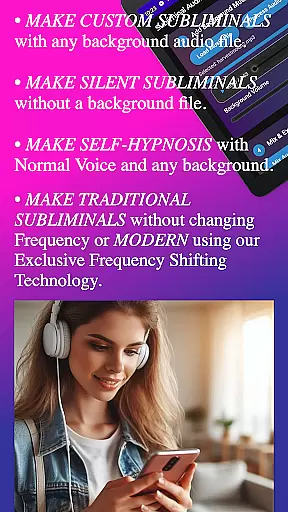
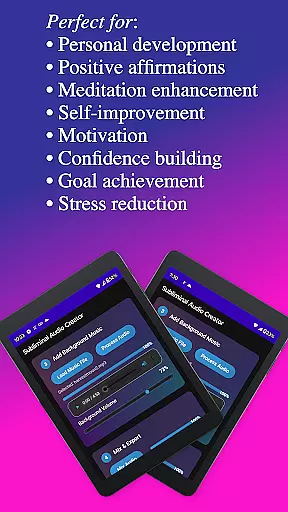
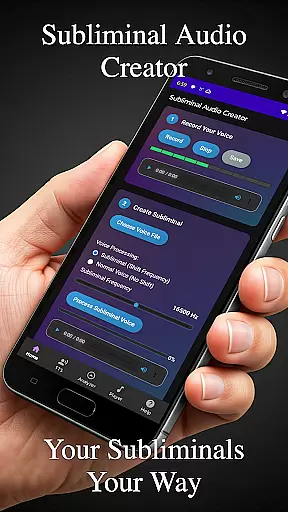
Subliminal Audio Creator is a comprehensive tool designed to help users create personalized subliminal audio tracks for self-improvement and personal development. This app allows you to record custom affirmations, convert text to speech, and mix these with background music or ambient sounds, producing high-quality subliminal audio files that can aid in meditation, motivation, and confidence building.
The app features an intuitive interface with advanced controls for adjusting subliminal frequencies and volumes, ensuring your audio blends perfectly. With built-in audio analysis tools, you can visualize frequencies and monitor audio quality in real-time. Subliminal Audio Creator supports both MP3 and WAV formats, includes a full-featured MP3 player, and offers seamless integration with Chromecast and Bluetooth devices for flexible playback options.
Whether you're looking to enhance your meditation practice, boost motivation, or work on personal growth, Subliminal Audio Creator provides the tools necessary to craft tailored audio experiences that cater to your specific needs, all within a user-friendly environment.
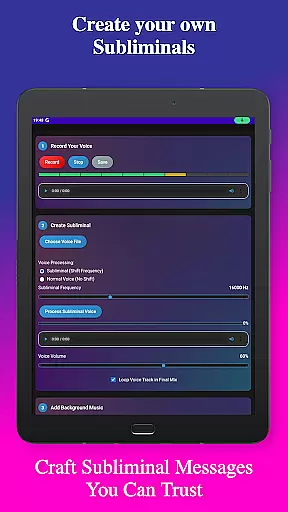
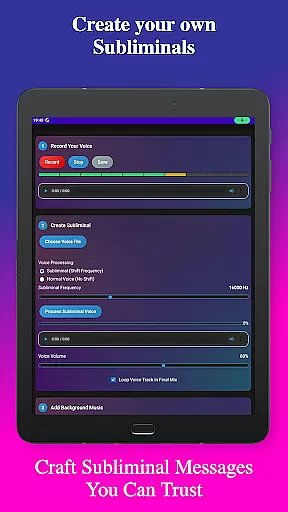
Subliminal Audio Creator stands out with its robust set of features tailored for creating professional-grade subliminal audio. The app includes voice recording capabilities with crystal-clear audio quality, allowing you to capture your affirmations precisely as you want them. You can preview and re-record until satisfied, ensuring your message is perfect before finalizing.
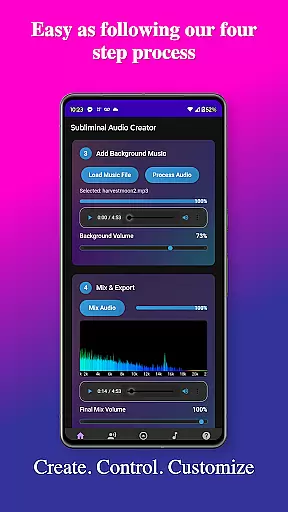
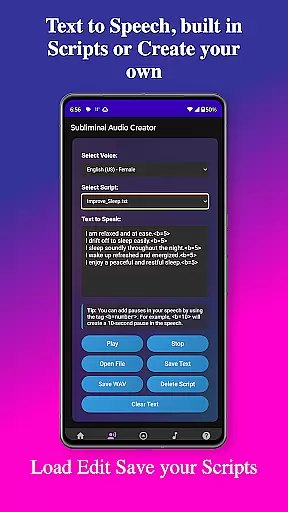
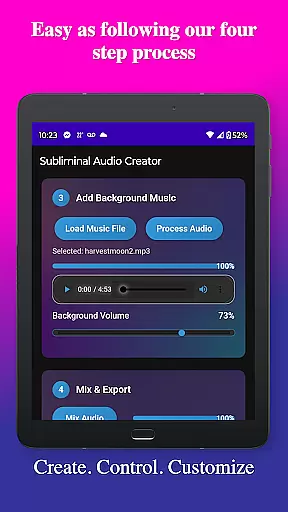
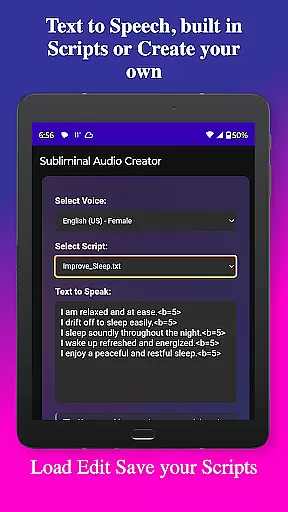
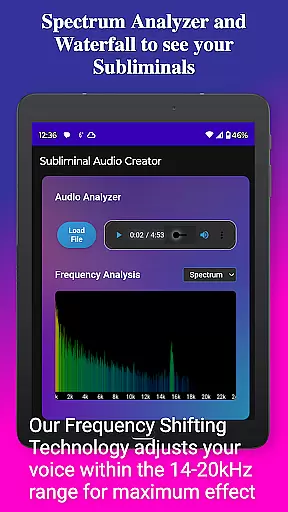
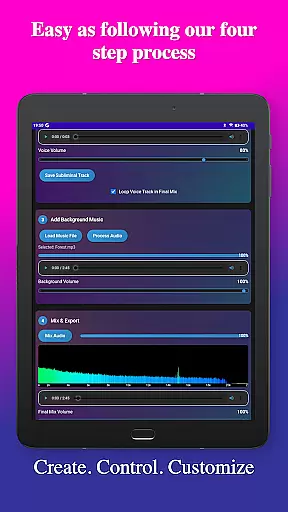
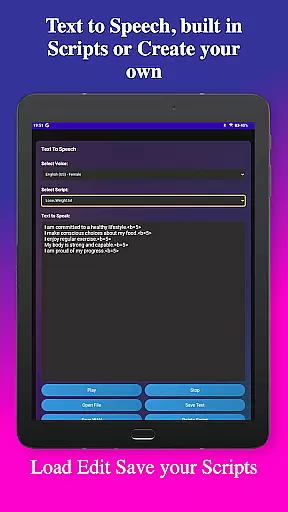
In addition to voice recording, the app offers powerful text-to-speech functionality with multiple voice options and customizable pauses between affirmations. Pre-written scripts are included, but you can also write and save your own. The ability to mix these recordings with background music—either provided or your own—gives you creative control over the final output. Advanced audio analysis tools provide real-time frequency spectrum visualization, helping you verify subliminal frequencies and maintain audio quality.
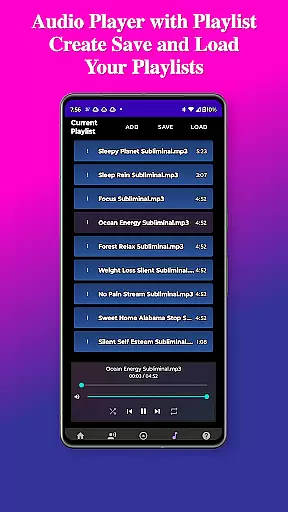
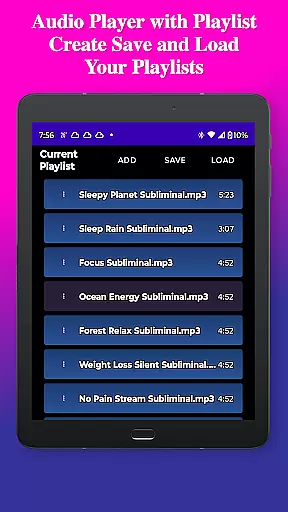
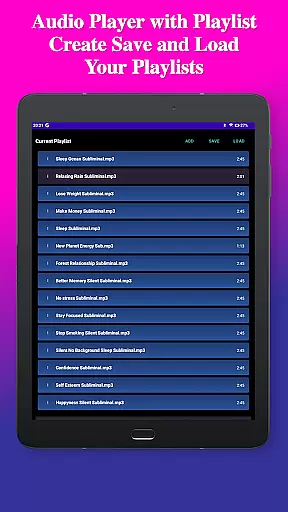
Playback features include a built-in MP3 player with playlist support, Google Cast streaming, and background playback capability. The app's user-friendly interface guides you through each step of the creation process, while file management tools help organize your projects efficiently. With lifetime access and no ads or subscriptions, Subliminal Audio Creator is a one-time purchase that continues to deliver value for personal transformation.
Personalized planning in the realm of subliminal audio creation involves tailoring affirmations and audio tracks to meet individual goals and aspirations. Subliminal Audio Creator excels in this area by allowing users to craft custom messages that resonate with their personal development objectives.
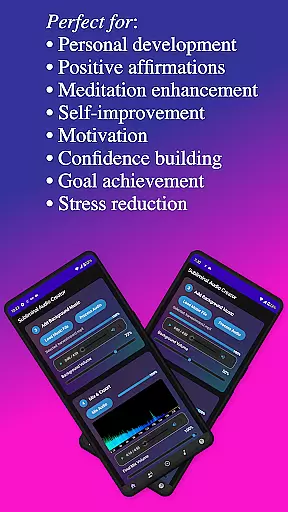
The app provides a comprehensive suite of tools for recording voice affirmations, converting text to speech, and mixing these with background music or ambient sounds. This ensures that each subliminal track is not only personalized but also professionally produced, enhancing its effectiveness.
Users benefit from the ability to adjust subliminal frequencies and volumes, ensuring that the final output aligns perfectly with their desired outcomes. The inclusion of an audio analyzer further empowers users to visualize and verify the frequencies within their mixes, guaranteeing precision in their personalized planning efforts.
Ultimately, the personalized planning capabilities of Subliminal Audio Creator enable users to create high-quality, targeted audio content that supports their journey toward self-improvement, motivation, and personal growth, making it an invaluable tool for anyone seeking transformation through subliminal messaging.
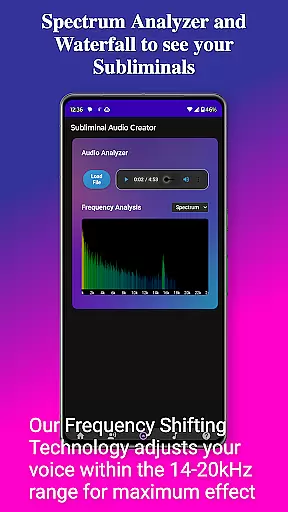
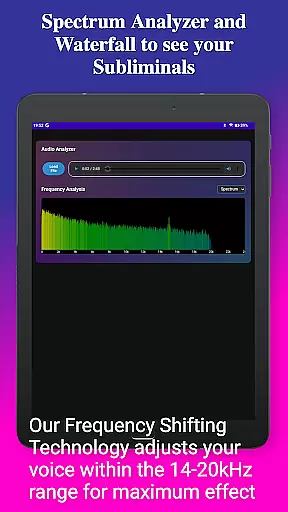
Progress visualization is crucial for tracking the effectiveness of subliminal audio tracks and maintaining user motivation. Subliminal Audio Creator addresses this need by incorporating a real-time frequency spectrum analyzer and waterfall display, which provide detailed visual feedback on the audio being created.
These visualization tools allow users to monitor the subliminal frequencies embedded within their audio tracks, ensuring that the desired frequencies are accurately represented. By verifying the presence and consistency of these frequencies, users can have confidence in the integrity and potential impact of their creations.
In addition to frequency analysis, the app's organized file management system helps users keep track of their progress over time. With dedicated folders for voice recordings, subliminal tracks, and final mixes, users can easily review their previous work and observe their evolution in audio creation.
This combination of advanced audio analysis and structured file organization enhances the overall user experience, providing clear and actionable insights into their progress. As a result, users remain engaged and motivated, knowing they have tangible evidence of their advancements in crafting effective subliminal audio content.
User-friendly interface
Advanced audio controls
Multiple voice options
Real-time audio analysis
No ads or subscriptions
Limited free features
Requires storage permission
Premium price point
Complex for beginners
Specific use case

SportWerks - Workout Tracker for Wear OS Watches
 3.90
3.90
Chair Workout: Women's Edition for safe, flexible, and personalized fitness.
4.40
For Absolute Novices to Strength Training. Simple. Effective.
4.40
Sync your activities of the most popular sports tracking services
2.70
Pack of 66 calming lullabies for smooth fall asleep and relaxation
4.10
A brain game that moves you
4.70
Download MadMuscles to start your positive body transformation!
4.30
Easy to use step counter, calorie counter helps lose weight, count steps offline
4.80
Comprehensively record and manage your health
4.50
a fun app full of surprises :)
4.70
When the night comes, we prepare your eyes for deep, sweet dreams
4.70
You deserve easy access to important insurance information. Download for FREE.
4.70
Effortlessly and naturally release anxiety by harnessing the power of your brain
4.60
The OFFICIAL Couch to 5K® running training app! A 9 week walk-run workout plan.
4.50
Eat smarter with Eato, your personal calorie counter and nutrition tracker!
4.40
Histamine intolerance, low FODMAP diet and irritable bowel syndrome (IBS)
4.00
GloryFit is a companion app for the smart bracelet.
3.60
Measure real-time wrist & ambient temperature with your Galaxy Watch (Wear OS)
3.20
Using Recognise™ has been shown to reduce pain and improve performance
4.1


User Reviews