
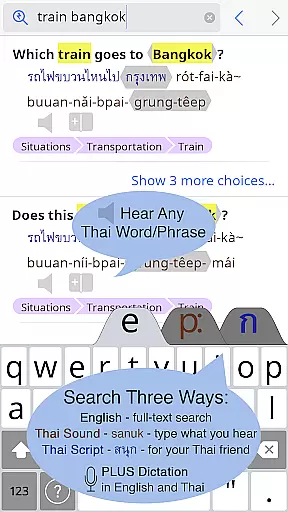
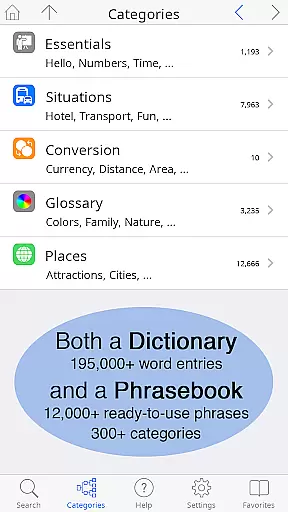
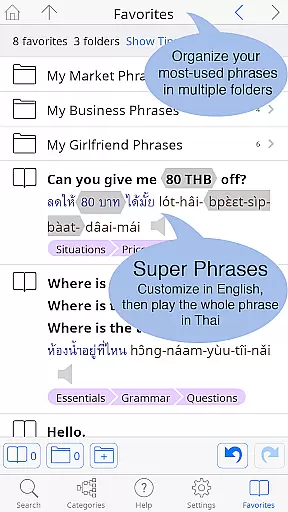
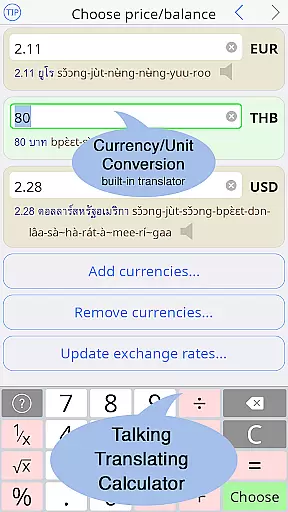
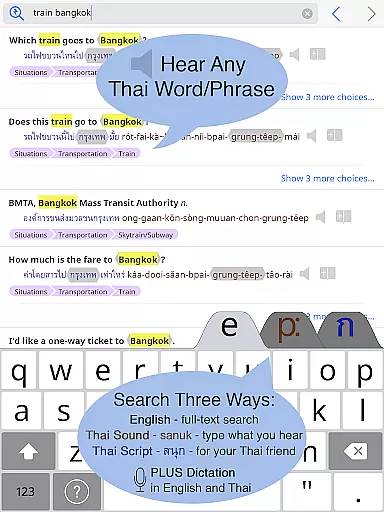
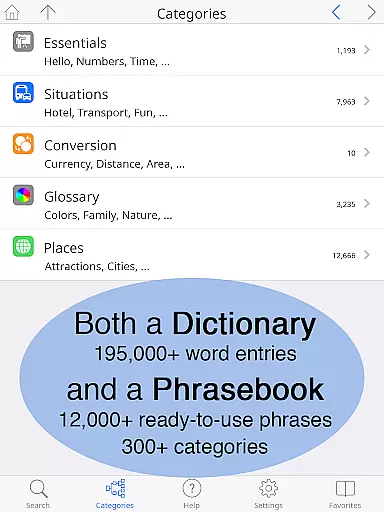
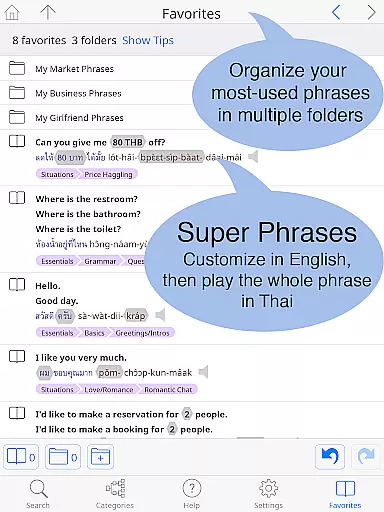
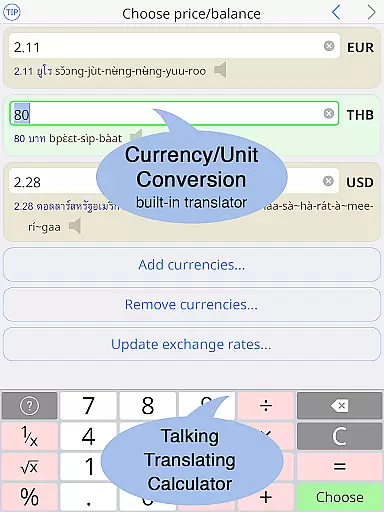
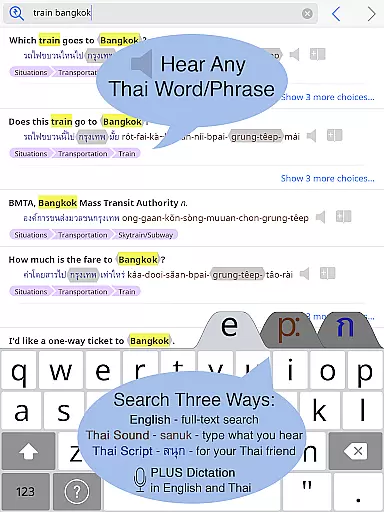
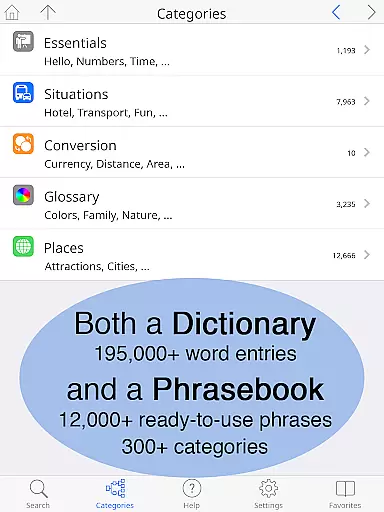
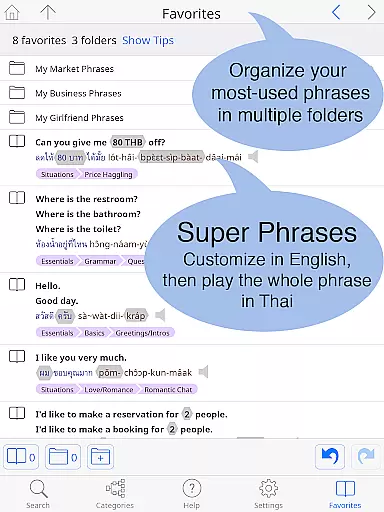
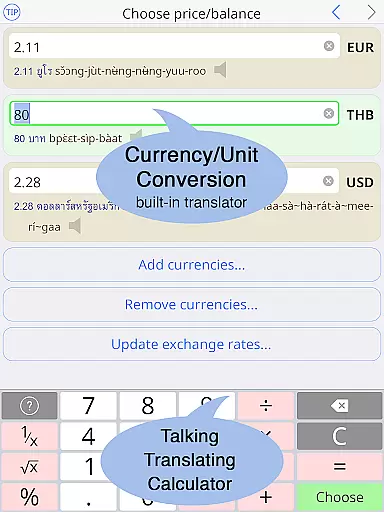
Thai <> English Dictionary is a comprehensive language tool designed for travelers, professionals, and students alike. With over 195,000 entries and 250,000 translations, it offers extensive coverage for both casual and in-depth Thai language needs. The app features a built-in phrasebook with 300+ categories and 12,000+ ready-to-use phrases, all fully searchable. A unique advantage is the clear native sound recordings for every Thai word, even available offline. Users can organize words and phrases into multiple folders using the Favorites feature.
The dictionary supports 12 different pronunciation guide systems alongside Thai script, allowing users to customize text size for comfortable reading. It includes valuable resources such as a guide to speaking and writing Thai, making it an unparalleled tool for language exploration. Whether you're communicating in professional settings or learning Thai systematically, this app provides essential tools without internet dependency.
This dictionary stands out through its meticulously crafted entries specifically designed for non-native Thai learners. Unlike typical dictionaries aimed at native speakers, Paiboon Publishing has hand-crafted each entry with the needs of English speakers in mind. Users unfamiliar with the Thai alphabet can look up words phonetically using any of the 12 supported pronunciation guide systems. Every Thai word is presented in both Thai script and the chosen pronunciation system, ensuring clarity regardless of your proficiency level.
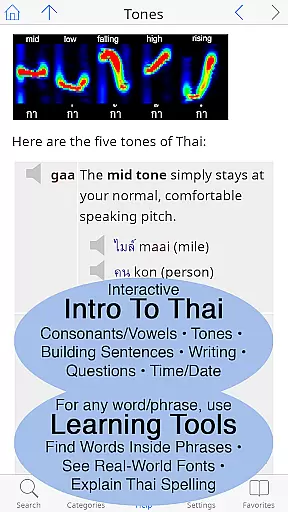
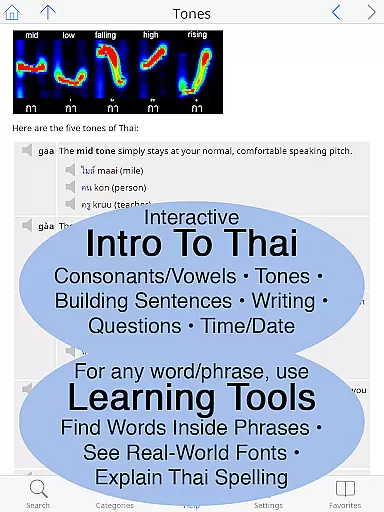
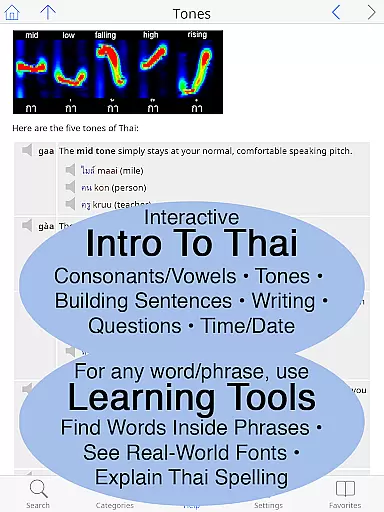
The app's built-in phrasebook spans 300+ practical categories including travel essentials like 'Hotel' and 'Transportation,' as well as more nuanced topics such as 'Love/Romance/Sex.' Each category contains two-way conversational formats that facilitate communication between Thai and English speakers. Additionally, the comprehensive introduction to Thai covers speaking, understanding, reading, and writing with clickable sounds and detailed grammar explanations. Unique learning tools allow users to break down complex words into components, compare syllable pronunciations, and explore detailed visual breakdowns of Thai spelling.
When evaluating a digital dictionary, the comprehensiveness of its library and the authenticity of its content are paramount. The Thai <> English Dictionary boasts an impressive collection of 195,000+ entries, with over 250,000 translations, ensuring that users have access to an extensive lexical database. This vast repository is not just about quantity; it's also about quality. Each entry has been meticulously crafted by Paiboon Publishing, a renowned name in language resources, ensuring authoritative and reliable information.
The app goes beyond mere definitions by providing pronunciation guides in 12 different systems, alongside the original Thai script. Such attention to detail extends to the built-in phrasebook, which contains 300+ categories and 12,000+ ready-to-use phrases, all fully searchable. With these features, users can trust that they're receiving accurate and officially recognized translations, making this dictionary an indispensable tool for anyone serious about mastering the Thai language.
Moreover, the assurance of copyright authenticity means that learners can rely on the integrity of the content. By choosing this dictionary, users are not only gaining access to a large e-book library but are also supporting ethical publishing practices. This commitment to legitimacy enhances the overall value proposition of the Thai <> English Dictionary, setting it apart as a trustworthy resource in the realm of digital language learning tools.
For a digital dictionary to be truly useful, it must offer seamless format compatibility across various devices and usage scenarios. The Thai <> English Dictionary excels in this aspect by providing a versatile user experience that adapts to individual preferences and technological constraints. Whether you're using an Android phone or tablet, the app ensures that Thai and English texts can be displayed as large as needed, eliminating the need for reading glasses and enhancing readability.
This adaptability extends to input methods as well. Users can choose between a standard or big-key Thai keyboard, catering to both beginners who may require larger keys and advanced learners who prefer a traditional layout. Furthermore, the inclusion of multiple pronunciation guide systemsu201412 in totalu2014demonstrates the app's dedication to accommodating diverse learning styles and linguistic backgrounds.
Offline functionality further underscores the app's commitment to accessibility. All entries and sound recordings are stored directly on the device, allowing users to access the dictionary without an internet connection. This feature is particularly beneficial when traveling through areas with limited connectivity, such as taxis or street markets. By prioritizing format compatibility and offline usability, the Thai <> English Dictionary ensures that language learners can effectively utilize its resources regardless of their location or device limitations.
Extensive word database
Offline audio support
User-friendly interface
Customizable text size
Comprehensive language guide
Premium price point
Large app size
Complex for beginners
Limited visual design
No social features

Pretty Moon information App with Complications and Tile
 4.30
4.30
Essential Technical Rescue Field Operations Guide 6, the Industry Standard Guide
4.20
Personalized Chat with Bible
4.80
Zerobooks Light Novel Reader by GOLDENAGATO
4.20
All in one Calibre libraries on your phones and tablets.
3.80
Daily Prayer, personalized Bible Study, AI-guided Insights, and Spiritual Growth
4.80
Read books PDF, EPUB, WORD, KINDLE, MOBI! Your ebook reader among reading apps.
4.80
Liturgy of the Hours and Mass for every day of every year. No Internet needed!
5.00
A highly sophisticated app for all of your mobile reading—any format, any time
4.50
Offline dictionary for learning Cantonese as a second language
4.90
The Original Tropical Freshwater Aquarium Fish And Plant Care Guide
4.80
Daily Devotional Widgets & Hourly Verses. Listen to Bible & Watch Holy Stories
4.70
Crowd-sourced listing of businesses with anti-gun signs, and pro-2a alternatives
4.60
Read aloud texts, audiobooks, PDFs or any eBook with text to speech AI audio
4.60
7 Languages, Google, Wiki, Vocabulary.com, Cambridge & Urban Dictionary!
4.50
Read the Quran in Arabic alongside its translation, with color coded Tajweed.
4.50
Read the romance stories on the go. Take my breath away, The Spoiled Girl
4.30
Shop over 13 million new and used books at up to 80% off list price
4.20
ISAIAH EXPLAINED with Avraham Gileadi Ph.D.
4.00


User Reviews