
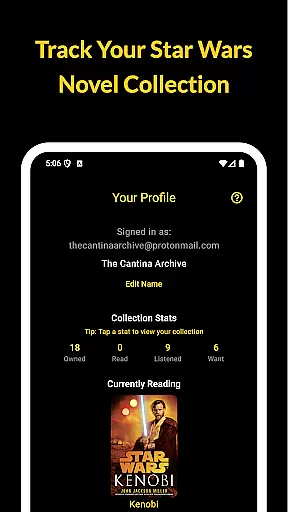
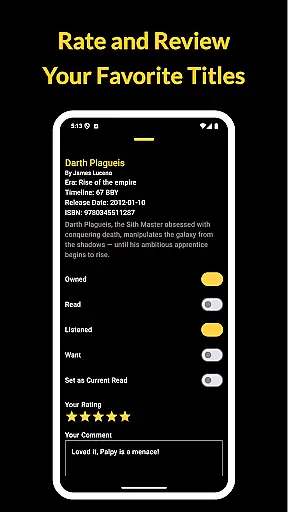
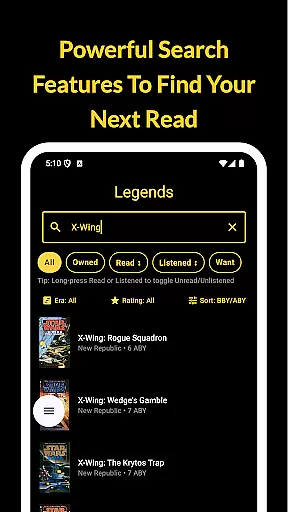
The Cantina Archive is a comprehensive companion app for Star Wars book enthusiasts, designed to help readers organize and explore their collections. This fan-built application allows users to track books across the Canon timeline, Legends Expanded Universe, and new releases, ensuring no story in the galaxy is left behind.
With its intuitive features, users can browse books by era, timeline (BBY/ABY), or release date, making it easy to discover what to read next. Whether you're a long-time collector or new to Star Wars literature, The Cantina Archive provides tools to manage your reading journey effectively while offering a seamless cross-device experience through Firebase synchronization.
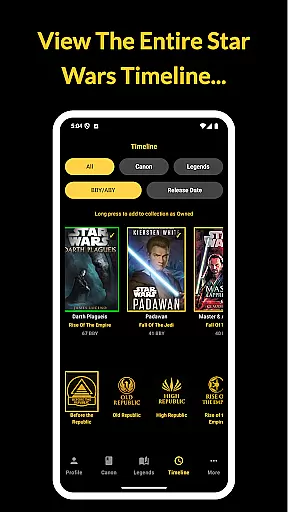
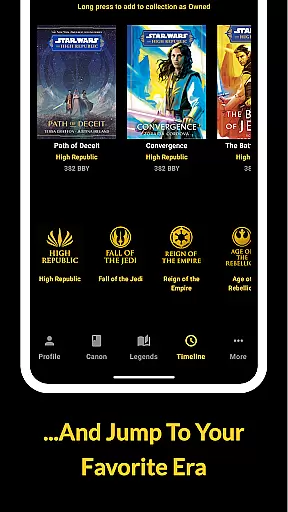
The Cantina Archive offers an array of features tailored for Star Wars book collectors. One standout capability is the Timeline View, which lets users explore books chronologically using BBY/ABY notation or by publication date, providing context within the Star Wars universe.
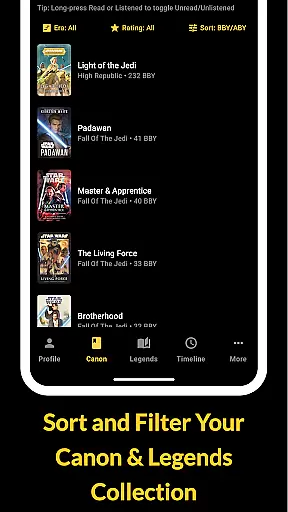
Additionally, the app includes robust search functionality, enabling users to find titles by name, author, or ISBN. Readers can also mark books as Owned, Read, Listened, or Want to Read, creating a personalized catalog. Integration with Firebase ensures secure syncing across devices, allowing uninterrupted access to your collection anytime, anywhere.
The Cantina Archive offers an extensive collection of Star Wars books, ranging from the Canon timeline to the Legends Expanded Universe. This fan-built app meticulously catalogs titles, ensuring users have access to a vast galaxy of stories.
Each book is verified for copyright authenticity, providing peace of mind for readers who want to explore official content. The app's dedication to accuracy ensures that every entry corresponds to a legitimate publication, preserving the integrity of the Star Wars literary universe.
By organizing books into eras and timelines (BBY/ABY), the app makes it easy to navigate through different periods of the Star Wars saga. This structured approach enhances the user experience, allowing fans to fully immerse themselves in their favorite stories.
The Cantina Archive excels in format compatibility, supporting various ways to manage and explore your Star Wars book collection. Whether you prefer physical copies, e-books, or audiobooks, this app accommodates all formats seamlessly.
Users can search for books by title, author, or ISBN, making it simple to add any format to their collection. The app's flexibility extends to tracking options, where readers can mark books as Owned, Read, Listened, or Want to Read.
With features like Currently Reading and reading progress tracking, The Cantina Archive ensures that no matter what format you choose, your reading journey remains organized and up-to-date across all devices through Firebase synchronization.
User-friendly interface
Comprehensive timeline view
Syncs across devices
No ads or tracking
Regular updates
Limited to Star Wars
Requires manual entry
Few social features
Occasional bugs
Small user base

The Original Tropical Freshwater Aquarium Fish And Plant Care Guide
 4.80
4.80
Novels, audiobooks, ebooks & fanfiction. Read anytime, anywhere!
3.40
Cute bedtime story for kids
4.30
The Psalms for singing
4.1
Prime novels await! Fantasy & Romance on JoyRead. Immersive reads!
4.20
Unlock unlimited access to bestselling ebooks, novels, stories, and audiobooks
4.60
The Apostolic Lutheran Church hymnal
4.2
Follow complex state CCW permit laws and lawfully carry firearms in each state.
4.80
ARC Raiders Companion: Map, Quests, ARC/Item Info. Track everything instantly!
4.00
Offline dictionary for learning Cantonese as a second language
4.90
Enjoy daily devotionals, Bible verses, audio courses, and more.
4.80
A lightweight reader for comics and mangas files (.cbr, .cbz, .cbt, .pdf, ...)
4.80
Discover Stars and Planets: Live Map Shows Current Constellations in Full Detail
4.70
The Original & Authentic Crystals, Gemstones, Rocks & Minerals Encyclopedia.
4.60
Full text, sheet music, and recordings of the print edition
4.60
Bilingual dictionary with English translations of Modern Standard Arabic words.
4.30
Read the romance stories on the go. Take my breath away, The Spoiled Girl
4.30
A wonderful reader for good time spend.
4.20
A guide for the Court of Atonement spiritual healing process.
4.0


User Reviews