

Palia Notebook is a comprehensive offline companion app designed for players of the video game Palia. This ad-free tool helps users efficiently manage their daily interactions with in-game villagers, including chatting, gifting, and tracking schedules and locations. With features like inventory management, task creation, and achievement tracking, it ensures that players can optimize their gameplay experience.
One standout feature is the ability to track villager interactions, such as chats and gifts, while automatically updating these statuses based on the game's internal clock. Additionally, the app allows users to search for items, filter by villager preferences, and even calculate the best ways to process and sell items for maximum profit. Whether you're managing tasks, monitoring villager relationships, or planning your next in-game activity, Palia Notebook provides all the necessary tools to enhance your gaming efficiency.
This app is particularly useful for players who want to streamline their Palia experience without constantly navigating through multiple in-game menus. By offering detailed insights into villager schedules, item processing values, and real-time game time tracking, Palia Notebook proves to be an invaluable resource for both casual and dedicated gamers looking to maximize productivity within the game.
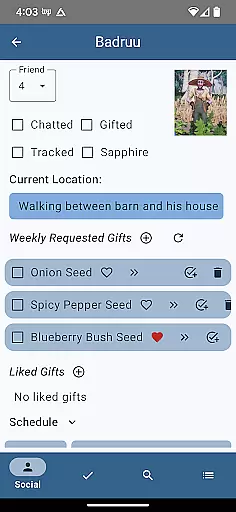
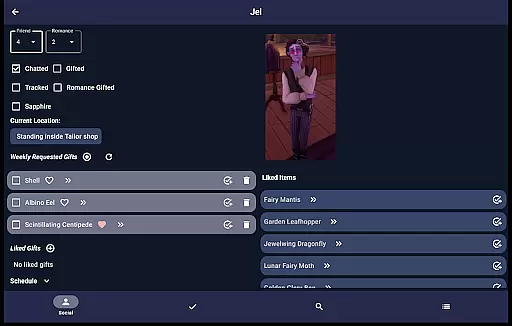
Palia Notebook offers a robust set of features tailored to enhance the Palia gaming experience. The Villager screen allows users to monitor chat and gift interactions, view schedules, discover current locations, and look up likes, ensuring that players maintain strong relationships with in-game characters. These statuses are automatically updated according to the game's internal clock, providing real-time accuracy.
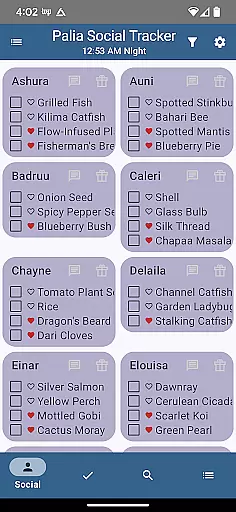
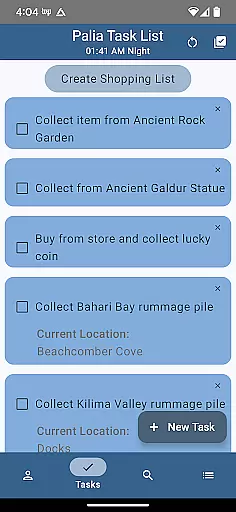
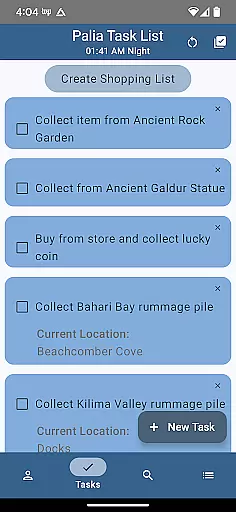
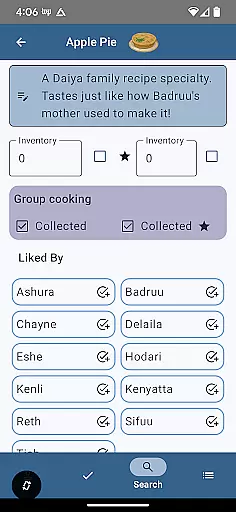
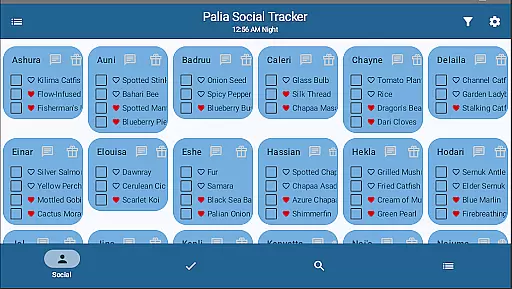
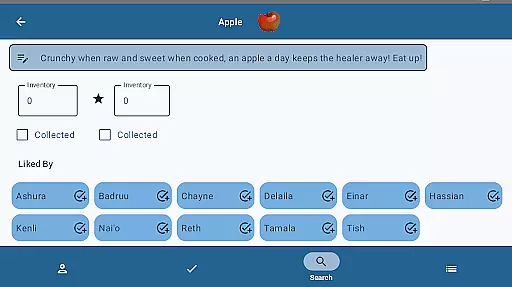
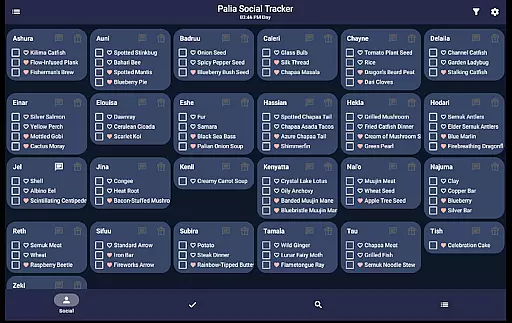
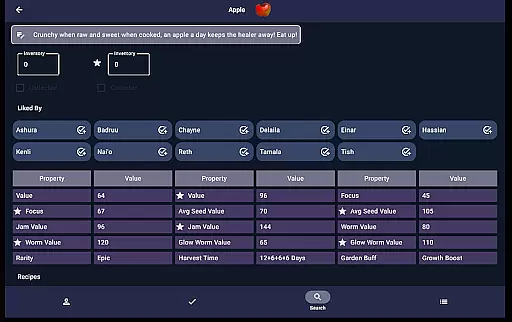
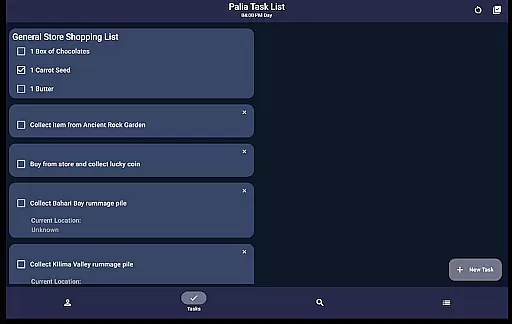
The Social Tracker screen provides a comprehensive overview of all villagers, enabling users to see which ones have been interacted with and filter out completed interactions. Additionally, the Task Edit screen lets players create and manage tasks, specify required items, and link other tasks as prerequisites, streamlining complex in-game activities. The Items screen further enhances this by allowing users to check off collected items, input inventory counts, and view villager preferences, along with displaying processing values for seeds, preserves, and worms.
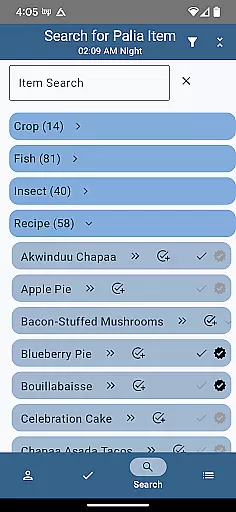
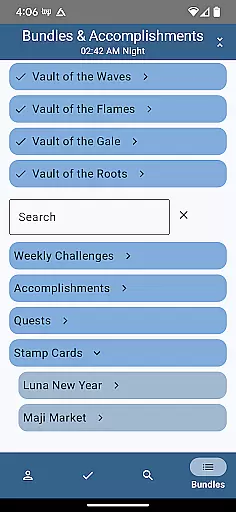
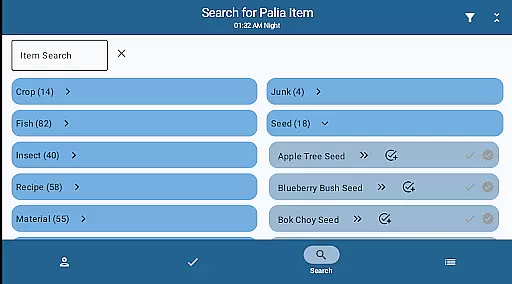
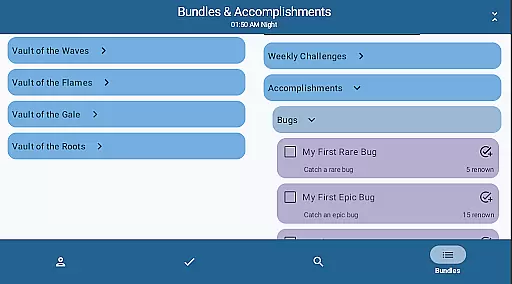
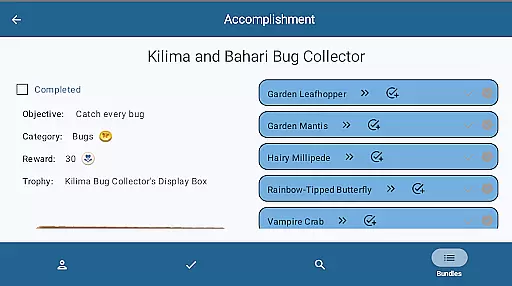
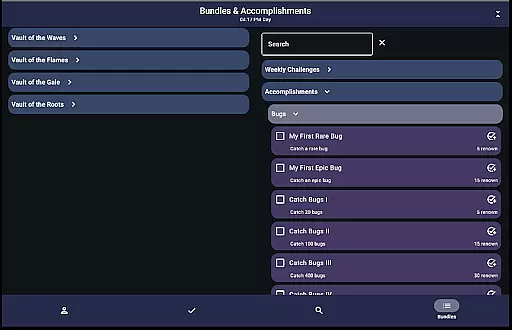
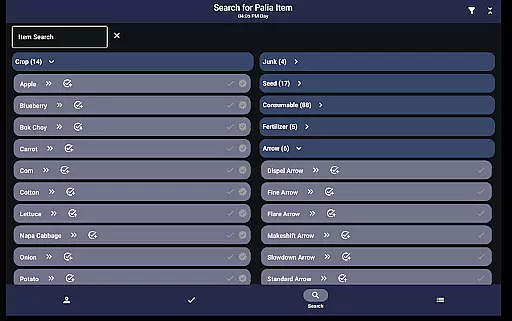
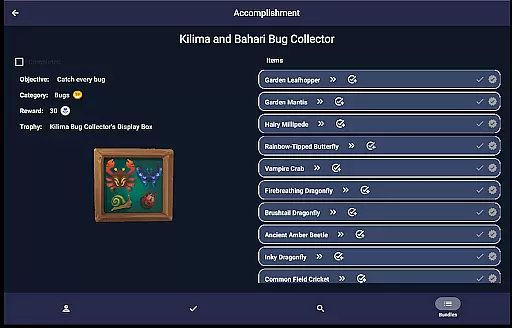
Finally, the Search screen enables users to browse and filter items by category, location, biome, and time, making it easier to find specific resources. With additional functionalities like bundle and accomplishment tracking, Palia Notebook ensures that players can efficiently manage every aspect of their gameplay, from simple daily tasks to long-term goals, all while remaining offline and ad-free.
Palia Notebook is designed to enhance your gaming experience by providing accurate and effective tools for managing various in-game activities. The app meticulously tracks villager interactions, including chats, gifts, schedules, and locations, ensuring that every detail aligns with the Palia game's real-time updates.
One of the standout features is the ability to manage inventory and create tasks offline. This functionality allows players to organize their items, track achievements, and monitor processes such as preserves, seeds, and worms without needing constant online access. Such precision ensures that users can optimize their gameplay strategy efficiently.
The app also excels in its item management system. Players can check off collected items, input current inventory levels, and identify villager preferences. Detailed item properties and processing values are displayed, empowering users to make informed decisions about item utilization and sales for maximum profit.
The user interface of Palia Notebook is crafted to offer a seamless and intuitive experience. Each screen is dedicated to specific functionalities, making navigation straightforward and efficient. For instance, the Villager screen consolidates all essential information about each villager, from chat statuses to gift preferences, allowing users to manage relationships effortlessly.
In the Social Tracker screen, players can view all villagers at once, filtering those they've already interacted with or searching for specific items requested by villagers. This organized presentation simplifies social management within the game, saving time and enhancing strategic planning.
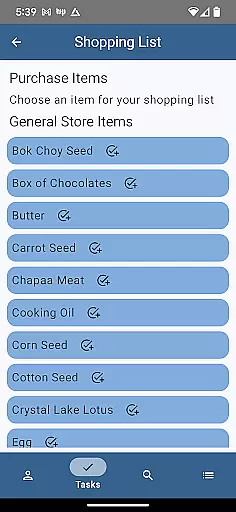
Task creation and editing are equally intuitive, thanks to the Task Edit screen. Here, users can specify task requirements, link multiple tasks, and assign gifts to villagers. Such clarity and ease of use ensure that even new players can quickly adapt to and benefit from the app's comprehensive tracking capabilities.
User-friendly interface
Comprehensive villager tracking
Offline functionality
Ad-free experience
Real-time updates
Limited to Palia game
No iOS version available
Requires manual input
Occasional bugs reported
Not officially endorsed

 4.10
4.10
Easily install aab(Android App Bundle) files on your Android device with our app
4.80
Complete kernel toolbox with features to manage and tweak your rooted device
4.30
Use your phone as a webcam on your computer over WiFi or USB.
4.40
Clean the junk files on your device
3.40
Family Locator, Share location, StayConnect with your family in real time
3.90
An easy-to-use calculator designed to save time calculating and bending conduit
4.30
Best leveling tool for your Android device. Hang paintings like a pro.
4.90
A non-root local ADB shell client. READ BELOW!
3.40
Remote Play with FSR upscaling, low latency & full controller support
4.80
Unit and currency converter with easy and simple UI.
4.80
NFC Tools can read and write NFC tags.
4.70
Planner and Tracker for Stardew Valley
4.60
With videos, electrical calculators, and built-in ebook, Ugly’s has your answer.
4.50
Screen Mirroring for Roku Sticks, Roku TCL TV and Roku Hisense TV
4.50
Button mapper, mouse toggle, sleep timer and a lot of another features
4.50
Effortlessly run ADB commands directly on your device without a PC.
4.20
Smart and comfortable browsing experience.
3.80
This app unlocks the Pro features of the Central for DayZ app
3.60


User Reviews