

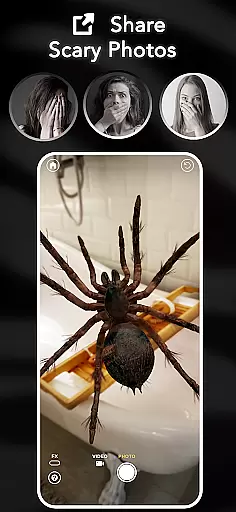



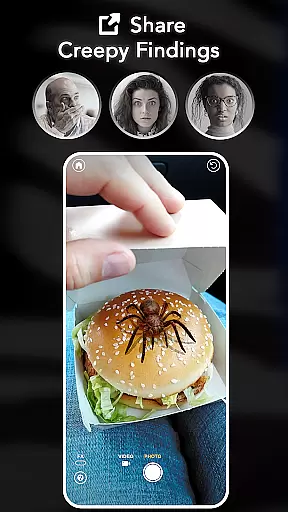
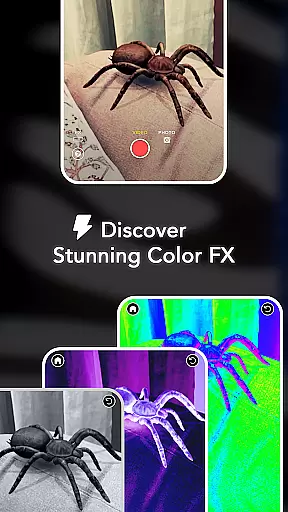
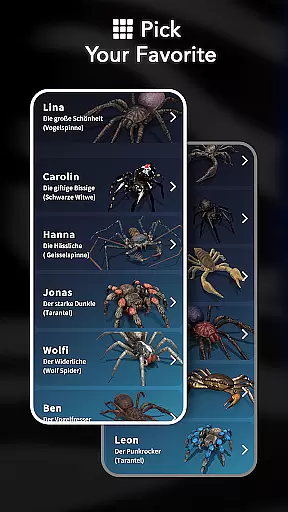

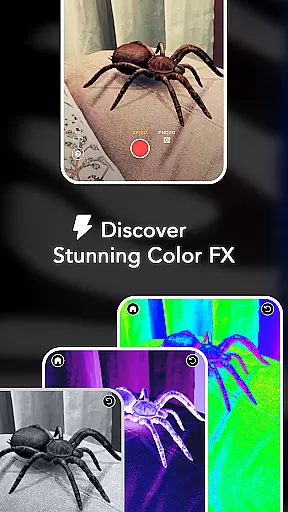
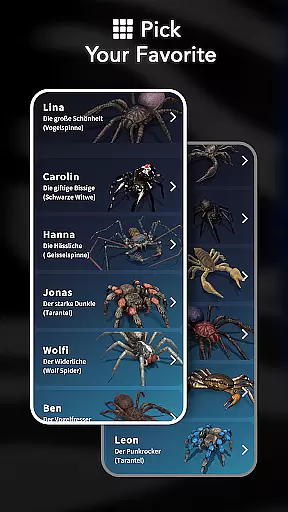
ARSpiders.com is an innovative entertainment app that brings realistic 3D spiders and other creepy-crawlies to life through augmented reality (AR). The app allows users to place ultra-realistic spiders, tarantulas, or scorpions on various surfaces such as walls, floors, tables, or even faces. With interactive gameplay features, users can control these creatures to simulate attacks, creating a shocking prank effect. The app also includes cinematic camera effects like Color Correction, Vignette, and Film Grain, enhancing the horror experience.
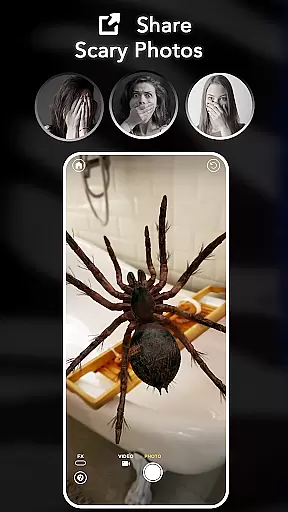
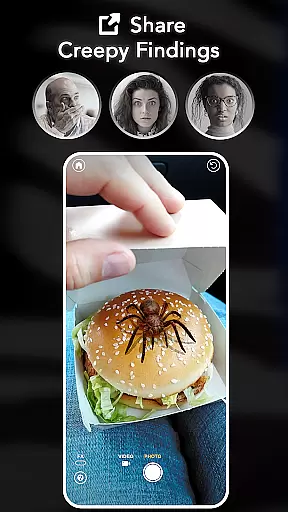
One of the standout features of ARSpiders.com is its ability to capture and share scary photos and prank videos. This makes it perfect for social media enthusiasts who love to surprise their friends with realistic horror effects. Additionally, the app offers a Spider Selfie Mode, which requires a device with TrueDepth API support, allowing users to create ultra-realistic spider selfies. Whether you're looking to prank your friends, test your courage, or overcome arachnophobia, ARSpiders.com provides a high-quality AR experience that is both fun and immersive.
ARSpiders.com boasts a variety of impressive features designed to enhance user experience. One of the key highlights is the ability to place spiders and other creatures via AR technology. This feature uses advanced AR algorithms to ensure that the 3D models are highly realistic and interact seamlessly with real-world environments. Users can place these creatures on any surface and watch them crawl around in real-time, creating a truly immersive experience.
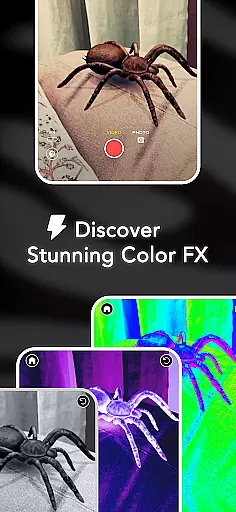
In addition to placing creatures, the app offers interactive gameplay where users can control the movement and actions of the spiders. This includes making them 'attack' or move in specific patterns, adding an element of surprise and shock value to pranks. The Capture and Share feature allows users to record and save their pranks as photos or videos, which can be easily shared on social media platforms. Furthermore, the app includes Camera FX options such as Color Correction, Vignette, and Film Grain, enabling users to add professional-grade cinematic effects to their content. These features collectively make ARSpiders.com a versatile tool for entertainment and creativity.
In the realm of digital entertainment, content diversity and regular updates are crucial for maintaining user interest. ARSpiders.com excels in this area by offering a range of ultra-realistic 3D spiders, tarantulas, and scorpions that users can place in their environment through augmented reality. This not only provides a novel experience but also ensures that users have multiple options to explore, keeping the content fresh and engaging.
Moreover, the app promises more creatures in future updates, inviting users to vote and provide feedback. This interactive approach to content development ensures that the app evolves according to user preferences, thereby sustaining interest over time. The ability to capture and share scary photos and prank videos further enriches the content offering, allowing users to create unique and personalized experiences.
The inclusion of cinematic effects such as Color Correction, Vignette, and Film Grain adds another layer of variety, enabling users to enhance their creations with professional-looking touches. These features collectively contribute to an entertainment app that is not only diverse in its offerings but also committed to continuous improvement and user engagement.
User engagement and retention are key metrics for the success of any entertainment application. ARSpiders.com addresses these aspects by providing an immersive and interactive experience that encourages prolonged use. The app's realistic 3D effects, powered by advanced AR technology, captivate users' attention and invite them to spend more time exploring different scenarios and pranking their friends.
Additionally, the app's offline mode ensures that users can enjoy its features without interruption, regardless of internet connectivity. This accessibility enhances user satisfaction and contributes to longer session durations. The Spider Selfie Mode, which requires a device with TrueDepth API support, offers a unique feature for social media enthusiasts, further promoting regular use and sharing.
By eliminating ads and in-app purchases, ARSpiders.com creates a seamless and enjoyable user experience that fosters loyalty and repeat usage. Users are more likely to return to an app that respects their time and offers a complete experience from the outset, making ARSpiders.com a compelling choice for those seeking engaging and sustained entertainment.
User-friendly interface
Highly realistic 3D effects
No ads or in-app purchases
Offline functionality
Interactive gameplay
Requires TrueDepth API for selfies
May not suit arachnophobes
Limited to supported devices
Occasional performance issues
Not suitable for children

* Multiple Matches * Intuitive UI * Scoring Made Easy!
 4.40
4.40
Air Horn - Siren Sounds Prank, Fun way to wake up your Friends and Family
4.4
The OFFICIAL PeeWee Purpdrank Soundboard!
4.80
Stream Movies & TV Series: Original Shows, Family Movies & New Releases Weekly
4.60
Series,Películas y Telenovelas
4.50
Fetch money rewards all just for playing games. Cash out for gift cards in app.
4.50
Daily immersive workout plan: Body warm up & finger yoga exercises
3.80
Everything FOX in one place. Watch FOX News, NFL, MLB, TV shows and more.
4.50
World's largest dedicated anime collection
4.70
Stream Live TV, News & Documentaries. Watch Full Seasons with PBS Passport.
4.80
Underrated short-drama gems that hit hard and keep your heart hooked.
4.50
Chat with AI characters! Anime, games, roleplay & more.
4.50
Rain and lightning effects for your Philips Hue lights
4.30
Catch the latest episodes of The Voice or live stream NFL games with The NBC App
4.20
Exclusive Short Drama Video! All in HD. Bringe trending reels & enjoy drama time
3.80
Binaural Brainwave Doses for Every Imaginable Mood
3.60
Explore the unknown!
3.00
Christmas Globe: Transform your Wear OS device into a festive timekeeper!
4.4
The classic game of rock, paper, scissors
4.5


User Reviews