
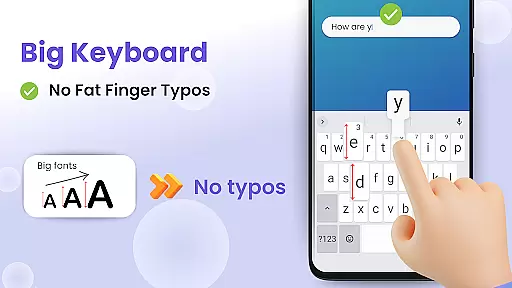
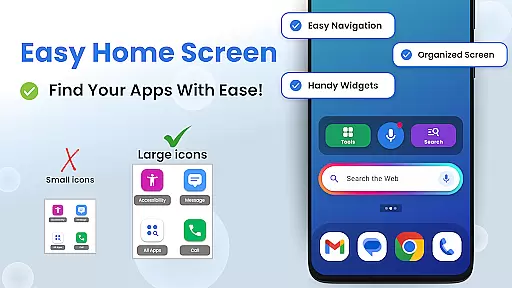
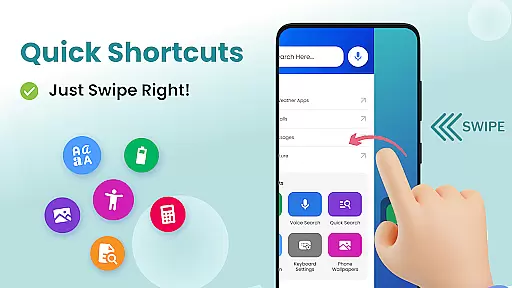

Big Keyboard: Easy Homescreen is a personalization app designed to simplify and enhance your smartphone experience. The app features an intuitive home screen layout with quick-swipe shortcuts, making it easy to access your favorite functions. Its standout feature is the enlarged keyboard, which can be up to 70% larger than standard keyboards, significantly reducing typos and improving typing efficiency.
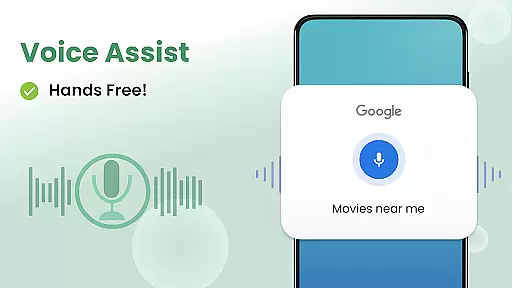
In addition to its practical functionality, the app also offers helpful tools like a magnifier for reading small text, voice assistant capabilities for hands-free operation, and customizable wallpapers to personalize your device. These features make it especially suitable for users who struggle with small buttons or need visual assistance when navigating their phones. Whether you're looking to improve accessibility or simply want a more user-friendly interface, Big Keyboard provides a comprehensive solution that makes daily phone usage easier and more enjoyable.
Big Keyboard: Easy Homescreen stands out with its innovative features tailored to improve accessibility and usability. The app's redesigned home screen offers an intuitive layout with swipe shortcuts, streamlining access to frequently used apps and tools. One of its most notable features is the big keyboard, which eliminates the frustration of tiny keys by allowing users to customize its size up to 70% larger than default keyboards. This ensures comfortable typing without compromising accuracy.
Beyond the keyboard, the app includes practical utilities such as a magnifier tool and flashlight, perfect for reading menus in low-light environments. It also integrates a voice assistant powered by Yahoo for hands-free searches, along with suggested queries to speed up information retrieval. Additional tools like a calculator and customizable wallpapers further enhance the overall experience. By combining accessibility-focused design with fun personalization options, Big Keyboard caters to both functional needs and aesthetic preferences, ensuring a well-rounded user experience.
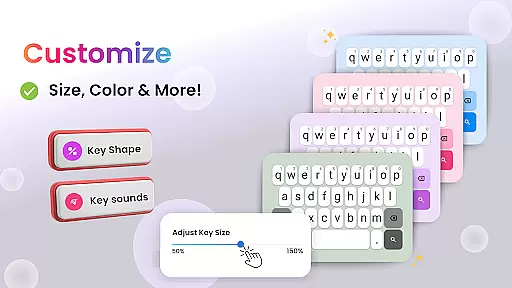
Customization is at the heart of personalizing your smartphone experience, and Big Keyboard offers a range of options to make your device truly yours. With features like an intuitive home screen layout, quick-swipe shortcuts, and a magnifier tool, this app ensures that users can tailor their phone's functionality to suit their lifestyle.
The app provides a significantly larger keyboard, customizable up to 70% more than the standard size, allowing for comfortable typing without the fear of typos. This level of customization extends to the visual aesthetics as well, with built-in free wallpaper options that let you personalize your phoneu2019s background according to your taste.
Moreover, accessibility settings are easily accessible, ensuring that users can adjust display settings to their comfort, making their phone not only personalized but also a reflection of their unique preferences and needs.
Theme compatibility is crucial for users who wish to maintain a consistent look and feel across their deviceu2019s interface. Big Keyboard understands this need and offers seamless integration with various themes, enhancing the overall user experience. The app's design supports a visually cohesive environment that aligns with user-selected themes, ensuring smooth transitions between different sections of the phone.
In addition to supporting theme changes, Big Keyboard includes fun wallpapers and easy access to display settings, which means that aesthetic updates do not disrupt the core functionalities provided by the app. Users can enjoy a personalized experience while retaining the utility of helpful tools such as voice assistants and magnifiers.
By focusing on compatibility, Big Keyboard guarantees that whether you're searching the web or reading small text, the transition between customized themes remains fluid and intuitive, providing both form and function in one package.
Intuitive design
Customizable keyboard size
Voice assistant integration
Magnifier and flashlight tools
Free customizable wallpapers
Limited advanced features
Potential performance issues
Fewer customization options
Occasional ads
Basic UI elements

Classic analogue watch face. For wear os devices.
 4.60
4.60
Only for Wear OS devices!
4.90
Beautiful realistic hybrid watch face with numerous customization options.
4.50
A retro cartoon style watch face and a punch right in the face of the copyright
4.60
Winter's Journey: digital watch face for Galaxy Watch & Wear OS
4.80
⭐ OneUI inspired Fluffy Icon Pack – Soft. Stylish. Standout. ⭐
4.0
Choose your keyboard with RGB colors effect, themes, fonts, emojis.
4.60
Your go to Weather App & Home Screen. Get your weather at a swipe of a finger!
3.80
400+ Beautifully crafted widgets inspired by NOTHING.
4.70
Wallpaper HD 4K Live - Thousands of high-quality Anime backgrounds for you.
4.80
Customizable Glass widgets. Over 360+ stunning widgets and more!
4.70
A Colorful and Minimal icon pack in an Outline Style - Over 13,600 icons!
4.70
300+ Stunning and well-designed widgets inspired by NOTHING.
4.70
Stunningly Different look with Line Icons and Neon Colors
4.60
Vibrant Adaptive Icons with Material You and Enhanced Monet Colors.
4.50
200+ Material Inspired Widgets
4.50
The definitive Icon pack maker and editor
4.30
Run multiple accounts of the same app on a single device
4.10
Capture moments that pass like a storm, second by second.
4.0


User Reviews