
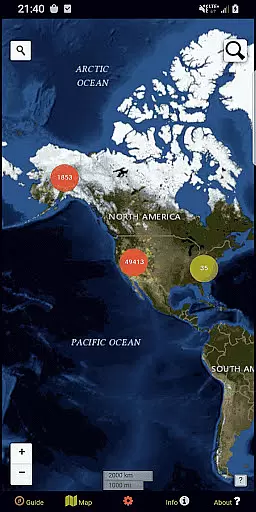
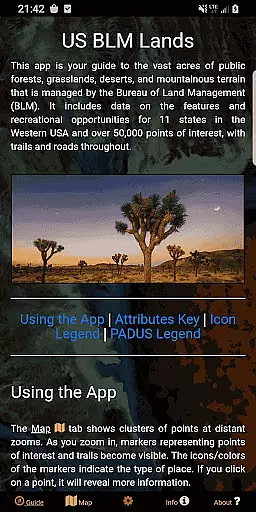
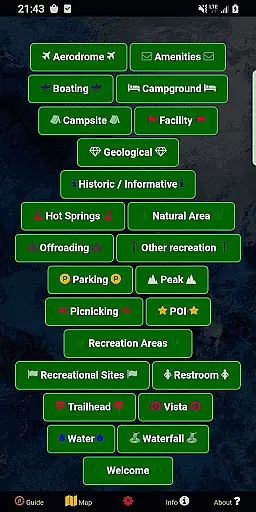
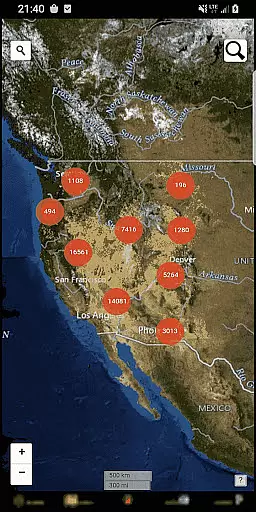
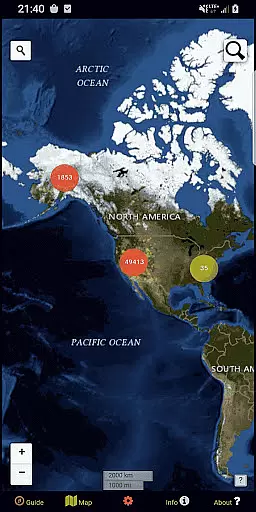
BLM Public Lands Map Guide USA is a comprehensive navigation tool designed specifically for exploring public Bureau of Land Management (BLM) properties across the Western United States. This app provides access to over 52,000 recreational points and features, categorized into distinct types such as campgrounds, hiking trails, boating areas, and more. Each point is represented by color-coded icons that make it easy to identify and navigate various terrains and landmarks.
One of the standout features of this app is its ability to function offline, allowing users to download basemaps and imagery for use in remote areas without internet connectivity. Whether you're an experienced outdoor enthusiast or a casual explorer, BLM Public Lands Map Guide USA offers valuable tools like geolocation services, custom point creation, and detailed property boundary information. These features collectively enhance your ability to discover hidden gems within America's public lands while ensuring you stay informed about your surroundings.
The app caters to a wide range of users, from adventurers planning multi-day treks to locals seeking nearby recreational spots. By providing up-to-date data and intuitive mapping functionalities, BLM Public Lands Map Guide USA empowers users to fully experience the natural beauty and cultural richness of U.S. public lands. Its user-friendly interface and wealth of resources make it an essential companion for anyone looking to explore the great outdoors with confidence and ease.
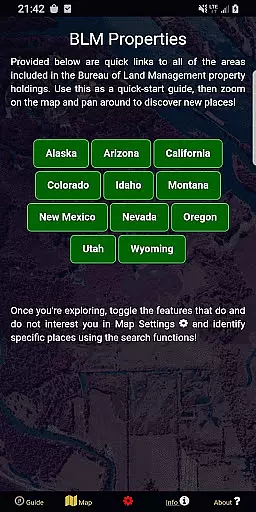
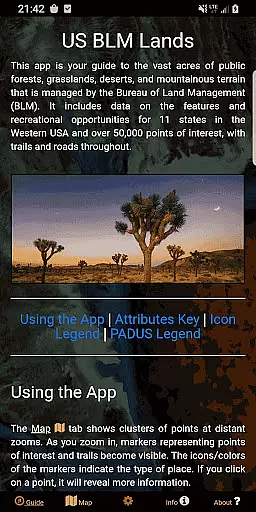
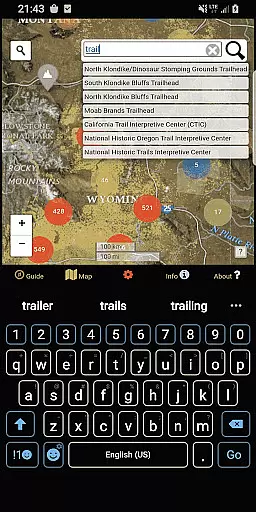
BLM Public Lands Map Guide USA boasts an array of advanced features tailored to enhance outdoor exploration. Among its most notable capabilities is the inclusion of five distinct screens, each serving a unique purpose. The Guide screen offers legends and tips to optimize navigation, while the Info screen provides spatial links to different BLM properties, enabling quick location searches. Additionally, the About screen highlights open-source resources and developer information, fostering transparency and trust.
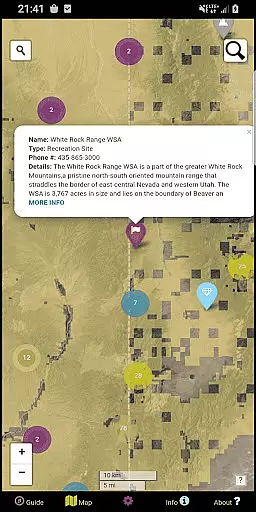
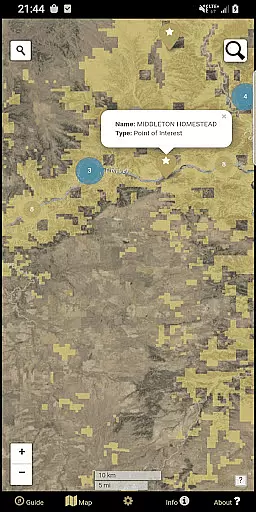
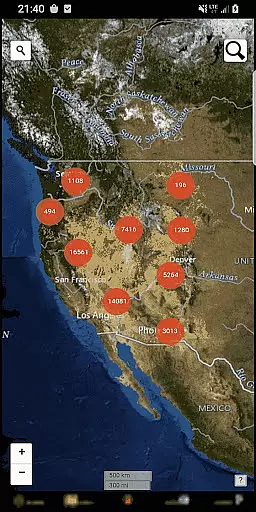
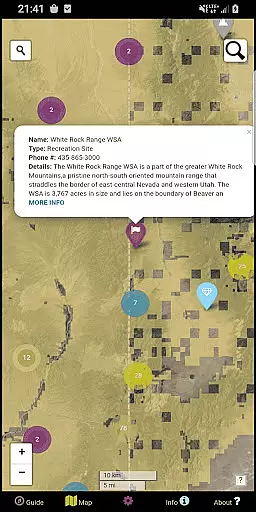
The Map Settings screen allows users to customize their experience by switching between four basemap options, downloading offline imagery, enabling geolocation, and toggling specific point categories. These settings ensure that users can tailor the map view to suit their preferences and needs. Meanwhile, the Map screen serves as the central hub where all elements converge. Here, users can interact with clustered points, zoom into individual locations, and access detailed information about trails, roads, and boundaries.
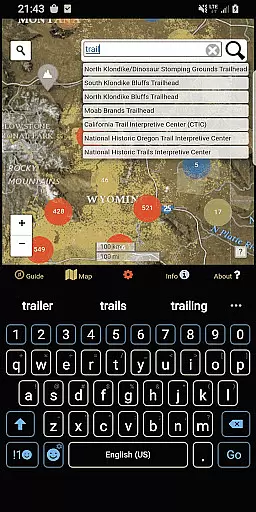
A key innovation in the latest update is the My Points tool, which lets users create personalized points with unique colors and icons. This feature not only enhances personalization but also supports exporting these custom points for external use. Combined with two search tools—one for addresses and towns, and another for querying database feature names—this app delivers unparalleled flexibility and precision in navigating public lands. Such robust functionality makes BLM Public Lands Map Guide USA a standout choice for modern explorers.
Map accuracy is essential for any navigation app, and BLM Public Lands Map Guide USA excels in this area. The app provides up-to-date data as of Summer 2024, featuring over 52,000 recreational points on Bureau of Land Management property.
These points are meticulously categorized with color-coded icons, representing various features such as Access Points, Campgrounds, and Vistas. This detailed representation ensures users can easily identify and locate points of interest.
Users benefit from the app's precise mapping, which includes property boundaries, hiking trails, and roads. Such comprehensive coverage allows for accurate trip planning and exploration of the vast landscapes within the Western US.
The value of this accuracy is evident when users zoom into the map to discover individual points and their associated information, making every outdoor adventure more accessible and enjoyable.
Route planning is a critical feature for adventurers using BLM Public Lands Map Guide USA. With access to four different basemaps and offline imagery download options, users can customize their route planning experience according to their needs.
The app's Info screen offers spatial links to different BLM properties, enabling quick location of specific places and discovery of new areas to explore. This functionality streamlines the process of organizing trips to public lands.
Additionally, geolocation services and category toggles allow users to tailor their navigation experience further. These tools ensure that whether you're looking for campgrounds or vistas, your route aligns with your interests.
By integrating these advanced route planning capabilities, the app empowers users to navigate public lands confidently, enhancing both safety and enjoyment during their travels across the United States.
User-friendly interface
Offline map support
Custom point creation
Comprehensive data sets
Regular updates
Limited to BLM lands
No live tracking
Occasional bugs
Heavy on storage
Complex for beginners

Find AI powered cameras, ALPRs, and other surveillance infrastructure near you
 4.70
4.70
Explore a light pollution map to find suitable dark sky locations for observing.
4.30
Play in the outdoors with Android as your Handheld GPS and offline topo maps!
3.50
Find EV & Tesla charging stations with PlugShare
4.70
Maps, Driving Directions & GPS navigation using directions app & GPS App
4.30
Get route map navigation with 3D satellite view, and live earth camera streaming
3.70
Explore Live Earth Map with 3D World Map & locate cites, mountains real time.
3.80
Explore offline maps with radar, satellite view, and real-time alerts.
3.60
Use GPS Maps and GPS Voice Navigation to find your way and get directions
4.10
Navigate MTA, NJ Transit, MBTA, SEPTA, BART, MARTA, CTA & 900+ cities
4.60
Parcel map, property lines, owner, acres, land use, zoning and more from Regrid.
4.60
CamSam PLUS - The speed and red light camera warning system!
4.40
"Balad" is a map and navigator with a Persian voice assistant and a complete city guide
4.40
ParkWhiz, an Arrive Mobility brand, part of the Arrive Network
4.30
Find routes fast with GPS Maps, GPS Navigation & driving directions.
4.10
Avoid delays. Get real-time GPS navigation, safety alerts and live traffic.
4.10
Start your next adventure confidently using our Accurate Compass App
3.70
Gas Station & Fuel Rewards Points
3.70
Compass is an accurate compass and a great tool for any outdoor activities
4.0


User Reviews