

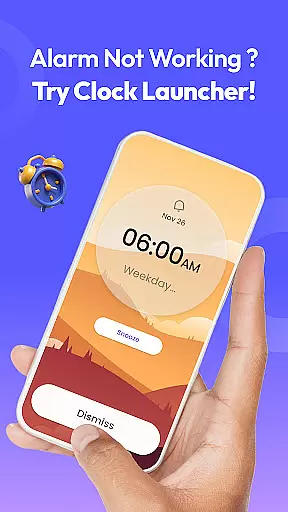
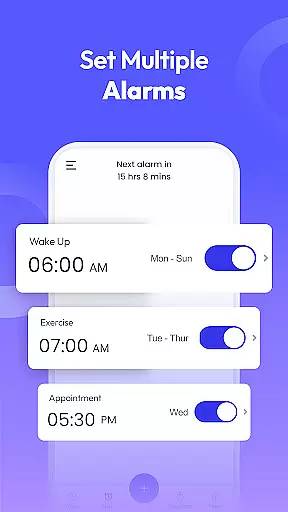
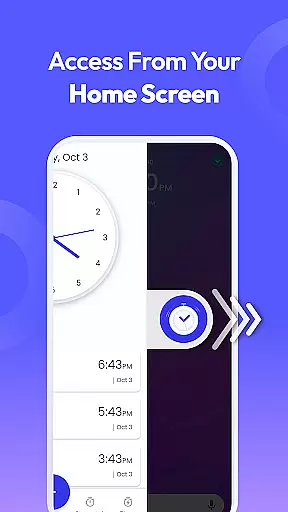
Clock Launcher is a productivity-focused app that combines an alarm clock with essential time management tools, all accessible through a user-friendly launcher interface. The app allows users to effortlessly manage their schedules by setting alarms, reminders, timers, and accessing world clocks for different cities. Its intuitive design ensures quick access to these features with a simple swipe from the home screen.
One of the standout features of Clock Launcher is its ability to integrate seamlessly into the user's daily routine. With customizable widgets, users can view the time, weather, and other important information directly on their home screen. Additionally, the app offers personalized wallpapers and shortcuts for alarms, timers, and reminders, making it both functional and visually appealing. Whether you're a busy professional or someone who values efficient time management, this app provides practical tools to help you stay organized.
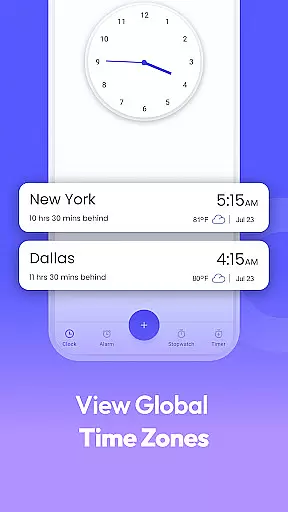
The app is particularly useful for frequent travelers and those managing international schedules. By providing accurate world clocks and time zone tracking, Clock Launcher ensures users are always aware of the local time in different cities. This feature, combined with reliable alarm and reminder functions, makes the app an invaluable tool for maintaining productivity and punctuality in various aspects of life.
Clock Launcher stands out with its comprehensive set of productivity features designed to streamline time management. One of the key highlights is the one-swipe access functionality, which allows users to quickly set alarms, timers, and reminders without navigating through multiple screens. This instant access significantly enhances the user experience, especially for those who need to manage their time efficiently on the go.
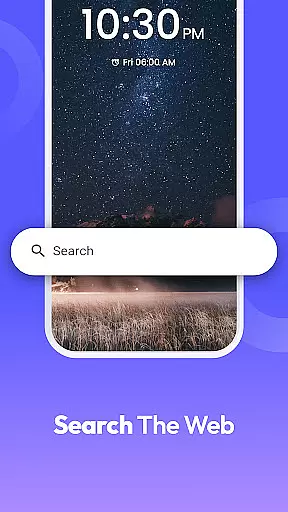
In addition to its core alarm clock functionality, the app offers a range of supplementary features. Users can personalize their home screens with clock-themed wallpapers and widgets that display not only the time but also the weather and other relevant information. The multi-touchpoint search function further adds convenience, enabling users to search for installed apps or perform web searches powered by Yahoo. These features collectively create a highly customizable and user-centric environment that adapts to individual preferences and needs.
Another notable aspect of Clock Launcher is its versatility. The app includes a stopwatch for fitness tracking, a world clock for international time management, and robust reminder settings for both personal and professional events. Each feature is designed with precision and ease of use in mind, ensuring that users can rely on the app for various time-sensitive tasks. Whether it's setting a loud alarm tone for heavy sleepers or scheduling recurring alarms for consistent routines, Clock Launcher delivers a reliable and adaptable solution for modern productivity challenges.
Efficient task management is essential for productivity, and Clock Launcher excels in this area by offering a suite of time management tools. The app provides an alarm clock, world clock, reminders, timer, and stopwatch, all designed to help users organize their day effectively.
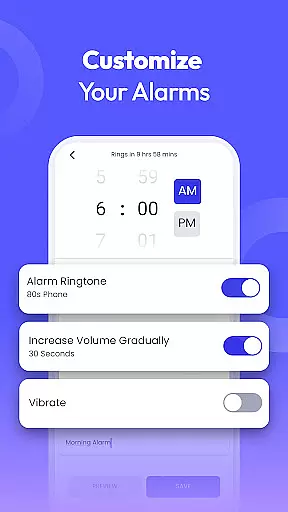
Clock Launcher's alarm clock feature allows users to customize alarms with options for daily or weekly repetition, various tones, and snooze durations. This flexibility ensures that users can tailor the alarms to fit their personal schedules and preferences, making waking up and managing time throughout the day more intuitive.
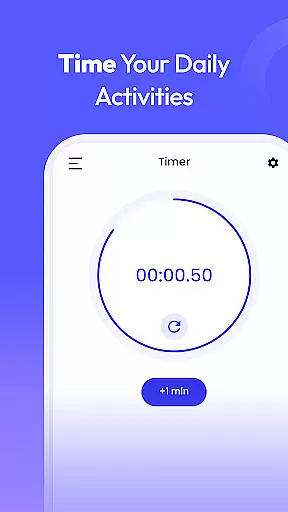
In addition to alarms, the app includes a timer for setting specific durations for tasks such as cooking or workouts, and a stopwatch for tracking elapsed time. These features are crucial for users who need to monitor their activities closely and maintain efficiency.
By integrating these comprehensive time management tools into a single, easy-to-access platform, Clock Launcher empowers users to take control of their schedules, ensuring they never miss an important event or deadline. This holistic approach to task management enhances productivity and helps users stay organized.
Cross-device synchronization is vital for users who rely on multiple devices to manage their daily tasks. Clock Launcher addresses this need by providing reliable synchronization across devices, ensuring that users have consistent access to their time management tools regardless of the device they are using.
The app supports features like setting alarms, timers, and reminders that sync seamlessly across devices. This means that whether you're at home, in the office, or traveling, your settings and preferences are preserved, allowing for a seamless user experience.
Furthermore, Clock Launcher offers a world clock feature that lets users track time in different cities around the globe. This functionality is particularly beneficial for individuals who work with international teams or travel frequently, as it helps them stay aware of time differences and plan accordingly.
With its robust cross-device synchronization capabilities, Clock Launcher ensures that users can depend on the app to keep their schedules intact and accessible from anywhere, enhancing both personal and professional productivity.
User-friendly interface
Customizable widgets
Accurate world clock
Reliable alarm system
Multi-functional tools
Home screen layout changes
Limited widget options
No 24-hour format
Occasional bugs
Ads in free version

A Revolutionary All-in-One Artificial Intelligence Tools
 3.80
3.80
When you Focus, so will your Bean in this cozy focus timer
4.30
Android Wallet Password Manager
4.80
A beautiful digital clock with autostart and many other functions
4.70
To do list widget with a notebook organizer, checklist, simple shopping list
4.60
Quickly and easily keep track of your work shifts
4.70
Intelligent AI Assistant
4.10
Simple notepad & memo. Take notes, to-do list, shopping list with reminders.
4.80
Browse and view your photos and videos from the phone with photo & video hide.
4.10
Seamlessly integrate data and reports to build your presentation to impress
4.80
Mind Map and brainstorm, note taking and idea collection
4.80
Tally and goal counter for Wear OS & mobile
4.50
This small app MUST BE INSTALLED after purchase, else license won't work
4.40
Experience real multitasking on your Android!
4.00
Smart PDF reader & editor to view, organize and manage PDF documents easily.
3.70
Make your handwriting beautiful, even more than pen on paper.
3.60
ID.me Authenticator is a simple and free Two Factor Authentication solution
3.50
Create study competitions, track your hours, and stay consistent with friends
4.2
A simple, portable logger for POTA, SOTA, Field Day, and more
4.5


User Reviews