
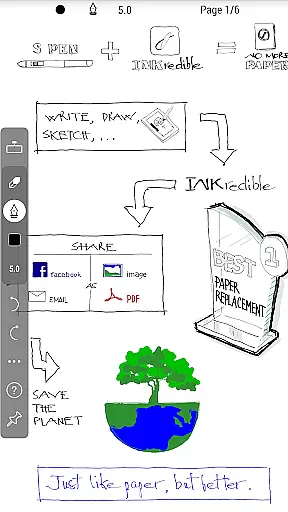
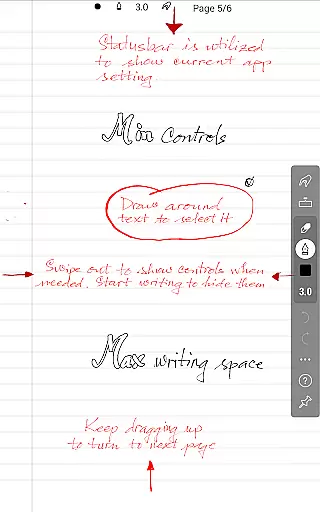
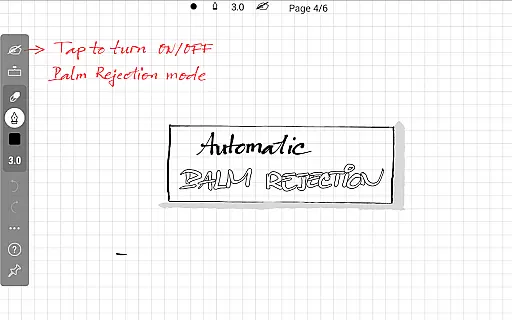
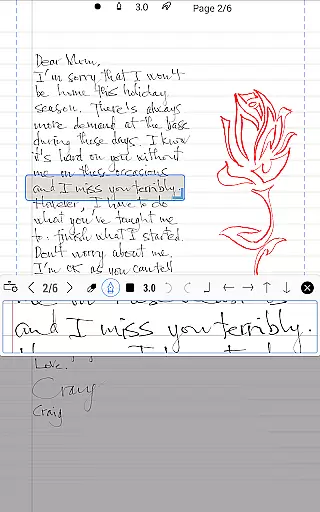
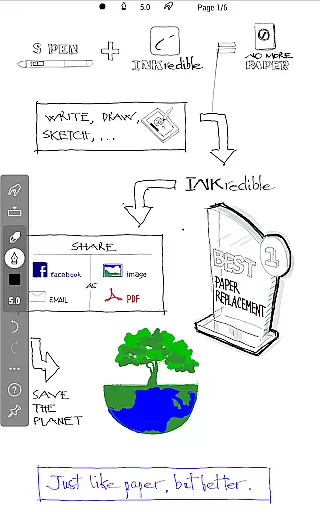
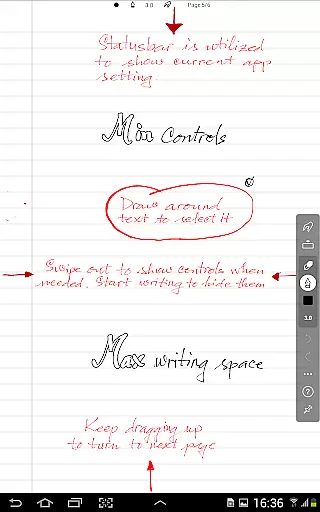
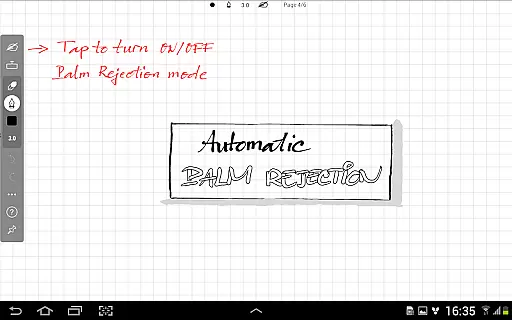
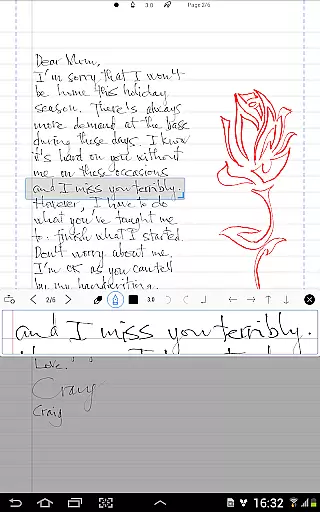
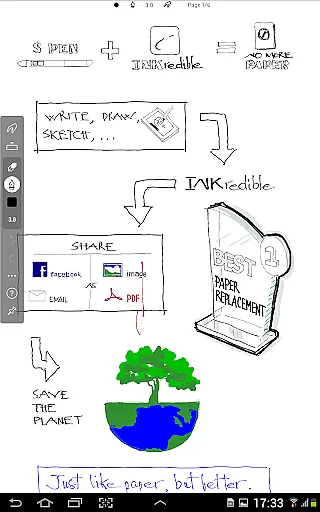
INKredible PRO is a premium productivity app designed to deliver an exceptional writing experience on tablets. Priced at a $9 value, this app includes all in-app purchase features of the standard INKredible version along with free future updates. The app's core function is to replicate the natural feel of writing with a pen on paper through advanced inking technology. With automatic palm and wrist rejection, it ensures that your writing process remains uninterrupted and smooth.
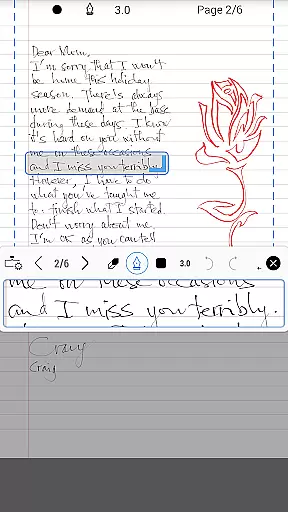
Beyond its primary purpose, INKredible PRO offers a distraction-free interface, presenting users with a clean slate for their thoughts and ideas. Whether you're taking notes, sketching, or drafting documents, this app caters to those who appreciate simplicity and elegance in their digital writing tools. Its sophisticated manipulation of Bezier curves makes handwriting not only more beautiful but also adaptable to any resolution, making it ideal for both printing and digital display.
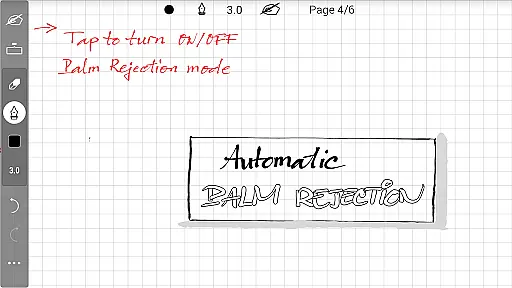
INKredible PRO stands out with its powerful vector-graphics inking technology, refined over three years of research and development. This feature allows users to create handwriting that surpasses the quality achievable on traditional paper. The app's automatic palm rejection system is another highlight, ensuring that only the stylus interacts with the screen, thus preventing unwanted marks.
The app's minimalist design philosophy removes unnecessary UI elements, providing a seamless and immersive writing environment. Users can enjoy a clutter-free workspace where their creativity can flow without interruption. Additionally, INKredible PRO supports high-resolution rendering, allowing users to zoom in on their work without losing clarity. This capability is particularly beneficial for detailed illustrations or when precision is required in note-taking.
With regular updates included in the purchase price, users can expect continuous improvements and new features, keeping the app at the forefront of digital writing technology.
Task management is at the heart of productivity applications, and INKredible PRO excels in providing a seamless experience. This app focuses on creating an optimal writing environment on your tablet, akin to traditional pen and paper but with enhanced digital capabilities.
With its advanced inking technology inherited from the Notes Plus app, INKredible PRO offers automatic palm and wrist rejection, ensuring that your writing process is uninterrupted and as natural as possible. This feature allows users to focus solely on their content without worrying about accidental touches affecting their work.
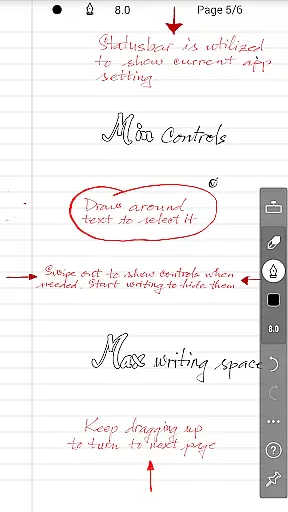
The simplicity of the app ensures that there are no distractionsu2014no UI controls or buttons to clutter your screen. You get a clean slate to write on, which enhances concentration and makes task management more efficient and enjoyable.
Cross-device synchronization is crucial for users who operate across multiple platforms. INKredible PRO guarantees reliable synchronization, allowing you to access your notes and documents wherever you go, maintaining consistency and reliability.
By including all in-app purchase features of INKredible and offering free future updates, INKredible PRO ensures that your work remains up-to-date and accessible. This means that any changes made on one device will be accurately reflected on others, providing a dependable cross-device experience.
Moreover, the app's vector-graphics inking technology ensures that your handwriting looks beautiful and clear on any device, regardless of resolution. Whether you're viewing your notes on a smartphone or a larger tablet screen, the clarity and beauty of your handwriting remain uncompromised.
Superior inking technology
Automatic palm rejection
Distraction-free interface
High-resolution support
Free future updates
Premium price point
Limited to tablet use
No additional features
Requires learning curve
Not suitable for typing

Total remote control for your Android device, PC and cloud services (IFTTT)!
 4.20
4.20
Easily read and manage all your PDF files
4.10
Device's storage information in a simple and clear graphical form (infographics)
4.10
Todo reminder
4.10
The ultimate file manager for rooted devices. The original and still the best.
4.00
Use powerful, industry-leading AI tools to generate visual charts from any data
4.80
Lightweight PDF, Word, Excel reader.
4.60
Okta MFA
4.70
Daily processing of PDF documents.
4.40
QuickBooks Workforce lets teams view pay info and track time in one place.
4.70
Client for Nextcloud Deck
4.60
App Lock with fingerprint, password: Lock apps & hide photos with lock screens
4.60
Fill, sign & send docs, forms, agreements & contracts via electronic signature.
4.50 4.20
4.20
Create and edit presentations with Google Slides, part of Google Workspace.
4.00
All in one sketching tool. Technical and General drawing. Online Maps support.
3.70
Auto-shutoff Alarm with Sunrise, Sunset & Fixed Options.
3.50
Code on-the-go with VScode for Android. Edit,debug and collaborate from mobile!!
3.10
IP Camera Viewer - Android TV : RTSP Surveillance camera viewer for Android TV
4.2


User Reviews