
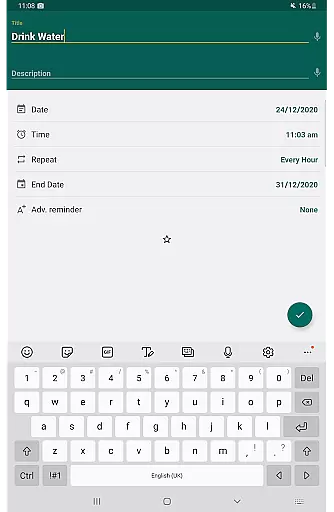
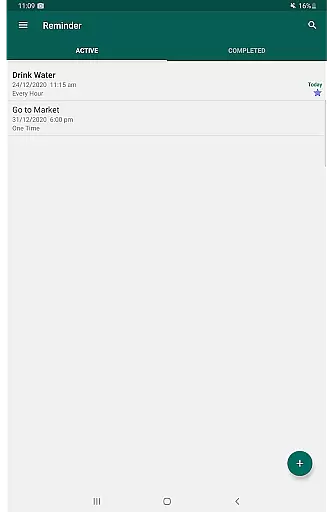
Reminder Pro is a versatile productivity application designed to help users manage their daily tasks and important deadlines efficiently. This app allows you to create both one-time and recurring reminders for various activities, from meetings and homework assignments to personal events like birthdays and anniversaries. With its simple interface and powerful features, Reminder Pro ensures that you never miss an important task or event again.
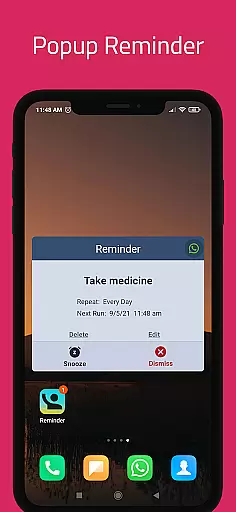
The app stands out with its customizable options such as popup notifications, snooze functionality, and quiet hours settings. Users can also categorize their reminders with different colors and settings, making it easier to organize and prioritize tasks. Whether you need a pill reminder, appointment alerts, or a deadline notification system, Reminder Pro has got you covered.
One of the key scenarios where Reminder Pro shines is in professional environments. Imagine having multiple meetings, calls, and deadlines in a day. With Reminder Pro, you can set specific alarms for each event, add detailed notes, and even receive advance notifications to ensure you're always prepared. This makes it an invaluable tool for boosting productivity and staying organized in your work life.
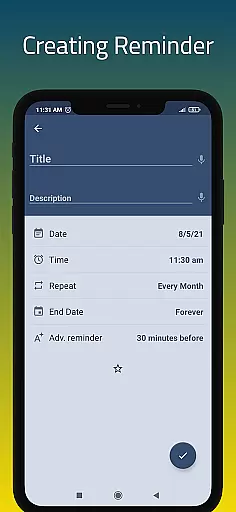
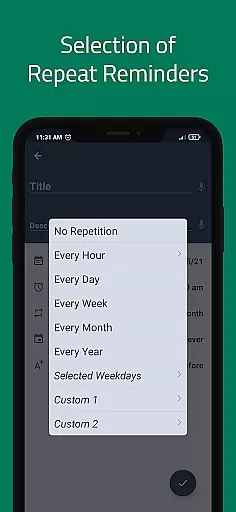
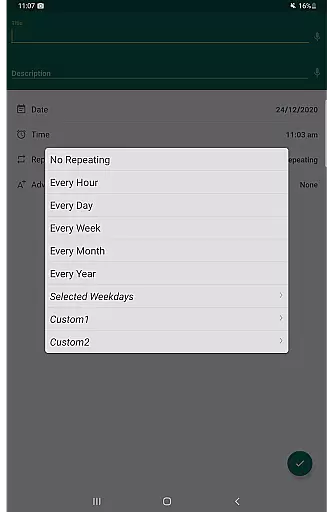
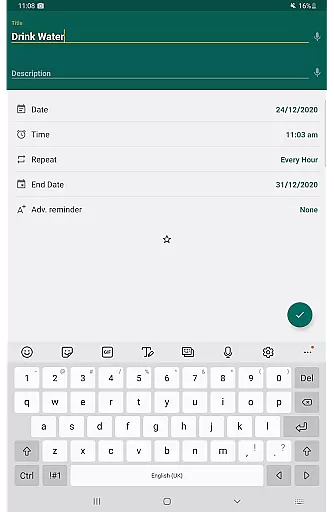
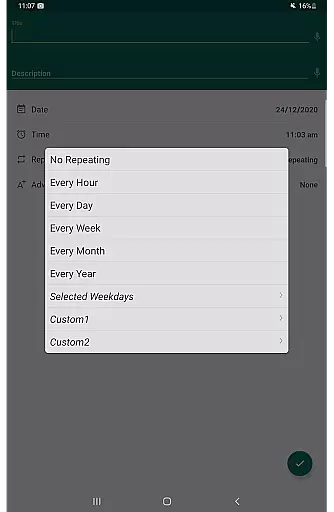
Reminder Pro offers a comprehensive suite of features that cater to diverse user needs. One of its standout capabilities is the custom recurring reminders, which allow users to set up repetitive tasks at intervals that suit their schedules. This feature is particularly useful for routine activities such as taking medication or weekly team meetings.
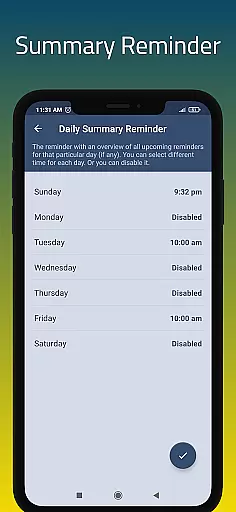
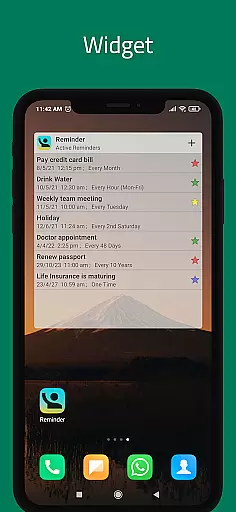
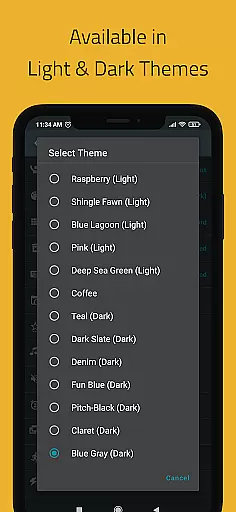
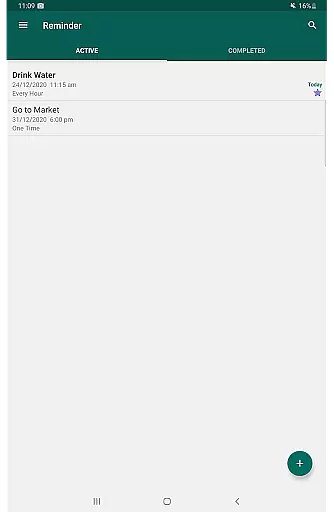
In addition to recurring reminders, the app provides several other functionalities that enhance user experience. The widget feature enables quick access to your reminders directly from your device's home screen. Meanwhile, the daily summary reminder gives you a consolidated view of all tasks for the day, ensuring you stay on track. The search functionality and multiple themes further personalize your experience, allowing you to tailor the app to your preferences.
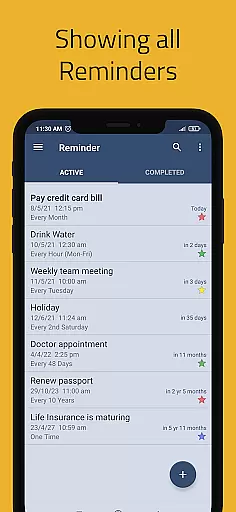
Another significant advantage of Reminder Pro is its backup options. Users can choose between auto and manual backups to safeguard their data. Moreover, the app supports various grouping view options for reminders, including standard, compact, and monthly views. These features collectively ensure that Reminder Pro not only meets but exceeds user expectations in managing daily tasks and long-term projects.
Effective task management is essential for maintaining productivity and ensuring that important deadlines are met. Reminder Pro excels in this area by offering a comprehensive suite of features designed to help users organize and prioritize their tasks efficiently.
The app allows users to create both one-time and recurring reminders, catering to a variety of needs from daily chores to long-term project deadlines. With customizable notifications and the ability to set detailed notes for each task, users can tailor their reminders to fit their unique schedules and responsibilities.
Moreover, Reminder Pro includes advanced functionalities such as quiet hours settings, multiple themes, and different grouping view options. These features not only enhance user experience but also allow for a personalized approach to task management, making it easier than ever to stay on top of your to-do list without feeling overwhelmed.
By integrating practical tools like auto backup and categories with distinct colors and settings, Reminder Pro ensures that users can manage their tasks with confidence and ease. This robust combination of features provides a reliable system for keeping track of appointments, meetings, medication schedules, and more, ultimately empowering users to take control of their time and responsibilities.
In today's fast-paced digital world, having reliable cross-device synchronization is crucial for maintaining consistency and accessibility across multiple platforms. Reminder Pro addresses this need by providing seamless integration and real-time updates between devices, ensuring that users have access to their reminders wherever they go.
The app supports automatic backup functionality, which means that all your reminders, notes, and settings are securely saved and can be easily restored on any device. This feature eliminates the risk of losing important data and allows for effortless transitions between smartphones, tablets, or even web interfaces.
Furthermore, Reminder Pro offers widget support and daily summary reminders, enhancing the accessibility and visibility of your tasks across different devices. Whether you're at home, in the office, or on the move, these features ensure that you're always informed and up-to-date with your schedule.
With its focus on reliability and user-centric design, Reminder Pro stands out as a dependable solution for managing your reminders and tasks across various devices. By prioritizing synchronization accuracy and offering a range of customization options, the app delivers a seamless and efficient experience that adapts to the dynamic nature of modern life.
User-friendly interface
Customizable reminders
Quiet hours settings
Multiple view options
Auto backup feature
Limited free version
No voice command support
Occasional bugs
Ads in free version
Complex settings for beginners

A Revolutionary All-in-One Artificial Intelligence Tools
 3.80
3.80
Client for Nextcloud Deck
4.60
Absolutely the best CNC machinist speed and feed calculator around. fswizard.com
4.60
Pwnagotchi companion app
4.20
Secure, open-source, SPICE and SSH Remote Desktop for QEMU KVM virtual machines
4.00
Calendar 2023 widget for Android. Appointment scheduler, planner, and reminder
4.60
The ultimate file manager for rooted devices. The original and still the best.
4.00
Lightweight PDF, Word, Excel reader.
4.60
Note taking, handwriting, record audio, PDF annotation, planner & journal
4.20
A beautiful digital clock with autostart and many other functions
4.70
The long-awaited modern gallery app for your Nextcloud server
4.70
Translate text/voice/photos in 150+ languages. Offline & fast translator app.
4.50
Access, manage and transfer files on Android, PC, Mac, NAS and cloud storages.
4.30
Make apps & sites with natural language prompts
4.10
Activate Two Factor Authentication (2FA or Multi OTP), Password manager and more
4.10
Access your phone's notifications, calls, apps, photos & texts on your PC
3.90
Remotely view listen control and record cameras.
3.70
Easiest event planning, volunteer signups & parent teacher conference scheduling
2.20
A simple, portable logger for POTA, SOTA, Field Day, and more
4.3


User Reviews