
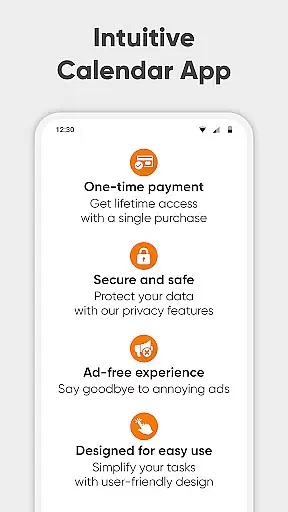
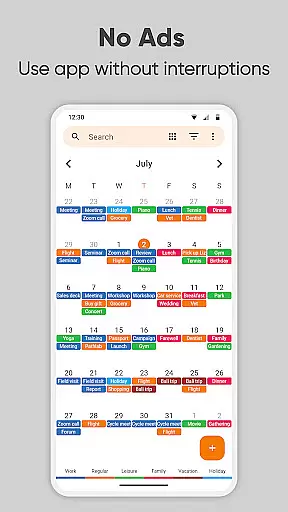
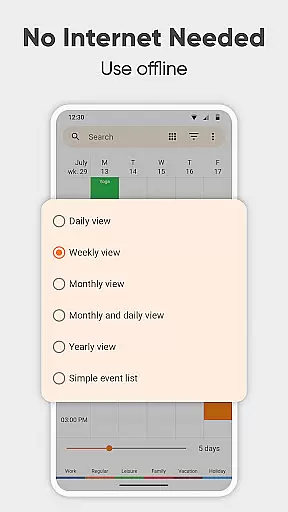
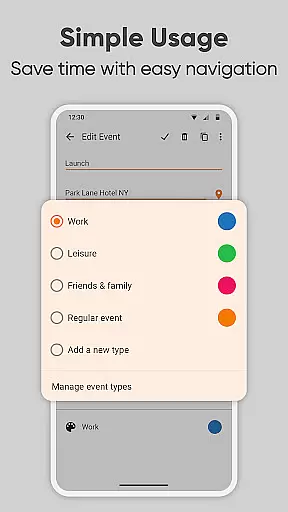
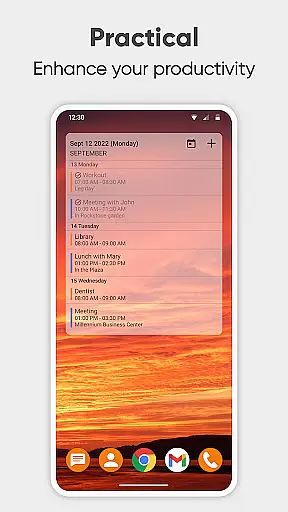
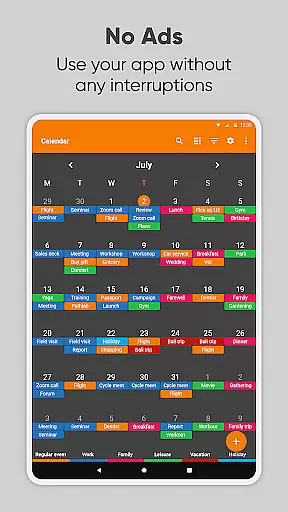
Simple Calendar Pro is a productivity-focused calendar application designed for Android users who value simplicity and customization. This offline calendar app provides an intuitive interface for managing personal and professional schedules without unnecessary complexities or intrusive ads. With support for syncing events through Google Calendar and other CalDAV-compatible services, it ensures seamless integration with existing digital ecosystems while maintaining user privacy.
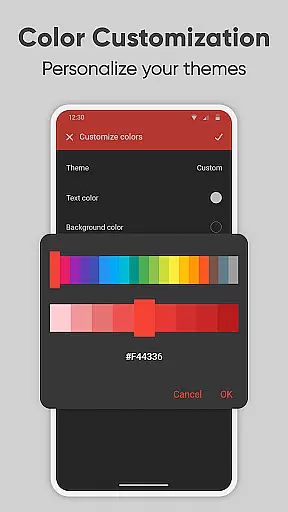
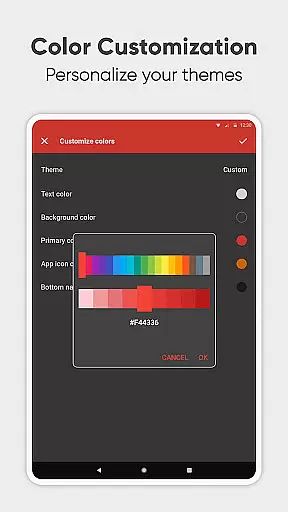
The app's standout feature is its highly customizable nature, allowing users to tailor the appearance and functionality to suit their specific needs. From adjusting notification settings to creating flexible event reminders, Simple Calendar Pro empowers users to take control of their time management. Whether you need a basic day planner or a comprehensive family organizer, this application delivers a streamlined experience that helps maintain organization and boost productivity.
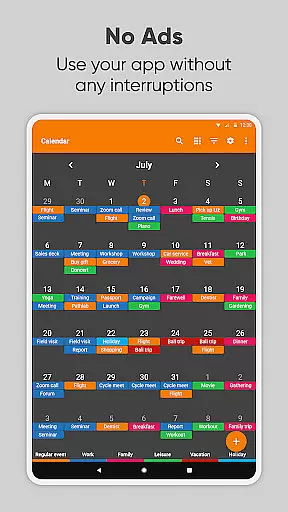
For professionals seeking an efficient business calendar or individuals looking to manage personal events like birthdays and anniversaries, Simple Calendar Pro offers a reliable solution. Its widget-based approach and various viewing options (daily, weekly, monthly) make it easy to stay on top of upcoming commitments. The app's open-source nature and commitment to user privacy make it an attractive choice for those who prioritize security alongside functionality in their scheduling tools.
Simple Calendar Pro distinguishes itself through a combination of powerful features and user-centric design. The application's core strength lies in its ability to function completely offline while still offering robust synchronization capabilities with Google Calendar and other CalDAV services. This dual approach ensures users can maintain their schedules without constant internet connectivity while still benefiting from cloud-based backup and cross-device synchronization when needed.
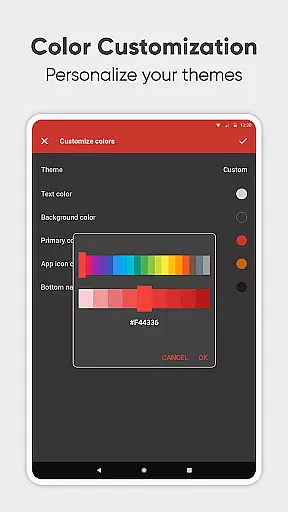
The app's customization options are particularly noteworthy. Users can personalize nearly every aspect of their calendar experience, from visual themes and color schemes to notification sounds and vibration patterns. Advanced features include flexible event creation with sophisticated repetition rules, .ics file import/export functionality, and comprehensive settings export options for seamless device transfers. These capabilities make it an ideal tool for both individual time management and team-based project coordination.
Additional productivity-enhancing features include multiple viewing modes (daily, weekly, monthly, yearly), location-based event mapping, and quick-switch navigation between different calendar views. The inclusion of holiday imports, birthday tracking, and anniversary reminders adds practical value for personal use cases. Furthermore, the app's open-source nature and multilingual support (45+ languages) demonstrate its commitment to accessibility and community-driven development, making it a versatile choice for diverse user bases worldwide.
At the heart of Simple Calendar Pro lies its robust core task management system, designed to streamline your daily planning. This productivity tool excels in organizing both personal and professional schedules with precision.
The application allows users to effortlessly create and manage events, appointments, and reminders. With support for both single and recurring events, it ensures that you never miss an important date or meeting. The ability to sync with Google Calendar and other CalDAV services enhances its utility by providing a unified view of all your scheduling needs.
What sets Simple Calendar Pro apart is its offline functionality, ensuring that your data remains private and accessible even without an internet connection. This feature not only boosts security but also guarantees stable performance regardless of connectivity issues.
Users benefit from customizable event settings, including detailed options for reminders and repetition rules. This flexibility empowers individuals to tailor their planning experience according to specific preferences and requirements, making it an indispensable tool for mastering time management.
Cross-device synchronization is a critical feature for users managing busy schedules across multiple platforms. Simple Calendar Pro addresses this need with reliable synchronization capabilities that ensure seamless updates between devices.
This productivity app supports CalDAV protocol, enabling efficient syncing with Google Calendar, Microsoft Outlook, and other calendar services. Such compatibility ensures that whether you're switching from your phone to a tablet or desktop, your schedule remains consistent and up-to-date.
One of the standout aspects is the ability to export and import events via .ics files, allowing for effortless data transfer. Additionally, settings can be exported to .txt files for easy migration to another device, maintaining continuity in your planning process.
The synchronization feature is designed to be both reliable and secure, eliminating unnecessary permissions while safeguarding your data. This approach not only enhances user trust but also streamlines the overall experience, making Simple Calendar Pro an exemplary choice for those seeking dependable cross-device schedule management.
User-friendly interface
Offline functionality
Highly customizable
No ads or popups
Robust privacy features
Limited iOS compatibility
Advanced features may overwhelm
Requires manual setup
No built-in email integration
Learning curve for new users

Experience Reading - Night Mode for Documents
 4.40
4.40
When you Focus, so will your Bean in this cozy focus timer
4.30
Mega cloud explorer plugin for Solid Explorer
3.80
Planet Free VPN - The best Fast Unlimited and Secure VPN Without Logs
4.50
Easily read and manage all your PDF files
4.10
Automates browsing any website and notifies you of important changes or events
4.30
Secure, fast, open-source, Remote Desktop Client for Windows and Linux with SSH
4.60
Cloud storage, automatic phone backup, and more.
4.10
ID.me Authenticator is a simple and free Two Factor Authentication solution
3.50
Best Tool for the professionals Electrician, Electrical contractors, etc.
4.90
Seamlessly integrate data and reports to build your presentation to impress
4.80
Understand anything with a personalized AI research assistant
4.80
QuickBooks Workforce lets teams view pay info and track time in one place.
4.70
Quickly and easily keep track of your work shifts
4.70
App Lock with fingerprint, password: Lock apps & hide photos with lock screens
4.60
This small app MUST BE INSTALLED after purchase, else license won't work
4.40
A customizable calendar for your Wear OS watch
4.20
Activate Two Factor Authentication (2FA or Multi OTP), Password manager and more
4.10
Create study competitions, track your hours, and stay consistent with friends
4.0


User Reviews