
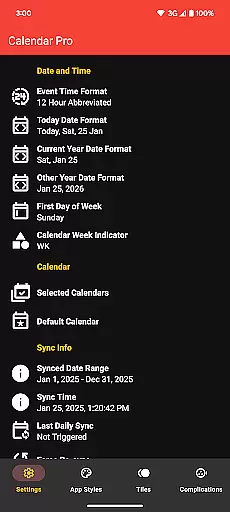
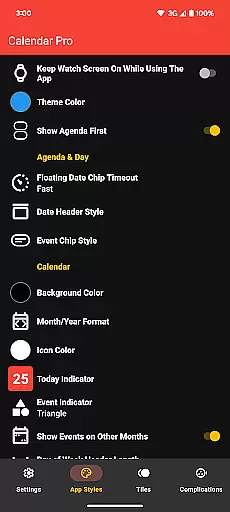
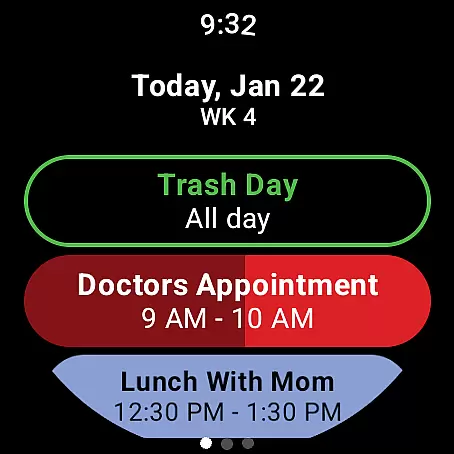
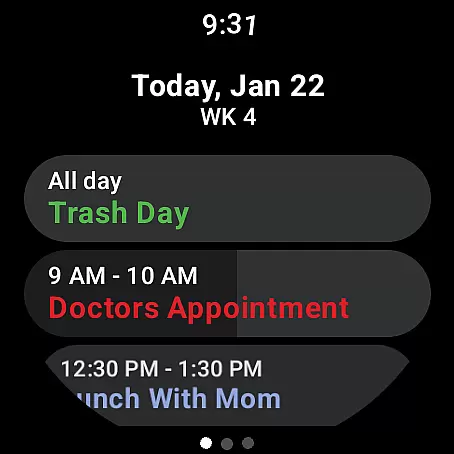
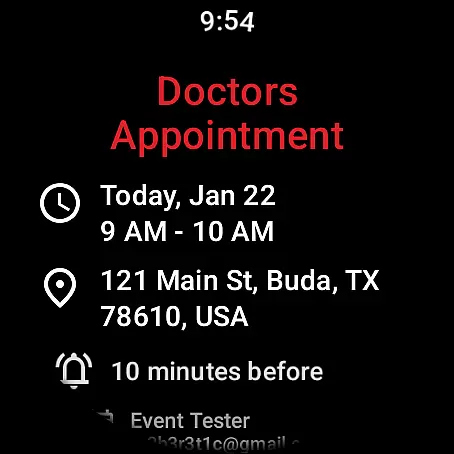
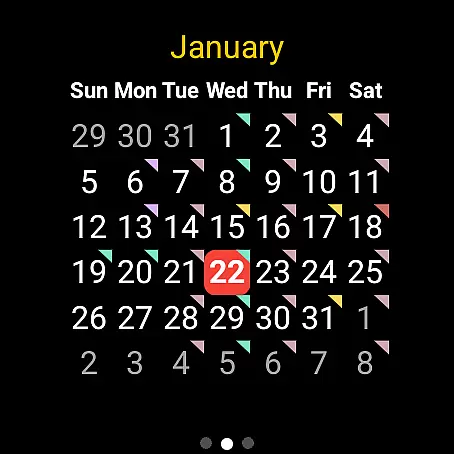
Calendar Pro for Wear OS is a comprehensive calendar solution designed to seamlessly sync all your phone calendars directly to your Wear OS smartwatch. This productivity-focused app offers robust functionality that extends beyond basic event tracking, providing users with the ability to add, edit, and delete events directly from their watch interface.
The app stands out with its extensive customization options, allowing users to tailor both month calendars and agenda views to their specific preferences. With support for major calendar services like Google Calendar, Outlook, and Samsung Calendar, it ensures cross-platform compatibility. Whether you need a quick glance at your day's schedule or detailed event management on the go, Calendar Pro delivers essential information right to your wrist.
This application proves particularly valuable for busy professionals who require instant access to their schedules without needing to pull out their phones. The combination of advanced features, customizable interfaces, and seamless synchronization makes it an indispensable tool for efficient time management.
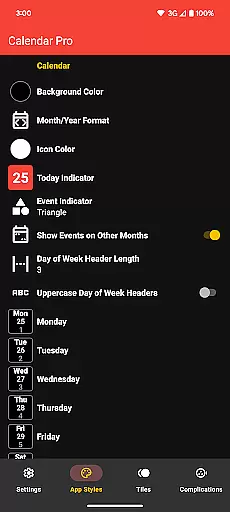
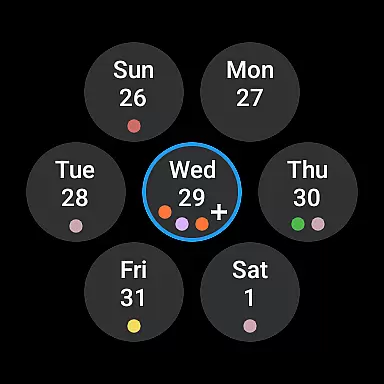
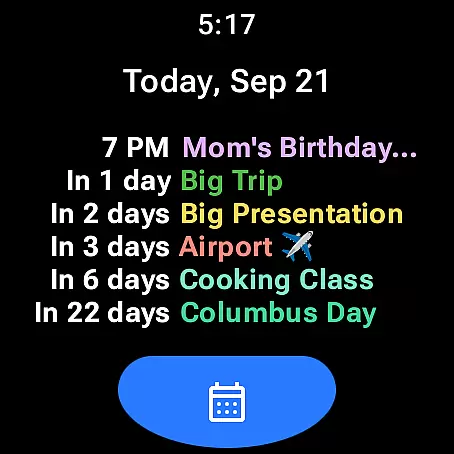
Calendar Pro distinguishes itself through its rich feature set that caters to various user needs. The app provides multiple viewing options including month calendar, agenda, week view, and next event tiles, each offering unique ways to visualize your schedule. Users can customize these views extensively, adjusting everything from background colors to event indicator shapes.
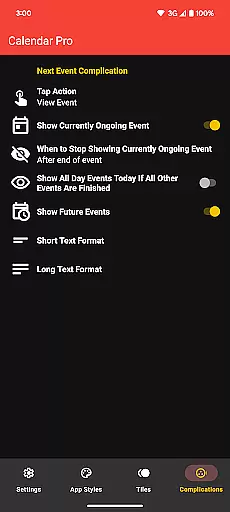
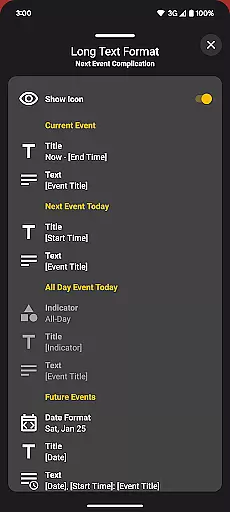
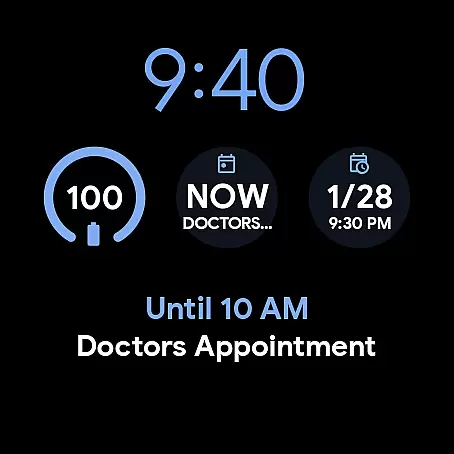
A key innovation lies in its sophisticated complication system. The Next Event complication supports both short and long text formats, giving users flexibility in how much information they want displayed on their watch face. Additionally, the app offers multiple theme colors and scaling options, ensuring optimal readability across different Wear OS devices.
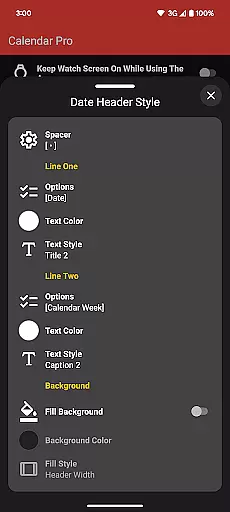
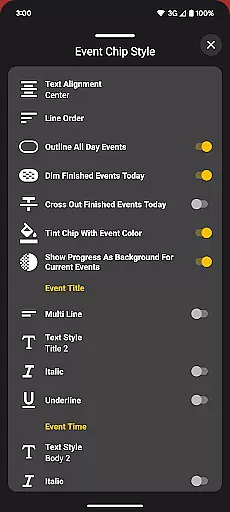
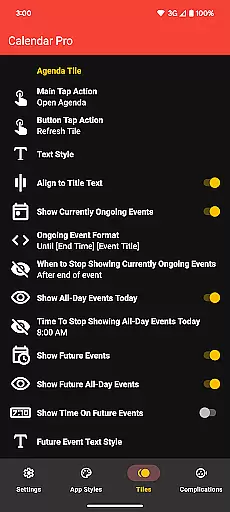
The app's true strength emerges in its detailed customization capabilities. For agenda views, users can choose from various date header styles, text formatting options for event chips, and visual indicators for ongoing events. These granular control options, combined with the ability to manage multiple calendar sources, create a personalized scheduling experience that adapts to individual workflows and preferences.
Calendar Pro for Wear OS excels in core task management by providing users with a comprehensive suite of tools to manage their schedules effectively. The app syncs the next 12 months of events to your watch, allowing you to stay informed and organized without needing your phone nearby.
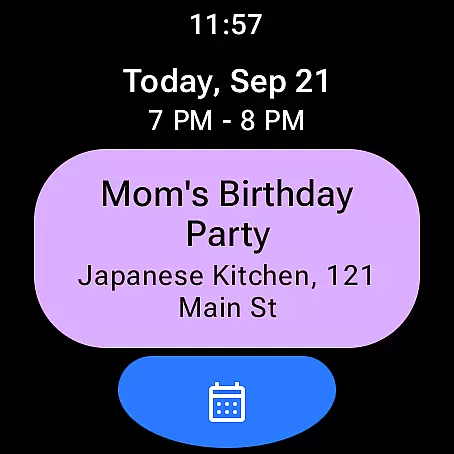
The ability to add, edit, and delete events directly from your Wear OS watch enhances productivity, making it simple to adjust your plans on the go. With features like viewing event details and customizable month calendars with event indicators, users can tailor their experience to suit their specific needs.
Customization options extend to the Agenda view, offering multiple date header styles and text styles for event chips. This ensures that each user's interface is not only visually appealing but also practical for their daily use. By dimming finished events and showing progress for ongoing ones, Calendar Pro keeps users focused on what's ahead.
Cross-device synchronization is a cornerstone of Calendar Pro for Wear OS, ensuring that all your calendars from your phone are reliably synced to your smartwatch. This seamless integration supports Google Calendar, Outlook Calendar, Samsung Calendar, DAVxu2075, and ICSxu2075, covering a wide range of users' scheduling needs.
The app provides several customization options for its various tiles and complications, such as the Month Calendar Tile, Agenda Tile, Week Tile, and Next Event Tile. These features allow users to access their schedule at a glance and customize how information is displayed on their watch face.
Reliability is further enhanced through dedicated support for complications like the Next Event watch complication. Users can configure these complications to show currently ongoing events or upcoming ones, select which calendars to display, and even set actions for tapping the complication.
With no need for subscriptions and a one-time purchase unlocking all features, Calendar Pro offers dependable cross-device functionality that empowers users to manage their time efficiently across different platforms.
Extensive customization
Multiple calendar support
Offline functionality
Intuitive UI design
One-time purchase
Requires phone app
Complex setup
Limited free features
High system requirements
Occasional sync issues

Client for Nextcloud Deck
 4.60
4.60
Wake up & get tasks done! Add alarms & reminders on the Clock Launcher.
4.00
Easily read and manage all your PDF files
4.10
A simple, portable logger for POTA, SOTA, Field Day, and more
4.1
Protect and view your important info on your phone and tablet with eWallet®
4.80
Make apps & sites with natural language prompts
4.10
Create and edit presentations with Google Slides, part of Google Workspace.
4.00
Code on-the-go with VScode for Android. Edit,debug and collaborate from mobile!!
3.10
Understand anything with a personalized AI research assistant
4.80
Great calculator for Android named one of USA TODAY's "25 Essential Apps".
4.90
Secure, fast, open-source, VNC and SSH Remote Desktop for Windows, Linux and Mac
4.70
The long-awaited modern gallery app for your Nextcloud server
4.70
aCalendar+ makes your day, week and month
4.70
A beautiful digital clock with autostart and many other functions
4.70
CalenGoo is a very flexible and feature-rich calendar app
4.40
This small app MUST BE INSTALLED after purchase, else license won't work
4.40
Secure your apps with lock screens, use custom themes and different features.
4.40
Device's storage information in a simple and clear graphical form (infographics)
4.10
All in one sketching tool. Technical and General drawing. Online Maps support.
3.70


User Reviews