
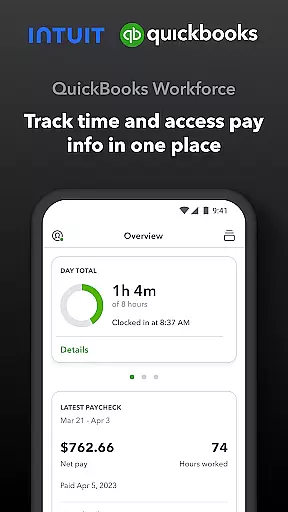
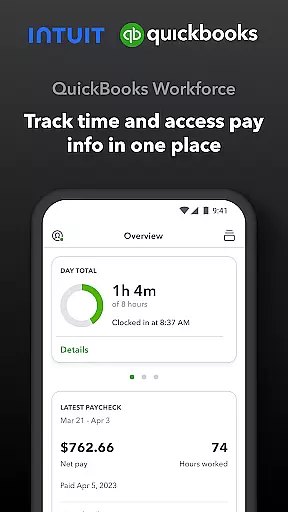
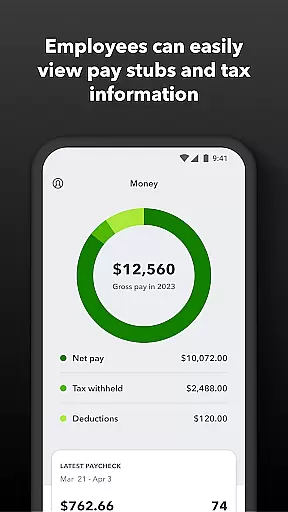
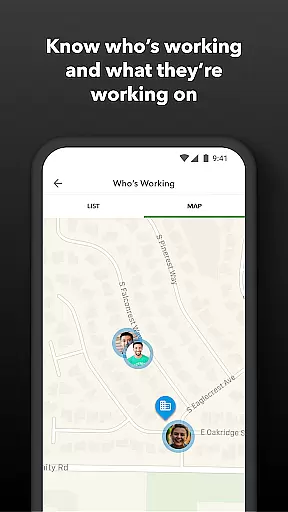
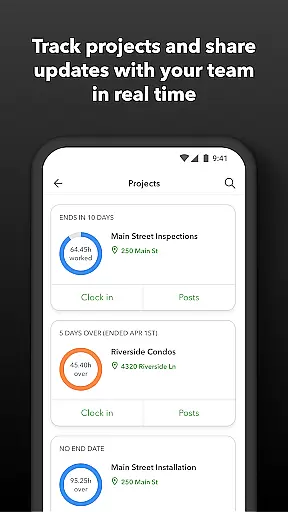
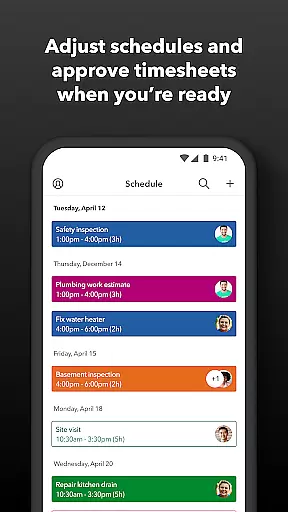
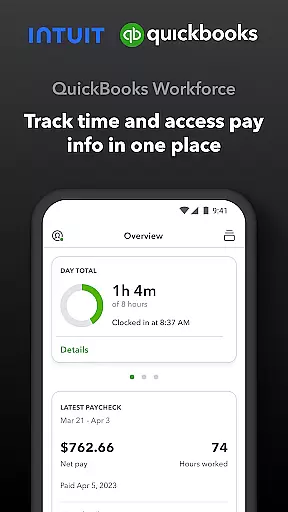
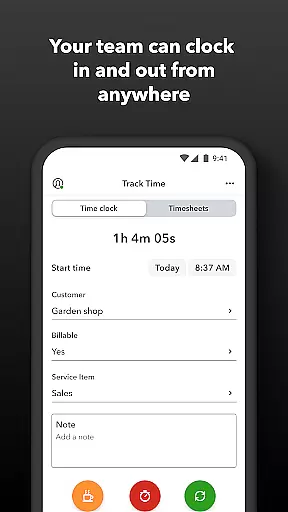
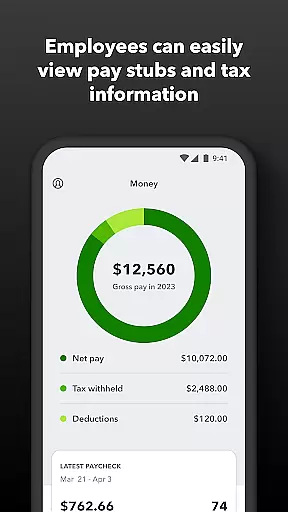
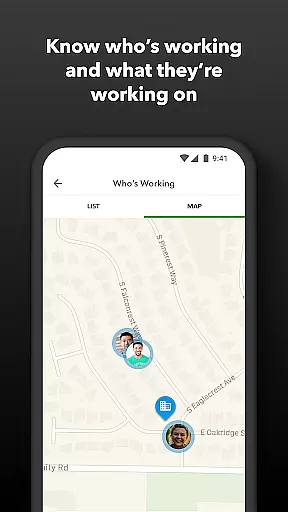
QuickBooks Workforce is a comprehensive productivity app designed to streamline payroll and time tracking for businesses. This powerful tool allows teams to access pay information and manage time tracking in one centralized location, making it an essential solution for efficient workforce management.
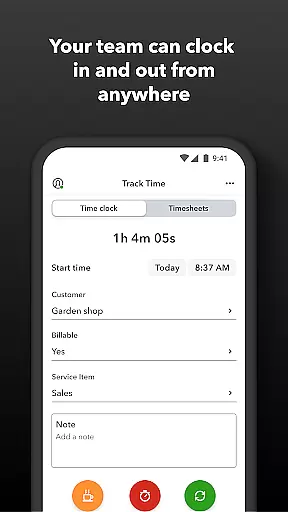
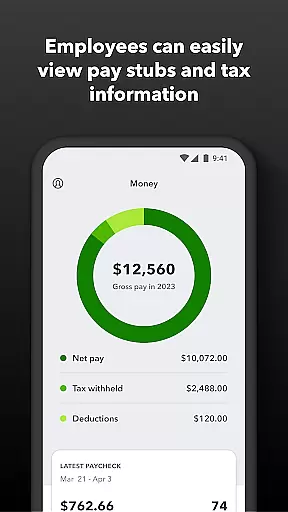
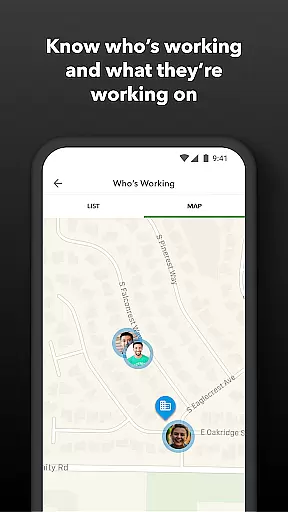
The app offers distinct features for both employees and administrators. Team members can conveniently view pay stubs, clock in and out even without internet connectivity, and manage their timesheets and schedules. Administrators, on the other hand, gain advanced oversight capabilities such as real-time tracking of employee locations, automated alerts for schedule deviations, and detailed reporting tools. These features collectively enhance operational efficiency and ensure accurate payroll processing.
Ideal for small to medium-sized businesses, QuickBooks Workforce integrates seamlessly with QuickBooks Payroll and QuickBooks Time systems. By eliminating manual data entry and providing real-time insights, this app not only saves costs but also empowers businesses to make informed decisions, thus driving productivity and growth.
QuickBooks Workforce stands out with its robust feature set tailored for both employees and employers. For team members, the app provides essential functionalities like accessing pay stubs and W-2s anytime, anywhere, offline time tracking, and managing paid time off. These features ensure that employees have constant access to their payroll information and can efficiently track their working hours regardless of their location or internet availability.
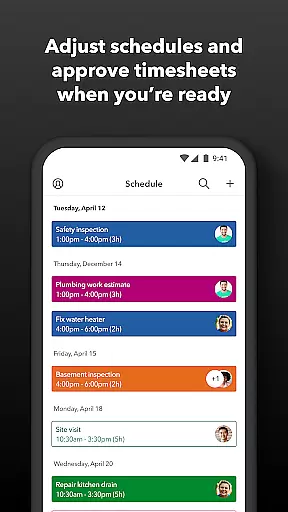
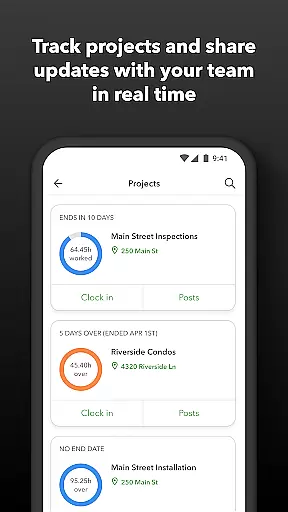
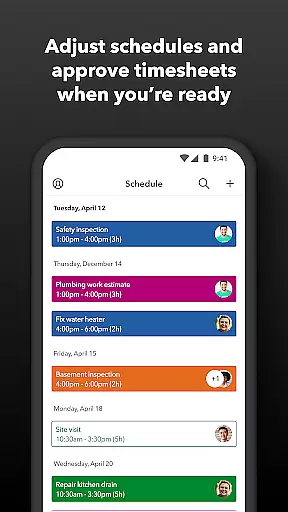
Administrators benefit from advanced management tools that include approving, editing, or deleting timesheets, scheduling by job or shift, and setting up geofences for automatic clock-ins and clock-outs. The app also sends timely alerts via push notifications, texts, and emails if employees deviate from their schedules or approach overtime. Additionally, administrators can generate real-time reports in multiple formats (PDF, CSV, online, HTML) and oversee team productivity and project status, allowing them to adjust budgets, deadlines, and resources as needed.
One of the key innovations of QuickBooks Workforce is its seamless integration capabilities. The app integrates effortlessly with QuickBooks Online and Desktop Payroll systems, as well as other payroll, accounting, and invoicing software. This ensures that all data flows smoothly across platforms, reducing errors and saving time. Furthermore, the developer open API allows for custom integrations, enhancing the app's flexibility and adaptability to unique business needs.
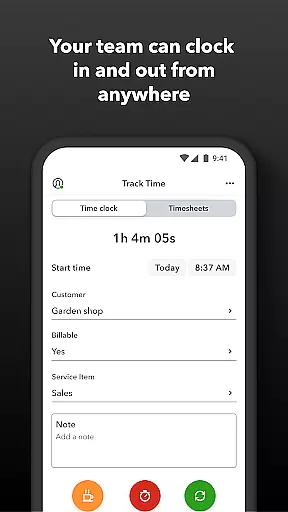
Task management is a cornerstone of productivity applications, and QuickBooks Workforce excels in this area by offering comprehensive tools for both employees and employers. The app allows team members to clock in and out, edit timesheets, and manage job schedules with ease. These features ensure that time tracking is not only accurate but also adaptable to various work environments, whether the employee is connected to Wi-Fi or working remotely.
For employers and administrators, QuickBooks Workforce provides advanced oversight capabilities. Managers can approve, edit, or delete timesheets, set up geofences to automate time tracking, and create or modify schedules. This level of control helps businesses maintain operational efficiency and accountability. Additionally, real-time alerts for unscheduled clock-ins or potential overtime situations allow for proactive management of labor costs.
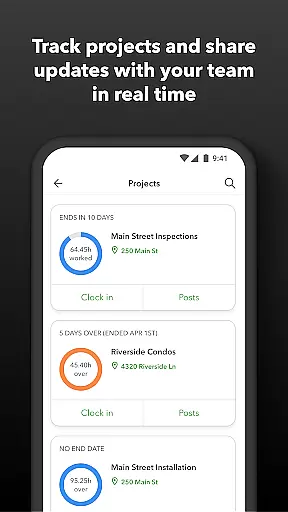
The benefits of using QuickBooks Workforce for task management extend beyond simple time tracking. Employers can oversee team productivity and project status, making necessary adjustments to budgets, deadlines, and resources. With detailed reporting features available in multiple formats, businesses can gain insights into day and week totals, as well as other critical time metrics. This functionality supports data-driven decision-making and enhances overall organizational productivity.
Cross-device synchronization is vital for ensuring that all team members have access to the most current data, regardless of the device they use. QuickBooks Workforce achieves this by seamlessly integrating with QuickBooks Online and QuickBooks Desktop Payroll, allowing real-time updates and access to pay stubs, W-2s, and other essential payroll information from any location. This integration ensures that both employees and employers are always on the same page, reducing discrepancies and enhancing transparency.
The app's ability to sync data across devices eliminates the need for manual data entry, saving time and reducing errors. Employees can submit and track paid time off, sick days, and holidays, while employers can monitor who is working and where in real time. This synchronization extends to project activity feeds and schedule modifications, providing a unified view of workforce activities and ensuring that everyone has access to the latest information.
Furthermore, QuickBooks Workforce offers reliable cross-device synchronization through its compatibility with various payroll, accounting, and invoicing software. This flexibility allows businesses to integrate their existing systems with QuickBooks Workforce, streamlining workflows and improving efficiency. By leveraging an open API, developers can customize integrations to meet specific business needs, ensuring that data flows smoothly across all platforms and devices used within the organization.
User-friendly interface
Real-time tracking
Seamless integrations
Offline functionality
Comprehensive reporting
Premium features costly
Limited free version
Geofencing Elite-only
Complex setup
Occasional bugs

Planet Free VPN - The best Fast Unlimited and Secure VPN Without Logs
 4.50
4.50
aCalendar+ makes your day, week and month
4.70
Todo reminder
4.10
Enjoy classic gameplay with customizable features and retro-style graphics.
4.30
All document reader, all in one file viewer read PDF, DOCX, XLS, PPT, TXT files.
4.60
Great calculator for Android named one of USA TODAY's "25 Essential Apps".
4.90
Okta MFA
4.70
AI Chatbot and AI writing assistant powered by ChatGPT.
4.60
AT&T Internet customers can use this app to personalize their Wi-Fi network.
4.40
Use powerful, industry-leading AI tools to generate visual charts from any data
4.80
Android Wallet Password Manager
4.80
The AI assistant that thinks with you - write, code, and solve complex tasks
4.60
Lightweight PDF, Word, Excel reader.
4.60
Secure your apps with lock screens, use custom themes and different features.
4.40
Professional calendar app for Google Calendar, MS Outlook & Exchange
4.20
Font maker keyboard with your own handwriting
4.10
* block pre-roll ads, pop-up and forced redirect ads * Samsung certification app
4.00
Ultimate Virtual AI Character for immersive Roleplay Chat. Perfect Companion
3.90
Ads Free App! Editor, Hide File, Copy, Move, Delete and Rename.. all facility av
1.70


User Reviews