
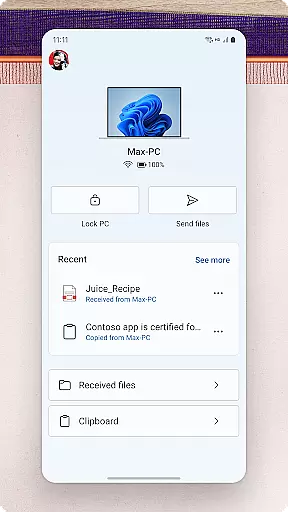
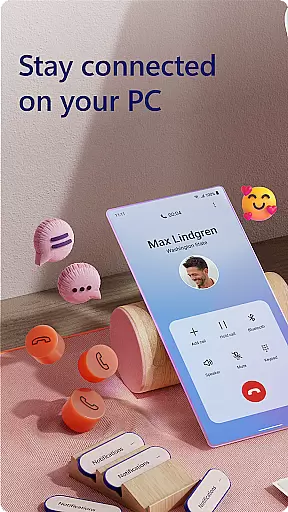
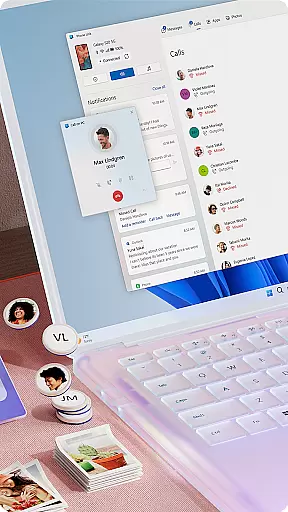
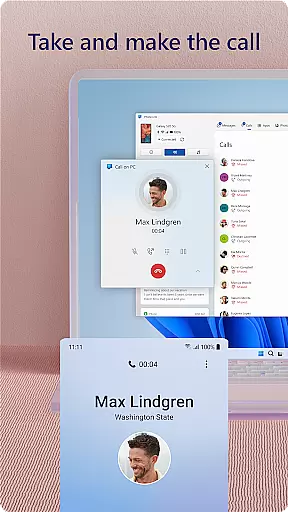
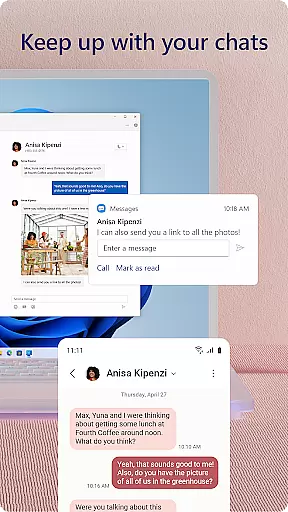
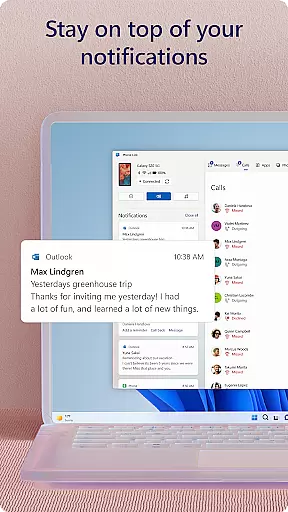
Link to Windows is a productivity-focused application that bridges the gap between your Android phone and Windows PC. This app allows users to seamlessly interact with their mobile devices directly from their computers. Core functionalities include making and receiving calls, managing notifications, accessing mobile apps, and handling text messages on the PC. The app also supports advanced features like drag-and-drop file sharing and cross-device copy-paste, which are especially useful for those who need to transfer data between devices effortlessly.
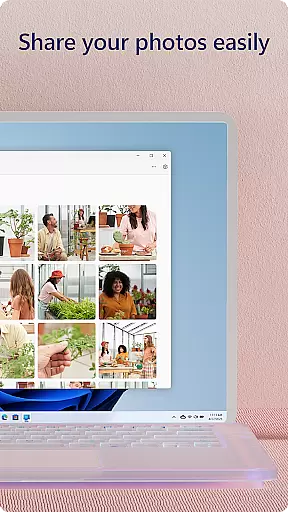
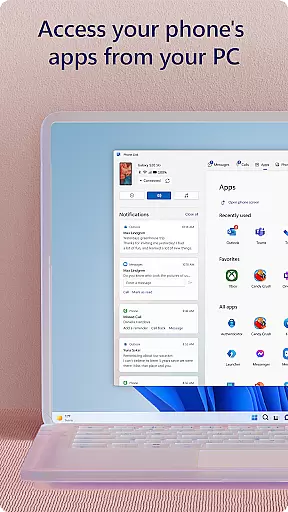
The true value of Link to Windows lies in its ability to integrate deeply with select Microsoft Duo, Samsung, and HONOR phones, offering an enhanced user experience. For instance, users can control their phone's apps from their PC using the accessibility service, which is ideal for individuals relying on screen-reading tools. Whether you're looking to reply to a quick text without touching your phone or share photos between devices, this app streamlines these tasks while leveraging the larger screen and input peripherals of your PC.
Link to Windows offers a comprehensive suite of features designed to boost productivity by connecting your Android phone to your Windows PC. One standout feature is the ability to make and receive calls directly from your computer, provided your PC has Bluetooth capabilities. Additionally, users can manage their phone’s notifications, read and reply to text messages, and even access favorite mobile apps right from their desktop. These features ensure that you never miss important updates while working on your PC.
For users with compatible devices, the app provides exclusive functionalities such as cross-device copy-paste, file drag-and-drop, and Phone Screen mirroring. These tools allow for seamless content sharing and editing between devices. Moreover, the integrated accessibility service caters to users who rely on screen readers, enabling full phone control via the PC. With its intuitive Quick Access tray integration on select devices, Link to Windows ensures that all these powerful features are just a swipe away.
Core task management is essential for productivity applications, enabling users to organize and prioritize their daily activities efficiently. Link to Windows excels in this area by seamlessly integrating phone functionalities with PC capabilities.
The app allows users to manage calls, text messages, notifications, and even mobile apps directly from their Windows PC. This unified approach eliminates the need to switch between devices constantly, streamlining workflow and enhancing focus.
By providing instant access to phone features such as call handling, message replies, and notification management, Link to Windows ensures that users can maintain productivity without interruption. The ability to interact with mobile apps using a PC's larger screen and input devices further enhances task efficiency.
This integration not only saves time but also reduces cognitive load, allowing users to concentrate on more important tasks. With features like drag-and-drop file sharing and cross-device copy-paste, Link to Windows establishes itself as a powerful tool for managing digital workflows across devices.
Cross-device synchronization reliability is crucial for modern productivity tools, ensuring seamless data exchange between different platforms. Link to Windows demonstrates exceptional performance in this aspect through its robust connection between Android phones and Windows PCs.
The application maintains real-time synchronization of calls, messages, notifications, and photos between connected devices. This reliable connection is maintained through Bluetooth and internet protocols, guaranteeing that users receive up-to-date information regardless of which device they're using.
Advanced features like Phone screen mirroring and multiple app experiences showcase the app's commitment to consistent synchronization. These capabilities require specific hardware and software configurations but deliver unparalleled reliability when met.
Furthermore, the app's accessibility service demonstrates its dedication to inclusive synchronization, allowing screen reader users to control their phone's apps entirely from their PC. This comprehensive approach to cross-device interaction ensures that all users can benefit from reliable synchronization, regardless of their technological needs or preferences.
Seamless device integration
Enhanced productivity tools
User-friendly interface
Advanced accessibility options
Exclusive features for select devices
Limited to specific devices
Bluetooth required for calls
Some features need Android 11
RAM requirements for PCs
Privacy concerns for some users

QuickBooks Workforce lets teams view pay info and track time in one place.
 4.70
4.70
Mega cloud explorer plugin for Solid Explorer
3.80
Easily read and manage all your PDF files
4.10
Calendar 2023 widget for Android. Appointment scheduler, planner, and reminder
4.60
A comprehensive suite of tools designed specifically for Lactation Consultants
4.2
Ultimate Virtual AI Character for immersive Roleplay Chat. Perfect Companion
3.90
Understand anything with a personalized AI research assistant
4.80
AT&T Internet customers can use this app to personalize their Wi-Fi network.
4.40
QuickEdit is a fast, stable and full featured text and code editor.
4.20
Native client for Forgejo and Gitea
5.00
8 custom complications. Custom Time Fonts. Beautiful color schemes. A++ Design.
5.00
Great calculator for Android named one of USA TODAY's "25 Essential Apps".
4.90
The AI assistant that thinks with you - write, code, and solve complex tasks
4.60
Lightweight PDF, Word, Excel reader.
4.60
When you Focus, so will your Bean in this cozy focus timer
4.30
Intelligent AI Assistant
4.10
Ads Free App! Editor, Hide File, Copy, Move, Delete and Rename.. all facility av
1.70
AI Video AI Image Private LLM AI Browser Llama Gemma Ollama Connect LLM Studio
4.2
The upgraded version of Name Wheel with AI and the power to add your own wheels.
4.4


User Reviews