
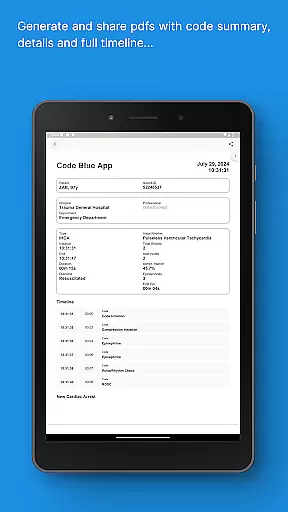
Code Blue CPR Timer is a specialized medical application designed to assist healthcare professionals during critical cardiac arrest situations. The app provides precise timing and intuitive tracking of key events, ensuring optimal performance in high-pressure environments.
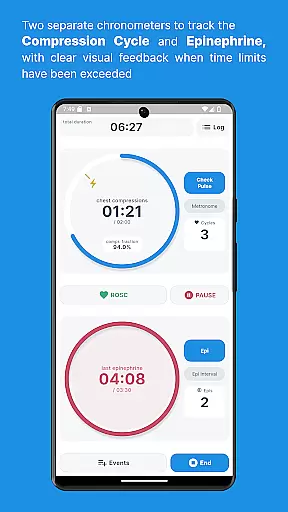
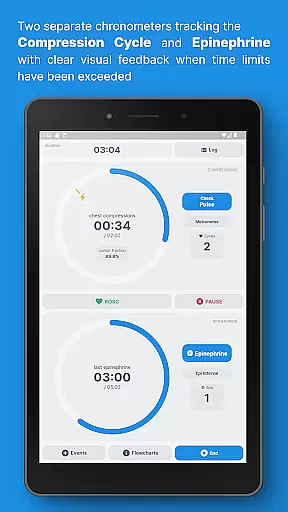
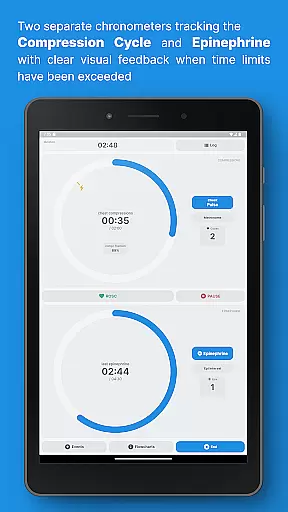
The dual chronometer feature allows simultaneous monitoring of both CPR compression cycles and epinephrine doses, while visual feedback alerts users when time limits are exceeded. With its comprehensive logging capabilities, the app maintains detailed records of all registered events, offering both concise summaries and full timelines. This ensures that crucial information is readily accessible throughout the code.
Healthcare teams can customize the app to fit their specific needs, from saving custom medications and procedures to adjusting settings for different scenarios. Whether managing a simple CPR timer or handling complex, extended cardiac arrest cases, Code Blue adapts to various requirements, making it an invaluable tool in emergency medical settings.
Code Blue CPR Timer offers a robust set of features tailored to enhance the efficiency and accuracy of medical responses during cardiac arrest incidents. One standout feature is the dual chronometer, which tracks both CPR compression cycles and epinephrine administration with high-contrast visual cues to indicate when time limits are surpassed.
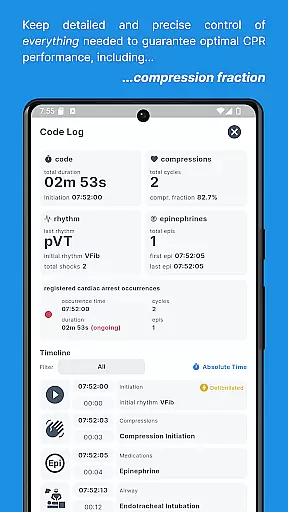
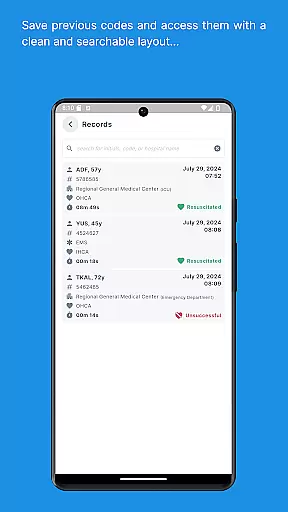
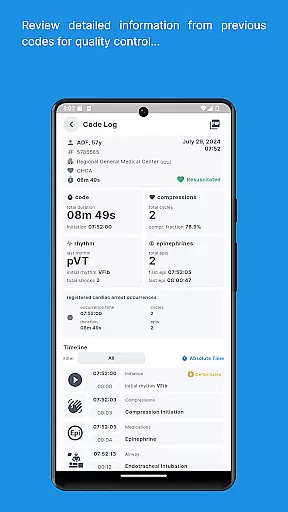
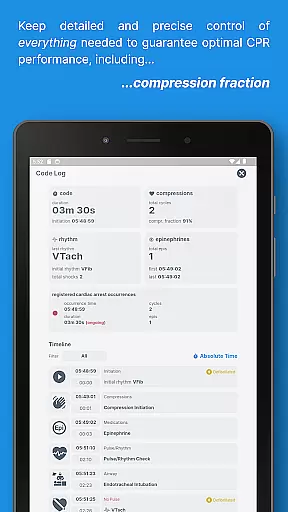
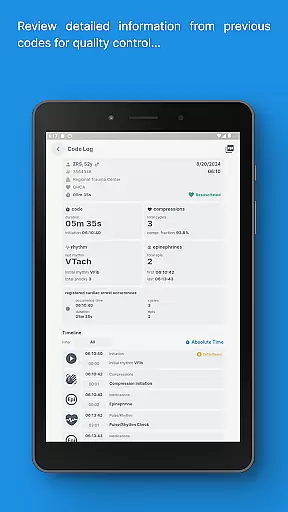
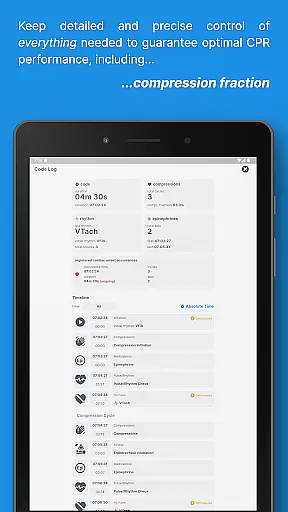
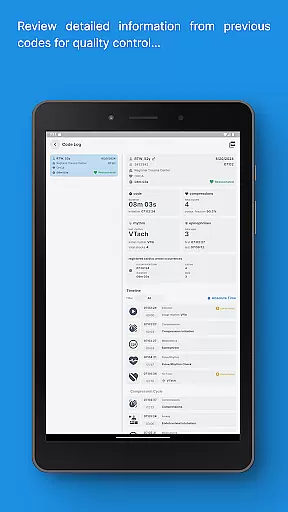
In addition to timing, the app provides a full log of events, available at any point during the procedure. This includes a concise summary of vital parameters as well as a detailed timeline, allowing healthcare providers to maintain precise control over the situation. The app also calculates the Compression Fraction and other metrics to optimize CPR performance.
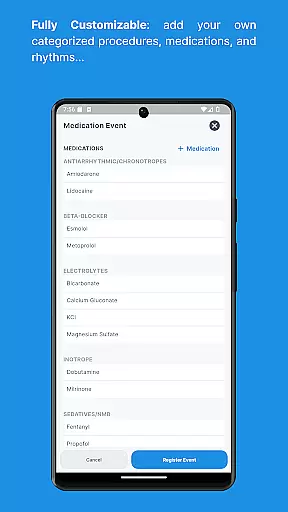
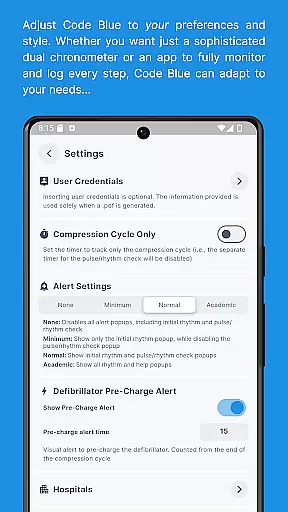
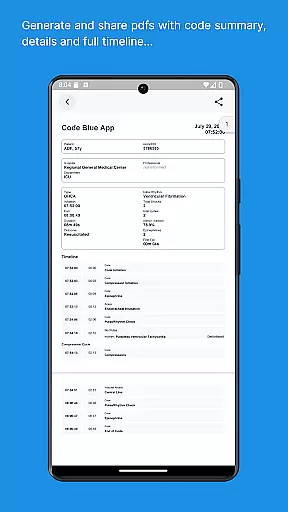
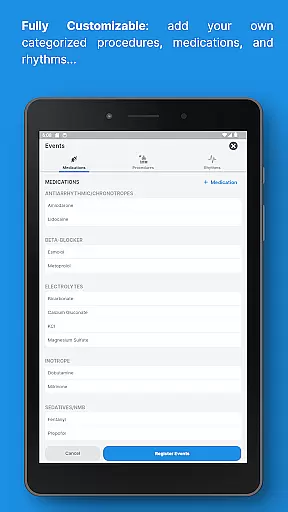
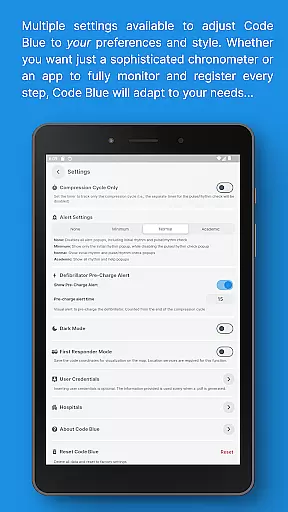
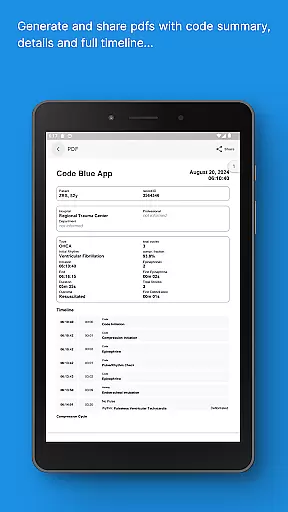
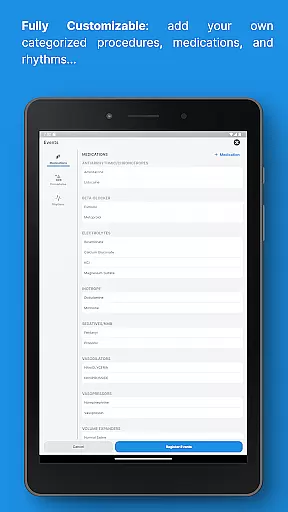
Customization is another key aspect, enabling users to save their own medications, procedures, and rhythms. Multiple settings options allow the app to be adjusted for different scenarios, whether a straightforward CPR timer or a more complex tool for prolonged incidents. Furthermore, interactive maps and sharable PDF reports of previous codes add extra layers of utility, making this app indispensable for medical professionals.
In the medical field, the credibility of content is paramount for ensuring patient safety and effective treatment. Code Blue CPR Timer exemplifies this principle by providing healthcare professionals with precise and intuitive information during critical moments such as cardiac arrests. The application has been developed and extensively tested to assist in one of the most stressful scenarios within healthcare settings.
The features of Code Blue are designed based on interviews with critical care teams and on-site testing, ensuring that the app meets the rigorous demands of medical environments. With functionalities like dual chronometers for tracking CPR compression cycles and epinephrine doses, the app provides high-contrast visual feedback when time limits have been exceeded, which is crucial for maintaining optimal performance during life-saving procedures.
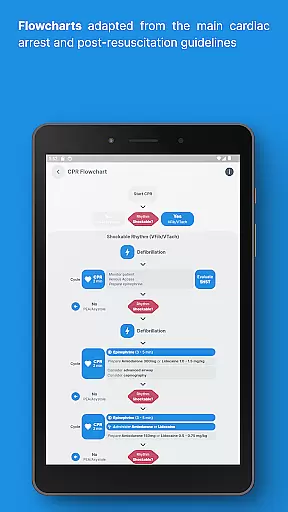
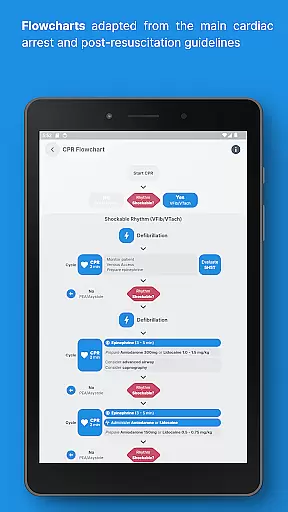
Furthermore, the app offers a full log available at any time during the code, containing a concise summary and detailed timeline of all registered events. This allows medical staff to maintain precise control over long and complex cardiac arrest occurrences that may last hours. By including flowcharts adapted from main CPR guidelines, such as AHA ACLS and ERC post-resuscitation care, Code Blue ensures alignment with established medical protocols.
Teleconsultation has become an integral part of modern healthcare, allowing practitioners to provide timely advice and support without being physically present. Code Blue CPR Timer enhances teleconsultation quality by offering tools that facilitate remote guidance during cardiac arrest situations. Its interactive map feature pinpoints previous code locations, enabling better coordination among emergency response teams.
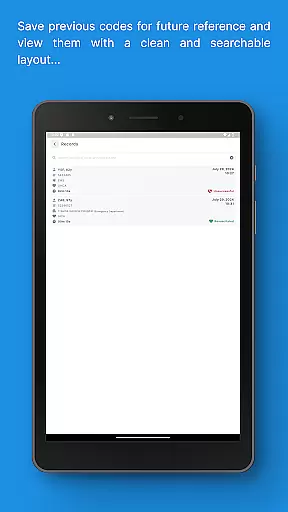
The app's ability to save previous codes and access detailed information at any time through a sharable PDF is invaluable for post-event analysis and learning. This functionality not only aids in immediate decision-making but also contributes to ongoing education and improvement in handling future incidents. Such comprehensive documentation supports high-quality teleconsultations where every detail can make a difference.
Additionally, Code Blueu2019s customizable nature allows users to tailor it according to their specific needs, whether they require a simple CPR timer or a more advanced toolset. This flexibility ensures that regardless of the complexity of the situation, healthcare providers can rely on Code Blue to deliver accurate and actionable insights, thereby improving overall teleconsultation outcomes.
Intuitive interface
Precise timing
Event logging
Customizable options
Detailed reporting
Complex for beginners
Requires training
Limited to medical use
High cost
Device dependency

Want to make it easier to manage your health? We’re with you, wherever you are.
 4.70
4.70
myVCA is your tailor-made guide to raising a healthy and happy pet.
4.90
Donating blood and platelets is easier than ever with The American Red Cross.
4.80
The Omada app enhances your program experience and helps you stay engaged.
4.50
Remote, medical-grade heart care at your fingertips
4.70
A comprehensive 3D atlas of the human body
4.80
ASCCP Management Guidelines- There’s an app for that!
4.60
Anthem/Wellpoint and other health insurance plans
4.60
Tap & save. Coupons that fit in your pocket. Find low prices on prescriptions.
4.80
Adaptive-learning flashcards and quizzes for the Top 250 Drugs
4.60
Beat alcohol and drug addiction with a revolutionary treatment program in an app
4.50
Get your lab results on your smartphone with MyQuest.
4.40
We’ve made it easy for Oscar members to get care on the go.
4.30
3rd trimester? Counting Kicks is what moms should do-It’s important & easy too!
4.30
Update medical records, view upcoming appointments, message your provider & more
3.80
Conveniently receive lab results, schedule lab appointment and pay your bills
3.70
HealtheLife lets you easily manage your health online.
3.20
ECG modules improve rhythm ID. ACLS is a simulator for cardiac arrest scenarios.
4.4
A rapid reference for prehospital providers caring for pediatric patients.
4.2


User Reviews