
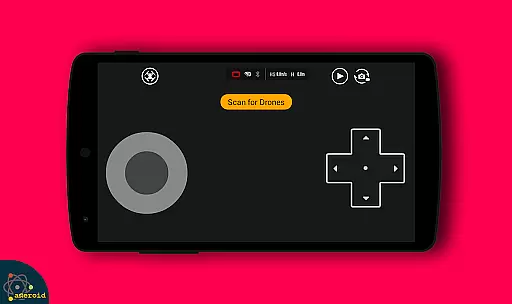
Drone Remote Control is an innovative application that transforms your Android smartphone into a powerful remote control for drones. The app offers seamless integration with the latest drone models, allowing users to execute precise flight operations directly from their mobile devices.
The application's core functionality lies in its ability to replace traditional physical remote controls. Users can create detailed flight plans, automate essential functions like takeoff and landing, and even stream live First Person View (FPV) footage. Its intuitive interface mirrors professional RC Drone controls, making it accessible for both beginners and experienced pilots.
One of the most practical use cases is during group flying sessions where multiple drones are in operation. With Drone Remote Control, users can conveniently take control of different drones without carrying multiple physical controllers. This feature particularly shines when managing camera-equipped drones, enabling operators to capture stunning aerial footage while maintaining complete control over the aircraft's movements.
The application boasts an impressive array of features designed to enhance the drone flying experience. One of its standout capabilities is the advanced flight planning system, which allows users to create complex flight paths on any device. The automated flight functions include not only takeoff and landing but also image capture at optimal points during the flight.
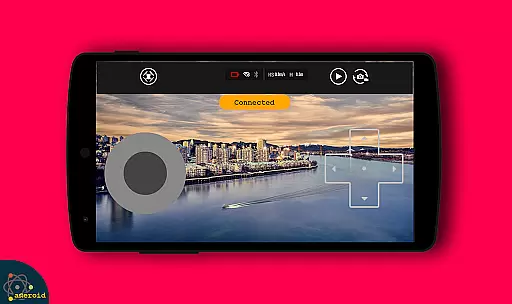
For photography enthusiasts, the live FPV streaming feature provides real-time video feed directly to the mobile device. The application maintains constant communication with WiFi camera-equipped drones, enabling users to record videos, capture images, and adjust camera settings remotely. A unique safety feature allows operators to instantly disable auto-flight mode and regain manual control with a single tap.
What sets this application apart is its versatility across different drone models and its ability to handle long-duration mapping projects without interruption. The inclusion of video capture with adjustable FPS settings makes it particularly valuable for professional videographers and content creators who require precise control over their aerial footage quality.
Functionality completeness is a critical aspect of any drone remote control application. Drone Remote Control ensures that users have access to all essential features needed for seamless drone operation. This includes live streaming, flight planning, and camera controls.
The app's comprehensive feature set covers everything from basic drone movements to advanced functions like automated takeoff and landing. With support for First Person View (FPV) streaming, users can experience real-time video feeds directly on their smartphones. Additionally, the ability to disable auto-flight and resume manual control with a single tap adds another layer of functionality.
For users who require precision in their drone operations, the app offers tools for capturing images and recording videos. These features are crucial for both hobbyists and professionals who rely on high-quality aerial footage. The inclusion of these capabilities demonstrates the app's commitment to providing a complete drone control solution.
Usability is a key factor in determining the success of any mobile application, especially one designed for controlling drones. Drone Remote Control excels in this area by offering an intuitive interface that simplifies the process of configuring and using the app. Its design mirrors traditional RC drone controls, making it easy for users to adapt quickly.
Operational smoothness is evident in how the app handles complex tasks such as creating flight plans and automating drone functions. Users can easily make flight plans on any device, ensuring that even those new to drone flying can do so with confidence. The appu2019s ability to maintain non-interrupted flights for mapping large areas further enhances its operational efficiency.
Moreover, the app supports WiFi camera connectivity, allowing users to receive live camera views, take pictures, and record videos effortlessly. This seamless integration of various functionalities not only improves usability but also enriches the overall user experience, making Drone Remote Control a reliable choice for managing drones effectively.
User-friendly interface
Wide drone compatibility
Advanced FPV capabilities
Automated flight functions
Real-time camera control
Old hardware issues
WiFi connection limits
Battery consumption high
Learning curve present
Occasional lags

Use your Phone as Drone Controller.
 3.70
3.70
Connect and find your Smarttag devices through our app.
4.00
Connect your phone to any endoscope camera, USB camera, or borescope with ease.
3.70
Block, disable and secure phone camera from secretly taking photos by spyware.
4.50
Zlink Carplay Android a mirror link app with a Carplay interface style
4.1
Study Bible King James Version: the correct way to learn the Bible with audio
4.80
Demo version of the mcpro24fps manual video camera. Try and buy a full version!
4.00
An impressive collection of tools, characters, weapons, skins and more!
4.30
Manage apps & elevate your gaming experience with Game Launcher: Gaming Hub app.
4.30
Read Holy Quran Feel Like Real Quran & Listen Al Quran Mp3 Audio Online Offline.
4.70
Popular mods fnaf mods for melon playground
4.50
Android secret code for smart phone, mobile codes, with secret codes app
4.20
Sad ringtones full of feeling, sad music ringtones
3.90
Connect and find your Smart Tag 2 devices through our app.
3.60
Collection of Maps and Mods for Dmod
3.30
Looking to connect your phone to your car screen? Mirror Link is the solution.
3.20
Read Quran pak offline & listen online mp3 Quran in Al Quran Majeed app
4.4
Mirror Link Car Display to share your screen with car dashboard wirelessly
4.1
Turn your phone into a wireless Xbox controller – play, stream & control anytime
4.2


User Reviews