
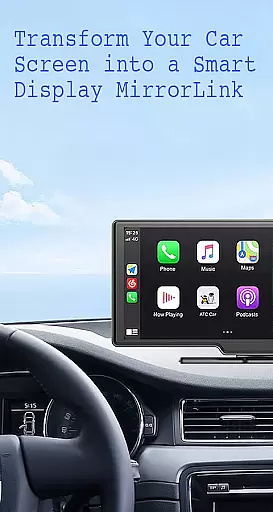
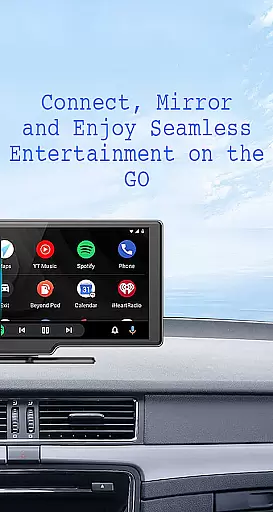
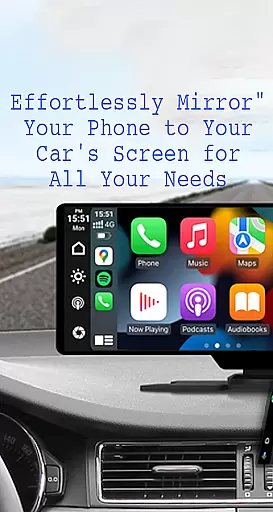
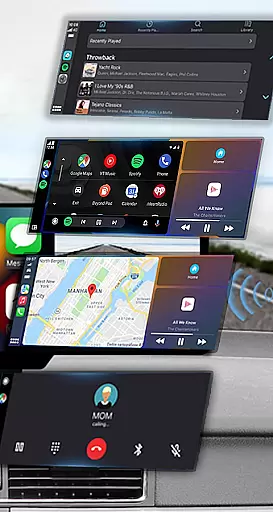
Mirror Link is a cutting-edge application designed to seamlessly connect your smartphone with your car's display system. This innovative solution enables users to project their phone's screen onto the vehicle's larger display, promoting safer driving by providing hands-free access to essential phone features. The app supports both wireless and USB connections, ensuring compatibility with various car models.
With its user-friendly interface, Mirror Link allows drivers to easily access navigation maps, music playlists, and communication apps directly from their car's touchscreen. Whether you're commuting to work or embarking on a road trip, this app enhances convenience and safety by minimizing distractions. The application's robust feature set includes multimedia streaming, automatic playback controls, and universal compatibility with all major car brands.
This app is particularly beneficial for modern drivers who rely on their smartphones for navigation and entertainment. By turning your car's display into an extended control panel, Mirror Link ensures that you can keep your focus on the road while still enjoying the full functionality of your mobile device. The app's ability to integrate with systems like Apple CarPlay and Android Auto makes it an indispensable tool for enhancing the driving experience.
Mirror Link stands out with its comprehensive feature set that addresses multiple user needs. The app's primary function is static screen sharing, which allows for stable and reliable projection of your smartphone's display onto your car's screen. This feature ensures that navigation maps, media players, and communication apps remain easily accessible while driving.
One of the most notable aspects of Mirror Link is its dual connectivity options. Users can choose between wireless connections via Miracast/Wireless Display technology or traditional USB connections, providing flexibility based on individual preferences and vehicle capabilities. The app also incorporates smart automation features, such as automatic playback control when connecting to the car display, enhancing user convenience.
Additional features include universal compatibility with all car brands and devices equipped with web browsers, seamless integration with Mirror Link CarPlay and Android Auto systems, and support for multimedia applications. These capabilities enable users to enjoy web video streaming, photo sharing, and audio playback directly through their car's display system. The app's one-click connection process and stable performance make it an exceptional choice for drivers seeking enhanced connectivity and functionality in their vehicles.
Functionality completeness in a car screen mirroring app refers to the range of features that ensure seamless integration between your smartphone and vehicle display. Mirror Link excels in this area by offering both wireless and USB connection options, catering to different user preferences and device compatibilities.
The app provides comprehensive coverage through its static screen sharing feature, which allows users to mirror their phone's interface onto their car's display with stability. This ensures that navigation maps, media controls, and communication features are readily accessible while driving, enhancing safety and convenience.
With support for multimedia access, automation capabilities, and compatibility across all car brands with built-in web browsers, Mirror Link demonstrates extensive functionality. Users can enjoy music, videos, texts, calls, and maps directly on their car screens, making it a versatile solution for modern drivers seeking integrated technology experiences.
Usability in a car screen mirroring application pertains to how easily users can operate the app and perform desired actions without frustration or confusion. Mirror Link prioritizes usability by enabling simple and fast connections with just one click, streamlining the process of linking smartphones to car displays.
Operational smoothness is evident in Mirror Link's ability to automatically play and pause music when connecting to a car display, showcasing intuitive design that anticipates user needs. The app also supports full mirror link functionality, allowing both old and new car models to benefit from its advanced features.
By integrating seamlessly with systems like Mirror Link CarPlay and Android Auto, the application ensures an uninterrupted experience across various platforms. This universal compatibility enhances user satisfaction by providing consistent performance regardless of the vehicle or device being used, ultimately contributing to safer and more enjoyable driving experiences.
User-friendly interface
Wireless and USB connectivity
Universal compatibility
Automatic playback control
Seamless system integration
Limited to compatible devices
Requires Miracast support
Potential connection issues
No official brand endorsements
Basic free version limitations

Game Booster GFX for smoother gaming experience. Enjoy 120 FPS and 4x Game Space
 4.20
4.20
SmartCast mirrors Android phone to TV screen With Cast Screen, Chromecast.
4.80
Use your Phone as Drone Controller.
3.70
Read Quran pak offline & listen online mp3 Quran in Al Quran Majeed app
4.1
use your smartphone as Remote control drones .
4.20
Test DPC is a sample device policy controller for use with Android Enterprise.
4.20
Block, disable and secure phone camera from secretly taking photos by spyware.
4.50
Barcode scanning made simple!
4.40
Simulator of real black light
3.50
Study Bible King James Version: the correct way to learn the Bible with audio
4.80
Tune your game graphics with our GFX optimizer for optimal gaming experience
4.50
Popular mods fnaf mods for melon playground
4.50
Manage apps & elevate your gaming experience with Game Launcher: Gaming Hub app.
4.30
Unlock the hidden menus of your phone with our mobile secret codes app.
4.20
The best PS2 games from your childhood come to life in their mobile version!
4.00
CloudEye 365 is a easy-handling APP
3.60
Zlink Carplay Android a mirror link app with a Carplay interface style
4.1
Mirror Link Car Display to share your screen with car dashboard wirelessly
4.3
Turn your phone into a wireless Xbox controller – play, stream & control anytime
4.3


User Reviews