
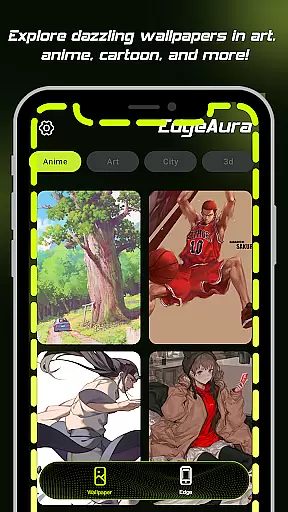
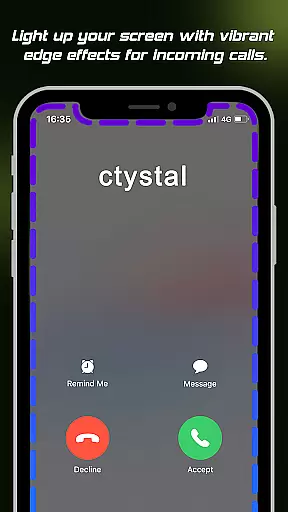
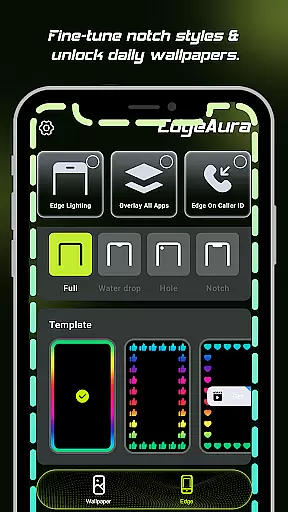
EdgeAura is a personalization app that enhances your device's visual experience with stunning edge glow effects and dynamic live wallpapers. The app allows users to customize their phone screens with a beautiful, floating aura of light that elegantly outlines the edges, making each device uniquely eye-catching. This immersive glow effect not only adds aesthetic value but also reacts to activities such as incoming calls, providing both style and functionality.
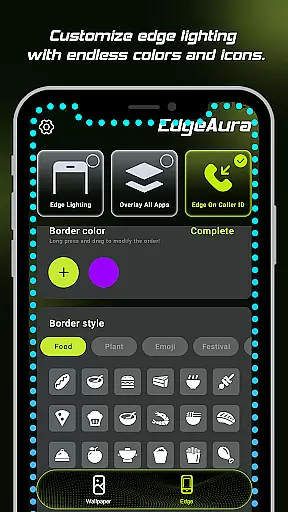
The app offers extensive customization options including color, width, and intensity adjustments for the edge glow, ensuring it perfectly matches the user's style and current wallpaper. Additionally, EdgeAura features an extensive library of high-quality, animated live wallpapers that can refresh both home and lock screens instantly. With its innovative design and practical notifications, EdgeAura transforms any smartphone into a personalized work of art.
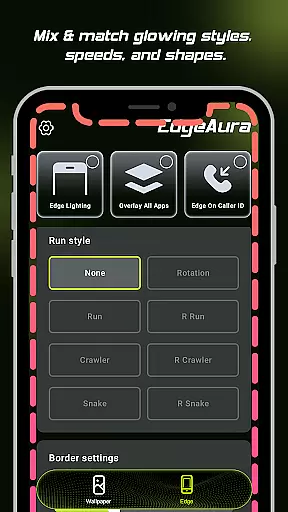
EdgeAura stands out with its Dynamic Edge Glow feature, allowing users to enjoy a smooth, colorful glow framing their screen. This glow is fully customizable in terms of color, width, and intensity, enabling a perfect match with individual styles and wallpapers. The Floating Overlay Effect ensures this elegant glow works seamlessly over other applications, offering a continuous visual experience without disrupting normal phone use.
In addition to its visual appeal, EdgeAura provides functional benefits like Incoming Call Alerts, where the screen edges light up with the chosen color during incoming calls, creating a modern and striking notification system. The app also boasts an Extensive Live Wallpaper Collection, regularly updated with high-quality, animated wallpapers to keep the device looking fresh and vibrant. These features collectively ensure EdgeAura delivers both aesthetic enhancement and practical utility, setting it apart from standard personalization apps.
EdgeAura offers an extensive range of customization options that allow users to personalize their device's visual experience. The app provides dynamic edge glow effects which can be tailored in terms of color, width, and intensity, ensuring that each user can find a style that resonates with their personal aesthetic.
The ability to customize the glow to match your unique style is crucial for a personalized experience. EdgeAura understands this need and delivers by offering settings that adapt seamlessly to various wallpapers and themes, enhancing the overall look of your device without compromising functionality.
Users benefit from having their devices reflect their personality through these customization features. With EdgeAura, you are not just setting a wallpaper; you're creating an aura that outlines your screen's edges with elegance and vibrancy, making every interaction with your phone a delightful experience.
This level of customization ensures that whether you prefer subtle enhancements or bold statements, EdgeAura caters to all preferences, providing value through its versatile personalization options that keep your device feeling fresh and uniquely yours.
Theme compatibility is at the heart of EdgeAura's design philosophy, ensuring that its stunning visual effects work harmoniously across different themes and apps. The floating overlay effect is engineered to integrate smoothly with other applications, preserving the integrity of your chosen theme while adding an immersive glow effect.
Ensuring visual consistency when using multiple apps is essential for a cohesive user experience. EdgeAura achieves this by allowing its vibrant edge glows to float over other applications without causing disruptions or inconsistencies in the user interface, maintaining a seamless visual flow throughout your device usage.
By choosing EdgeAura, users enjoy the assurance that their selected themes will remain visually appealing and undisturbed. This compatibility enhances both the appearance and usability of your device as it adapts to various activities, including incoming call alerts with glowing edges that complement rather than clash with existing themes.
Ultimately, EdgeAurau2019s commitment to theme compatibility means users receive an uninterrupted and polished experience, where every feature from live wallpapers to dynamic glow effects aligns perfectly with their device's current look, elevating personalization without sacrificing coherence.
Unique edge glow
Fully customizable
Live wallpapers
Call alerts
Overlay effect
Battery intensive
Accessibility perm
Premium features
Complex settings
Limited free options

A retro cartoon style watch face and a punch right in the face of the copyright
 4.60
4.60
Themes - Widget & Wallpaper: Customize home screen, icon changer w unique themes
4.30
Unique Android Launcher
4.60
Customize your home screen with stunning themes, blur, widgets & icons.
4.60
Adorable pets roam and play right on your phone screen!
3.30
Crystal-clear, square icon provides a sleek and sophisticated visual upgrade
4.00
300+ Stunning and well-designed widgets inspired by NOTHING.
4.70
Modern Glass Icon Pack with glossy icons, clean minimal theme & aesthetic style
4.3
Customize phone with anime themes, 3D icons, aesthetic widgets & wallpapers
4.80
Wallpaper HD 4K Live - Thousands of high-quality Anime backgrounds for you.
4.80
A Colorful and Minimal icon pack in an Outline Style - Over 13,600 icons!
4.70
A launcher for Samsung Good Lock and Good Guardians modules without ads
4.70
Ultra realistic gold analog watch face with lots of customization options.
4.50
Yandex Browser — stylish and secure, with voice search and data compression
4.40
Organize and manage your photos and videos effortlessly with Photo Gallery
4.20
Unleash Your Creativity and Connect with Loved Ones with Lockscreen Drawing!
4.20
Magic fluids wallpaper 4D: Relax with stunning fluid simulation wallpaper app
4.20
Transform your phone with stunning video wallpapers and a unique, personal touch
3.80
⭐ OneUI inspired Fluffy Icon Pack – Soft. Stylish. Standout. ⭐
4.2


User Reviews