
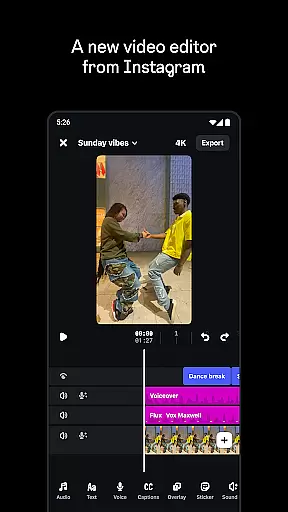
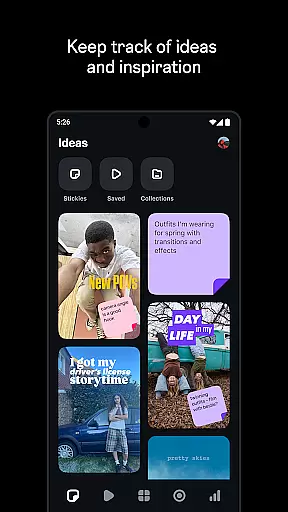
Edits is a powerful mobile video editing application designed specifically for content creators who want to produce professional-quality videos directly from their smartphones. The app provides a complete suite of editing tools that streamline the creative process, allowing users to capture, edit, and export high-quality 4K videos without watermarks. Its intuitive interface makes it easy to manage drafts, apply advanced editing techniques, and share finished projects seamlessly to platforms like Instagram.
One of Edits' standout features is its ability to support every stage of video creation. From capturing up to 10-minute clips with customizable camera settings to offering AI-powered animations and green screen effects, the app ensures that creators have everything they need in one place. Additionally, users can enhance audio clarity, generate automatic captions, and access real-time analytics through an insights dashboard, helping them refine their creative strategies based on performance metrics.
Whether you're a beginner or an experienced creator, Edits simplifies the journey from idea to final product. By combining robust editing capabilities with user-friendly design, this app empowers creators to focus more on storytelling and less on technical hurdles, ultimately saving time while delivering polished results.
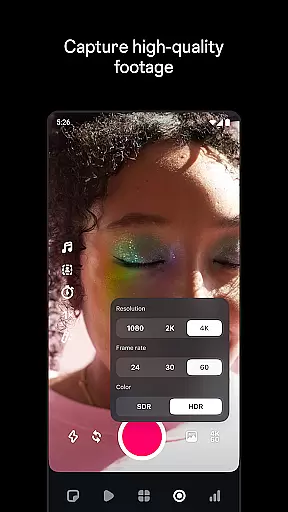
Edits stands out as a comprehensive video editor by offering a wide array of innovative features tailored to modern creators. One of its key strengths lies in its precision-based editing tools, which allow frame-by-frame adjustments, ensuring every detail meets professional standards. Users also benefit from advanced camera controls, including resolution, frame rate, and dynamic range customization, enabling them to achieve the exact aesthetic they envision.
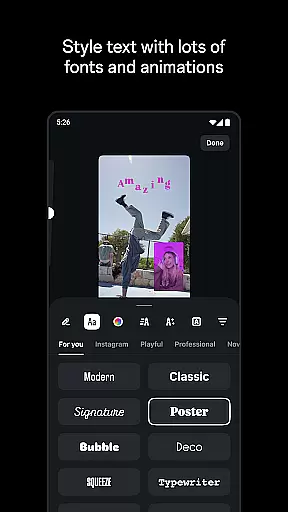
Beyond basic editing, Edits incorporates cutting-edge technologies such as AI animation and green screen functionality. These tools enable creators to experiment with unique visual styles, whether animating static images or replacing backgrounds with video overlays. The app further enhances creativity with a rich library of fonts, sound effects, filters, stickers, and voice modulation options, giving each project a personalized touch.
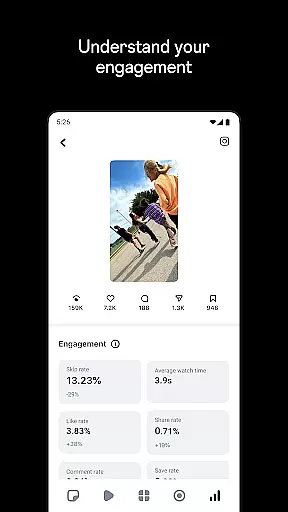
Another notable feature is the app's integration of performance tracking tools. Creators can monitor how their videos perform using live insights dashboards, gaining valuable data about audience engagement. This feedback loop not only informs future projects but also helps optimize content strategy. With these capabilities, Edits bridges the gap between creativity and analytics, making it an indispensable tool for today’s digital storytellers.
Video format compatibility is crucial for any video editor, and Edits, an Instagram App, excels in this area. The app supports a wide range of video formats, allowing creators to import and export videos without worrying about compatibility issues.
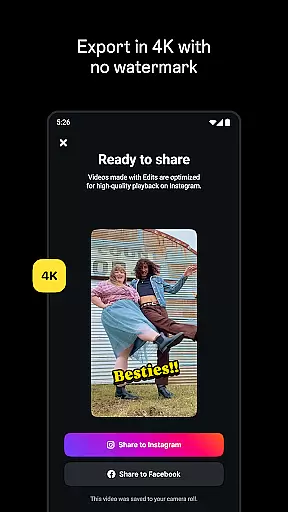
With the capability to export videos in 4K resolution without watermarks, Edits ensures that your creations retain their high quality across different platforms. This feature is particularly beneficial for content creators who wish to maintain professional standards in their work.
Moreover, Edits simplifies the creative process by enabling users to capture high-quality clips directly within the app. These clips can be up to 10 minutes long, providing ample time for creators to express their ideas without being constrained by time limits.
The app's seamless integration with Instagram further enhances its video format compatibility. Users can share their edited videos directly to Instagram, enjoying high-quality playback that captures their audience's attention.
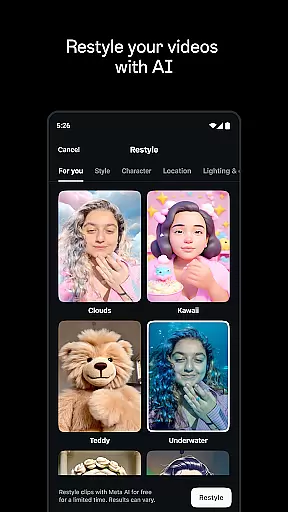
Edits offers a suite of AI-powered editing features that revolutionize the way creators produce content. One standout feature is the ability to bring images to life through AI animation, adding dynamic movement to static visuals and enhancing storytelling capabilities.
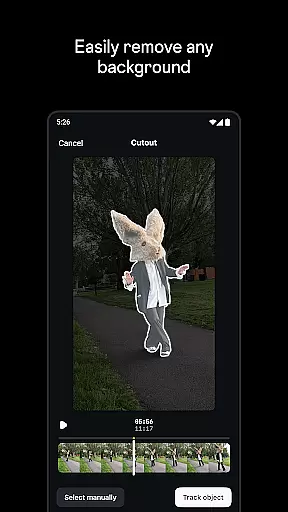
In addition to AI animation, Edits provides advanced tools such as green screen functionality, cutout effects, and video overlays. These features allow users to change backgrounds creatively or add layers to their videos, resulting in more engaging and visually appealing content.
Audio enhancement is another key aspect of Edits' AI-powered toolkit. The app can make voices clearer and remove unwanted background noise, ensuring that the message is conveyed effectively without distractions.
Furthermore, Edits automates tedious tasks like caption generation. By automatically creating captions and offering customization options, the app saves creators valuable time while increasing accessibility for viewers who prefer watching videos with subtitles.
User-friendly interface
Advanced editing tools
AI-powered enhancements
Seamless social sharing
Real-time performance insights
Limited free features
High device requirements
Occasional bugs
No desktop version
Subscription costs

Connect 2 UVC devices for recording and broadcast video/audio stream
 3.90
3.90
Video Player - Unlimited features, 30 days money back guarantee.
4.60
Support 1000+ Video Format, Subtitle Download, mp3 & Background Play, Cast On TV
4.60
AirMirror Receiver - Screen mirroring/cast web videos to Android TV by AirPlay.
4.40
Make your own Animations, Video and Photo Edits, Visual Effects, and more!
4.00
Mix with Virtual DJ directly from your phone or tablet !
3.10
Livestream, news, & gaming content. Watch, chat, and upload. Join Rumble today!
3.80
Enjoy your favorite videos and channels with the official YouTube app.
3.90
Create, Publish & Maximize
4.70
#1 Torrent App on Android ** No Ads Ever + Battery Saver **
4.80
Screen recorder with audio to take live videos & Screenshot in high quality!
4.70
Fast, private downloading, video saving, social media
4.50
Fast & Private HD Video Downloader with Built-in Proxy Browser and Video Player.
4.50
This app was created to edit the metadata of music files.
4.20
Your media, on your terms.
4.10
Browser for Samsung TV to stream webvideos, online movies and livestreams in HD
4.10
Explore the largest library of free GIFs, Stickers & Memes - or create your own!
3.90
Save photos and videos from social apps in one tap.
3.60
Powerful HD video player with support for all formats & subtitles.
4.2


User Reviews