
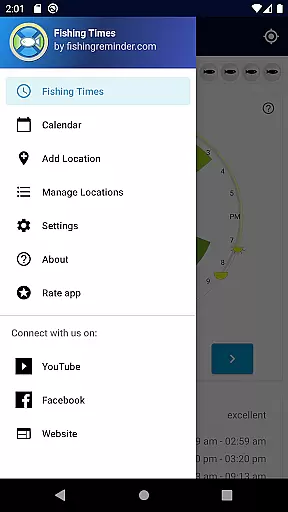
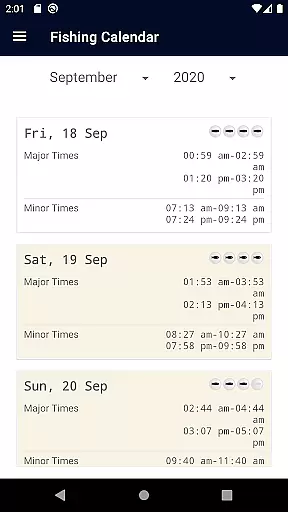
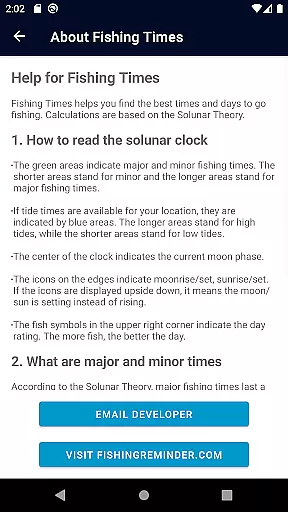
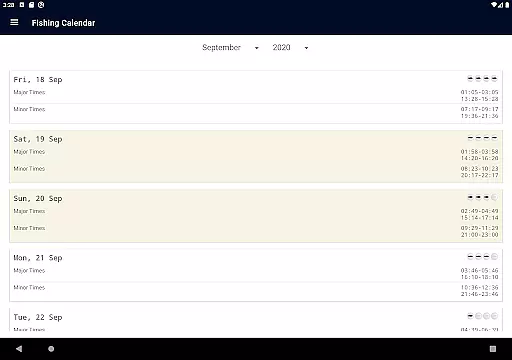
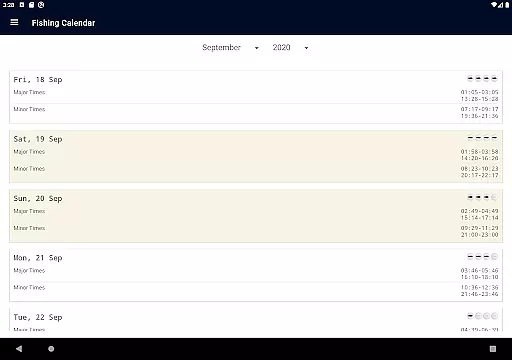
Fishing Times Pro is a specialized fishing application designed to help anglers optimize their fishing experiences. The app provides detailed information on solunar cycles, tides, and weather conditions that influence fish activity. With its easy-to-read 24-hour Solunar Clock view and calendar format, users can effortlessly plan their fishing trips around major and minor fishing times.
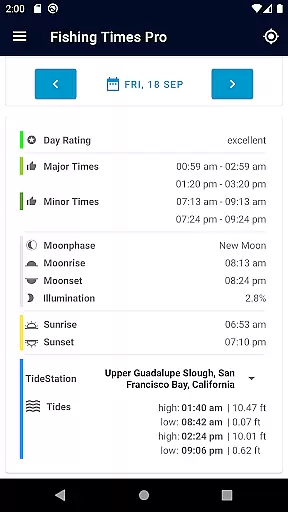
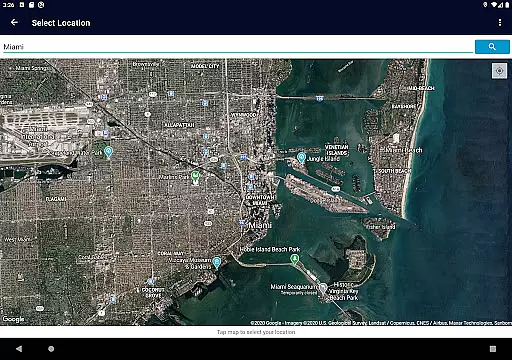
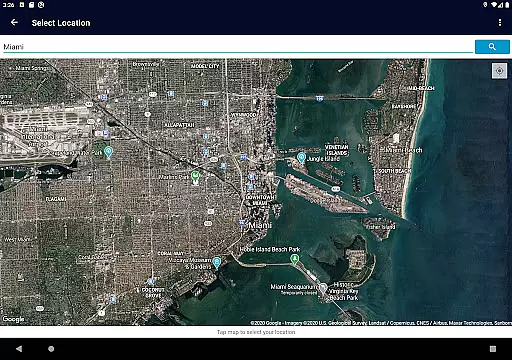
One of the standout features of Fishing Times Pro is its ability to display crucial data such as sunrise, sunset, moonrise, moonset, and moon phases. This allows anglers to make informed decisions about when and where to fish. Additionally, the app supports multiple location management, making it ideal for both local fishing enthusiasts and those who travel to different fishing spots.
The app's interface is clean and intuitive, ensuring that users are not overwhelmed with unnecessary information. Developed by passionate anglers, Fishing Times Pro offers practical tools that cater specifically to the needs of fishing enthusiasts, helping them maximize their chances of a successful catch.
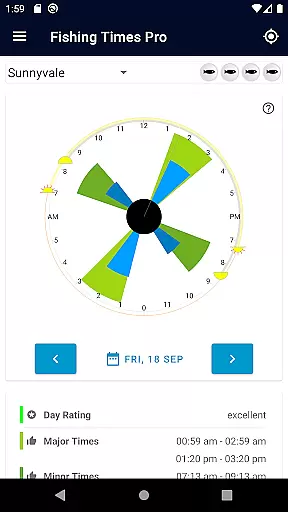
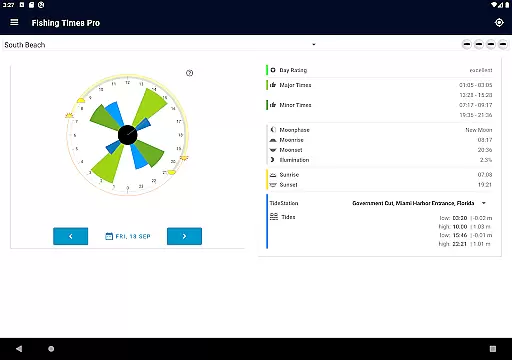
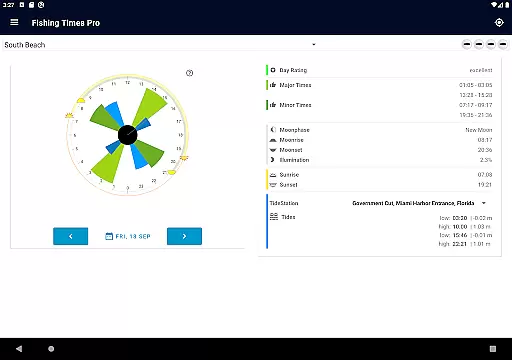
Fishing Times Pro boasts an array of features tailored to enhance the fishing experience. The app's Solunar Clock interface is a key highlight, providing instant information on the best bite times through green bars for major and minor fishing periods and blue bars for tide times. Users can easily interpret this data thanks to clear visual indicators like the grey line for current time and icons for sun/moon rise and set.
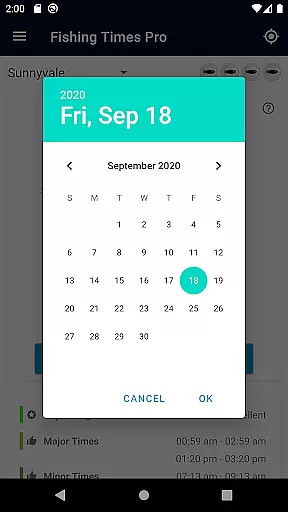
Another notable feature is the day rating system, which evaluates fishing conditions on a scale from fair to excellent using a fish icon indicator. This helps anglers quickly assess the potential success of their fishing activities. Additionally, the app allows seamless date switching, enabling users to plan future fishing trips with precision.
Furthermore, Fishing Times Pro maintains a minimal footprint on devices, requesting only essential permissions. This focus on simplicity and efficiency ensures that users enjoy a streamlined experience without any clutter. The app is also supported by a community of fishing enthusiasts, offering additional resources and content across various social media platforms.
Fishing Times Pro excels in delivering a realistic fishing experience by leveraging accurate solunar data. The app provides major and minor fishing times, which are crucial for planning successful fishing trips. These times are calculated based on the moon's position and gravitational forces, ensuring that anglers can anticipate peak activity periods.
The integration of tide times, sunrise, sunset, moonrise, moonset, and moon phase information adds another layer of realism to the app. By presenting this data in a 24-hour Solunar Clock view, users can quickly grasp the optimal fishing windows. This attention to detail mirrors real-world conditions, enhancing the authenticity of the fishing experience.
For anglers, this means they can rely on Fishing Times Pro to offer precise guidance on when fish are most likely to bite. The app's ability to display this information in both clock and calendar formats ensures that users can plan their trips with confidence. This level of accuracy not only improves the chances of a successful outing but also deepens the user's understanding of how natural cycles affect fishing conditions.
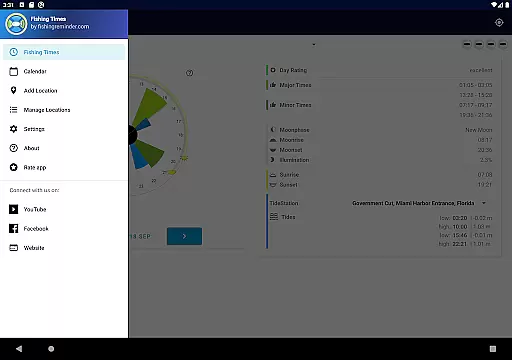
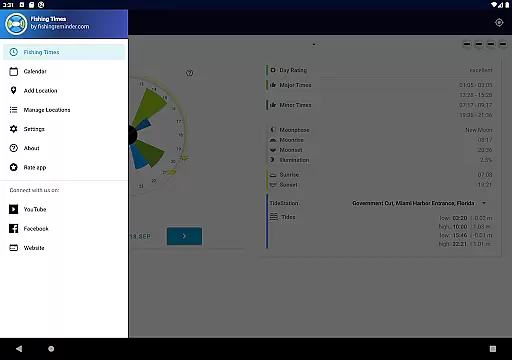
The control scheme of Fishing Times Pro is designed to be intuitive and user-friendly, allowing anglers to focus on their fishing rather than navigating complex interfaces. The app features an easy-to-read interface that clearly displays all essential fishing conditions, such as major and minor times, day ratings, and tide times, in a straightforward manner.
Users can effortlessly switch between dates using simple swipe gestures, making it easy to plan future fishing trips. The Solunar Clock interface provides instant information on the best bite times through visual indicators like green bars for good fishing times and blue bars for tide times. This visual approach ensures that even novice users can quickly interpret the data without needing extensive tutorials or explanations.
Additionally, the app's minimalistic design philosophy means it won't clutter your device with unnecessary features. With only minimal permissions required, Fishing Times Pro maintains one of the smallest footprints among similar apps. This streamlined approach enhances usability while maintaining a clean and organized interface, ultimately providing a seamless and enjoyable user experience.
User-friendly interface
Comprehensive solunar data
Multiple location support
Minimal device permissions
Developed by fishing enthusiasts
Limited to fishing activities
No offline functionality
Premium features require subscription
Occasional inaccuracies in forecasts
Interface may feel basic to some

Extreme bike tricks at your fingertips!
 4.50
4.50
Trick cliff dive backflips, stunts & doubles! Unparalleled real physics!
4.50
Vertical billiards game with single player
4.60
Advanced Shotgun Shooting Simulator: Skeet, Trap, Sporting and Bird Hunting
4.20
Raise your duckling into a champion racer in this addictive pet & adventure game
3.90
The classic Backyard Football 1999 is now enhanced to run on modern systems!
4.40
Build, manage & coach your NFL dream team in this American Football sports game!
4.40
An easy-to-use app for sports team communication and logistics
3.20
NHL scores for Wear OS. Quickly see all NHL game details, standings & schedules+
4.3
Establish a stable of talented boxers to take on the world.
4.80
Create and customize your own golf course in this charming management sim.
4.70
Modern arcade style pool game with single player, Relaxed game of 8 ball.
4.60
Push your skills, express your style, or just enjoy the ride.
4.60
Let's play catch and throwing game!
4.60
Join over 10,000,000 people in the only official PBA bowling game!
4.40
Play one of most famous lawn games in America called foot bag toss family games!
4.30
The ultimate skateboarding sim
4.20
Exploring Football from a Unique Perspective
4.10
Mental skills exercise/training - improve your power of focus and concentration
4.1


User Reviews