
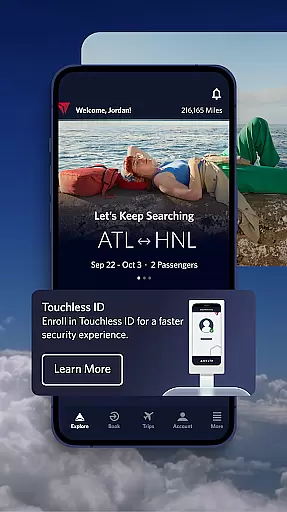

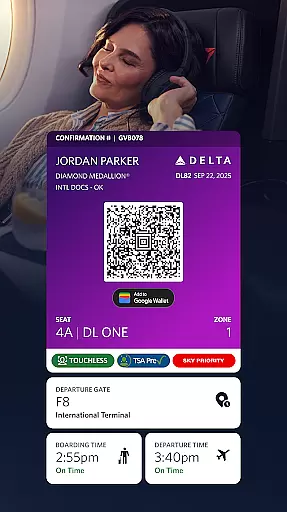
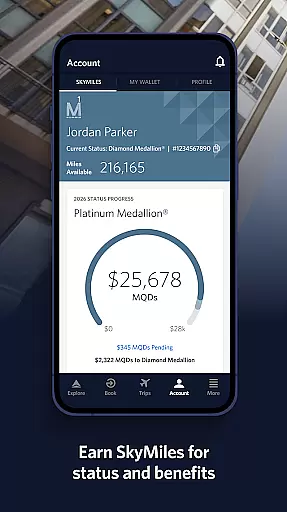
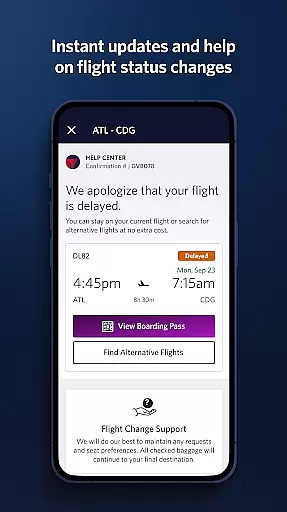
Fly Delta is an award-winning travel app designed to simplify every aspect of your journey. With a comprehensive suite of features, it allows users to plan trips, manage bookings, and navigate airports with ease. The app provides real-time updates and tools for both domestic and international travelers, ensuring a seamless experience from booking to landing.
One standout feature is its ability to track upgrades using SkyMiles®, while also offering convenient options like passport scanning and seat changes. Whether you're checking in, monitoring flight statuses, or locating Delta Sky Club® information, Fly Delta ensures that all essential travel details are at your fingertips. This makes it an invaluable tool for frequent flyers and occasional travelers alike.
Fly Delta offers a robust set of features tailored to streamline air travel. Users can book flights, manage preferences, and even chat with live agents for assistance. The "Today" section consolidates everything needed for the day of travel, including digital boarding passes and upgrade lists.
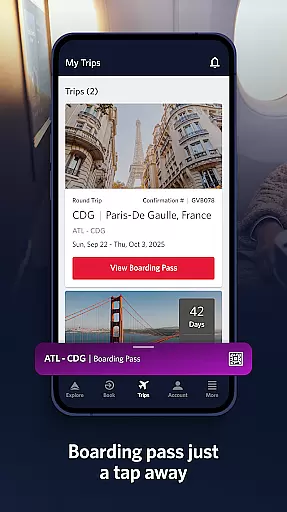
Airport navigation is simplified through interactive maps, while real-time notifications keep passengers informed about gate changes and delays. Additionally, the app supports offline boarding pass access and tracks checked baggage in real time. These functionalities not only enhance convenience but also provide peace of mind by keeping travelers updated throughout their journey.
Booking authenticity is a crucial aspect of any travel application, ensuring that all reservations and transactions are legitimate and verifiable. The Fly Delta app excels in this area by providing users with secure booking processes.
When using Fly Delta, travelers can shop and book both domestic and international flights with confidence. The app incorporates advanced security protocols to protect user data during the booking process. This ensures that every reservation made through the app is authentic and reliable.
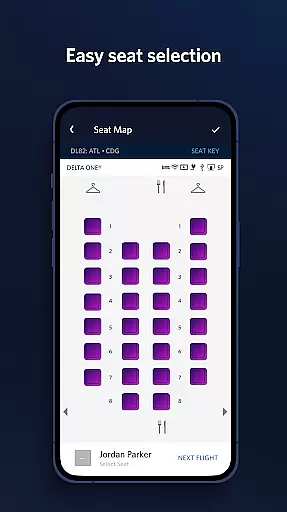
The benefits for users are significant. Not only can they trust that their bookings are valid, but they can also track and pay for upgrades using their SkyMiles directly within the app. Additionally, features like saving a companion to their profile and managing travel preferences contribute to a seamless booking experience.
By prioritizing booking authenticity, Fly Delta enhances customer trust and satisfaction. Users can manage their trips with peace of mind, knowing that their travel plans are secure and supported by Delta's robust verification mechanisms.
Price transparency in travel applications refers to the clear display of costs associated with bookings, ensuring there are no hidden fees. The Fly Delta app provides comprehensive price transparency, empowering users to make informed decisions about their travel expenses.
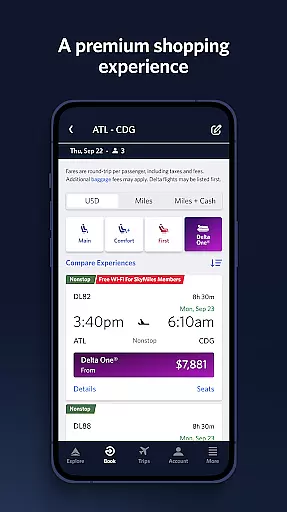
Fly Delta allows users to view pricing details throughout the booking process. Whether shopping for flights or reserving preferred seats, customers can see exactly what they are paying for. The app breaks down costs, including base fares, taxes, and additional fees, so there are no surprises at checkout.
This level of transparency offers substantial value to users. They can compare prices easily, choose the most cost-effective options, and even pay for upgrades or extras like Wi-Fi passes with full knowledge of the costs involved. Furthermore, the ability to modify bookings means users can adjust their plans without worrying about unexpected charges.
With its commitment to price transparency, Fly Delta not only builds trust with its users but also simplifies the financial aspects of travel planning. This approach helps customers budget effectively and enjoy stress-free travel experiences.
User-friendly interface
Comprehensive travel tools
Real-time updates
Offline boarding pass
Live chat support
Limited third-party integrations
Occasional bugs reported
Heavy on battery usage
Some features require login
Ads within the app

View current Montana road conditions, cameras, plows, and timelapse videos.
 4.70
4.70
Get all MTA services, Subway, Bus, LIRR, Metro-North and More all in one place.
4.60
GPS Live Satellite Earth to find route navigation and current location map
4.00
Tickets, hotels, wait times, maps, mobile ordering, Disney PhotoPass & more
4.50
Easily rent a car at over 9,500 locations with the Enterprise car rental app.
4.60
Replace your car trips with the world’s largest shared electric vehicle company.
4.90
Get real-time traffic, directions, search and find places
4.10
Stay at Motel 6 for less - book fast, save more with MY6 app!
4.70
Walt Disney World Resort maps, wait times, tickets, dining & more.
4.50
Book now to save with exclusive travel deals on hotels, flights, cars & packages
4.70
Book neighborhood dog boarding, dog walking, pet sitting, and doggy day care.
4.60
Download now and start earning rewards on hotels, tours, and everything travel.
4.50
Flight booking, hotel booking & more - all in one place with the Southwest App!
4.50
Maps, Wait Times, Park Hours
4.40
A tool for outdoor activities.
4.30
Get Moving Made Easier® with the official U-Haul® Moving & Storage app.
3.40
Find the best prices, pay for the cheapest gas, and save on every fill up
3.30
Every Diners, Drive-in & Dives location in one place! Your guide to Flavortown!
3.00
Locate and navigate to local holiday displays
4.4


User Reviews