
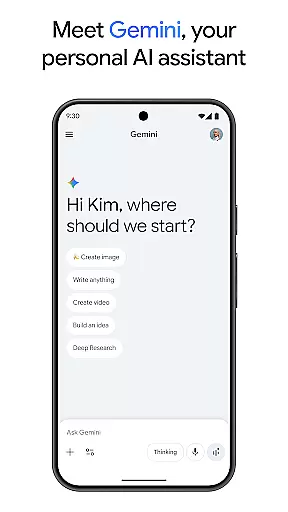
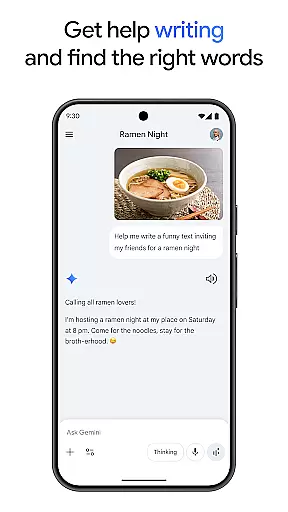
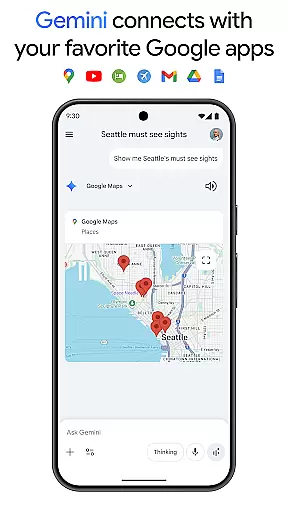
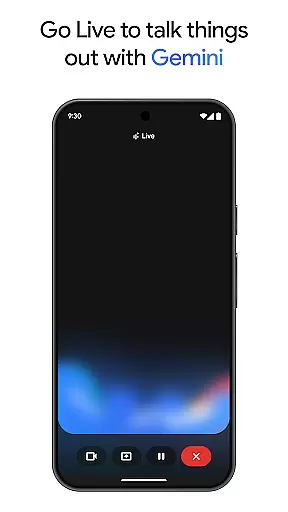
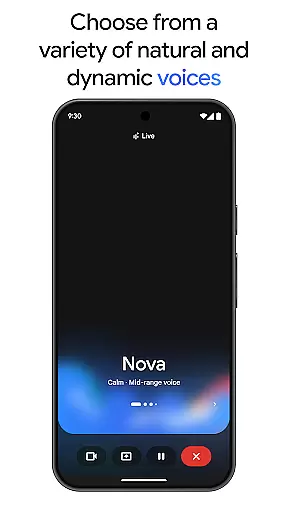
Gemini is a powerful AI assistant developed by Google, designed to enhance both creativity and productivity. This application provides direct access to Google's advanced family of AI models on mobile devices. Users can engage in live brainstorming sessions, simplify complex topics, and rehearse for important events using Gemini Live. Additionally, the app supports integration with popular Google services such as Search, YouTube, Maps, and Gmail.
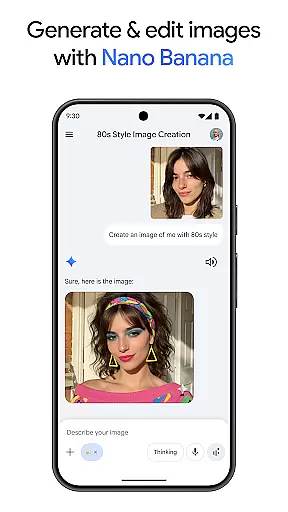
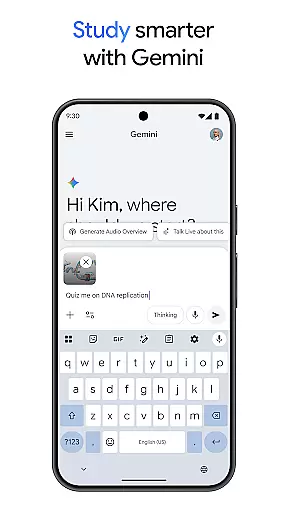
One of the standout features of Gemini is Canvas, which allows users to bring their ideas to life by creating apps, games, web pages, infographics, and more. The app also aids in studying by generating quizzes and flashcards, offering interactive visuals, and providing real-world examples. Furthermore, Gemini can transform any file into a podcast, create and edit images from simple text descriptions, and assist in planning trips efficiently.
Gemini is particularly useful for professionals and students who need to manage large projects or study materials. With capabilities like summarizing extensive documents, performing deep research, and generating videos, it serves as an all-in-one productivity tool. Whether you're looking to streamline your workflow or enhance your creative projects, Gemini offers a versatile solution tailored to various needs.
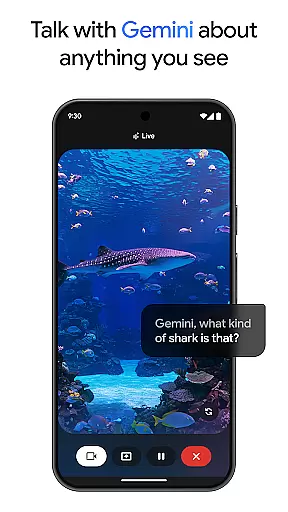
Gemini boasts a wide array of features that cater to diverse user requirements. One of its key functionalities is Gemini Live, which enables users to share their camera or screen during conversations, facilitating discussions about anything visible on the screen. This feature is especially beneficial for collaborative work and presentations. Another notable aspect is Canvas, which empowers users to prototype ideas quickly, whether they are developing applications, designing web pages, or crafting infographics.
The app also excels in educational support by helping users study smarter. It generates quizzes and flashcards, provides interactive visuals, and includes real-world examples to aid comprehension. Moreover, Gemini can convert files into podcasts, making information more accessible on the go. Its image creation and editing capabilities allow users to produce stunning visuals effortlessly, while trip planning tools ensure efficient organization of travel details.
Gemini's Pro and Ultra plans offer enhanced features such as a 1M token context window, enabling the processing of up to 1,500 pages of text or 30k lines of code. These premium tiers provide higher access to advanced models like 3 Pro, Deep Research, and video generation with Veo 3.1 Fast. Overall, Gemini stands out for its comprehensive suite of tools that boost productivity and foster innovation across different domains.
Gemini, as a productivity-focused AI assistant, excels in core task management by offering users tools to brainstorm ideas, simplify complex topics, and rehearse for important moments.
With features like Gemini Live, users can engage in dynamic conversations with the AI, sharing their camera or screen to discuss anything they see, thus enhancing real-time collaboration and task handling.
The app also integrates seamlessly with favorite Google apps such as Search, YouTube, Gmail, and more, ensuring that task management is not siloed but part of a connected ecosystem.
This interconnectedness allows users to tackle complex projects efficiently, making Gemini an indispensable tool for both personal and professional task management.
Cross-device synchronization is a critical feature of Gemini, ensuring that your data, ideas, and project progress are reliably accessible across all your devices.
Whether you're working on your phone, tablet, or computer, Gemini maintains up-to-date records of your activities, allowing for seamless transitions between devices without any loss of information.
This reliability is further enhanced by the app's integration with Googleu2019s suite of services, providing a robust platform where your work is always current and secure.
By upgrading to the Pro or Ultra plans, users gain access to even larger context windows and higher processing capabilities, ensuring that cross-device experiences are smooth and efficient, no matter the complexity of the tasks at hand.
Advanced AI models
Integration with Google apps
Creative tools like Canvas
Enhanced productivity features
Premium plans for advanced users
Requires subscription for full features
Complexity may overwhelm new users
Limited free tier functionality
High system requirements
Privacy concerns with data usage

Take control of your clipboard with Clipper!
 3.90
3.90
Native client for Forgejo and Gitea
5.00
Planet Free VPN - The best Fast Unlimited and Secure VPN Without Logs
4.50
Automates browsing any website and notifies you of important changes or events
4.30
Protect and view your important info on your phone and tablet with eWallet®
4.80
Easiest event planning, volunteer signups & parent teacher conference scheduling
2.20
PDF scanner & converter for files, photos, lottery, QR codes. One swipe away!
4.50
Share files & memories safely. Keep your photos and videos secure.
4.40
Put a lock on your cloud: Take the security of your data into your own hands
3.70
8 custom complications. Custom Time Fonts. Beautiful color schemes. A++ Design.
5.00
QuickBooks Workforce lets teams view pay info and track time in one place.
4.70
Direct Chat without saving contacts & Dual WA Account on Single Device
4.70
App Lock with fingerprint, password: Lock apps & hide photos with lock screens
4.60
Easily read and manage all your PDF files
4.10
Smart PDF reader & editor to view, organize and manage PDF documents easily.
3.70
Remotely view listen control and record cameras.
3.70
ID.me Authenticator is a simple and free Two Factor Authentication solution
3.50
Code on-the-go with VScode for Android. Edit,debug and collaborate from mobile!!
3.10
Ads Free App! Editor, Hide File, Copy, Move, Delete and Rename.. all facility av
1.70


User Reviews