
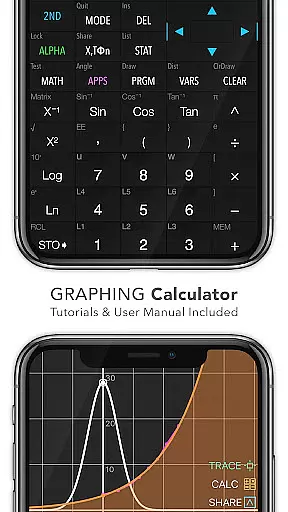
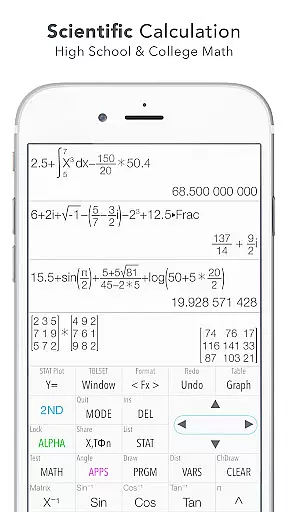
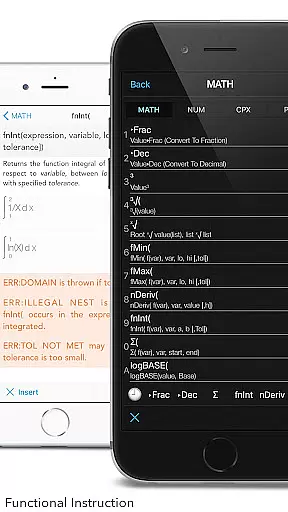
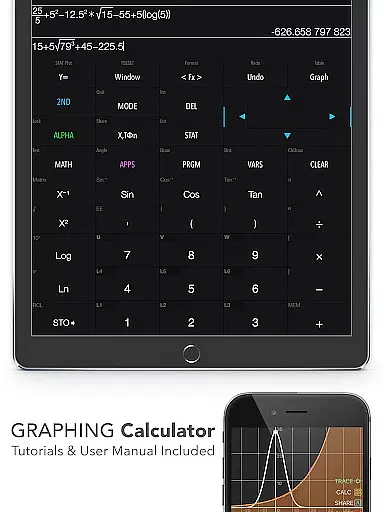
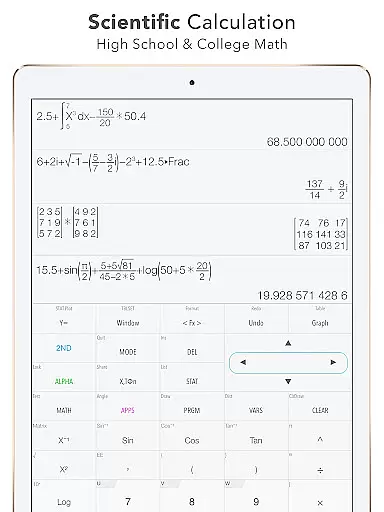
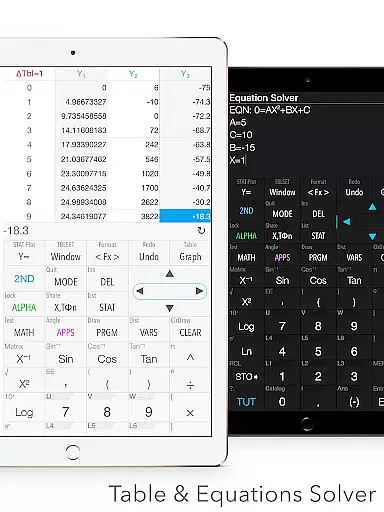
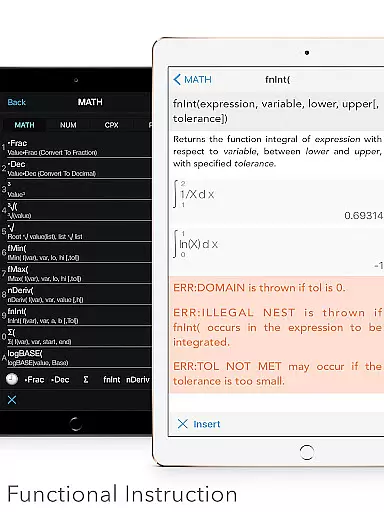
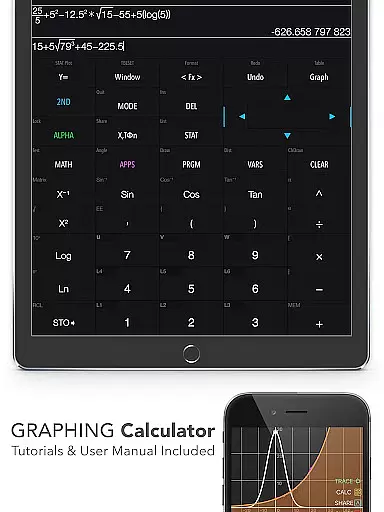
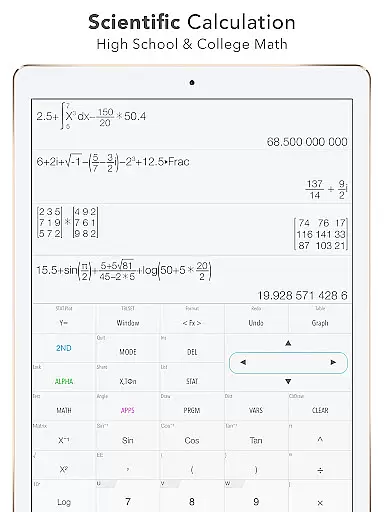
Graphing Calculator Plus is a powerful educational tool designed for students, engineers, and math enthusiasts. This app serves as a comprehensive alternative to traditional hardware calculators like the TI-84 and TI-83, offering advanced mathematical capabilities right on your Android device. With its robust MATH CORE and intuitive mathematical display support, users can perform both basic and complex calculations with ease.
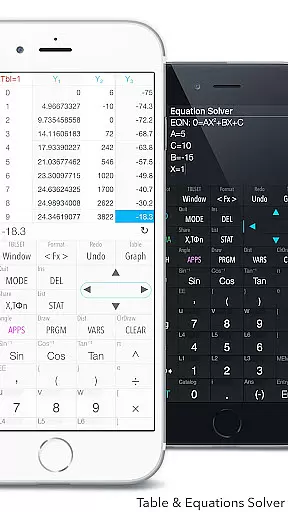
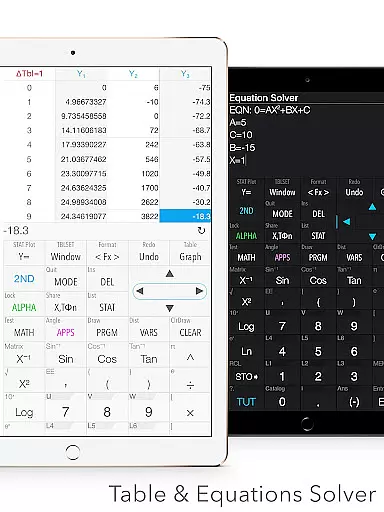
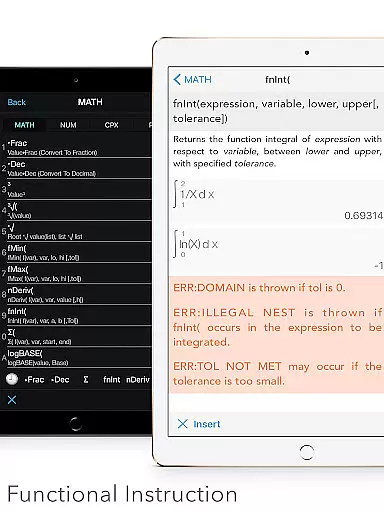
The calculator includes an extensive range of built-in functions such as X & Y calculations, local maxima and minima computations, statistics and regression analysis, equation solving, and integral function calculations. It also features specialized tools including 2D graphing, matrix operations, programming commands, and number base-N modes. Whether you're tackling algebra, calculus, geometry, or financial calculations, this app provides all the necessary tools in one convenient package.
Ideal for academic and professional use, Graphing Calculator Plus enhances productivity by allowing users to edit and export expressions, view history tapes, and customize functions. Its dual themes and user-friendly interface make it accessible for all types of users. By consolidating numerous functionalities into a single app, it eliminates the need for multiple devices and streamlines the learning process, making it an invaluable resource for anyone involved in mathematics.
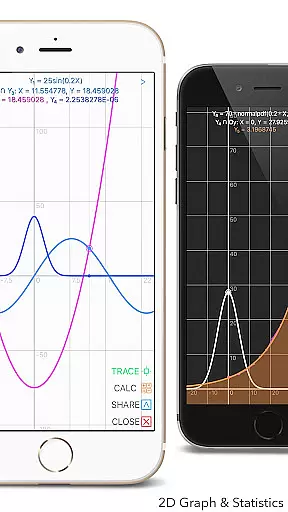
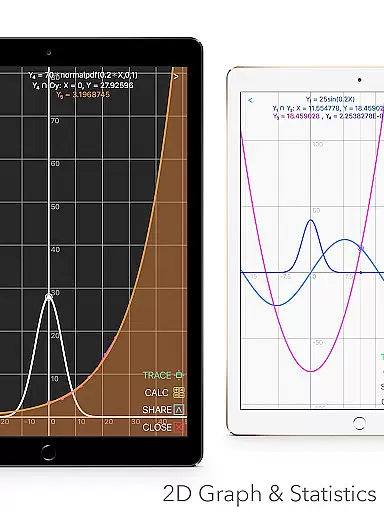
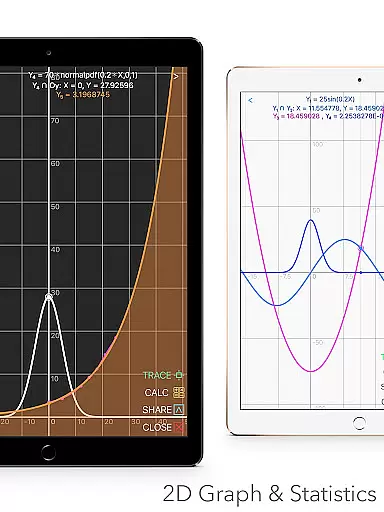
Graphing Calculator Plus stands out due to its wide array of features tailored for various mathematical needs. One notable feature is its ability to handle simultaneous graphing with smooth zoom and transformation capabilities. Users can explore parametric, polar, and sequence graphs while identifying intersections, minimums, maximums, and special points through tracing. This functionality is crucial for visual learners who benefit from graphical representations of mathematical concepts.
In addition to graphing, the app excels in statistical analysis and regression testing. It allows users to create and edit lists for 1-variable and 2-variable statistics and supports multiple types of regressions including linear, quadratic, cubic, logarithmic, exponential, and power regressions. The inclusion of hypothesis tests such as PropZ, T-tests, Chi-square tests, and interval estimations makes it indispensable for data analysis and research projects.
Another significant aspect is its programming environment which includes control and I/O commands along with example source codes. This feature encourages users to develop custom scripts and automate repetitive tasks. Furthermore, the app offers a financial calculation module (TVM solver), geometry and chemistry applications, and plans for future updates that promise even more functionality. These diverse features ensure that Graphing Calculator Plus remains a versatile and essential tool for education and beyond.
When it comes to educational tools like Graphing Calculator Plus, content accuracy is paramount. This app ensures precise calculations across various mathematical domains, from basic arithmetic to advanced calculus. The inclusion of a powerful MATH CORE and MATH DISPLAY support guarantees that all computations, graphs, and statistical analyses are executed with exactness comparable to hardware calculators such as the TI-84.
The app's authoritative content is further reinforced by its comprehensive set of features designed for math students and professionals alike. With built-in documents covering general calculations, intersections of functions, local maxima and minima, statistics, regression analysis, equation solving, polynomial handling, and integral functions u2013 users can trust in the reliability of their results. Each feature has been crafted to adhere strictly to mathematical principles ensuring users receive credible outcomes every time they use the application.
Moreover, Graphing Calculator Plus provides an invaluable resource through its user manual and tutorial system. These materials not only guide users on how to navigate the app but also deepen their understanding of complex mathematical concepts. By offering detailed explanations and examples within these resources, learners gain confidence in applying theoretical knowledge practically using this digital tool, thus enhancing both learning efficiency and academic performance.
Graphing Calculator Plus stands out by offering personalized learning paths tailored to individual needs. Whether you're a student grappling with algebra or an engineer requiring advanced matrix operations, this app adapts seamlessly to your level of expertise. Its customizable functions (F1, F2, F3) allow users to define their own formulas and workflows, creating a unique environment that evolves with their growing skills.
In addition to customization options, the app supports diverse mathematical explorations through its 2D graphing capabilities. Users can plot simultaneous graphs, adjust them smoothly via zoom and transformation tools, and explore parametric, polar, and sequence representations. This flexibility enables learners to visualize mathematical relationships dynamically, fostering deeper comprehension at their own pace while encouraging exploration beyond traditional classroom settings.
Furthermore, the inclusion of programming features enhances personalization by letting users create custom scripts using control commands and I/O operations. Example source codes provided within the app serve as templates for beginners to start coding immediately. As learners progress, they can develop more sophisticated programs, effectively turning Graphing Calculator Plus into a platform where each useru2019s journey through mathematics becomes uniquely theirsu2014a testament to how technology can be leveraged for truly individualized education experiences.
User-friendly interface
Comprehensive math functions
Advanced graphing capabilities
Statistical and regression tools
Customizable settings
Occasional bugs reported
Complex for beginners
Some features require updates
Limited offline support
Premium price tag

Learning the ancient Viking language made simple
 4.70
4.70
Universe simulator: Find & explore planets system, outer space, astronomy events
4.60
The Only Official DVSA Theory Test Kit App
4.50
Pass your FAA written with flying colors - Study Buddy can help.
4.30
The Fighter Verses Bible memory system helps you memorize God's Word.
4.50
Listen, request and record pronunciations in more than 450 languages. Everywhere
3.90
MONOPOLY JUNIOR brings Hasbro's classic the board game to life.
3.00
Visit Daniel's house & make believe. Play doctor, make music, & feed fish.
3.20
The best way to study for your amateur radio license exam.
4.90
Practice Casino Roulette Payouts for Table Game Dealers and Croupiers
4.40
Ignite curiosity, spark learning: All babybus videos &games
4.30
The FE Clock is a way to track sun & moon around the circle of the earth.
4.30
Your guide to thousands of satellites and spacecraft in orbit around Earth!
3.90
Explore the City of the Sun in Augmented Reality
3.70
Quiz App to help case managers studying for CCMC Certification, 200+ Questions
3.40
Snap a dog photo to identify its breed instantly. Fast, accurate and easy to use
3.40
Hasbro’s classic CANDY LAND game is now a gorgeous interactive storybook app.
2.30
AR planetarium app that brings the solar system to you via XREAL Glasses.
4.5
Pickleball guide complete with illustrated Pickleball drills and helpful info
4.5


User Reviews