
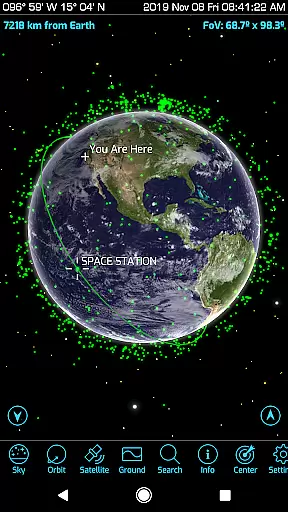
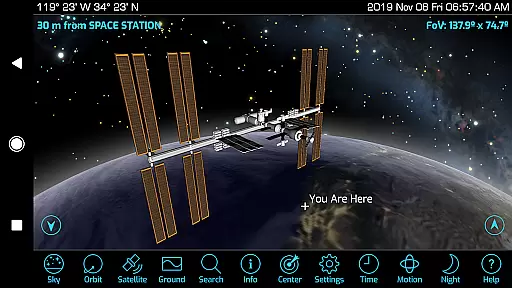
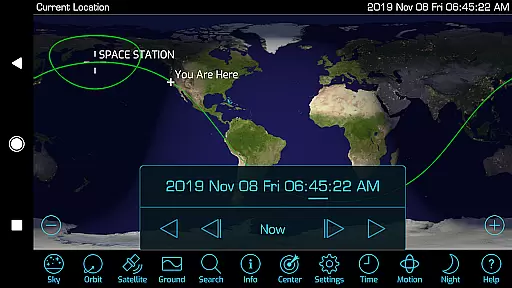
Orbitrack is an innovative educational app that combines augmented reality with a comprehensive satellite tracking system, designed to enhance learning about space technology. This powerful tool provides users with the ability to track over 4000 spacecraft, including active satellites, classified military satellites, and even the International Space Station. By leveraging advanced graphics and 3D modeling, Orbitrack offers an immersive experience where atmospheric effects and city lights on Earth's night side are vividly displayed.
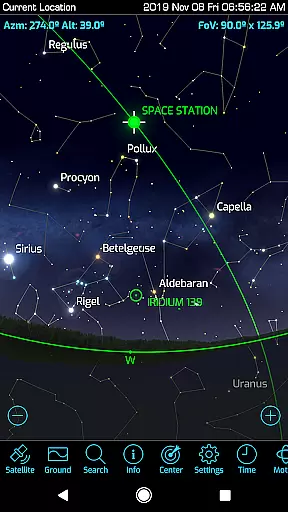
The app stands out with its augmented reality feature, allowing users to locate satellites in the sky using their device's GPS and motion sensors. Whether you're exploring satellite views or observing orbits, this functionality bridges virtual and real-world experiences. Additionally, Orbitrack supports amateur radio enthusiasts by providing radio frequency data for relevant satellites. With daily updates from reliable sources like n2yo.com and celestrak.com, users can stay informed about the latest developments in spaceflight.
Designed for both beginners and seasoned space enthusiasts, Orbitrack serves as an accessible yet sophisticated guide to understanding orbital mechanics and satellite operations. Its intuitive interface ensures ease of use without compromising on depth or accuracy, making it an invaluable resource for anyone interested in astronomy or aerospace engineering.
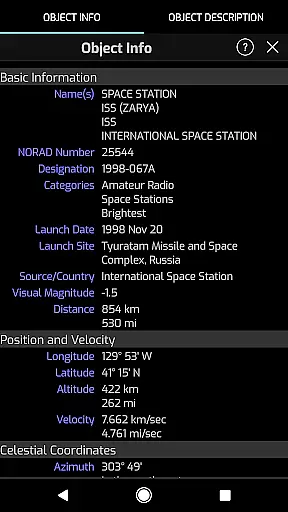
Orbitrack boasts a rich array of features tailored to enrich the educational journey through space exploration. One standout aspect is its extensive database covering more than 4000 spacecraft, complete with detailed descriptions sourced from reputable platforms such as n2yo.com. Users benefit not only from current information but also historical context regarding each satellite's mission and significance.
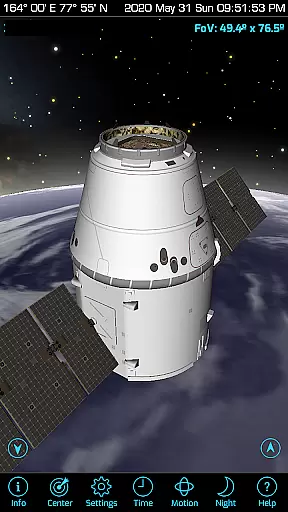
Another remarkable feature is the app’s cutting-edge graphical presentation. Enhanced visuals include realistic atmospheric effects alongside intricate 3D models of various satellites, offering unparalleled insight into their design and operation. Furthermore, Orbitrack incorporates an engaging 'augmented reality' mode which transforms how individuals interact with celestial objects—by simply pointing their device towards the sky, they can pinpoint exact locations of satellites above them.
Beyond visual appeal, practical functionalities abound within Orbitrack. For instance, educators and hobbyists alike will appreciate access to radio frequencies pertinent to amateur radio satellites. Meanwhile, customizable time flow controls enable dynamic simulations of orbital paths across different dates and times. Such tools empower learners to grasp complex concepts related to space dynamics while fostering curiosity about our universe.
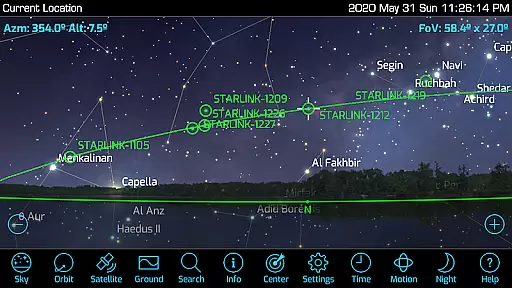
Orbitrack stands out in the realm of educational applications by providing highly accurate and authoritative content about spacecraft and satellites. The app meticulously tracks over 4000 spacecraft, including active satellites, classified military satellites, and even SpaceX's Starlink communication satellites.
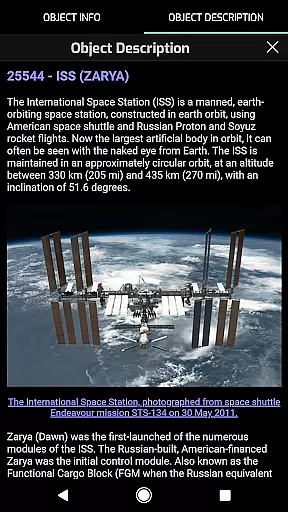
The descriptions for each satellite are regularly updated using reliable sources such as n2yo.com and celestrak.com. This ensures that users receive current and precise information about every satellite they explore within the app.
Moreover, Orbitrack offers comprehensive mission descriptions for satellites like the International Space Station. This educational depth allows users to learn not just the technical aspects but also the missions and significance of various satellites.
By combining real-time updates with detailed 3D models and rich graphics, Orbitrack provides an authoritative guide to spaceflight, making it an invaluable tool for both amateur enthusiasts and professionals in the field.
While Orbitrack excels in delivering vast amounts of data on satellites, it also offers personalized learning paths tailored to individual interests and educational needs. Users can choose to dive deep into specific types of satellites or get a broad overview of all spacecraft currently orbiting Earth.
The app supports personalized exploration through its intuitive interface, allowing users to set preferences for the kind of satellites they are interested in. Whether you're intrigued by amateur radio satellites or want to understand more about classified military satellites, Orbitrack caters to diverse interests.
Additionally, features like the augmented reality mode help personalize the learning experience by enabling users to find and track satellites in the sky using their deviceu2019s GPS and motion sensors. This hands-on approach enhances user engagement and retention.
With dozens of user interface tweaks and optimizations, Orbitrack ensures that learners at any level can easily navigate and absorb complex information, creating a customized and effective educational journey.
User-friendly interface
Comprehensive satellite database
Augmented reality integration
Detailed 3D satellite models
Regular data updates
Requires internet connection
Advanced features may overwhelm beginners
Limited offline functionality
Premium version needed for full access
Occasional performance lags

Universe simulator: Find & explore planets system, outer space, astronomy events
 4.60
4.60
Hebrew Vocab
4.90
Intuitive Transformer Lab - By a Lineman, For Linemen & Apprentices
4.50
MONOPOLY JUNIOR brings Hasbro's classic the board game to life.
3.00
Your best partner for learning Japanese words. Based on a best-selling textbook.
2.80
Astronomy Guide To Night Sky
4.30
Stack the Countries makes learning world geography fun!
4.50
SkyView®, an augmented reality space app, brings stargazing to everyone!
4.40
Cool math games & learn to read activities- loved by kids, approved by teachers.
4.50
Gain new skills in 10 minutes
4.70
Discover Your Place in the Universe
4.70
Learn & Speak New Languages
4.70
One of the most engaging and innovative ABC apps on the market.
4.30
THE ESTABLISHED "GO TO" ARMY BOARD PREPARATION APP!
4.30
For medical training - Visualize complex vein maps and structures in real-time.
4.10
Flashnote Derby is the fun way for kids to learn music notes and memorize them.
3.40
Hasbro’s classic CANDY LAND game is now a gorgeous interactive storybook app.
2.30
A collection of favorite stories from Daniel Tiger's Neighborhood
2.00
Test prep for Indiana students
4.0


User Reviews