
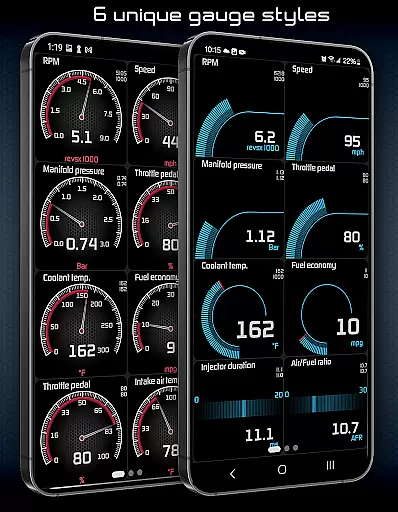
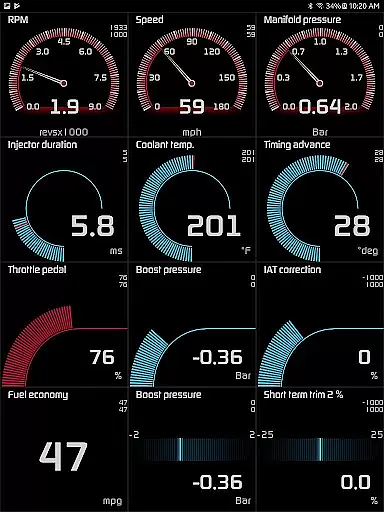
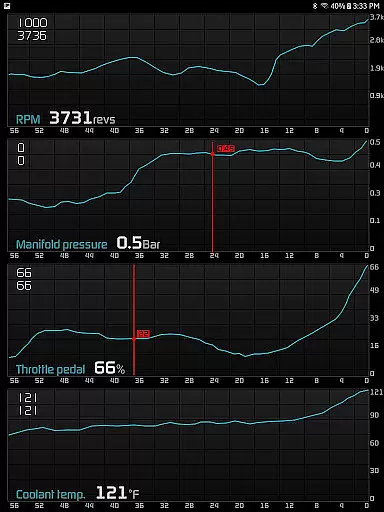
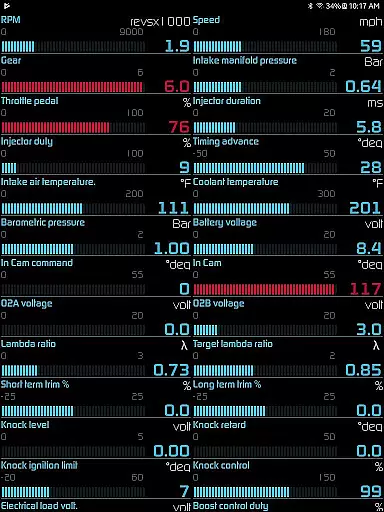
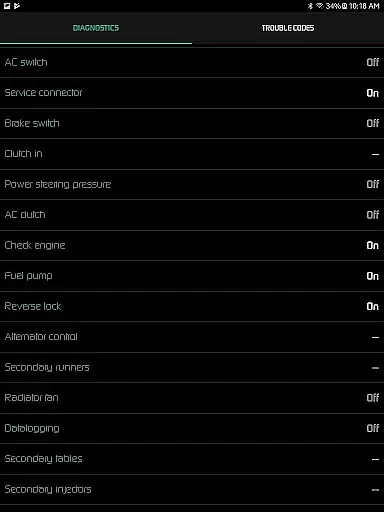
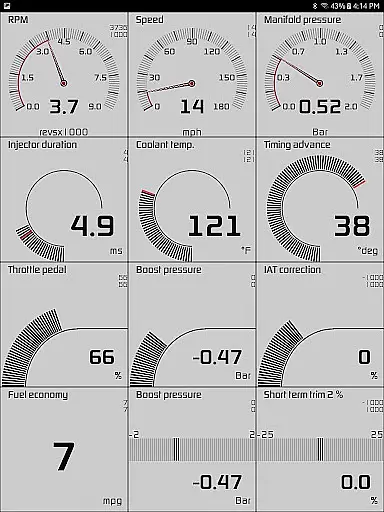
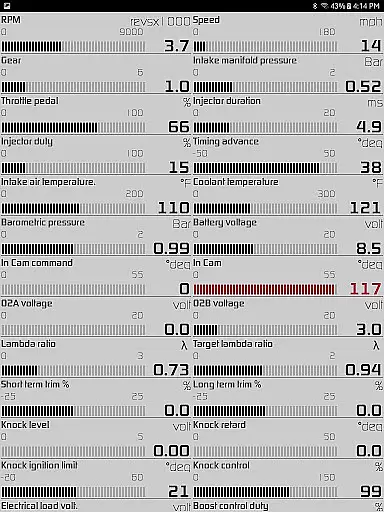
Hondata is a powerful automotive tool designed specifically for Honda vehicle owners. This app transforms your Android device into an advanced performance tracking and diagnostic system, allowing you to monitor real-time data from up to 80 sensors in your car. The application provides detailed insights into fuel economy, engine performance, and potential malfunctions through customizable gauges, interactive graphs, and comprehensive diagnostic reports.
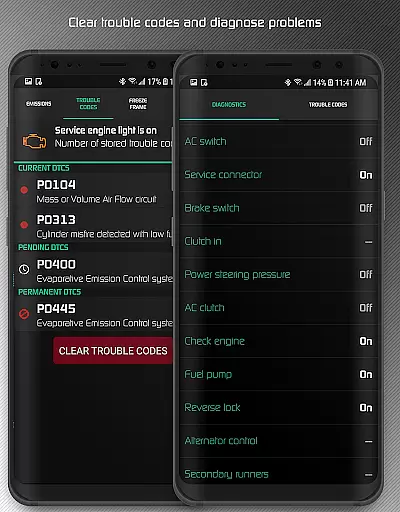
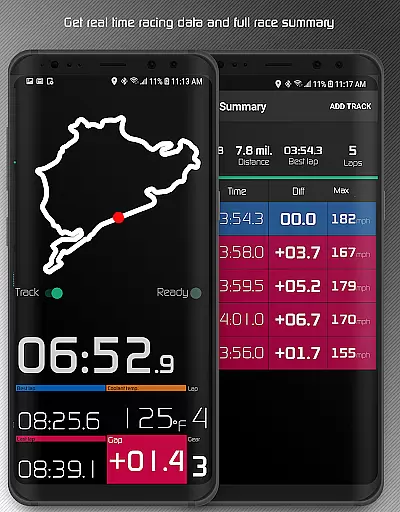
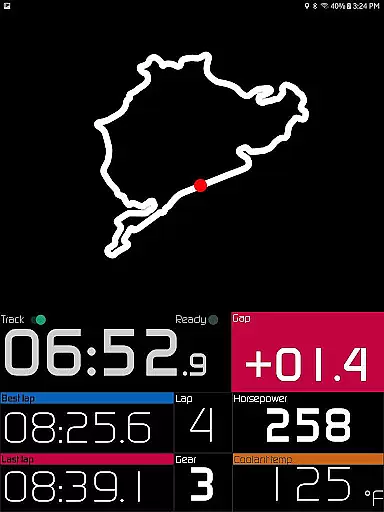
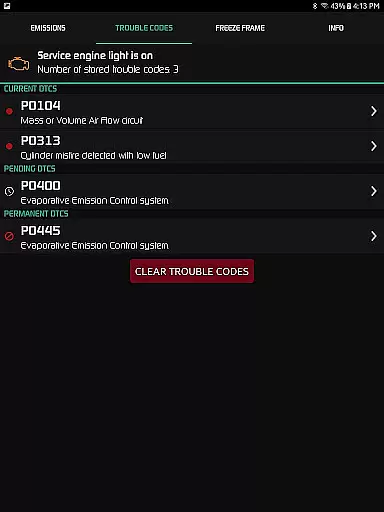
One of the key strengths of Hondata is its ability to help users troubleshoot issues before visiting a mechanic. By accessing the onboard ECU, users can read and clear trouble codes, reset service lights, and monitor crucial parameters like engine knock count and VTEC pressure. Additionally, the app offers specialized features for racers, including drag race timing, lap time tracking, and GPS-based track recording. These capabilities make it an indispensable tool for both daily drivers and automotive enthusiasts who demand precise control over their vehicle's performance.
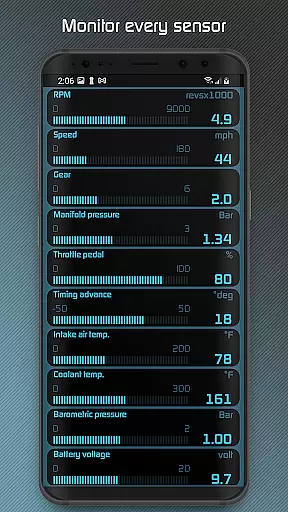
The Hondata app stands out with its extensive feature set tailored for automotive diagnostics and performance tracking. One of its most notable capabilities is the real-time monitoring of up to 80 different sensors, ranging from basic metrics like battery voltage to advanced parameters such as turbo boost pressure and G-force measurements. Users can customize their dashboard with specific gauges that matter most to them, creating a personalized monitoring experience that adapts to individual needs.
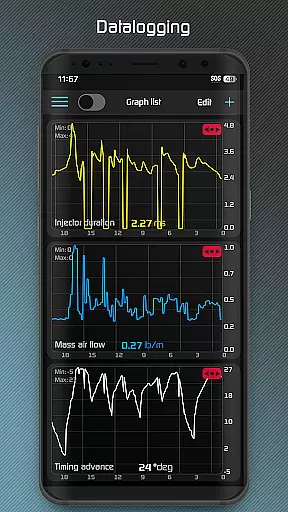
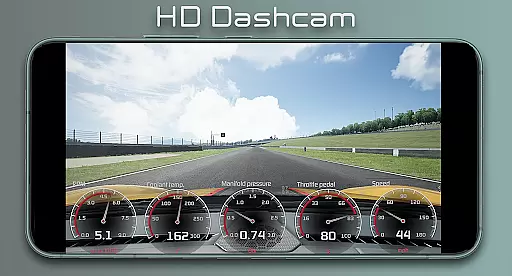
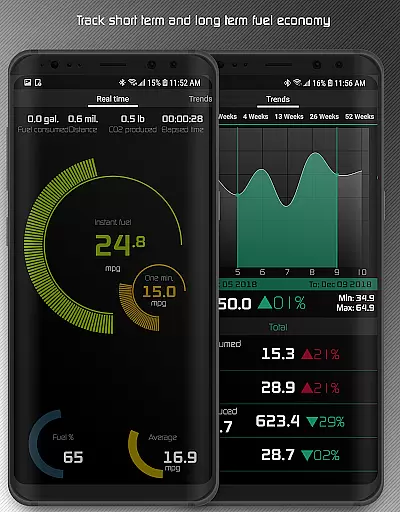
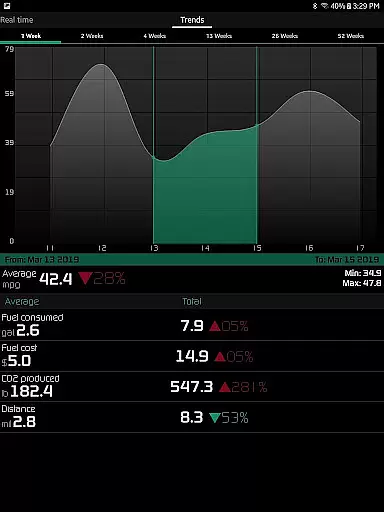
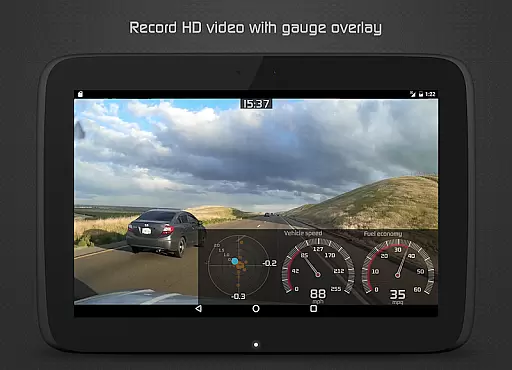
For those interested in detailed analysis, the app offers advanced graphing capabilities that allow simultaneous plotting of up to four sensor readings. All recorded data can be exported in CSV format for further examination. The application also includes specialized tools for fuel economy tracking, offering five different calculation methods and displaying results in various units. Additional features include high-definition video recording with superimposed gauge data, long-term fuel economy tracking with interactive graphs, and comprehensive engine protection notifications for parameters like coolant temperature and speed limits.
The Hondata app excels in providing precise and effective core functions that are essential for any car enthusiast or Honda vehicle owner. With the ability to monitor over 80 sensors in real time, it offers an extensive range of data points including fuel economy, boost pressure, battery voltage, and even G force measurements. This comprehensive tracking allows users to have a detailed overview of their vehicle's performance at any given moment.
One of the key features is its capability to plot sensor data onto interactive graphs, recording up to four sensors simultaneously. Users can save this recorded data as CSV files for further analysis, ensuring that they have access to historical performance metrics. The support for both metric and imperial units across all gauges and graphs makes it versatile for a global audience, catering to individual preferences and standard usage.
Beyond just monitoring, the Hondata app empowers users with diagnostic capabilities. It can read and clear vehicle trouble codes, reset service engine lights, and provide insights into more than 40 diagnostic parameters such as engine knock count and VTEC pressure. These tools enable users to troubleshoot issues effectively before visiting a mechanic, potentially saving time and money on unnecessary repairs.
A user-friendly interface is crucial for automotive apps, and the Hondata app delivers with its intuitive design and straightforward navigation. Customizable gauges allow users to tailor the display to their specific needs, tracking every available sensor if desired. This level of personalization ensures that drivers can focus on the data most relevant to them without being overwhelmed by unnecessary information.
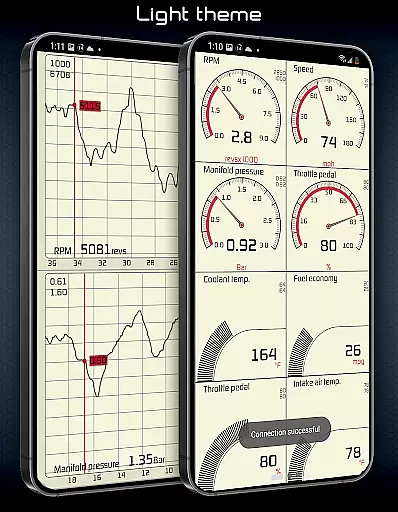
The app also includes several features designed to enhance usability, such as visual and sound notifications when a sensor readout reaches a user-defined limit. This proactive alert system helps prevent potential issues by keeping drivers informed about critical changes in their vehicleu2019s status. Additionally, the inclusion of two themes and landscape mode availability for all views provides flexibility in how users interact with the app.
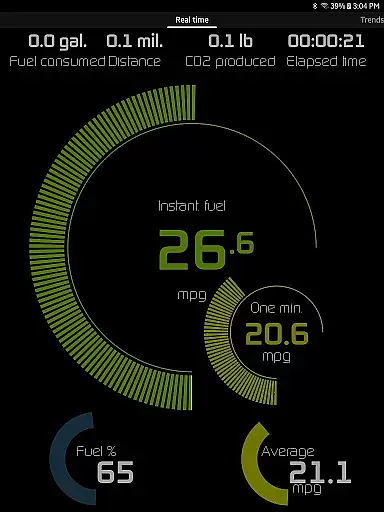
For those interested in fuel economy, the Hondata app offers an intuitive interface that tracks data over three time intervals and presents it in four different units: mpg, km/l, l/100 km, and Imperial mpg. Five methods of fuel economy calculation are available, allowing for accurate and personalized tracking. Long-term fuel economy trends can be analyzed through interactive graphs spanning various time intervals, offering valuable insights into vehicle efficiency and maintenance needs.
User-friendly interface
Comprehensive sensor coverage
Real-time performance tracking
Advanced diagnostic capabilities
Customizable display options
No Android Auto support
Limited vehicle compatibility
Requires specific hardware
Complex for beginners
Potential connection issues

App that Recover your pictures, videos or files after you delete them.
 4.20
4.20
eXtended Permission Manager - a small app to manage permissions and AppOps
4.50
Amateur Radio app for APRS: Track friends, exchange messages, get tactical info.
3.90
PC precision for mobile gaming: dominate with keyboard and mouse!
4.30
Undelete and recover your lost or deleted files with DiskDigger!
3.40
Support Fossify apps with a warm thank you!
5.00
Play your X-Box games remotely in 1080p with any controller and zero latency
4.60
Remote Play with FSR upscaling, low latency & full controller support
4.80
fast and easy mp3 music downloader
4.80
Best leveling tool for your Android device. Hang paintings like a pro.
4.90
Small and simple app to Verify Root Access and BusyBox Install!
4.70
Fast Video Downloader, Movie Downloader, Torrent Downloader & Adblock Browser
4.70
App to pay for FUTO Keyboard
4.60
Just swipe the edge to do something!
4.40
Universal TV remote control all TVs, Roku, LG, Samsung, Fire, Vizio, Sony, TCL.
4.40
Complete kernel toolbox with features to manage and tweak your rooted device
4.30
1-Click close all background apps on Android TV
3.90
This app unlocks the Pro features of the Central for DayZ app
3.60
card-reader app
2.20


User Reviews