
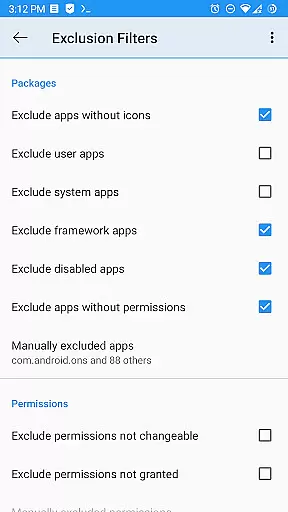
Permission Manager X is a powerful tool designed to provide users with extensive control over app permissions on their Android devices. It allows you to manage both manifest permissions and AppOps, offering fine-grained access control. With this app, you can view, grant, or revoke permissions, set reference values for changeable permissions, and review permissions at a glance with colored bars.
This tool is particularly useful when reinstalling apps, changing devices, or upgrading your ROM, as it enables quick backup and restoration of permission settings. Whether you're concerned about privacy, performance, or control, Permission Manager X provides the necessary features to ensure your device operates exactly as you want.
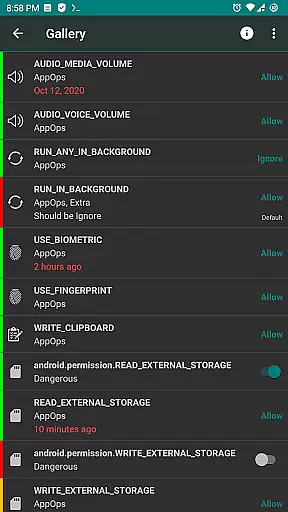
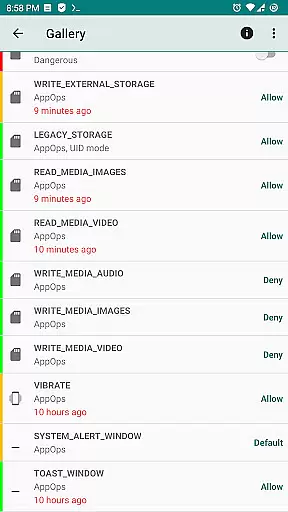
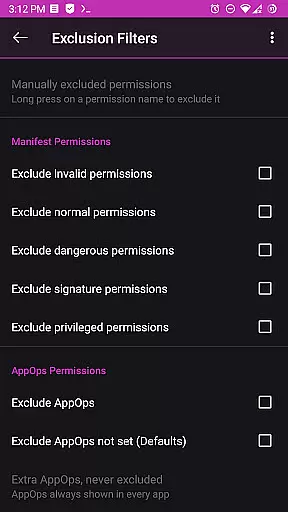
One of the standout features of Permission Manager X is its ability to handle both manifest permissions and AppOps seamlessly. Manifest permissions include commonly known permissions like Storage and Camera, while AppOps offer additional controls such as background execution and clipboard access. This dual management approach ensures comprehensive control over app behaviors.
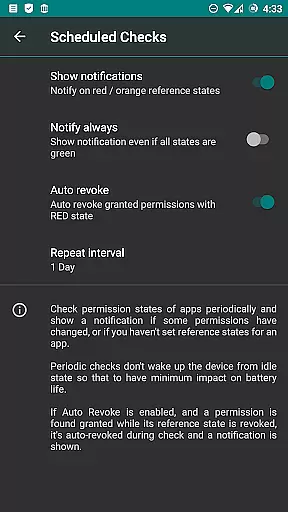
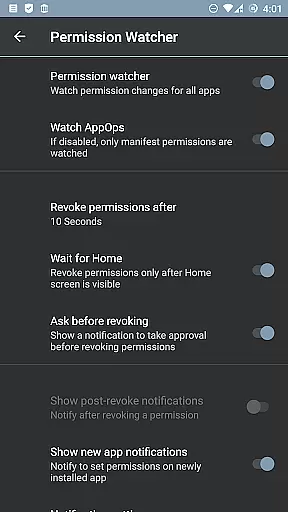
The app also offers advanced functionalities like scheduled checks to notify about bad reference states, auto-revoke granted permissions with red states, and a Permission Watcher to quickly remove unwanted permissions. Paid features extend these capabilities further with options like sorting apps by different parameters, multi-user support, theming options, and batch operations, making it an indispensable tool for power users.
Permission Manager X offers a comprehensive suite of tools designed to manage app permissions with precision and efficiency. The core functionality allows users to view, grant, or revoke both manifest permissions and AppOps permissions from a single screen. This ensures that every permission change is executed accurately, providing users with complete control over their privacy settings.
The application leverages Android's robust AppOps framework, which provides fine-grained control over various permissions. By integrating manifest permissions with AppOps, Permission Manager X enables users to manage background execution, clipboard access, and more. This dual-layer approach not only enhances the accuracy of permission management but also empowers users to tailor their security preferences effectively.
For advanced users, the app includes paid features such as Scheduled Checks and Auto Revoke, which further enhance its effectiveness. These features notify users of any discrepancies in permission states and automatically revoke unnecessary permissions. With these capabilities, Permission Manager X ensures that your device remains secure and optimized for performance.
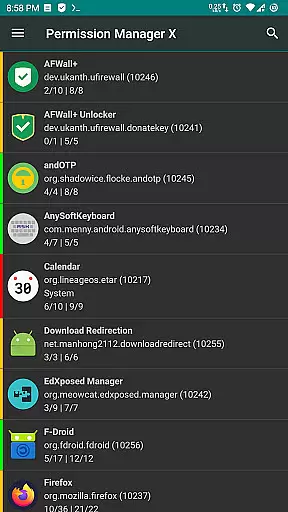
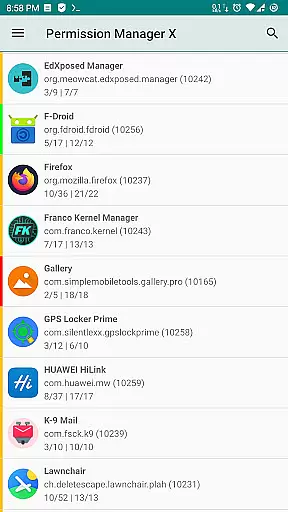
Despite its powerful features, Permission Manager X maintains an intuitive and user-friendly interface. The main screen presents all installed apps and their respective permissions in a clear, organized manner. Users can easily navigate through different sections, making it simple to manage even the most complex permission settings without feeling overwhelmed.
The app employs visual aids like colored bars to indicate permission states at a glance. This design choice simplifies the review process, allowing users to quickly identify and address any unwanted permissions. Additionally, setting reference states for permissions can be backed up and restored, ensuring a seamless experience when switching devices or reinstalling apps.
Permission Manager X also offers theming options and a permission summary view, enhancing the overall user experience. These features contribute to an interface that is not only functional but also visually appealing. Whether you are a novice or an experienced user, the app's straightforward design ensures that managing permissions is both efficient and enjoyable.
User-friendly interface
Comprehensive permission control
Quick backup and restore
No ads or trackers
Open-source and free basic functionality
Requires rooted device for full functionality
Limited features without ADB
Paid features may deter some users
Complex for beginners
Compatibility issues with some ROMs

 4.50
4.50 4.50
4.50
Quickly switch to an encrypted DNS server on Android TV
4.50
This app unlocks the Pro features of the Central for DayZ app
3.60
Keep track of your Palia friendships, tasks, and inventory with Palia Notebook
4.60
Excellent scientific calculator with symbolic algebra, integrals, derivatives
4.80
Planner and Tracker for Stardew Valley
4.60
Screen Mirroring for Roku Sticks, Roku TCL TV and Roku Hisense TV
4.50
Play your X-Box games remotely in 1080p with any controller and zero latency
4.60
Protect your device with antivirus, storage cleanup, and system monitoring
4.70 4.50
4.50
Button mapper, mouse toggle, sleep timer and a lot of another features
4.50
Clean up large files and similar photos, fast and easy to use
4.40
Complete kernel toolbox with features to manage and tweak your rooted device
4.30
Automate everything from settings to photos, SMS to speech. ADC2 prize winner.
4.10
Detect hidden spy camera with advanced scanning {{ Premium version }}
4.00
1-Click close all background apps on Android TV
3.90
Unleash gamepad precision for ultimate mobile gaming dominance.
3.90
Clean the junk files on your device
3.40


User Reviews