
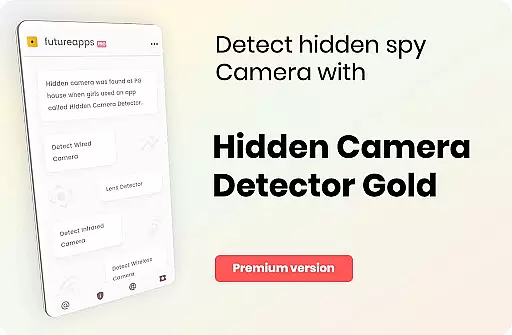
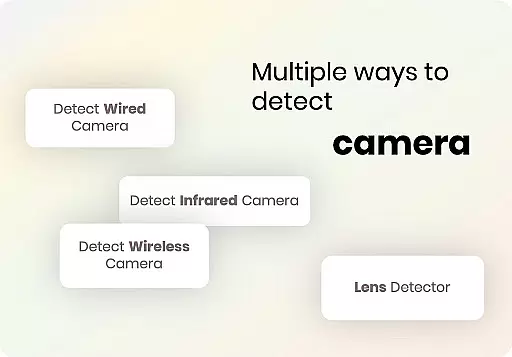
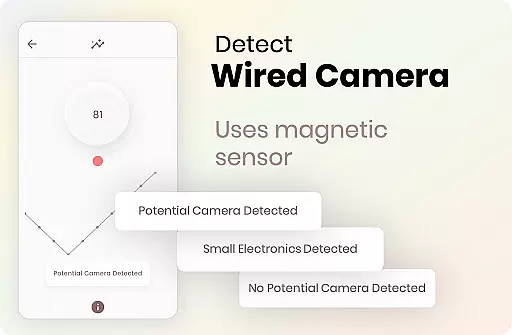
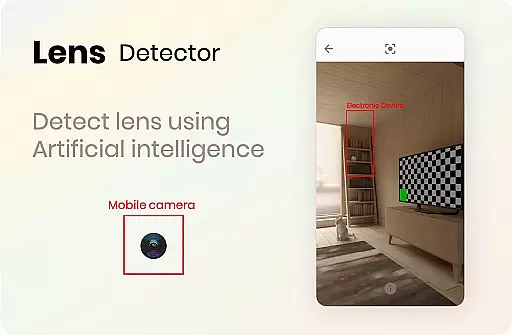
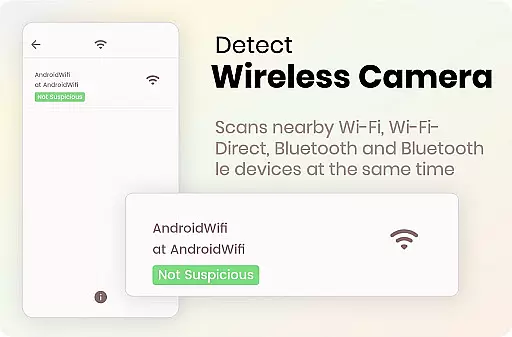

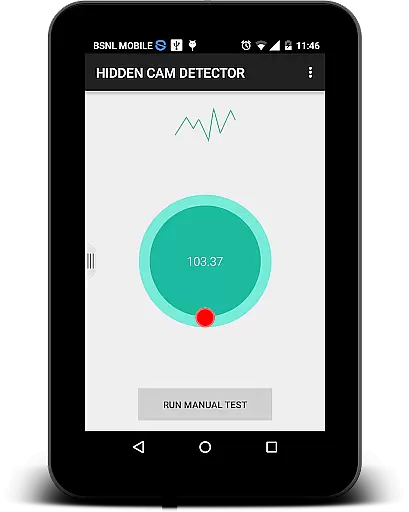
Hidden Camera Detector Gold is a specialized tool designed to help users identify potential hidden cameras in their surroundings. The app utilizes the magnetic sensor present in your smartphone to analyze magnetic activity, alerting you with a beep and alarm when camera-like activity is detected. This makes it particularly useful for checking private spaces like showers, changing rooms, or hotel rooms.
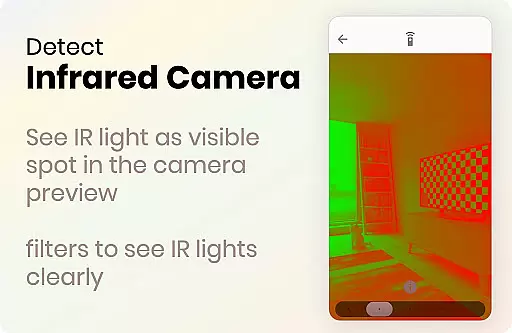
In addition to the magnetic detection feature, the app also includes an infrared camera detector. This tool allows users to scan for infrared lights that are invisible to the naked eye but can indicate the presence of infrared cameras. By combining these two detection methods, the app provides a comprehensive solution for ensuring privacy and security.
The application's value lies in its ability to provide peace of mind when traveling or using public/private facilities. With easy-to-follow instructions and additional tips for detecting hidden cameras, this app empowers users to protect themselves from unauthorized surveillance.
Hidden Camera Detector Gold offers several notable features that set it apart as a privacy protection tool. First is the magnetic detection system, which uses your phone's built-in magnetic sensor to detect magnetic activity patterns similar to those emitted by cameras. When such activity is identified, the app alerts you through audio and visual alarms, prompting further investigation.
A key innovation is the infrared camera detector, which leverages your phone's camera to reveal infrared lights that are otherwise invisible. This feature includes a luminescence effect that highlights suspicious infrared sources on your screen, making it easier to spot potential threats. Unlike normal cameras, this tool provides a more intuitive scanning experience within the app itself.
Additional functionalities include location sharing, allowing users to warn friends about potentially compromised areas. The app also provides clear guidance on identifying your phone's sensor position and troubleshooting common issues like false alarms near metals or electronics. These features collectively enhance user experience while maintaining a practical approach to privacy protection.
Hidden Camera Detector Gold delivers precise functionality by leveraging your device's magnetic sensor to detect potential hidden cameras. The app meticulously analyzes magnetic activity around suspicious objects, providing accurate alerts when camera-like magnetic signatures are identified.
The infrared detection feature adds another layer of effectiveness, allowing users to identify infrared lights that are invisible to the naked eye. By utilizing your phone's camera with an enhanced luminescence effect, the app can highlight potential infrared cameras through distinctive white light patterns on the screen.
Users benefit from the app's dual approach to privacy protection. Whether scanning for magnetic anomalies or employing the infrared detector in sensitive areas like showers or changing rooms, the app ensures reliable performance. This reliability empowers users to take necessary precautions against unauthorized surveillance.
The app's practical design extends its utility beyond simple detection. It allows users to share locations with friends when a threat is detected, creating a network of informed and vigilant individuals. With clear instructions and responsive features, Hidden Camera Detector Gold offers both accuracy and peace of mind.
Hidden Camera Detector Gold boasts an intuitive interface that simplifies the process of detecting hidden cameras. Users can easily navigate between the magnetic sensor tool and the infrared detector with clearly labeled buttons and straightforward instructions.
The app provides easy-to-follow guidance on locating your phone's magnetic sensor, ensuring that even novice users can operate the detection feature effectively. By moving the phone near suspicious objects and following on-screen prompts, users receive immediate feedback through beeps and alarms when potential threats are detected.
For the infrared detection feature, the interface presents a clean viewfinder screen that highlights any unusual white light patterns. This simplicity eliminates confusion, allowing users to quickly interpret results without technical expertise. The app's thoughtful design makes it accessible to a wide range of users.
Despite its sophisticated functionality, the app maintains an uncluttered layout that prevents user frustration. Important notifications about app performance, such as closing other camera apps before using the infrared detector, are presented clearly. This balance of information and simplicity creates an intuitive user experience that enhances overall effectiveness.
Effective magnetic detection
Intuitive infrared scanner
User-friendly interface
Comprehensive privacy tips
Quick threat identification
Requires magnetic sensor
Occasional false alarms
Dependent on device hardware
Limited to Android devices
May crash if multitasking

Easily install aab(Android App Bundle) files on your Android device with our app
 4.80
4.80
Transfer Files, APK from Phone to Watch & Install.
4.3
HD Camera captures every special moment.
4.60
Head tracking for PC sim games such as MSFS 2024 or Elite:Dangerous. No headset!
4.50
Fluid navigation gestures for all of us!
4.30
App that Recover your pictures, videos or files after you delete them.
4.20
Forza Tuning Calculator App for Forza Horizon 5, Motorsport and Earlier Titles
4.40
A non-root local ADB shell client. READ BELOW!
3.40
Unleash gamepad precision for ultimate mobile gaming dominance.
3.90
Support Fossify apps with a warm thank you!
5.00
The Ultimate Flex Drivers Utility App - Convenient Tapping & Block Filters
4.70 4.50
4.50
Button mapper, mouse toggle, sleep timer and a lot of another features
4.50
Complete kernel toolbox with features to manage and tweak your rooted device
4.30
Automate everything from settings to photos, SMS to speech. ADC2 prize winner.
4.10
Create your own live wallpaper or check out thousands already made presets
3.90
Fun lie-detection pranks for friends and parties.
3.80
Undelete and recover your lost or deleted files with DiskDigger!
3.40
PDF Reader - Document Viewer: Read, Manage & Organize Your Documents
3.10


User Reviews