
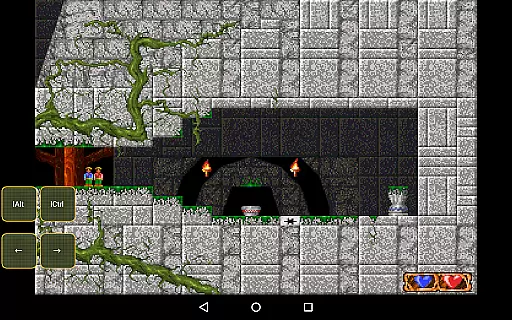
Magic DosBox is a highly optimized and fast DOSBox emulator for Android, designed to bring your favorite DOS and Windows games to your mobile device. With full support for mouse, keyboard, sound, and gamepads, it allows you to play classic games anywhere without the need for external hardware. The app also supports IPX networking, enabling multiplayer gaming with friends.
This donated version offers unlimited game collection capacity and includes all widgets for complete customization. Magic DosBox focuses on providing an authentic DOS gaming experience while incorporating modern touch controls. Its unique control system and customizable interface make it ideal for playing old-school games on the go.
Whether you're revisiting nostalgic titles or exploring retro games for the first time, Magic DosBox delivers a seamless emulation experience that captures the essence of DOS gaming on modern Android devices.
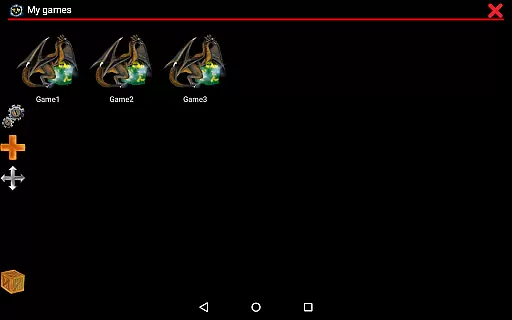
Magic DosBox stands out with its comprehensive feature set tailored for DOS gaming enthusiasts. The app's game collection system allows users to create highly customizable game profiles, each with its own settings and layouts. Players can create desktop shortcuts for their games and easily export, import, or duplicate profiles, making it simple to share custom layouts with friends.
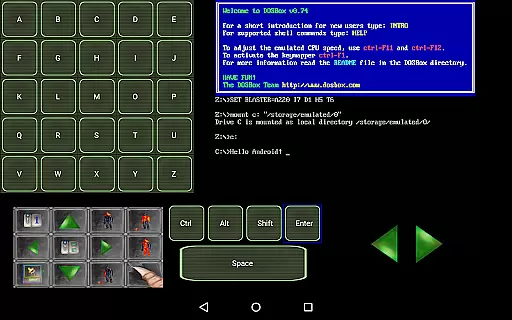
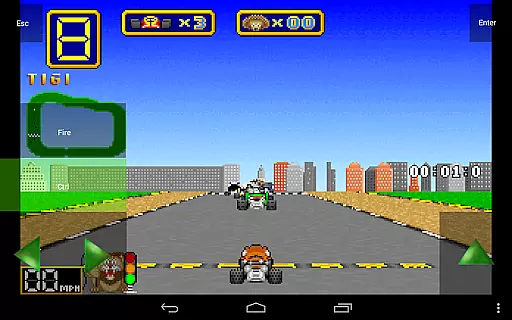
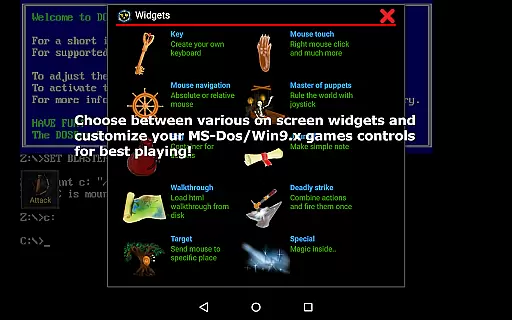
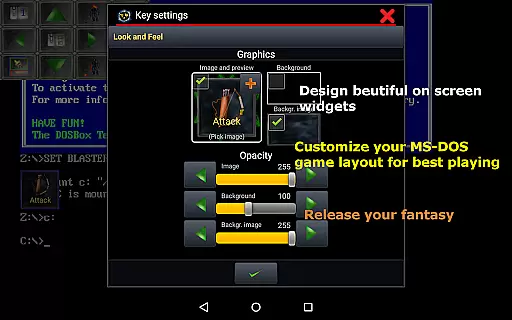
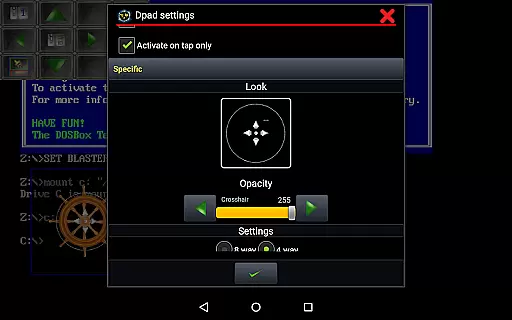
The emulator supports various on-screen widgets and buttons, including virtual D-pads, keyboards, and mouse controls. These widgets are highly customizable, allowing users to adjust their size, position, and appearance. With support for different input methods like swipes, gestures, and external controllers, Magic DosBox provides a versatile gaming experience.
Additional features include multi-language support, sound Blaster compatibility, and network play through IPX. The app also offers in-game screenshots, orientation lock, and resizable screens, ensuring an optimal gaming experience on any Android device running version 4.0 or higher.
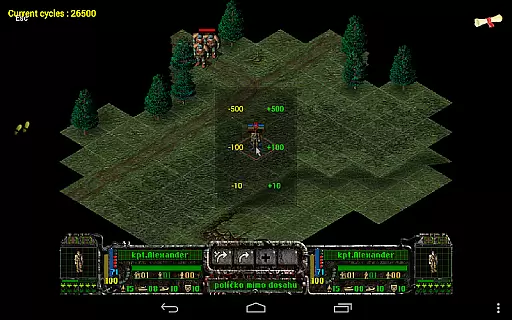
Magic DosBox is a highly optimized and fast DOSBox port for Android, designed to emulate the experience of playing DOS and Windows games on mobile devices. The core function of this application lies in its ability to accurately emulate the DOS environment, allowing users to run their favorite classic games with full support for mouse, keyboard, sound, and gamepad controls. This precision ensures that games operate as they were originally intended, maintaining the integrity of gameplay while adapting to modern touch interfaces.
The app's effectiveness is further enhanced by its unique control system, which allows for customizable on-screen widgets and buttons. These widgets include virtual D-pads, key mappings, and gesture controls, all of which can be tailored to fit individual gaming preferences. With support for external hardware like the NVIDIA Shield controller and Samsung stylus, Magic DosBox offers a versatile and responsive control scheme that caters to both casual and hardcore gamers alike.
Users benefit from the app's advanced networking capabilities, including IPX network support, which enables multiplayer gaming sessions with friends. Additionally, features such as multi-language support, sound Blaster compatibility, and mappable swipe gestures contribute to an immersive and seamless gaming experience. By providing these comprehensive tools, Magic DosBox ensures that users can enjoy their favorite DOS games anywhere, without the need for external hardware.
Magic DosBox stands out for its intuitive interface, which simplifies the process of setting up and playing DOS games on Android devices. Despite the complexity of emulation technology, the app manages to present a user-friendly design that makes it accessible even to those who may not be familiar with traditional DOS systems. The main screen provides quick access to a game collection where each profile can be customized extensively, ensuring that every user can tailor their experience to their liking.
One of the key aspects of its interface is the design mode, which allows users to create and customize on-screen widgets with ease. These widgets can be resized, repositioned, and styled using dozens of settings, giving players the freedom to design a control layout that suits their playstyle. Whether it's mapping keys, creating combo buttons, or adding notes and walkthroughs, the app offers a level of customization that enhances gameplay without overwhelming the user.
Furthermore, Magic DosBox includes helpful features like export/import/duplicate profiles, making it easy to share layouts with friends or switch between different configurations. The inclusion of a forum and website also provides additional resources for troubleshooting and optimization. Overall, the app strikes a balance between powerful functionality and an approachable interface, ensuring that users can focus on enjoying their games rather than struggling with complex settings.
Highly optimized performance
Extensive customization options
Full controller support
Active development and support
Comprehensive widget system
No included games
Complex setup process
Limited touchscreen functionality
Requires technical knowledge
Occasional compatibility issues

 4.10
4.10
Change your GPS location instantly. Simulate routes anywhere in the world.
4.90
Transfer Files, APK from Phone to Watch & Install.
4.4
Just one-tap to easy translate in any language after calls within seconds.
4.20
A recovery soft,it features photo recovery, video recovery, file recovery.
3.40
An easy-to-use calculator designed to save time calculating and bending conduit
4.30
Monitor car performance in real time and troubleshoot malfunctions.
4.80
The one-and-only remote control for PC, Mac, and Linux
4.70
Screen recorder with audio to record high-quality videos and take screenshots.
4.40
Connect wirelessly to your computer to watch movies, browse the web, play games
5.00
Extremely fast, secure, and protects your privacy
4.80
Creation, Learning, Entertainment & More — The All-in-One AI Search Engine
4.70
Screen Mirroring for Roku Sticks, Roku TCL TV and Roku Hisense TV
4.50
Game Booster, GFX Tool is now compatible with newer game update
4.50
Introducing Smart Printer, your ultimate destination for printing solutions!
4.00
Smart and comfortable browsing experience.
3.80
Fun lie-detection pranks for friends and parties.
3.80
Clean the junk files on your device
3.40
PDF Reader - Document Viewer: Read, Manage & Organize Your Documents
3.10


User Reviews