
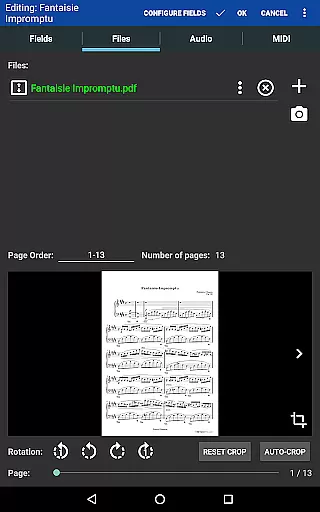
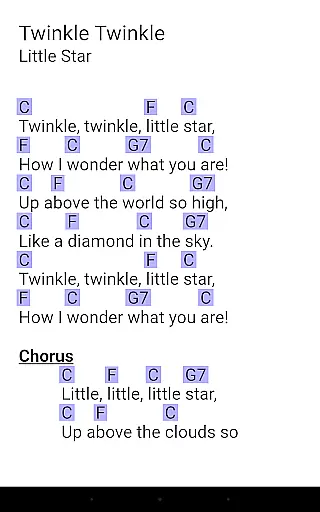
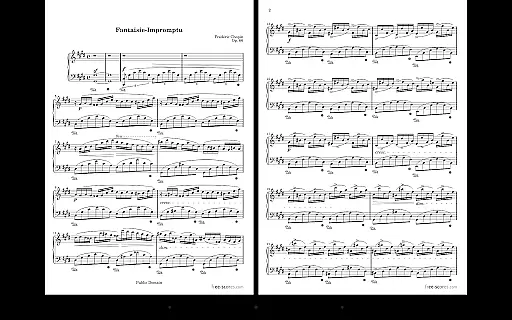
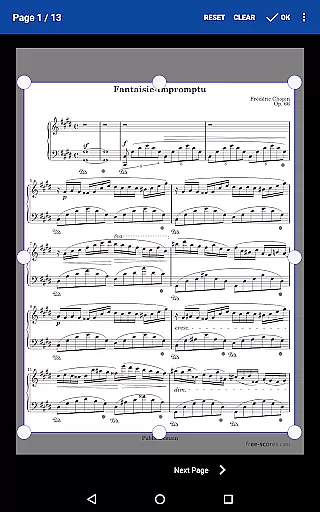
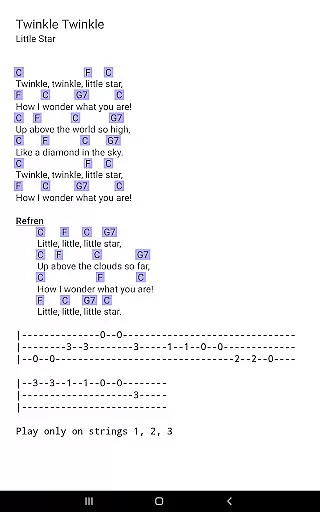
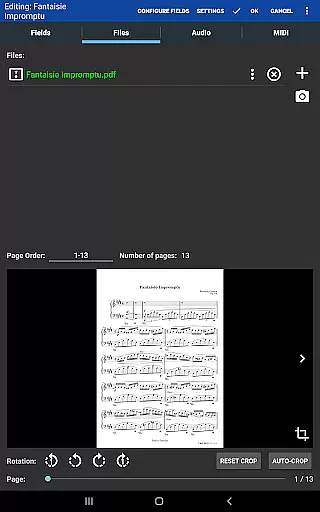
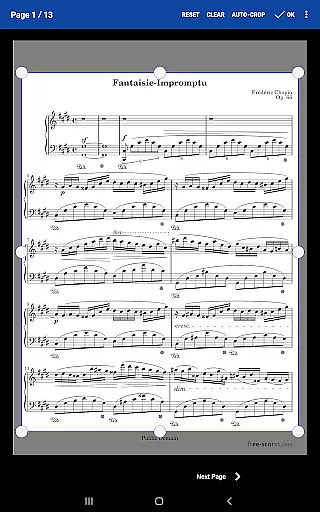
MobileSheets is a premier sheet music viewer designed specifically for Android tablets, offering musicians an efficient and versatile solution for managing and accessing their music library. The application eliminates the need for physical sheet music by providing instant access to any score within its digital library. With specialized features tailored for musicians, MobileSheets supports multiple file types including PDFs, images, and chord pro files, while also enabling users to organize their content through powerful library management tools.
A key advantage of MobileSheets is its adaptability to various performance settings. Musicians can utilize hands-free page turns via Bluetooth or USB devices, automatic scrolling, or even facial gestures. Additionally, the app includes practical tools such as annotations, bookmarks, and a metronome, ensuring that users have all necessary resources at their fingertips. Whether practicing at home or performing on stage, MobileSheets enhances convenience and efficiency for musicians of all levels.
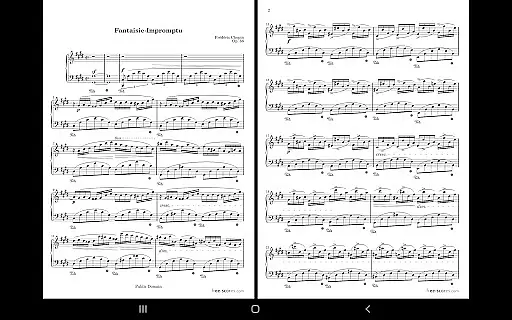
MobileSheets boasts an array of advanced features that cater to the diverse needs of musicians. One standout capability is its support for multiple modes of operation, including side-by-side pages, half-page turns, and vertically scrolling pages, allowing users to customize their viewing experience based on personal preferences or performance requirements. Furthermore, the app integrates seamlessly with MIDI devices over USB, enabling users to load songs or trigger actions directly from external equipment.
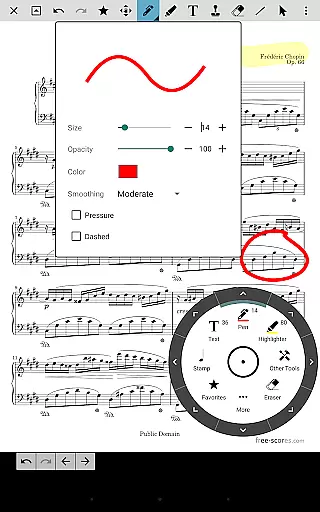
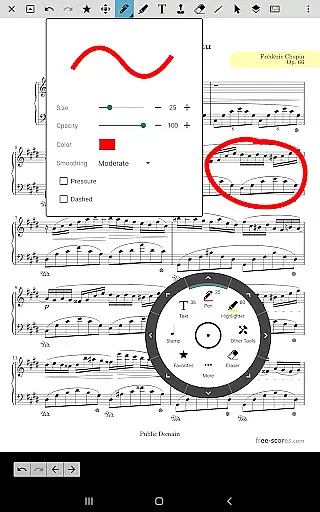
The app's annotation tools provide exceptional flexibility for marking up scores, supporting freeform drawing, basic shapes, text, and stamps. For those requiring audio accompaniment, MobileSheets includes a custom audio player with A-B looping functionality. Additional features like smart buttons, link points for handling repeats, and the ability to transpose chords in compatible files further enhance the app's utility. These robust functionalities ensure that MobileSheets stands out as a comprehensive tool for modern musicians.
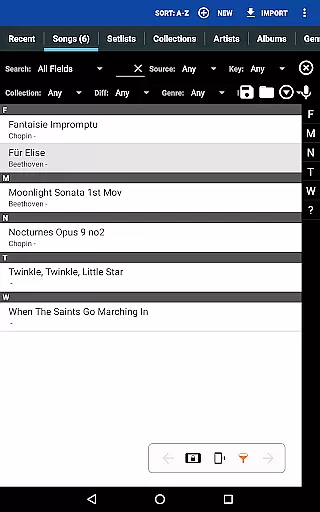
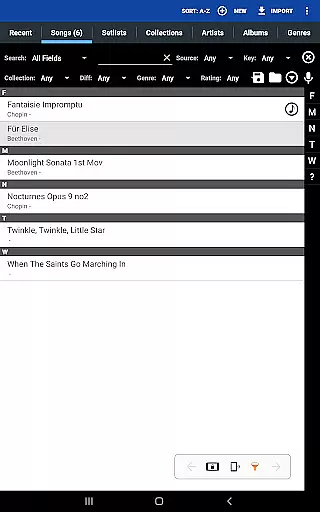
MobileSheets offers an extensive music library management system that supports a wide range of file types including PDFs, images, text files, and chord pro files. This versatility allows musicians to import and manage a vast collection of sheet music and audio tracks without compatibility concerns.
The application ensures copyright authenticity by enabling users to directly link and organize their legally acquired sheet music files. By supporting the import of CSV index files, MobileSheets facilitates the organization of large PDF songbooks, making it easier for users to maintain a structured and lawful music library.
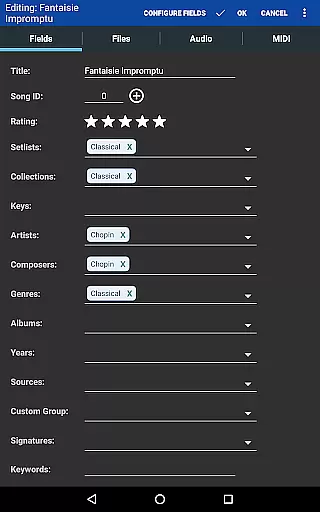
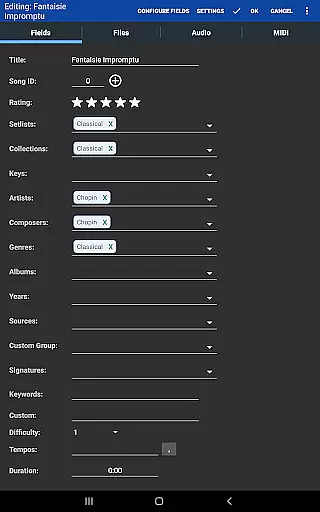
With its powerful library management features, users have complete control over metadata fields. This not only enhances the searchability and organization of music scores but also reinforces the legitimacy of the content by accurately cataloging each entry's details.
Furthermore, MobileSheets' ability to transpose chords in text and chord pro files adds a layer of adaptability, allowing musicians to modify their music sheets while respecting copyright laws. This feature-rich environment empowers users to curate a personalized yet compliant music repository.
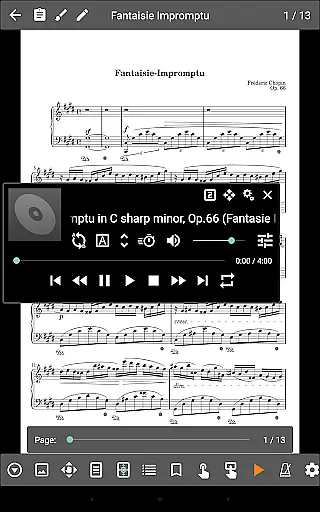
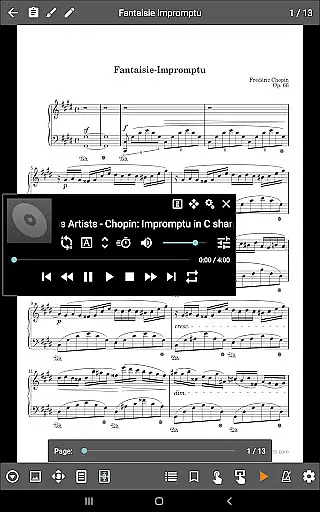
MobileSheets incorporates a custom audio player designed to enhance the playback experience of audio tracks linked with your scores. The player supports a-b looping, which is crucial for practice sessions, allowing musicians to repeat specific sections of a track seamlessly.
Understanding the importance of audio fidelity, MobileSheets provides multiple sizes for the audio player interface, ensuring optimal performance and sound quality across different devices. This attention to detail guarantees that users can focus on their music without being hindered by technical limitations.
In addition to standard playback features, MobileSheets includes a metronome with various display modes and sound effects. This tool is indispensable for musicians, offering precise tempo control and rhythmic assistance during practice or performance.
By combining robust audio playback capabilities with essential musician tools like the metronome, MobileSheets delivers a comprehensive solution that caters to both audio quality and functional requirements, elevating the overall musical experience.
User-friendly interface
Wide file compatibility
Hands-free operation
Powerful library tools
Customizable features
No built-in playback for PDFs
Requires manual setup
Premium version needed
Limited phone support
Learning curve for beginners

Simply convert wav to mp3. Clear. Reliable. Safe.
 4.4
4.4
The Skullcandy App Experience
3.20
The Music Journey in Your Hands
4.30
A synth that really lets you shape your sounds!
4.50
Enhance the sound quality of your devices, listen to what you want
4.50
More downloads than any other metronome. Includes drum machine & tempo trainer.
4.80
A sleek, no-frills player designed for true music lovers.
4.20
Slow music down without changing pitch.
3.70
Powerful 10-Band equalizer pro with sound booster improves Android audio quality
4.30
Your song collections with lyrics and chords on Android smartphones and tablets.
4.80
Most Advanced AI Song Generator and Music Creator. Rap, Pop, Rock, Gospel & more
4.70
Pay Once, no monthly payment
4.60
Offline Music Player&MP3 Player with themes, equalizer, lyrics, music play mode
4.60
Save hundreds of dollars for a physical strobe tuner and instead use this app.
4.50
Guzheng Master supports many playing techniques as an acoustic Guzheng
4.50
Full featured mp3 and audio player with Chromecast and Android Auto support.
4.40
Advanced 10-Band Audio Graphic Equalizer Sound Booster Pro
4.30
USB audio recording and playback finally possible on Android 3.1 or higher!
3.90
Music Streaming suite for Ampache, Nextcloud Music and compatible backends.
4.4


User Reviews