
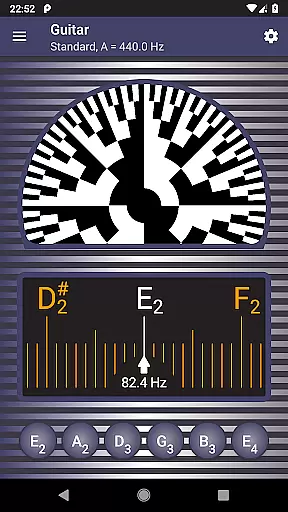
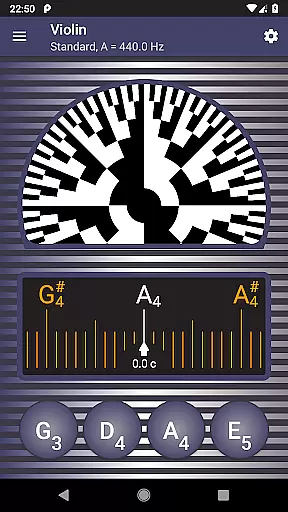
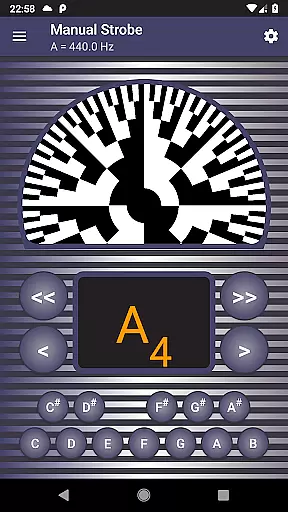
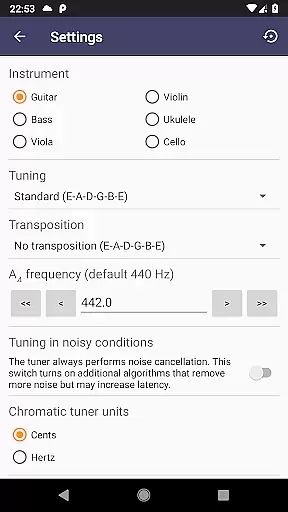
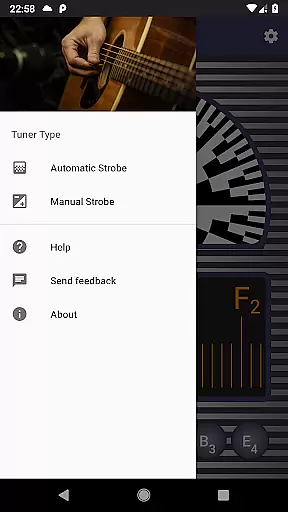
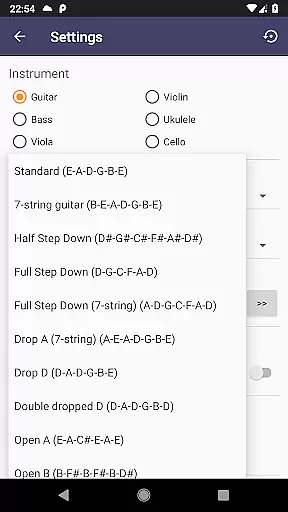
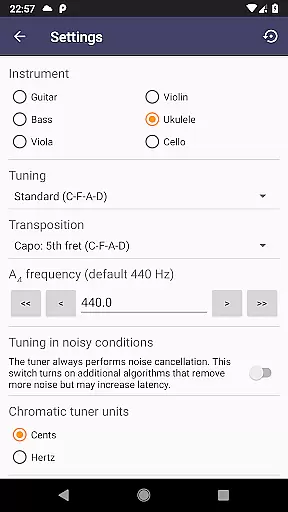
Strobe Tuner Pro is a highly accurate professional tuner designed for musicians of all levels. This app replicates the real stroboscopic effect on your mobile device, traditionally only found in expensive physical tuners. It supports a wide range of instruments including guitar, violin, bass, ukulele, viola, cello, banjo, and shamisen. The app combines two independent tuning systems - a chromatic tuner and a strobe tuner - both utilizing advanced algorithms for precise frequency detection. Beginners benefit from the intuitive interface and guided tutorials, while professionals appreciate the extreme accuracy and advanced features like noise cancellation and alternate tunings.
The app goes beyond basic tuning by offering additional tools that enhance practice sessions. A built-in metronome allows users to control timing while checking intonation. The app also generates reference tones with adjustable concert pitch settings, supporting various note naming conventions. Whether you're tuning a classical guitar or adjusting the strings of a shamisen, Strobe Tuner Pro provides quick access to settings and maintains consistent performance across devices through its GPU-powered computation.
Strobe Tuner Pro stands out with its dual-tuner system and comprehensive feature set. The chromatic tuner uses Fast Fourier Transformation to detect frequencies across the chromatic scale, while the strobe tuner emulates traditional stroboscopic patterns using advanced oscilloscope-like algorithms processed directly on your device's GPU. This combination ensures maximum precision whether you're making coarse adjustments or fine-tuning your instrument.
Beyond its core tuning capabilities, the app offers several professional-grade features. Users can choose from multiple instrument profiles and alternate tunings while benefiting from sophisticated noise cancellation that works even with a metronome running. The app supports three note naming conventions (English, European, Solmization) and maintains equal temperament tuning standards. Additional conveniences include quick-access settings, first-start tutorial guidance, built-in help documentation, and synthesized reference tone playback with adjustable concert pitch settings.
What truly sets Strobe Tuner Pro apart is its commitment to accuracy and versatility. The app has been extensively tested with numerous instrument recordings, ensuring reliable performance across different musical contexts. Its manual mode precisely replicates physical strobe tuners, while automatic features make it accessible to beginners. The combination of traditional tuning methods with modern digital processing creates an unparalleled tuning experience that satisfies both casual players and professional musicians.
Strobe Tuner Pro offers an extensive music library that caters to a wide range of instruments including guitar, violin, bass, ukulele, viola, cello, banjo, and shamisen. This vast selection ensures that musicians of all kinds can find their instrument of choice within the app.
The app guarantees copyright authenticity by using advanced algorithms for its chromatic and strobe tuners. These algorithms are independently developed, ensuring originality and respect for intellectual property rights while providing precise tuning capabilities.
Users benefit from the integration of two independent tuning systems - the chromatic tuner which uses Fast Fourier Transformation, and the strobe tuner that emulates stroboscopic effects. This dual approach not only enhances accuracy but also provides a richer experience akin to professional-grade physical tuners.
By regularly updating with new recordings and expanding test coverage across various instruments, Strobe Tuner Pro maintains a robust and authentic music database. This commitment to quality assures users that they are engaging with genuine, high-quality content every time they use the application.
Strobe Tuner Pro stands out in audio quality options by offering extreme precision and advanced noise cancellation features. These functionalities ensure that even in noisy environments, users can achieve accurate tuning results, making it ideal for both practice sessions and professional settings.
The app's ability to play reference tones with synthesized sounds that respect concert pitch settings underlines its dedication to superior audio output. Users can rely on these reference tones as they learn to tune their instruments correctly, whether they're beginners or seasoned professionals.
With support for multiple note naming conventions such as English, European, and Solmization, alongside equal temperament tuning options, Strobe Tuner Pro delivers versatile audio solutions tailored to diverse musical backgrounds and preferences.
Furthermore, the built-in metronome combined with the chromatic tuner allows musicians to control timing while checking intonation simultaneously. This feature enhances overall performance quality by enabling artists to maintain consistent tempo and pitch during practice or live performances.
Extreme accuracy
Wide instrument support
Advanced noise cancellation
Two independent tuners
Professional features
Paid application
Complex for beginners
Requires good microphone
High power consumption
No cloud backup

Turn your phone into a musical instrument from the future!
 3.90
3.90
A High-Precision Audio Spectrum Analysis App
4.20
Advanced 10-Band Audio Graphic Equalizer Sound Booster Pro
4.30
Unleash your creativity! Turn simple prompts into full fledged songs.
4.70
Learn to play the piano using falling notes!
3.80
The official Sonos app
4.10
The original SP-1200 experience on your iPad
4.20
Learn the notes on the guitar fretboard fast with this easy and fun app
4.60
Play KORG’s revolutionary touch-based instrument on a variety of devices.
4.40
More downloads than any other metronome. Includes drum machine & tempo trainer.
4.80
Play your hearts out on TouchTunes jukeboxes & connect with fellow music lovers.
4.80
Responsive piano with great sounds, graphics, and songs
4.80
Bass Booster & Volume Equalizer Pro improves your music and video sound quality
4.60
AI Music Maker: Generate And Compose AI Tunes & AI Songs & AI Music & AI Melody!
4.60
Offline Music Player&MP3 Player with themes, equalizer, lyrics, music play mode
4.60
Let your Android device with the sound effects you want
4.50
Help you quickly get started with Shokz headphones
4.40
A sleek, no-frills player designed for true music lovers.
4.20
The Cubase remote control app
3.60


User Reviews