
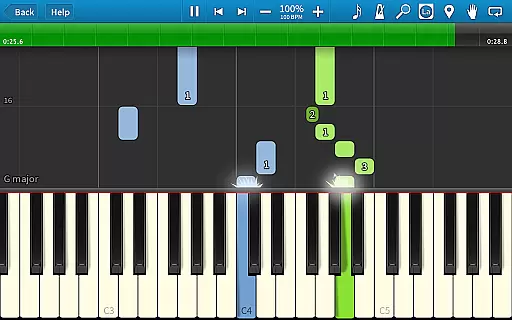
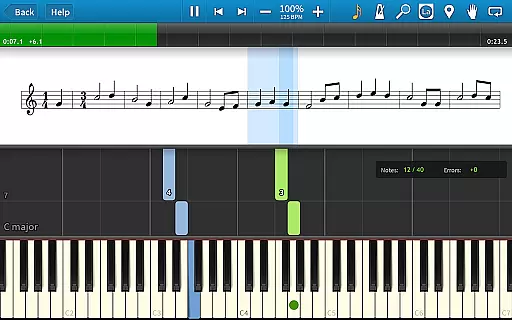
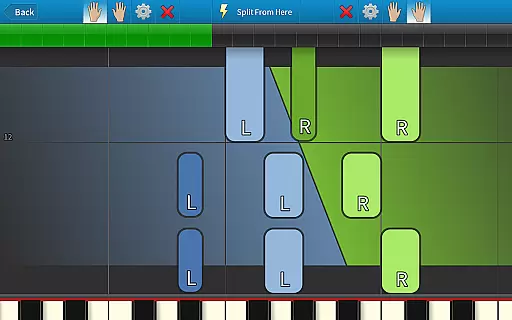
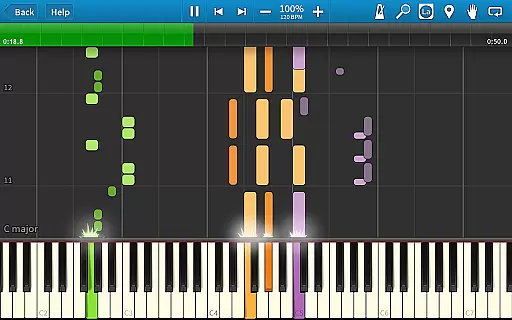
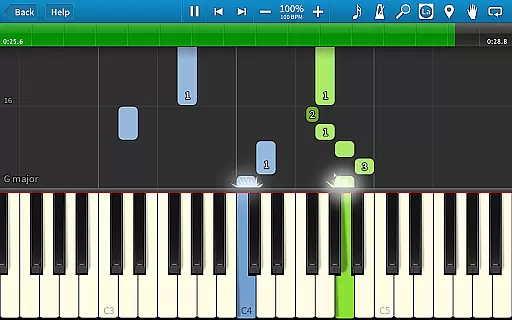
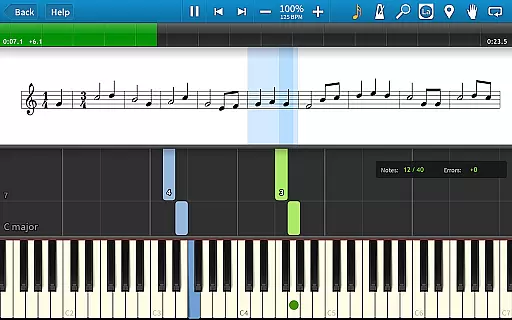
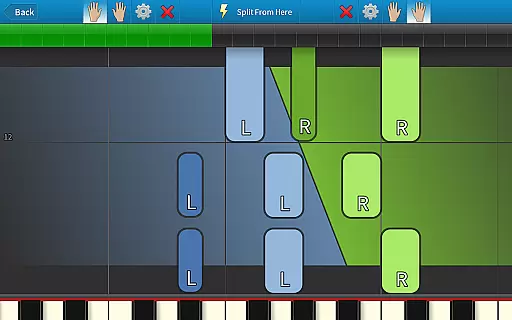
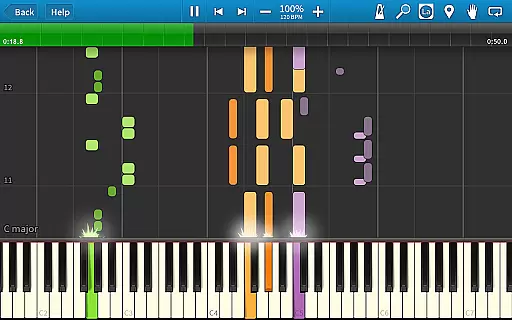
Synthesia is an innovative music learning application designed to help users play the piano without needing to read sheet music. The app offers a unique interactive experience by providing visual guidance through falling note blocks and optional traditional sheet music displays. Suitable for beginners and experienced musicians alike, Synthesia supports both hands separately or together, making it ideal for practice sessions.
The app's compatibility with digital keyboards, including lighted keyboards, enhances the learning process. With features like Melody Practice mode, a built-in metronome, and song recording capabilities, Synthesia provides a comprehensive platform for improving musical skills. Its vast library of over 150 songs ensures that users have ample material to learn from, while the option to import MIDI files expands its versatility.
Synthesia stands out with its diverse feature set tailored for music learners. One of its key features is the ability to visualize notes either as falling blocks or traditional sheet music, catering to different learning styles. The app also includes Melody Practice mode, which waits for the correct note input, ensuring precision in learning.
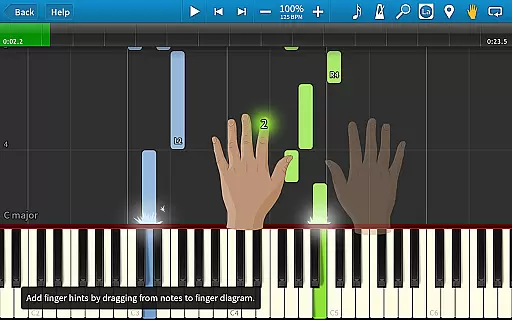
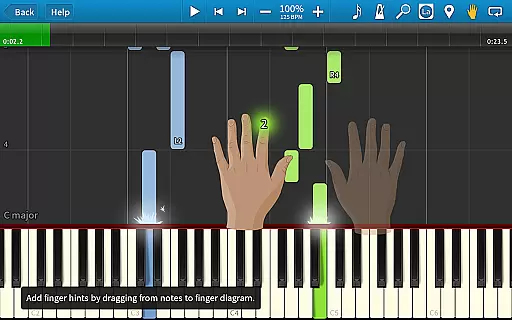
Another notable feature is its compatibility with digital pianos, allowing users to connect their instruments and receive real-time feedback. Synthesia supports lighted keyboards, guiding users with visual cues. Additionally, the app offers finger-position hints, loops, bookmarks, and a multi-track recorder, enabling users to create and save their compositions. These features collectively provide an immersive and effective learning environment.
Synthesia offers an extensive music library that caters to users of all skill levels. With over 150 included songs, the app provides a rich selection of MIDI compositions that range from beginner-friendly tunes to more complex pieces.
One of the standout features is the ability to access any MIDI song ever created, ensuring that users have an almost limitless repertoire at their fingertips. This vast library not only enhances learning but also keeps the experience engaging and fresh for long-term users.
In terms of copyright authenticity, Synthesia ensures that all included songs are properly licensed and authorized for educational use. This gives users peace of mind knowing they are working with legitimate content while developing their musical skills.
The app's commitment to copyright compliance extends to its recording feature, where users can create their own compositions while respecting intellectual property rights. This comprehensive approach to music library management sets Synthesia apart in the music education space.
Synthesia delivers exceptional audio quality through its sophisticated sound engine and multiple output options. The app supports various audio formats and configurations, allowing users to customize their listening experience according to their preferences and equipment capabilities.
Users can choose between different instrument sounds and adjust audio settings to achieve their desired tone and texture. This flexibility in audio quality options enables learners to experience music as authentically as possible while practicing.
The app maintains high-fidelity audio reproduction even when connected to external digital pianos or keyboards. This ensures that the nuances of each note are preserved, providing an accurate representation of how the music should sound when performed professionally.
Additionally, Synthesia's audio system is designed to work seamlessly with the built-in metronome and other learning tools, creating a cohesive environment where technical precision meets excellent sound quality. This combination helps users develop their skills while enjoying professional-grade audio performance.
User-friendly interface
Supports digital pianos
Interactive learning tools
Vast song library
One-time purchase model
Limited free version
Requires compatible hardware
No advanced music theory
Occasional bugs reported
Interface may feel dated

 4.70
4.70
SqueezePlayer turns your Android phone or tablet into a SqueezeBox on its own!
4.60
Over 100 million tracks available for high quality streaming and download
4.60
Enhance the sound quality of your devices, listen to what you want
4.50
Next generation modular control surface
4.10
Learn and play 2M+ music tabs & chords on guitar, ukulele, bass, and more
4.30
Help you quickly get started with Shokz headphones
4.40
Sheet music reader, piano & music note player. Play music score & learn to read.
3.90
The iconic iOS metronome app is now on Android.
3.70
Brian Eno and Peter Chilvers’ acclaimed music app Bloom, radically reinvented.
4.80
JBL PartyBox APP works with 110/310/710/120/320/520/Encore/Encore 2/Encore Ess 2
4.80
Simple & Intuitive Metronome
4.70
Offline Music Player&MP3 Player with themes, equalizer, lyrics, music play mode
4.60
Save hundreds of dollars for a physical strobe tuner and instead use this app.
4.50
Visualize the guitar fretboard, master scales & play through changes like a pro!
4.50
Time Trainer: accurate metronome w tools to help you develop your internal time!
4.20
Network/Cloud Streaming, Visualization, Graphic Equalizer and Sound Effects.
4.20
A sleek, no-frills player designed for true music lovers.
4.20
The Cubase remote control app
3.60


User Reviews