
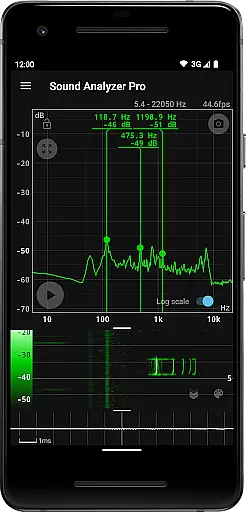
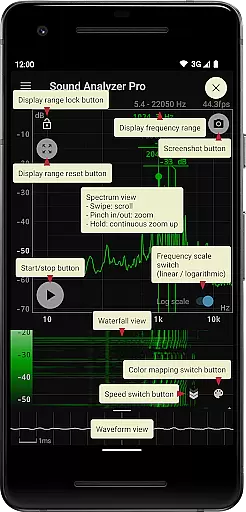
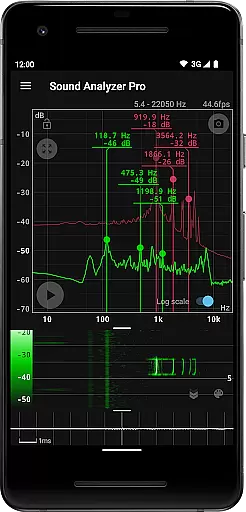
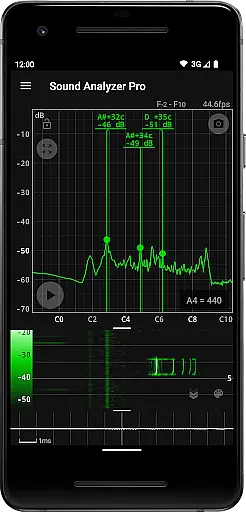
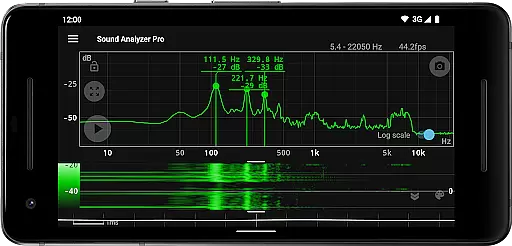
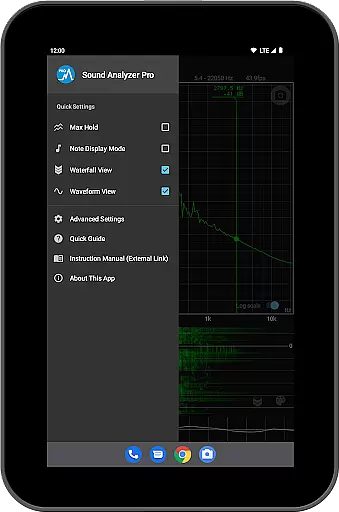
Sound Analyzer is a sophisticated audio analysis tool designed for both professionals and enthusiasts in the Music & Audio field. This application allows users to analyze audio signals directly from their mobile devices, providing real-time frequency (Hz) and amplitude (dB) spectrum data. The app's high measurement accuracy, with errors typically within 0.1 Hz in low-noise environments, makes it an invaluable tool for precise audio work.
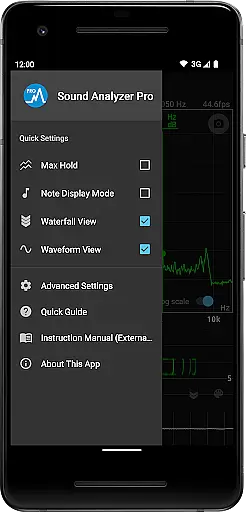
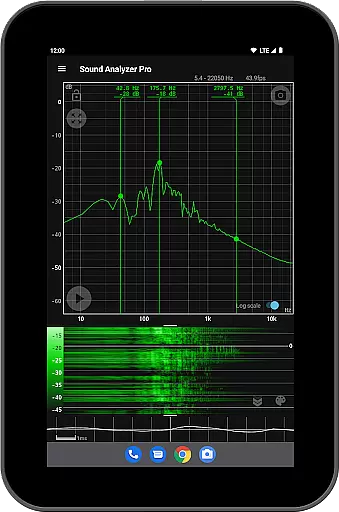
In addition to its core spectral analysis capabilities, Sound Analyzer offers advanced features such as waterfall view for tracking spectral changes over time, waveform view for visualizing sound patterns, and note display mode that translates frequencies into musical notes. These features make it particularly useful for sound engineers, musicians, and researchers who need detailed audio analysis on the go.
The application finds practical use in various scenarios, including live sound monitoring, studio recording sessions, and academic research. Its ability to provide accurate measurements without requiring external hardware makes it an essential tool for anyone working with audio, enabling them to make informed decisions about sound quality and equipment adjustments.
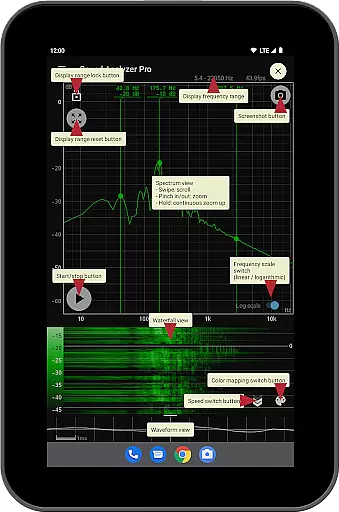
Sound Analyzer distinguishes itself through its comprehensive set of audio analysis tools. The app's peak frequency display function provides real-time information about prominent spectral components, while its touch-based interface allows users to easily adjust display ranges and switch between logarithmic and linear frequency scales. The inclusion of max hold functionality ensures that users can capture and analyze transient audio events effectively.
One of the app's most notable features is its simultaneous multi-view capability, which allows users to monitor both waterfall and waveform views concurrently. This feature, combined with the note display mode that translates technical measurements into musician-friendly terms, demonstrates the app's versatility across different user groups. The screenshot function with timer adds convenience for documentation and sharing purposes.
What sets Sound Analyzer apart from other audio analysis tools is its commitment to professional-grade features without compromising user experience. The absence of advertisements and the ability to extend frequency settings up to 96 kHz (for compatible devices) showcase the developer's dedication to providing a clean, distraction-free environment for serious audio work. These features collectively create a powerful yet accessible tool for audio professionals and enthusiasts alike.
Sound Analyzer does not focus on providing a vast music library but rather emphasizes real-time audio signal analysis. The app allows users to analyze any audio input, making it versatile for various sound sources.
The application ensures that all analyzed data is processed with high accuracy and integrity, maintaining the authenticity of the original audio content. This means users can trust the reliability of frequency and amplitude readings when using the app for audio analysis.
While Sound Analyzer doesn't provide pre-loaded music tracks, its ability to display detailed spectral information supports users in understanding their own audio files or live inputs better. This feature is particularly useful for professionals who require precise measurements without concerns about copyright infringement.
Sound Analyzer offers multiple advanced features that enhance audio quality analysis. Users can switch between logarithmic and linear scales on the frequency axis, allowing for detailed examination of different frequency ranges based on their specific needs.
The app's measurement accuracy is exceptionally high, with errors typically within 0.1 Hz in low-noise environments. This precision ensures that audio professionals and enthusiasts can rely on Sound Analyzer for accurate assessments of sound properties.
Additionally, the inclusion of specialized views such as waterfall and waveform displays provides comprehensive insights into audio characteristics. These visualization tools help users understand how sound evolves over time and identify nuances that might be missed with simpler analysis methods.
High-precision measurements
Real-time spectral analysis
No advertisements
Multi-view capability
Musical note conversion
Complex for beginners
Requires high-end device
Limited high-frequency support
No cloud integration
Advanced features locked

Walkout Song DJ is the most intuitive app to manage your sports music.
 4.70
4.70
Enhance the sound quality of your devices, listen to what you want
4.50
Simple & Intuitive Metronome
4.70
Smart piano keyboard, Classical to Pop, Real-time multiplayer connection!
4.20
The official Sonos app
4.10
Ringtone Maker is free app create ringtone from music files or your recording.
4.40
One-tap booster for max volume - enjoy powerful sound with this audio booster
4.50
Get alarms that fit your lifestyle and wake up to the sounds you love.
4.80
Customize Your Favorite Songs and Videos with booster.
4.70
Tune in to the greatest hits on UK Radio | The home of Capital, Smooth & Heart.
4.90
SqueezePlayer turns your Android phone or tablet into a SqueezeBox on its own!
4.60
Fun & Easy Voice Changer – Record, Edit & Add Hilarious Effects!
4.50
A synth that really lets you shape your sounds!
4.50
Guzheng Master supports many playing techniques as an acoustic Guzheng
4.50
DJ Music Mixer - DJ Remix: remix songs, make beat music & record mix of DJ.
4.40
Play KORG’s revolutionary touch-based instrument on a variety of devices.
4.40
Turn your phone into a musical instrument from the future!
3.90
USB audio recording and playback finally possible on Android 3.1 or higher!
3.90
Simple mp3 and mp4 player with advanced features.
3.40


User Reviews