
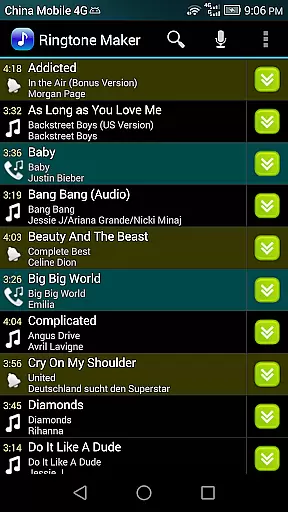
Ringtone Maker Pro is a versatile audio editing tool designed specifically for creating personalized ringtones, alarms, and notifications. The app supports multiple audio formats including MP3, WAV, AAC/MP4, and 3GPP/AMR files, making it compatible with various music libraries.
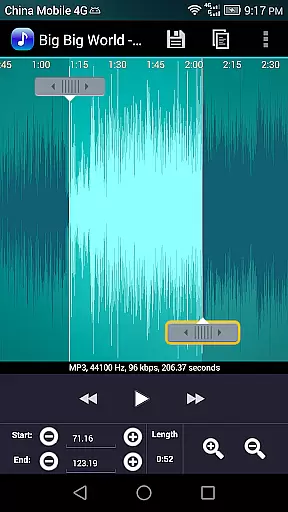
One of the standout features is its intuitive timeline interface that allows users to precisely set start and end points for their audio clips. This can be done either by sliding markers along the timeline, pressing dedicated Start and End buttons, or manually entering timestamps. Additionally, users can preview their creations before saving, ensuring the desired result is achieved.
This application is particularly useful for individuals looking to customize their smartphone experience. Whether you want a unique ringtone for personal calls or specific notification sounds for different apps, Ringtone Maker Pro provides the tools necessary to make this customization both easy and enjoyable.
Ringtone Maker Pro offers an extensive array of features that cater to both casual users and audio enthusiasts. The app includes basic editing functions such as copy, cut, and paste, allowing for seamless manipulation of audio files. Advanced options like fade in/out effects and volume adjustments for MP3 files provide users with professional-grade editing capabilities.
Another notable feature is the scrollable waveform representation of the audio file, which can be viewed at five different zoom levels. This visual aid helps users accurately select portions of the audio for clipping. The touch interface further enhances this process, enabling precise selection and editing of audio segments.
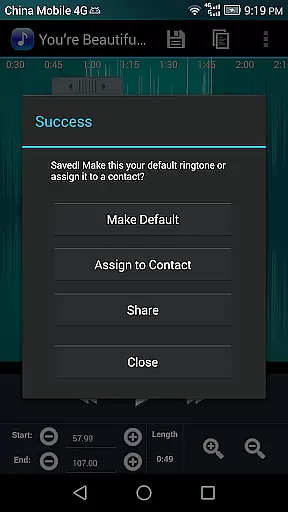
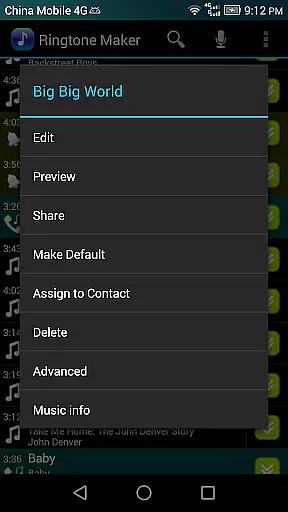
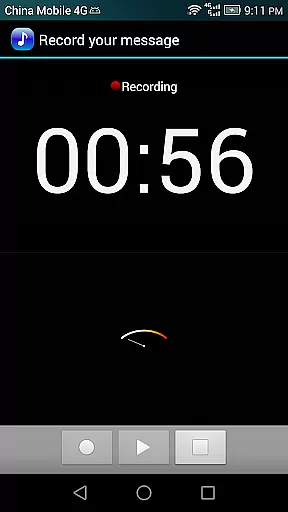
Users can also assign their newly created ringtones directly to contacts, manage existing contact ringtones, and sort audio files by tracks, albums, or artists. With functionalities like recording new audio clips and deleting unwanted ones, Ringtone Maker Pro ensures a comprehensive audio editing experience tailored to individual preferences.
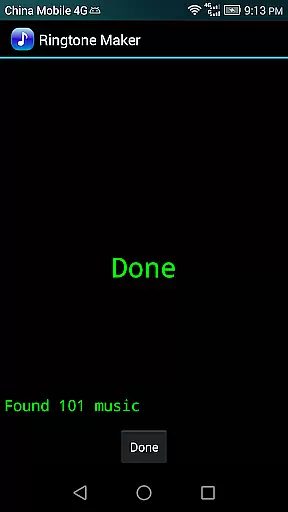
Ringtone Maker Pro offers an extensive music library that allows users to create ringtones, alarms, and notifications from a variety of audio file formats including MP3, WAV, AAC/MP4, and 3GPP/AMR. This vast compatibility ensures that users can utilize their personal audio collection without limitations.
The app's commitment to copyright authenticity is evident through its encouragement of using personal audio files for ringtone creation. By providing the tools to edit and customize audio clips, it empowers users to work within legal frameworks, ensuring that all created ringtones are compliant with copyright laws.
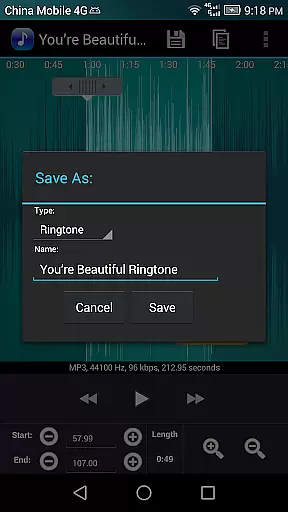
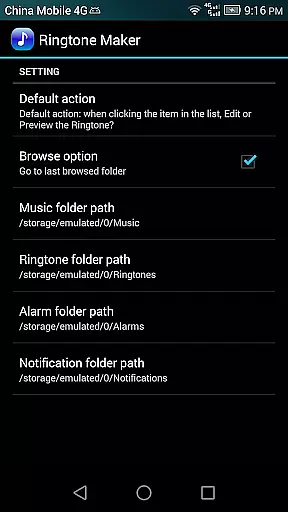
Users benefit from the peace of mind that comes with knowing their creations are both unique and legally sound. The ability to save new audio clips under specific categories such as Music, Ringtone, Alarm, or Notification further enhances the personalized experience.
With Ringtone Maker Pro, not only is there an assurance of a rich library size, but also a dedication to upholding copyright integrity, making it a trustworthy choice for audio customization.
One of the standout features of Ringtone Maker Pro is its superior audio quality options. Users have access to advanced editing capabilities such as fade in/out effects for MP3 files, volume adjustments, and the ability to preview edited files before saving.
This level of control over audio parameters ensures that the output meets high-quality standards, regardless of the original file's condition. Whether adjusting sound levels for consistency or applying professional-grade effects, users can achieve studio-quality results on their mobile devices.
The app provides five zoom levels for a detailed waveform representation, allowing precise edits and enhancing the overall audio quality. This meticulous attention to detail enables users to produce crisp, clear ringtones that stand out.
Ultimately, Ringtone Maker Pro delivers exceptional audio quality options that cater to audiophiles and casual users alike, ensuring every ringtone, alarm, or notification is delivered with pristine clarity and impact.
User-friendly interface
Wide format compatibility
Advanced editing tools
Visual waveform editor
Direct contact assignment
Limited free version
Occasional bugs
Ads in free version
Complex for beginners
Storage permissions required

Turn your phone into a musical instrument from the future!
 3.90
3.90
Time Guru will strengthen your internal sense of musical time via random muting.
4.30
Full-featured, High-Quality Groovebox Workstation, perfect for Live Performance!
4.80
The only true audiophile music player with Hi-Fi audio rendering and DSP engine
3.90
Bass Booster Pro takes auto-equalizing to the next level!
4.30
Bass Booster & Volume Equalizer Pro improves your music and video sound quality
4.60
Simple mp3 and mp4 player with advanced features.
3.40
Customize Your Favorite Songs and Videos with booster.
4.70
Be a true music maker: create beats, mix and make music like a real DJ!
4.30
Voice recorder - Audio recorder. Best recorder for recording
4.90
Brian Eno and Peter Chilvers’ acclaimed music app Bloom, radically reinvented.
4.80
Gorgeous UI, Powerful music Search and Equalizer, the great choice for you!
4.70
Ultimate Sonos Controller
4.70
Pay Once, no monthly payment
4.60
Visualize the guitar fretboard, master scales & play through changes like a pro!
4.50
Play KORG’s revolutionary touch-based instrument on a variety of devices.
4.40
Powerful 10-Band equalizer pro with sound booster improves Android audio quality
4.30
The iconic iOS metronome app is now on Android.
3.70
Remove ads permanently from Music Visualizer
4.3


User Reviews