
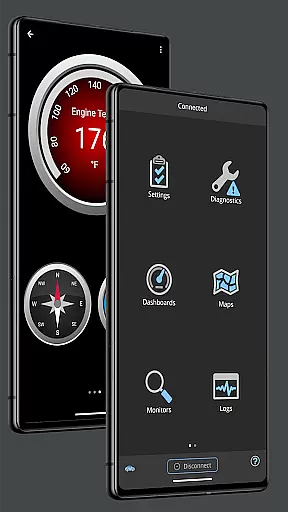
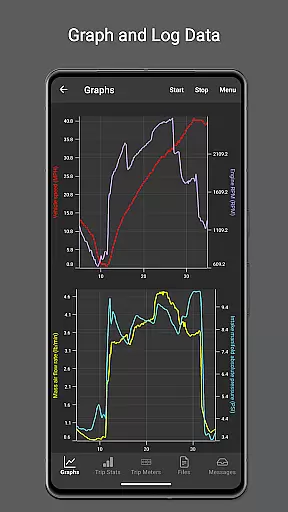
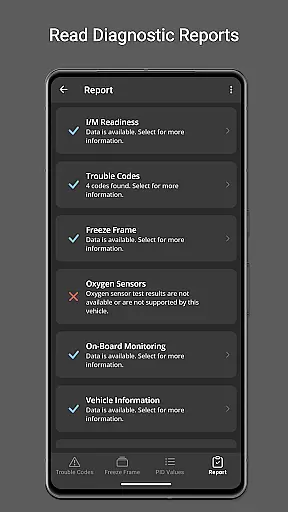
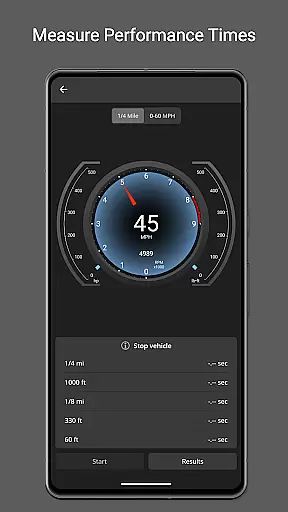
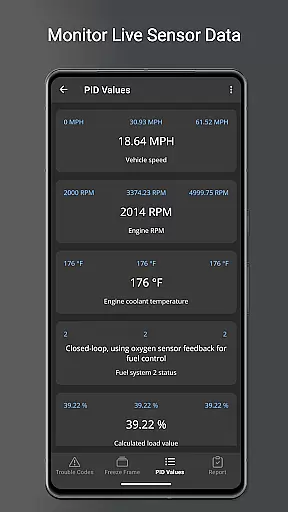
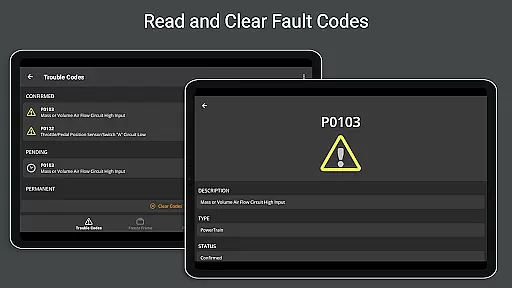
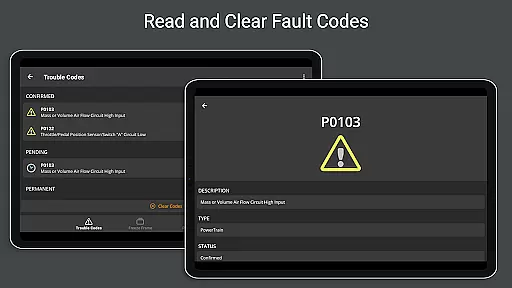
OBD Fusion is a comprehensive vehicle diagnostics tool designed for Android users, enabling direct access to OBD2 vehicle data. This app stands out by offering professional-grade features to car mechanics, DIY enthusiasts, and everyday drivers alike. With capabilities ranging from reading diagnostic trouble codes to monitoring real-time vehicle performance, it transforms your Android device into a powerful automotive scanner.
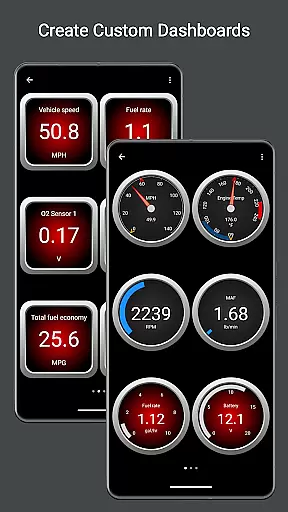
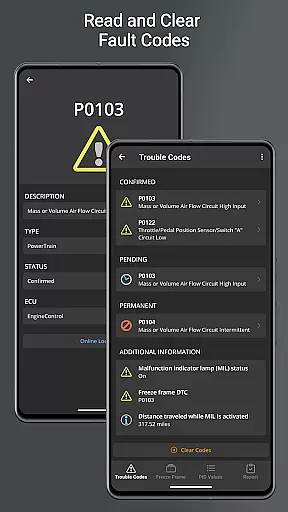
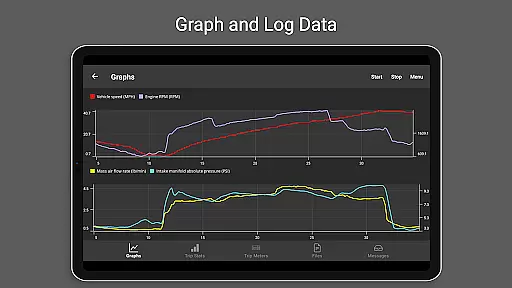
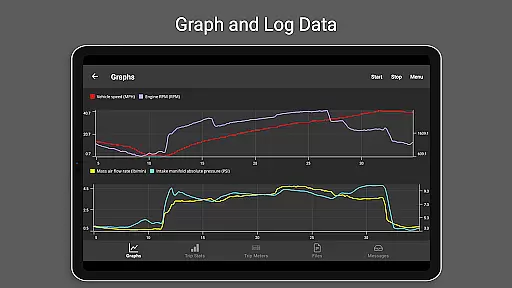
The app provides customizable dashboards, real-time graphing of vehicle sensors, fuel economy estimation, and detailed diagnostic reports. Whether you're looking to clear your check engine light, track fuel usage, or create advanced custom PIDs, OBD Fusion delivers both depth and usability. Its compatibility with multiple connection types like Bluetooth, USB, and Wi-Fi adapters ensures broad device support, making it an essential tool for vehicle maintenance and performance tracking.
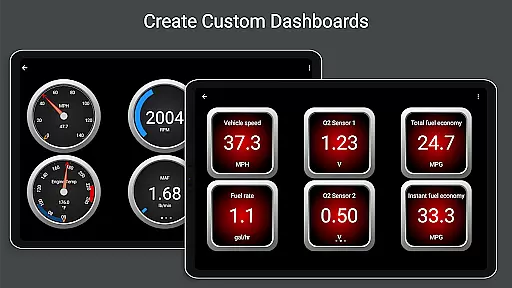
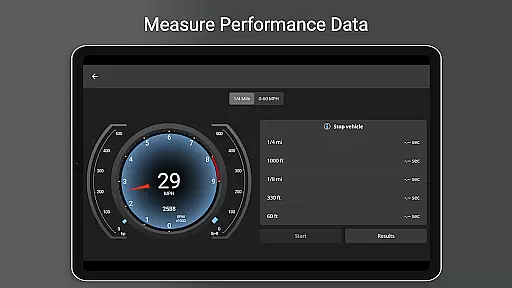
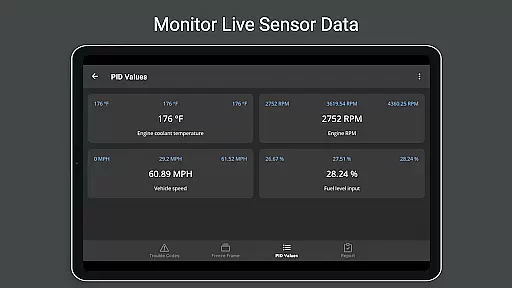
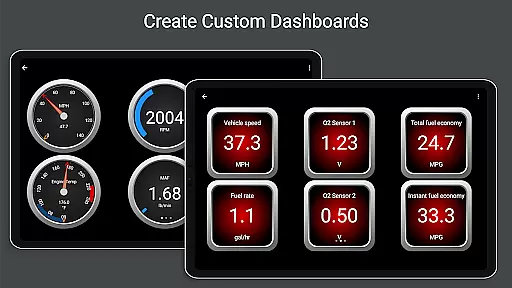
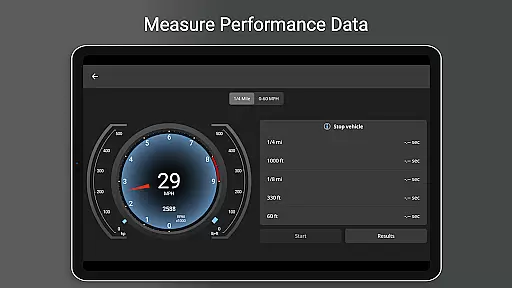
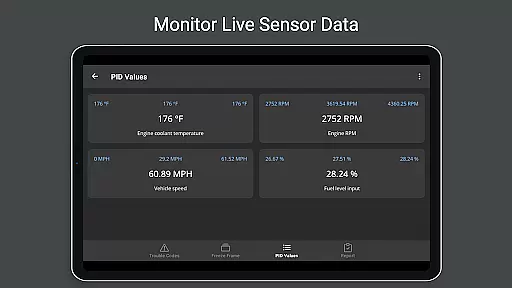
OBD Fusion boasts an extensive feature set tailored for both casual users and automotive professionals. One of its standout capabilities is the real-time dashboard display, which allows users to monitor critical vehicle metrics such as engine torque, turbo boost pressure, and air-to-fuel ratios. These dashboards are fully customizable, empowering users to tailor their experience based on specific needs or preferences.
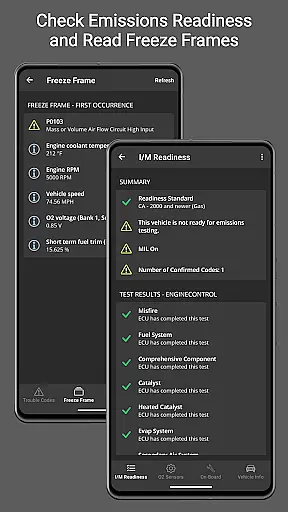
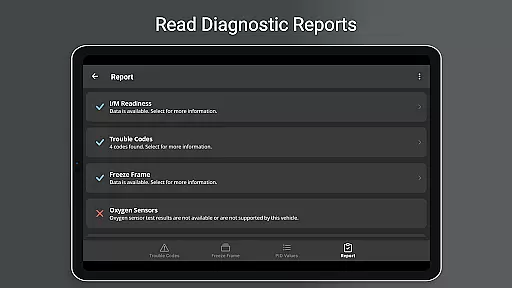
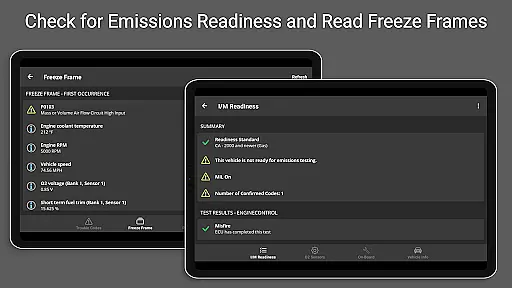
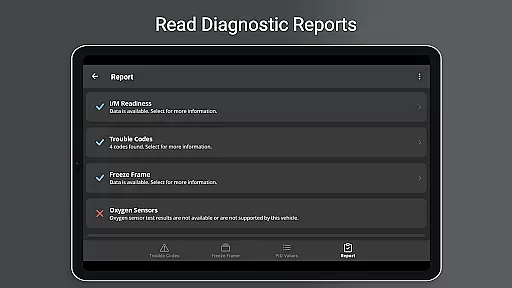
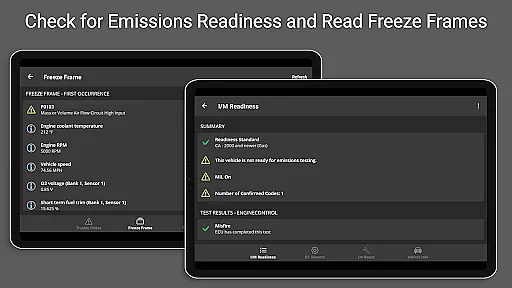
In addition to live data monitoring, the app supports advanced diagnostic functions like oxygen sensor testing, emissions readiness checks, and enhanced PID creation for Ford and GM vehicles. Users can log data in CSV format for later analysis, generate full diagnostic reports, and even email them directly from the app. The inclusion of Android Auto support (excluding dashboard gauges) further enhances accessibility, ensuring that key information is available when and where it's needed most.
With over 150 supported PIDs, multilingual support, and compatibility with various scan tools, OBD Fusion positions itself as a versatile solution for modern vehicle diagnostics. Its ability to interface with ELM327-compatible adapters while providing detailed fault code definitions solidifies its value proposition for anyone seeking a reliable, all-in-one diagnostic tool.
Real-time messaging speed and reliability are crucial for effective vehicle diagnostics. OBD Fusion excels in this area by providing instantaneous data transfer between the vehicle's onboard diagnostics system and the user's Android device.
The app supports multiple connection methods including Bluetooth, Bluetooth LE, USB, and Wi-Fi, ensuring that users can select the most reliable option for their setup. This flexibility enhances the messaging reliability, as it adapts to various hardware capabilities and preferences.
For professional mechanics and DIY enthusiasts, the ability to receive real-time updates on vehicle parameters such as engine performance, fuel economy, and diagnostic trouble codes is invaluable. OBD Fusion delivers this data with minimal latency, allowing for timely interventions and informed decision-making.
Moreover, the stability of the connection is reinforced by the app's compatibility with ELM327 adapters, which are known for maintaining robust communication channels. This ensures that messages are not only fast but also consistent, reducing the chances of missed or delayed information during critical diagnostic procedures.
Media sharing support in OBD Fusion encompasses the ability to log, export, and share comprehensive vehicle data reports. This feature is essential for users who need to document diagnostic findings or share them with professionals or communities.
OBD Fusion allows users to log data into CSV files, which can then be exported and opened in any spreadsheet application. This functionality facilitates detailed analysis and record-keeping, enabling users to track vehicle performance over time or across different trips accurately.
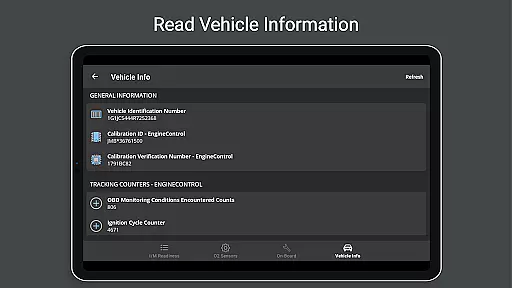
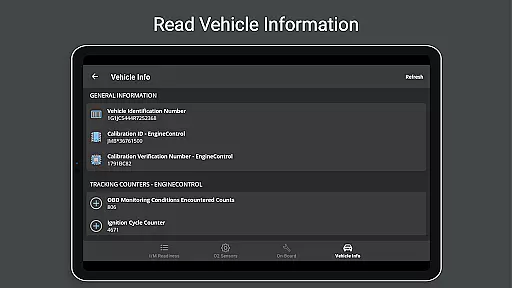
In addition to numerical data, the app provides full diagnostic reports that encapsulate all relevant vehicle information, including diagnostic trouble codes, freeze frame data, and emissions readiness statuses. These reports can be stored locally and emailed directly from the app, streamlining the process of sharing critical insights with service providers or car enthusiasts.
The inclusion of customizable dashboards and real-time graphing further enriches the media sharing experience. Users can create visual representations of vehicle sensor data, making it easier to communicate complex information clearly and effectively. This level of detail and customization empowers users to engage more deeply with their vehicle's diagnostics and share their findings with precision.
User-friendly interface
Extensive feature set
Customizable dashboards
Real-time data logging
Multilingual support
Requires compatible adapter
Clone adapters unreliable
Android Auto limitations
Premium features costly
Complex for beginners

Pure modern IRC experience for Android
 3.70
3.70
A web browser that respects your privacy.
4.30
Save 10% automatically on your first international mobile top up.
4.60
Messenger app for faster and simpler SMS text messaging, and personalized themes
4.10
Fast Dialer & Contact Manager with Caller ID and Spam Protection
4.00
Comprehensive and powerful scan tool app with enhanced functions
3.00
Manage Phone Calls, call history, and contacts easily with Phone Pro.
4.3
SMS Messenger is a lightning-fast messaging app.
4.20
Telegram is a messaging app with a focus on speed and security.
4.00
Messenger for SMS - texting message app, faster, simpler & safer, for you.
4.70
Messenger, an MMS & SMS messages app with Blockers, Driving mode & Private box
4.60
Faster version of Messages. Messenger for your contacts.
4.50
Talk & text free with a second phone number plus unlimited 5G data, no fees.
4.50
Get through your inbox faster with the mail app designed to simplify your life.
4.40
WazzapMigrator: transfer your WhatsApp history from iPhone to Android
4.00
Call Forwarding is easy and simple application to use.
3.80
Message and video call your family and friends in HD!
3.80
Quickly and easily identify and block unknown callers
3.70
Auto Reply SMS, Text Messaging, Away SMS Response, Busy SMS messages, Block Text
3.10


User Reviews